


 Tools Tags


Template style management


illustrate:
1, all template solutions are saved in ./phpcms/templates/ directory (if you need to modify it online, please set the directory to # via ftp ##777 and apply to subdirectories)
2 . The template scheme currently used by the website is: default template , and the saving path is: ./phpcms/templates/default/ , other template solutions Changes will not affect the display of the website frontend.
3 If you need to add a website template plan, please upload the new template plan to ./phpcms/templates/ Directory
4 If you need to apply a new website template scheme, please set the template scheme as the system default scheme5、File storage rules5.1. In each directory under the template system, the .html file is a template file, and the file name is in English, which is easier to understand ( Can be seen in the background style list).5.2, there is still config in the template set directory .php file, this file saves the Chinese name of the template under the current style, so do not delete it.
Common operations
Operation name Description Template import None Template export None Template enable/disable none
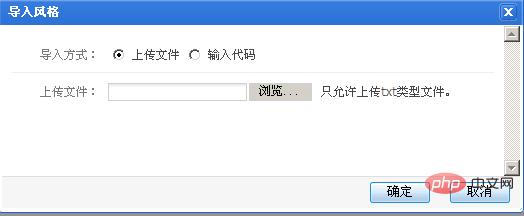
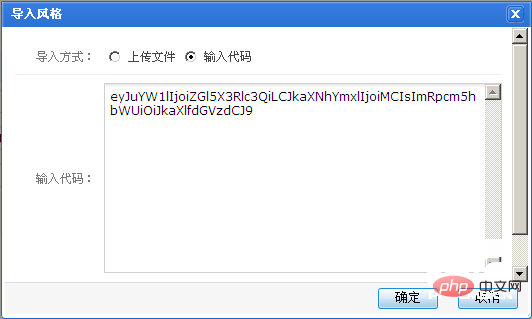
There are two types of template import: file import and code import. For file import, please select the style file exported from the system (PHPCMS other website systems). And upload the template file to the corresponding directory of the space. As shown below:
File import
Enter code method
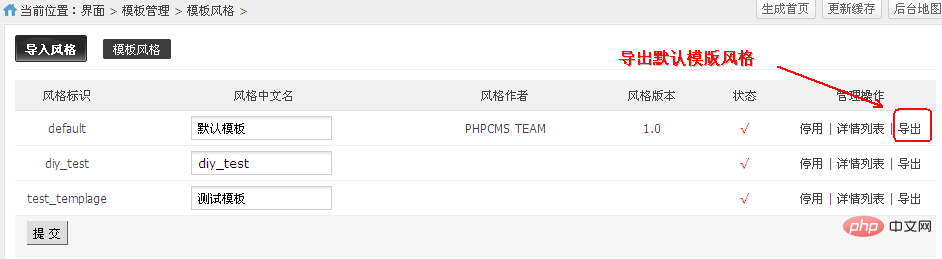
Export the template as a .TXT file for later use
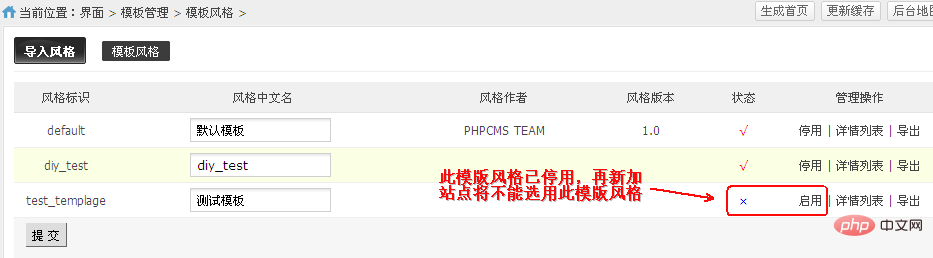
3. Template activation/deactivation
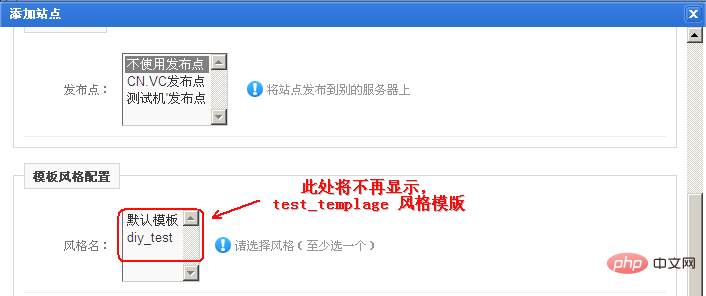
When the template is disabled and you add a site, you will not be able to select this disabled template, as shown below:
When adding, there is no test_templage template style, as shown below

Related videos







![Getting Started with PHP Practical Development: PHP Quick Creation [Small Business Forum]](https://img.php.cn/upload/course/000/000/035/5d27fb58823dc974.jpg)
 Hot AI Tools

Undress images for free

Online AI tool for removing clothes from photos.

AI-powered app for creating realistic nude photos

AI image generator for creative art from text prompts.

AI powered investment research for smarter decisions
 Hot Article
 Hot Topics
 20516
20516
 7
13629
4
7
13629
4
 Popular tool

Easy-to-use and free code editor

Chinese version, very easy to use

Powerful PHP integrated development environment

Visual web development tools

God-level code editing software (SublimeText3)