


How much does it cost to replace an Apple mobile phone battery?

How much does it cost to replace an Apple mobile phone battery? This is an issue that many netizens are concerned about. Next, the editor of PHP will bring you a list of battery replacement costs for various versions of Apple mobile phones. Interested netizens should follow the editor to take a look!
 List of battery replacement costs for various versions of Apple mobile phones
1. It costs 809 yuan to replace the battery of iPhone 15 series mobile phones.
2. It costs 748 yuan to replace the battery of iPhone 14 series mobile phones.
3. It costs 688 yuan to replace the battery of iPhone 13 series mobile phones.
4. It costs 688 yuan to replace the battery of iPhone 12 series mobile phones.
5. It costs 688 yuan to replace the battery of iPhone 11 series mobile phones.
6. It costs 688 yuan to replace the battery of iPhone X series mobile phones.
7. It costs 528 yuan to replace the battery of iPhone 8 series mobile phones.
8. It costs 528 yuan to replace the battery of iPhone 7 series mobile phones.
9. It costs 528 yuan to replace the battery of iPhone 6 series mobile phones.
The above is the detailed content of How much does it cost to replace an Apple mobile phone battery?. For more information, please follow other related articles on the PHP Chinese website!

Hot AI Tools

Undress AI Tool
Undress images for free

Undresser.AI Undress
AI-powered app for creating realistic nude photos

AI Clothes Remover
Online AI tool for removing clothes from photos.

Clothoff.io
AI clothes remover

Video Face Swap
Swap faces in any video effortlessly with our completely free AI face swap tool!

Hot Article
Hot Tools

Notepad++7.3.1
Easy-to-use and free code editor

SublimeText3 Chinese version
Chinese version, very easy to use

Zend Studio 13.0.1
Powerful PHP integrated development environment

Dreamweaver CS6
Visual web development tools

SublimeText3 Mac version
God-level code editing software (SublimeText3)
Hot Topics
 1793
1793
 16
1736
56
1587
29
267
587
16
1736
56
1587
29
267
587

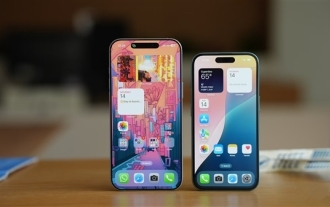 Multi-party certification: iPhone 17 standard version will support high refresh rate! For the first time in history!
Apr 13, 2025 pm 11:15 PM
Multi-party certification: iPhone 17 standard version will support high refresh rate! For the first time in history!
Apr 13, 2025 pm 11:15 PM
Apple's iPhone 17 may usher in a major upgrade to cope with the impact of strong competitors such as Huawei and Xiaomi in China. According to the digital blogger @Digital Chat Station, the standard version of iPhone 17 is expected to be equipped with a high refresh rate screen for the first time, significantly improving the user experience. This move marks the fact that Apple has finally delegated high refresh rate technology to the standard version after five years. At present, the iPhone 16 is the only flagship phone with a 60Hz screen in the 6,000 yuan price range, and it seems a bit behind. Although the standard version of the iPhone 17 will have a high refresh rate screen, there are still differences compared to the Pro version, such as the bezel design still does not achieve the ultra-narrow bezel effect of the Pro version. What is more worth noting is that the iPhone 17 Pro series will adopt a brand new and more
 E-commerce platform SKU and SPU database design: How to take into account both user-defined attributes and attributeless products?
Apr 19, 2025 pm 11:27 PM
E-commerce platform SKU and SPU database design: How to take into account both user-defined attributes and attributeless products?
Apr 19, 2025 pm 11:27 PM
Detailed explanation of the design of SKU and SPU tables on e-commerce platforms This article will discuss the database design issues of SKU and SPU in e-commerce platforms, especially how to deal with user-defined sales...
 Who developed mac os
Apr 12, 2025 pm 05:15 PM
Who developed mac os
Apr 12, 2025 pm 05:15 PM
The developer of macOS is Apple, which features Unix kernel, ease of use, a rich application ecosystem, seamless integration with Apple devices, and excellent performance. As of this stage, the latest version of macOS is macOS Ventura.
 What to do if the Apple phone cannot be turned on? Solution to the Apple phone cannot be turned on
May 29, 2025 pm 08:24 PM
What to do if the Apple phone cannot be turned on? Solution to the Apple phone cannot be turned on
May 29, 2025 pm 08:24 PM
If the iPhone cannot be turned on, you can solve the following methods: 1. Forced restart: For iPhone 8 and later models, quickly press and release the volume up key, then quickly press and release the volume down key, and finally press and hold the side button until you see the Apple logo. 2. Check the battery level: Connect the phone to the charger for at least 15 minutes, and then try to turn it on. 3. Contact Apple customer service or go to Apple's authorized service center for repairs. 4. Use recovery mode: Connect your computer, use iTunes or Finder, press and hold the side button until the logo connected to iTunes appears, and select "Recover". 5. Check for physical damage: Check for cracks, depressions or other damage to the phone. If so, it is recommended to go to the maintenance center for treatment as soon as possible.
 Binance Exchange app official download Binance latest download tutorial
May 23, 2025 pm 05:36 PM
Binance Exchange app official download Binance latest download tutorial
May 23, 2025 pm 05:36 PM
The official Binance app can be downloaded from Android and iOS devices. Android users need to visit Binance official website to download the apk file and install it; iOS users can search and download it in the App Store. After downloading, users can log in to the app through their email or mobile phone number.
 Solution to the application cannot be installed after iOS system update
May 29, 2025 pm 08:42 PM
Solution to the application cannot be installed after iOS system update
May 29, 2025 pm 08:42 PM
To solve the problem that the app cannot be installed after the iOS system is updated, you can use the following steps: 1. Clean the system cache: Go to "Settings" > "General" > "IPhone Storage", uninstall infrequently used apps and restart the device. 2. Solve through downgrade: Download the previous version of iOS firmware and use iTunes or Finder to downgrade. 3. Contact Apple customer service: provide serial number, seek professional help and backup data.
 Apple phone cannot connect to WiFi. Solve iPhone network connection failed steps
May 29, 2025 pm 09:06 PM
Apple phone cannot connect to WiFi. Solve iPhone network connection failed steps
May 29, 2025 pm 09:06 PM
If your iPhone cannot connect to WiFi, you can solve it by restarting the device, resetting network settings, or updating the iOS system. 1. Restart the phone: Press and hold the power button, slide to shut down, and restart later. 2. Reset network settings: Go to "Settings" > "General" > "Reset", and select "Reset Network Settings". 3. Update iOS system: Go to "Settings" > "General" > "Software Update", download and install the update.
 How to retrieve Apple phones if they lose them? Introduction to how to retrieve Apple phones if they lose them
May 29, 2025 pm 09:00 PM
How to retrieve Apple phones if they lose them? Introduction to how to retrieve Apple phones if they lose them
May 29, 2025 pm 09:00 PM
If your iPhone is lost, you can retrieve it through the "Find My iPhone" feature. The specific operations are: 1. Visit the "Find My iPhone" website or use the "Find" app, enter the Apple ID and password to view the location of the phone; 2. If the phone is nearby, select play sound; 3. If it is not nearby, select "Lost Mode" to lock the phone and display contact information; 4. If it cannot be found, select "Erase Device" to clear the data, but the phone can no longer be located. If this function is not enabled, contact Apple customer service, report the IMEI number to the operator, and change the relevant password to protect the information security.
