


Ten recommended open source free text annotation tools

Text annotation work is the work of corresponding labels or tags to specific content in the text. Its main purpose is to provide additional information to the text for deeper analysis and processing, especially in the field of artificial intelligence.

#Text annotation is crucial for supervised machine learning tasks in artificial intelligence applications. It is used to train AI models to help more accurately understand natural language text information and improve the performance of tasks such as text classification, sentiment analysis, and language translation. Through text annotation, we can teach AI models to recognize entities in text, understand context, and make accurate predictions when new similar data appears.
This article mainly recommends some better open source text annotation tools.
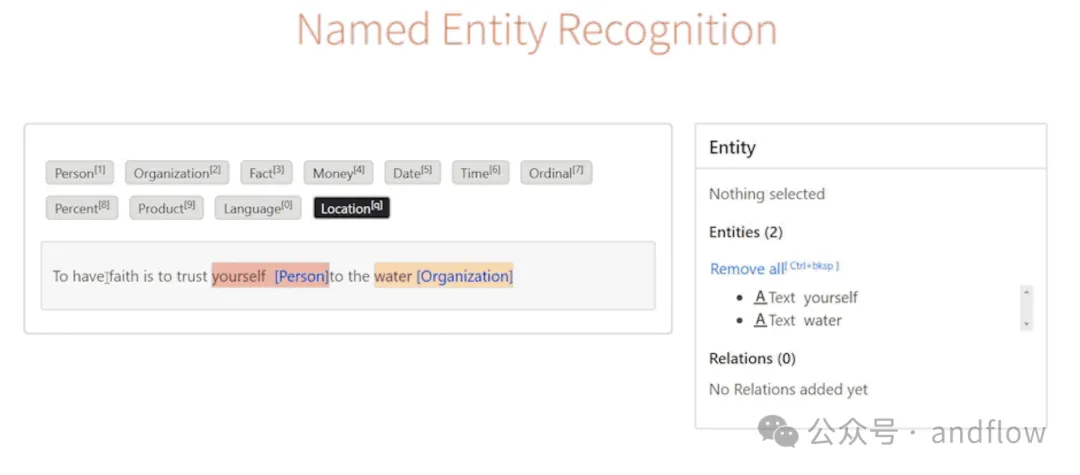
1.Label Studio
https://github.com/HumanSignal/label-studio
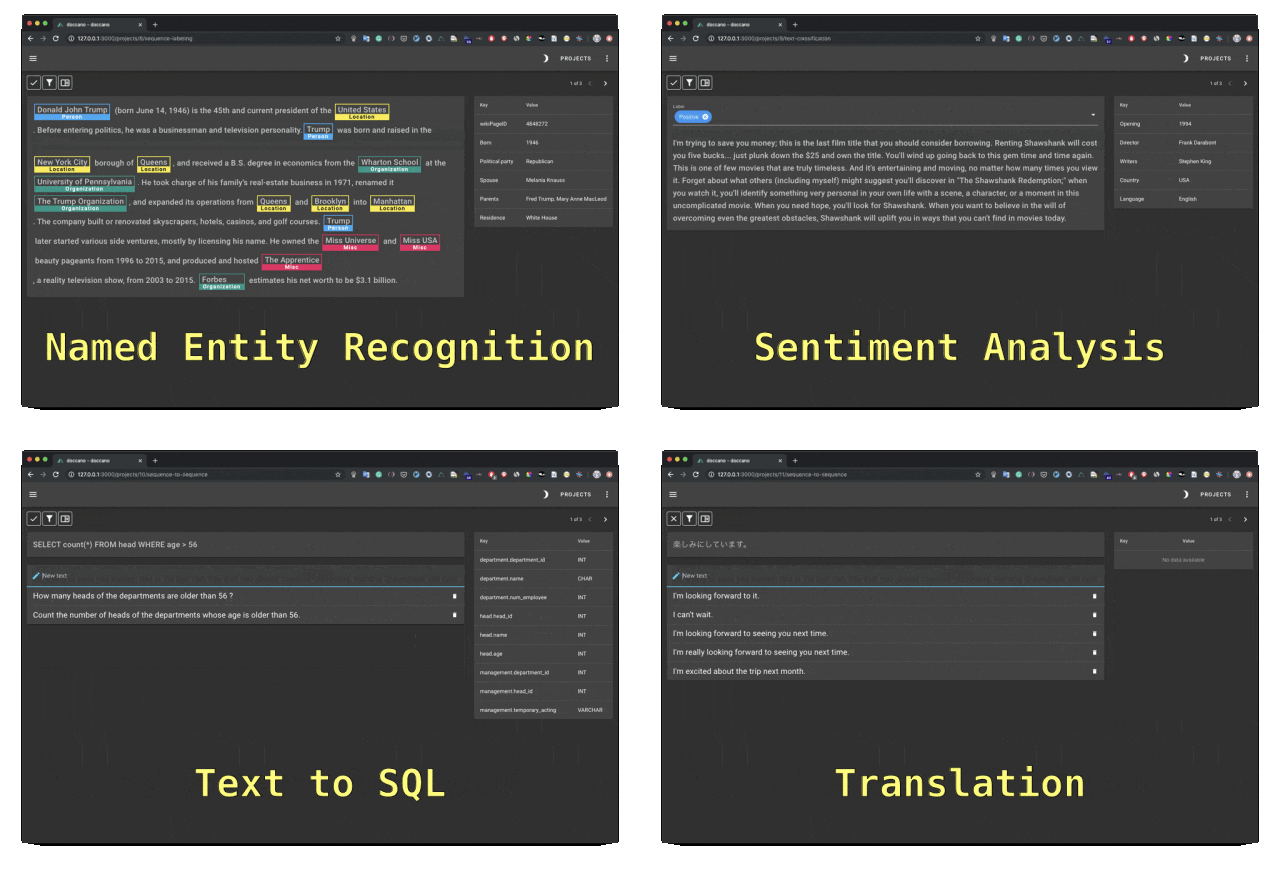
2.Doccano
https://github.com/doccano/doccano
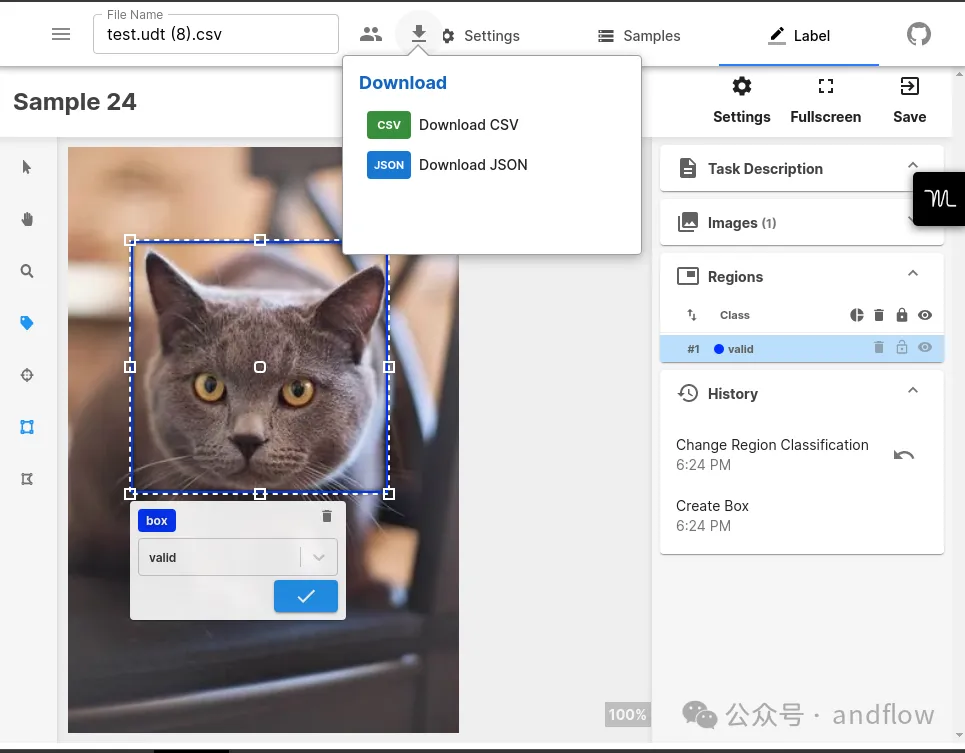
3.Universal Data Tool
https://github.com/UniversalDataTool/universal-data-tool
4.YEDDA
https://github.com/jiesutd/YEDDA
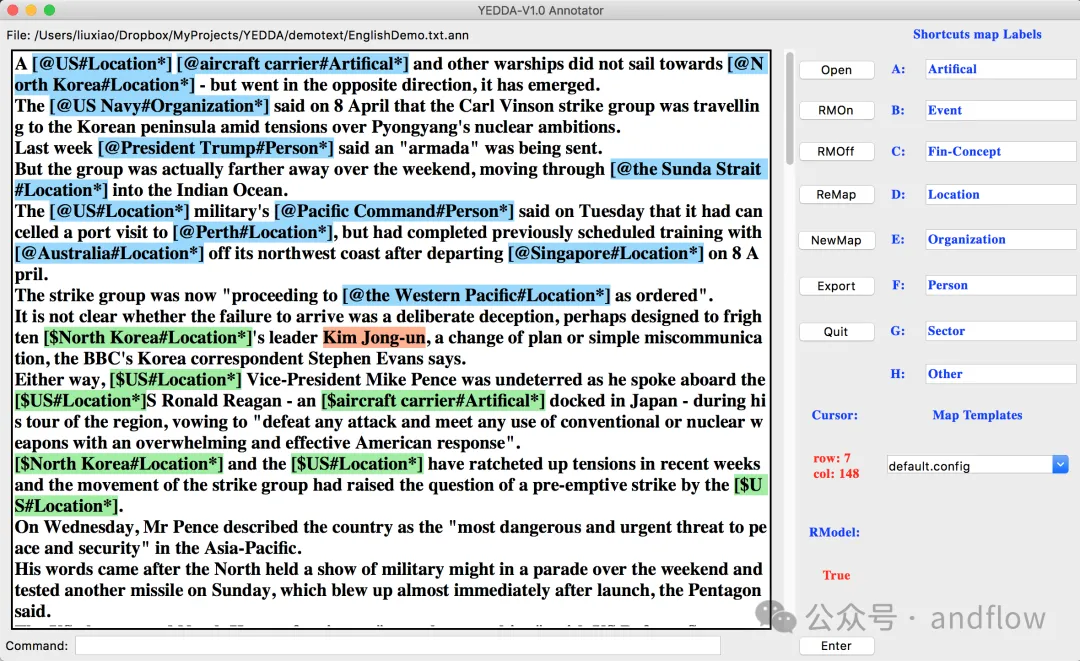
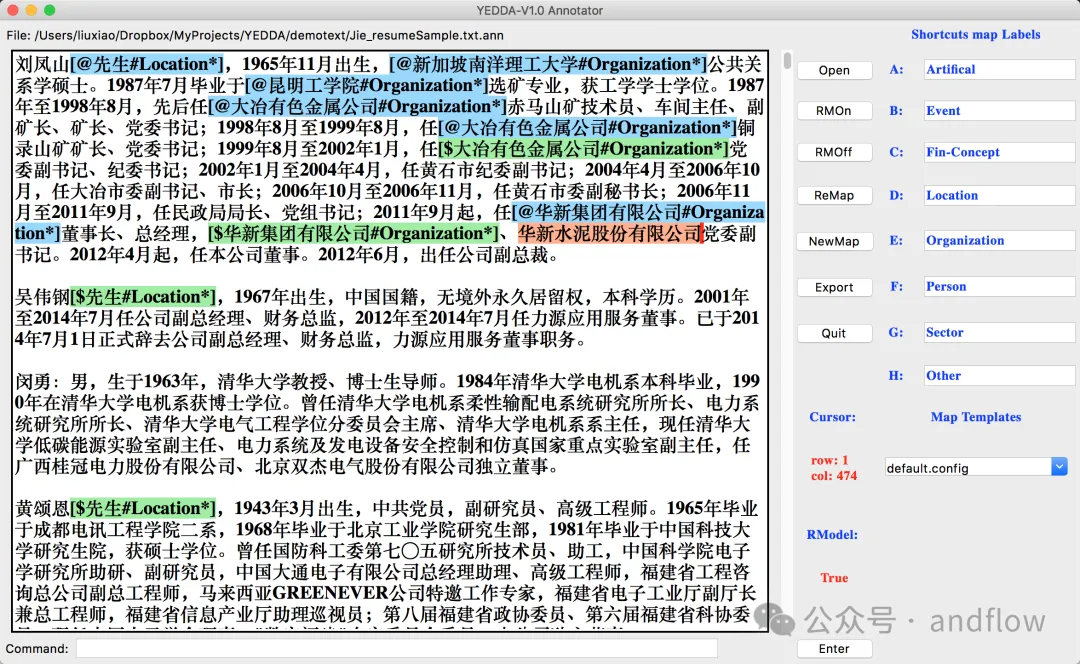
YEDDA is a text annotation tool that can be used in various languages, symbols and emoticons. It supports using shortcuts, commanding the model, and exporting annotation text as sequence text. Supports functions such as intelligent recommendations and administrator analysis.
YEDDA is compatible with all major operating systems, including Windows, Linux and MacOS.
5.Argilla
https://github.com/argilla-io/argilla
Argilla is a platform for artificial intelligence engineers An open source data collaboration platform with domain experts to provide high-quality and efficient data output.
It helps control data quality and improve AI output quality, and improves efficiency by enabling rapid iteration of data and models. Argilla also provides data management and model training tools.
6.KernAI Refinery
https://github.com/code-kern-ai/refinery
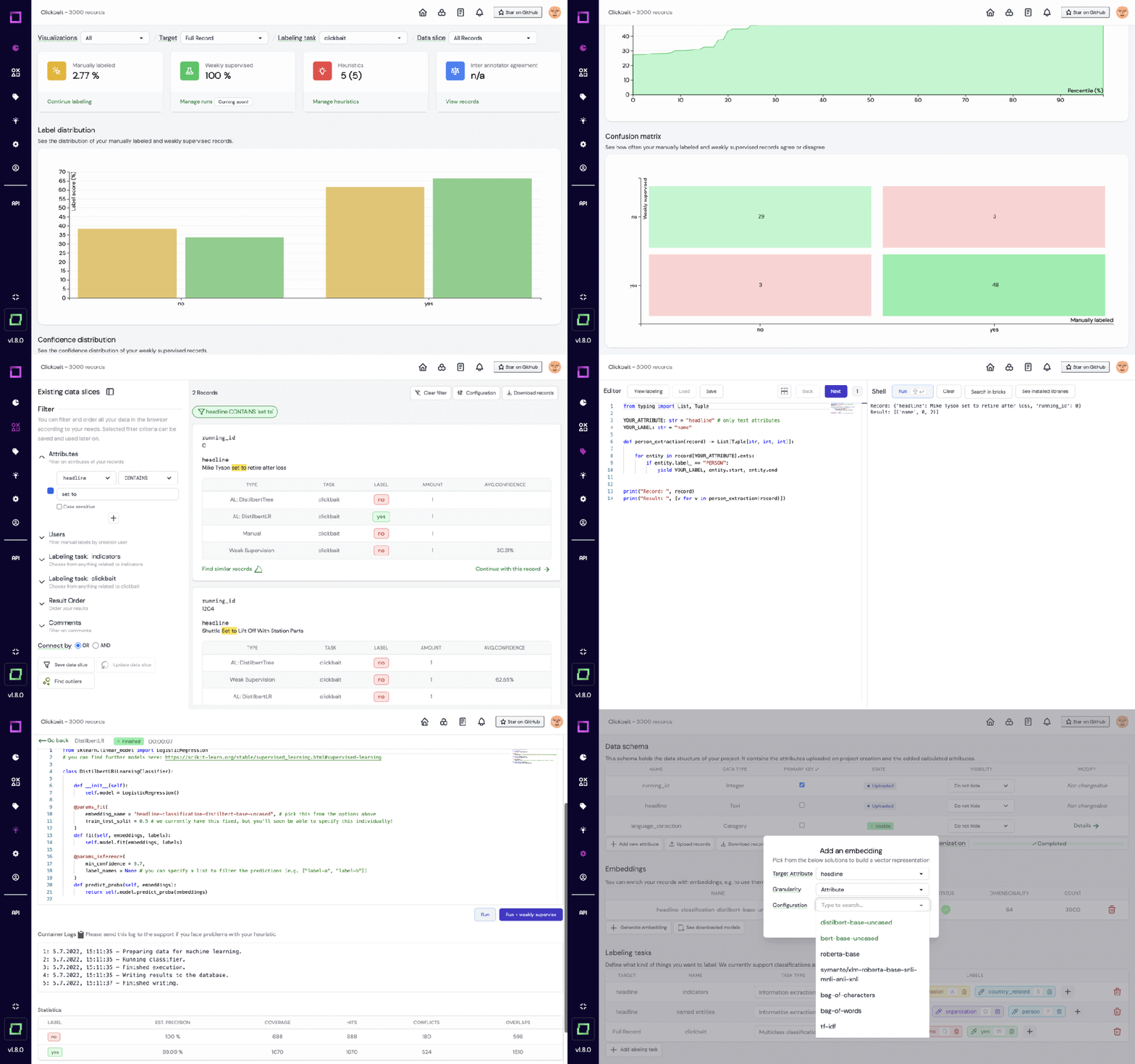
Refinery is an open source platform from KernAI designed for data scientists working with natural language data. It provides functions such as semi-automated data annotation, data subset quality assessment, and centralized data monitoring, aiming to improve manual labeling efficiency.
The tool leverages technologies such as Hugging Face and spaCy to build pre-built language models and integrates with other labeling tools for flexible data processing.
Features:
- (Semi-)automated labeling workflow for NLP tasks
- Manual and programmatic classification and span labeling
- Support with State-of-the-art library and framework integration
- Create and manage lookup tables/knowledge bases
- Neural search-based similar record and outlier retrieval
- Sliceable tag sessions
- Multiple tag tasks per project
- Rich automation library
- Extensive data management and monitoring
- Integration with Hugging Face for automated creation of embeds
- JSON-based data model for data upload/download
- Project Metrics Overview
- Access and extend data via Python SDK
- In-place attribute modification
- Team collaboration in the hosted version
- Role-based access and minimized tag view for multiple users
- Integrated group tag workflow
- Automatically Calculate agreement between annotators
7.Recogito.js
##https://github.com/recogito/recogito-js

8.Label Sleuth
https://github.com/label-sleuth/label-sleuth

Label Sleuth is an open source, no-code system for text labeling and classification. It enables experts in fields such as doctors, lawyers, and psychologists to build custom NLP models without the cooperation of NLP experts.
Usually NLP model creation requires domain and machine learning expertise. Label Sleuth bypasses the requirement for NLP expertise with intuitive text annotation and AI model building. While users are labeling data, machine learning models are trained in the background, making predictions and suggesting what to label next.
As a no-code system, it requires no machine learning knowledge and allows rapid model development, from task definition to completed model in just a few hours.
9.Markup
https://github.com/samueldobbie/markup
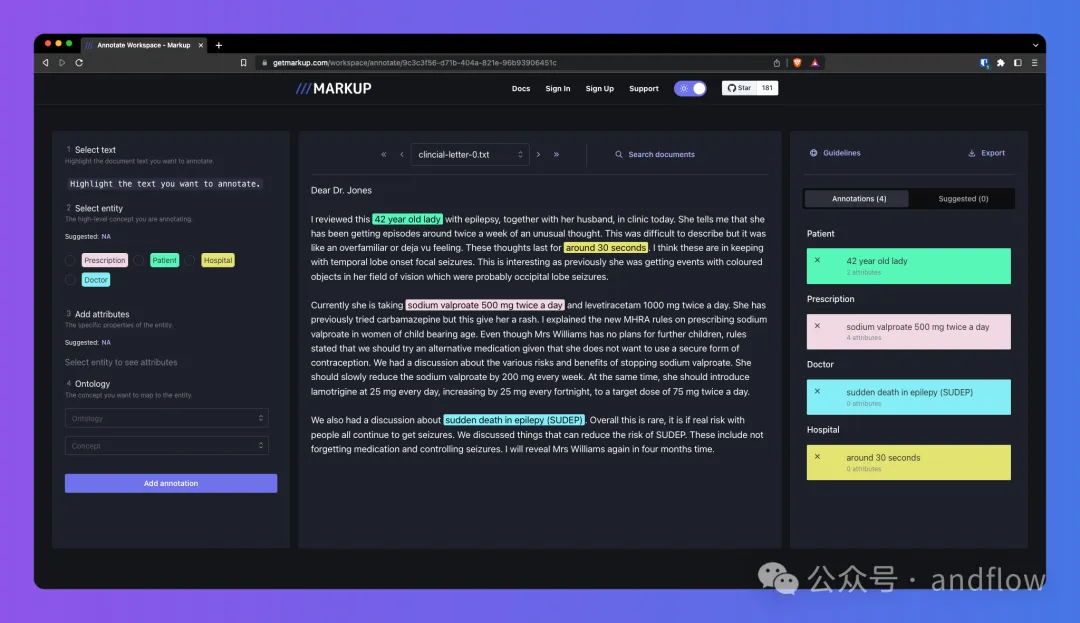
Markup is an online annotation tool that can be used to convert unstructured documents into structured formats for NLP and ML tasks, such as entity recognition. Simultaneous learning as you annotate to predict and recommend more complex annotations, and also provides integrated access to common and custom ontologies for concept mapping.
Features:
- Predictive annotation: Markup’s machine learning-driven predictive annotation function can recommend more complex annotations as you work, making the annotation process more efficient. .
- Integrated ontology access tags: Provides integrated access to a wide range of common ontologies (e.g. UMLS, SNOMED-CT, ICD-10), as well as the ability to upload custom ontologies for concept mapping.
- Predictive ontology mapping: Markup’s predictive ontology mapping feature uses machine learning to recommend appropriate mappings to standard and custom terms based on the text you are annotating.
- User-Friendly Interface: Whether you are a technical expert or a beginner, Markup's user-friendly interface makes it easy for anyone to start annotating documents with minimal setup.
10.Potato
https://github.com/davidjurgens/potato
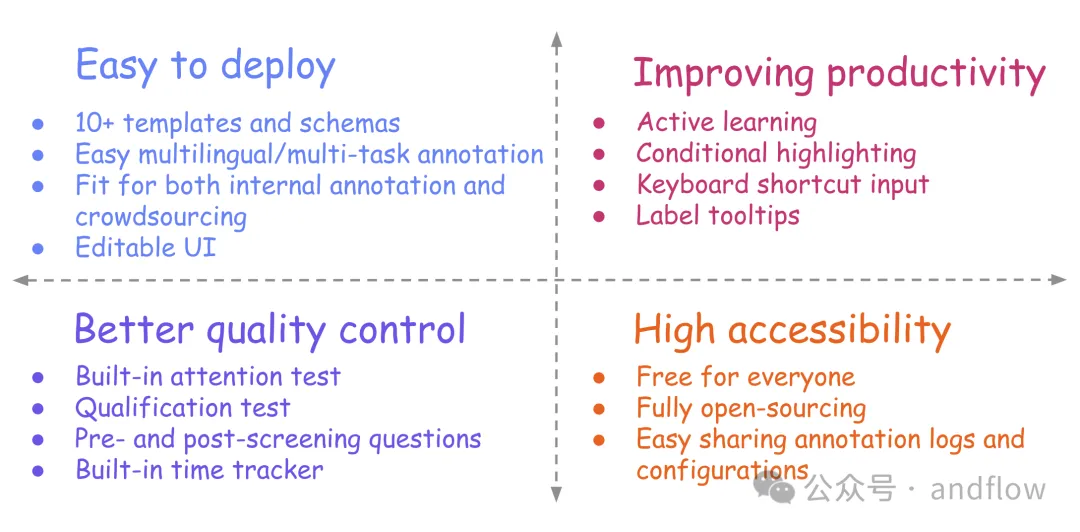
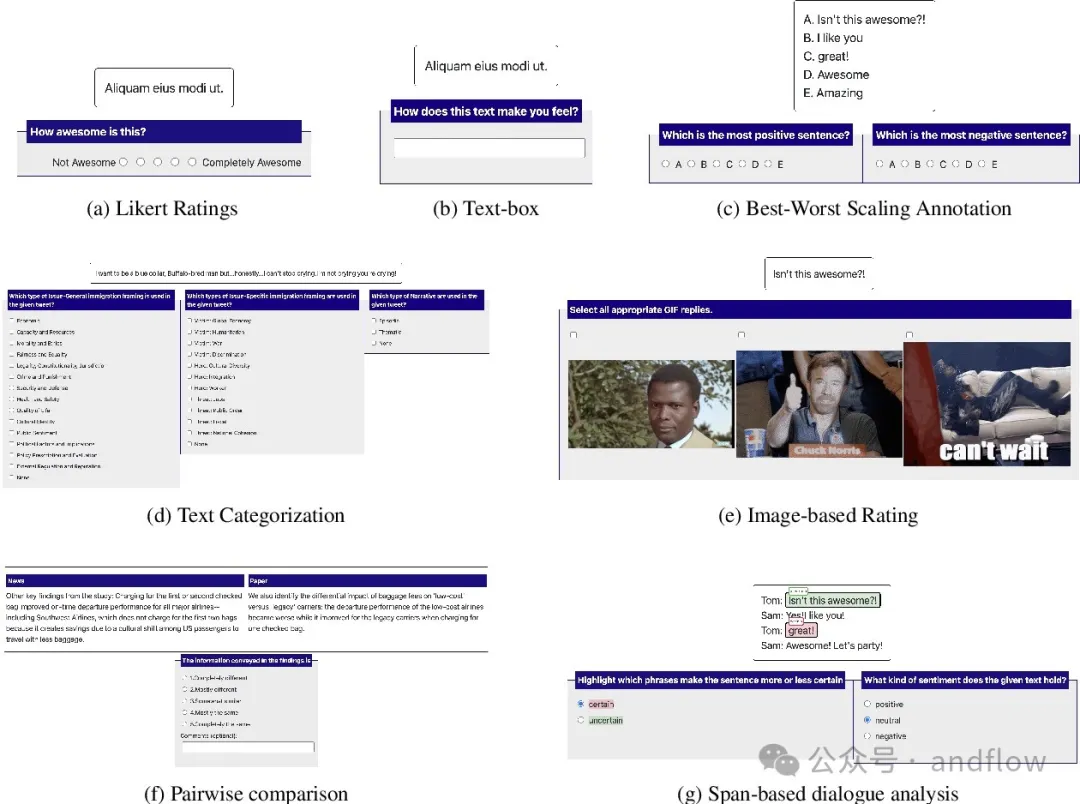
Potato is a web-based text annotation tool that supports quick setup and deployment of various text annotation tasks. Can run as a web server, driven by a single configuration file, requiring no startup coding. But Potato is easy to customize, and usually does not require additional web design to adjust the user interface for text annotators.
Key Features:
- Easy to set up and customize
- Extensive built-in schemas and templates
- Supports multiple data types
- Support multi-tasking settings
- Improve annotation efficiency with features such as keyboard shortcuts, dynamic highlighting, and label tooltips
- Get a better understanding of annotator functions, such as before and after filtering Questions
- Quality control features like attention test, qualification test and built-in time check
The above is the detailed content of Ten recommended open source free text annotation tools. For more information, please follow other related articles on the PHP Chinese website!

Hot AI Tools

Undresser.AI Undress
AI-powered app for creating realistic nude photos

AI Clothes Remover
Online AI tool for removing clothes from photos.

Undress AI Tool
Undress images for free

Clothoff.io
AI clothes remover

AI Hentai Generator
Generate AI Hentai for free.

Hot Article
Hot Tools

Notepad++7.3.1
Easy-to-use and free code editor

SublimeText3 Chinese version
Chinese version, very easy to use

Zend Studio 13.0.1
Powerful PHP integrated development environment

Dreamweaver CS6
Visual web development tools

SublimeText3 Mac version
God-level code editing software (SublimeText3)
Hot Topics
 1377
1377
 52
52

 How to configure Debian Apache log format
Apr 12, 2025 pm 11:30 PM
How to configure Debian Apache log format
Apr 12, 2025 pm 11:30 PM
This article describes how to customize Apache's log format on Debian systems. The following steps will guide you through the configuration process: Step 1: Access the Apache configuration file The main Apache configuration file of the Debian system is usually located in /etc/apache2/apache2.conf or /etc/apache2/httpd.conf. Open the configuration file with root permissions using the following command: sudonano/etc/apache2/apache2.conf or sudonano/etc/apache2/httpd.conf Step 2: Define custom log formats to find or
 How Tomcat logs help troubleshoot memory leaks
Apr 12, 2025 pm 11:42 PM
How Tomcat logs help troubleshoot memory leaks
Apr 12, 2025 pm 11:42 PM
Tomcat logs are the key to diagnosing memory leak problems. By analyzing Tomcat logs, you can gain insight into memory usage and garbage collection (GC) behavior, effectively locate and resolve memory leaks. Here is how to troubleshoot memory leaks using Tomcat logs: 1. GC log analysis First, enable detailed GC logging. Add the following JVM options to the Tomcat startup parameters: -XX: PrintGCDetails-XX: PrintGCDateStamps-Xloggc:gc.log These parameters will generate a detailed GC log (gc.log), including information such as GC type, recycling object size and time. Analysis gc.log
 How to implement file sorting by debian readdir
Apr 13, 2025 am 09:06 AM
How to implement file sorting by debian readdir
Apr 13, 2025 am 09:06 AM
In Debian systems, the readdir function is used to read directory contents, but the order in which it returns is not predefined. To sort files in a directory, you need to read all files first, and then sort them using the qsort function. The following code demonstrates how to sort directory files using readdir and qsort in Debian system: #include#include#include#include#include//Custom comparison function, used for qsortintcompare(constvoid*a,constvoid*b){returnstrcmp(*(
 How to optimize the performance of debian readdir
Apr 13, 2025 am 08:48 AM
How to optimize the performance of debian readdir
Apr 13, 2025 am 08:48 AM
In Debian systems, readdir system calls are used to read directory contents. If its performance is not good, try the following optimization strategy: Simplify the number of directory files: Split large directories into multiple small directories as much as possible, reducing the number of items processed per readdir call. Enable directory content caching: build a cache mechanism, update the cache regularly or when directory content changes, and reduce frequent calls to readdir. Memory caches (such as Memcached or Redis) or local caches (such as files or databases) can be considered. Adopt efficient data structure: If you implement directory traversal by yourself, select more efficient data structures (such as hash tables instead of linear search) to store and access directory information
 How to learn Debian syslog
Apr 13, 2025 am 11:51 AM
How to learn Debian syslog
Apr 13, 2025 am 11:51 AM
This guide will guide you to learn how to use Syslog in Debian systems. Syslog is a key service in Linux systems for logging system and application log messages. It helps administrators monitor and analyze system activity to quickly identify and resolve problems. 1. Basic knowledge of Syslog The core functions of Syslog include: centrally collecting and managing log messages; supporting multiple log output formats and target locations (such as files or networks); providing real-time log viewing and filtering functions. 2. Install and configure Syslog (using Rsyslog) The Debian system uses Rsyslog by default. You can install it with the following command: sudoaptupdatesud
 How to configure firewall rules for Debian syslog
Apr 13, 2025 am 06:51 AM
How to configure firewall rules for Debian syslog
Apr 13, 2025 am 06:51 AM
This article describes how to configure firewall rules using iptables or ufw in Debian systems and use Syslog to record firewall activities. Method 1: Use iptablesiptables is a powerful command line firewall tool in Debian system. View existing rules: Use the following command to view the current iptables rules: sudoiptables-L-n-v allows specific IP access: For example, allow IP address 192.168.1.100 to access port 80: sudoiptables-AINPUT-ptcp--dport80-s192.16
 Debian mail server SSL certificate installation method
Apr 13, 2025 am 11:39 AM
Debian mail server SSL certificate installation method
Apr 13, 2025 am 11:39 AM
The steps to install an SSL certificate on the Debian mail server are as follows: 1. Install the OpenSSL toolkit First, make sure that the OpenSSL toolkit is already installed on your system. If not installed, you can use the following command to install: sudoapt-getupdatesudoapt-getinstallopenssl2. Generate private key and certificate request Next, use OpenSSL to generate a 2048-bit RSA private key and a certificate request (CSR): openss
 Where is the Debian Nginx log path
Apr 12, 2025 pm 11:33 PM
Where is the Debian Nginx log path
Apr 12, 2025 pm 11:33 PM
In the Debian system, the default storage locations of Nginx's access log and error log are as follows: Access log (accesslog):/var/log/nginx/access.log Error log (errorlog):/var/log/nginx/error.log The above path is the default configuration of standard DebianNginx installation. If you have modified the log file storage location during the installation process, please check your Nginx configuration file (usually located in /etc/nginx/nginx.conf or /etc/nginx/sites-available/ directory). In the configuration file
