


php editor Baicao will share with you today how to make a simple excel lottery applet. Record the information of the people participating in the lottery through the excel table, then use the random function to select the winner in excel, and finally display the results to everyone. The production process is simple and easy to understand, making the lottery more interesting. Come and try it now!
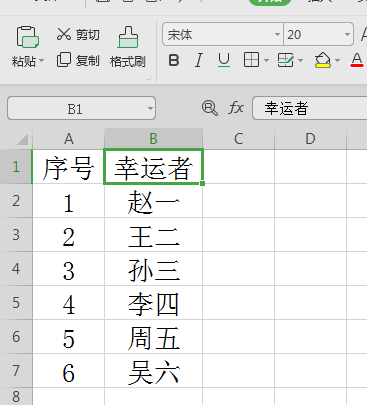
1. First, we open the Excel software and open the table we prepared. The table must contain our names.
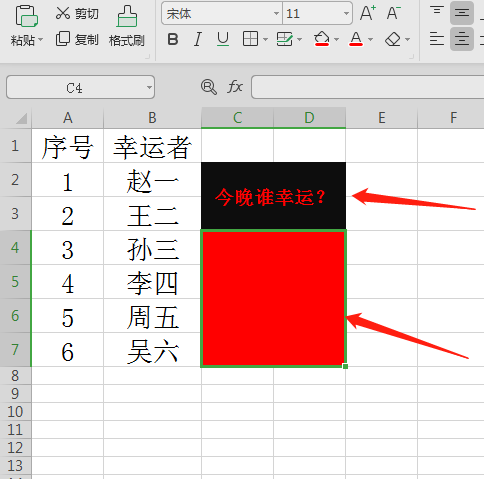
2. Then we merge the cells on the right, fill in black who is lucky tonight, and merge the cells below and fill in red, as shown in the figure below Show.
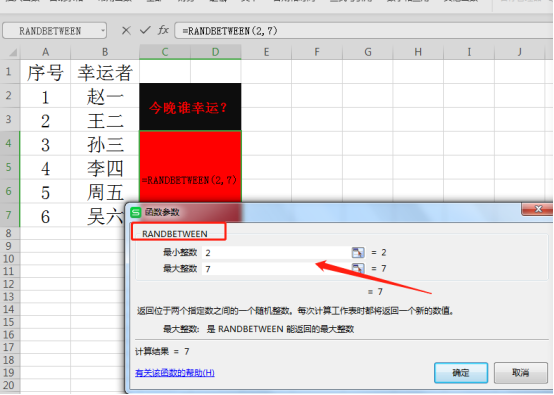
3. Then we enter the randbetween function in the red area, set the first line to 2, and the last line to 7, as shown in the figure below.
4. Then we enter the index function in front, and the references in the first two rows of Index are columns.
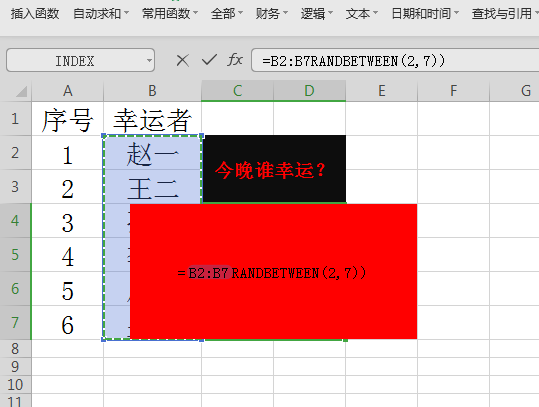
5. Finally, after we complete the quotation, add another bracket, and then click OK. We can see that the system automatically fills in a person's name.
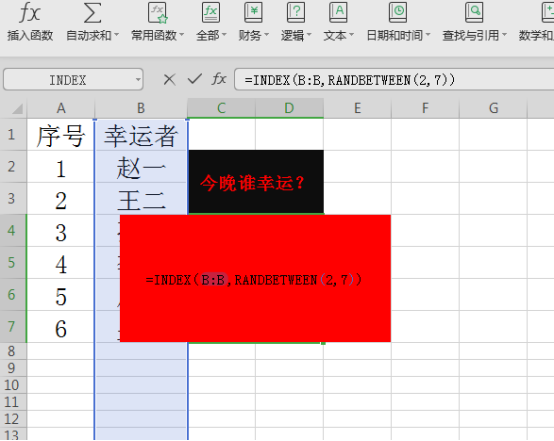
6. Then we press the Enter key to start, and the candidate’s name will appear randomly, as shown in the figure below
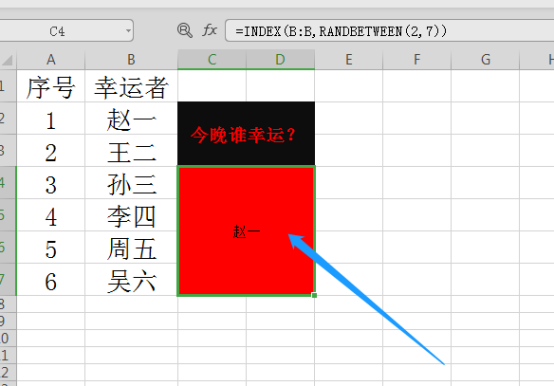
After reading the course shared by the editor, have you learned how to create an Excel lottery applet? The editor also shows the steps very carefully. If you can't get the desired effect at one time, just do it a few more times and you will definitely complete the desired operation successfully. The editor will continue to bring you useful knowledge, remember to follow us!
The above is the detailed content of How to make an excel lottery applet. For more information, please follow other related articles on the PHP Chinese website!
 Compare the similarities and differences between two columns of data in excel
 excel duplicate item filter color
 How to copy an Excel table to make it the same size as the original
 Excel table slash divided into two
 Excel diagonal header is divided into two
 Absolute reference input method
 java export excel
 Excel input value is illegal




















![[Web front-end] Node.js quick start](https://img.php.cn/upload/course/000/000/067/662b5d34ba7c0227.png)



