


Three methods: 1. Service management method, system setting method and registry modification method. The service management method turns off Security Center by changing the startup type of "Security Center" to Disabled in the service window. 2. System Settings Method: Disable the Security Center by turning off real-time protection and other protection features in the Windows Security Center settings. 3. Modify the registry rules to close the security center by modifying the "DisableAntiSpyware" key value in the registry.

How to turn off the security center of win11:
1. Service management method
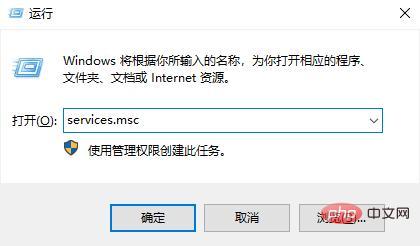
#1. Press the win R shortcut key on the keyboard to open the run dialog box, enter "services.msc" in the dialog box, and confirm Go to the next step;
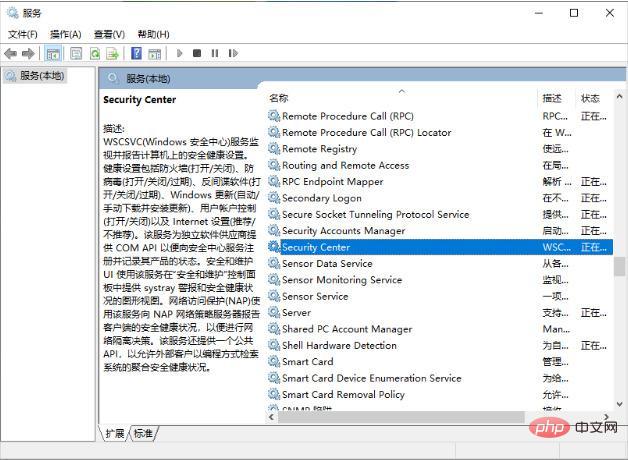
2. Here the computer will open the service window, in the right frame Find "Security Center", right-click to select properties and open the properties page;
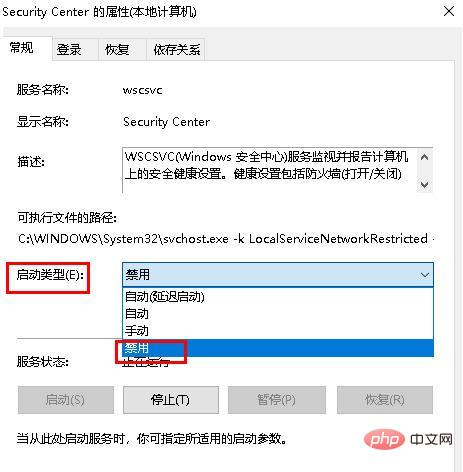
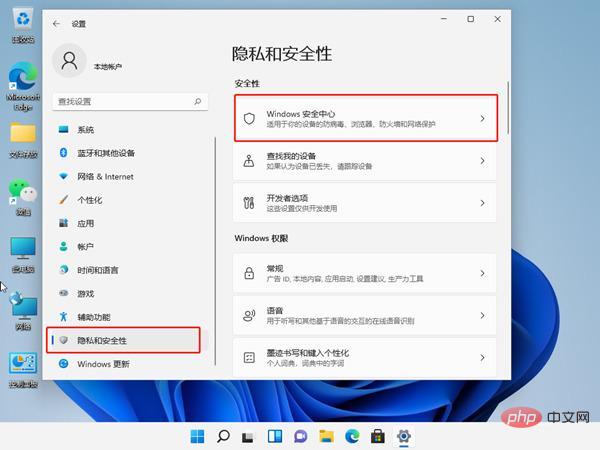
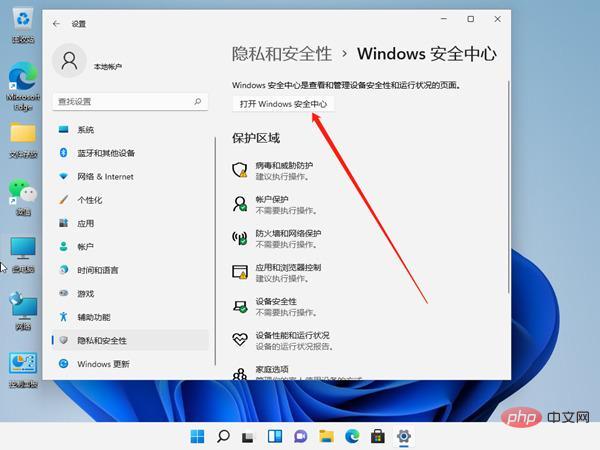 ##4. Then turn off the right button of real-time protection and other protection functions.
3. Modify the registry method
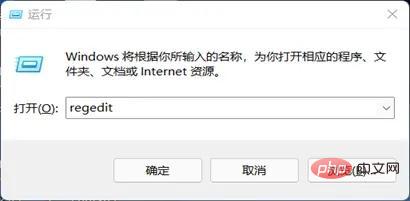
#1. Press the "Win R" key combination on the keyboard at the same time to open Run, enter "regedit" to return Open the registry;
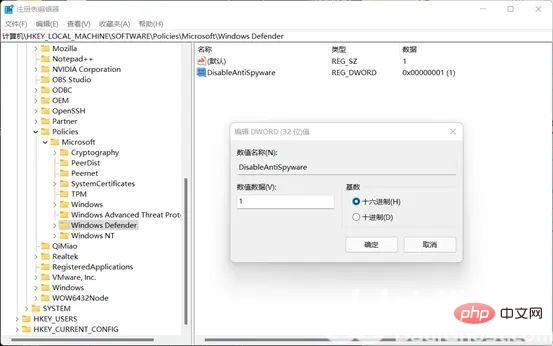
2. Enter the "HKEY_LOCAL_MACHINESOFTWAREoliciesMicrosoftWindows Defender" location, and then on the right Double-click in the column to open "DisableAntiSpyware" on the right, change its value to "1" and save;
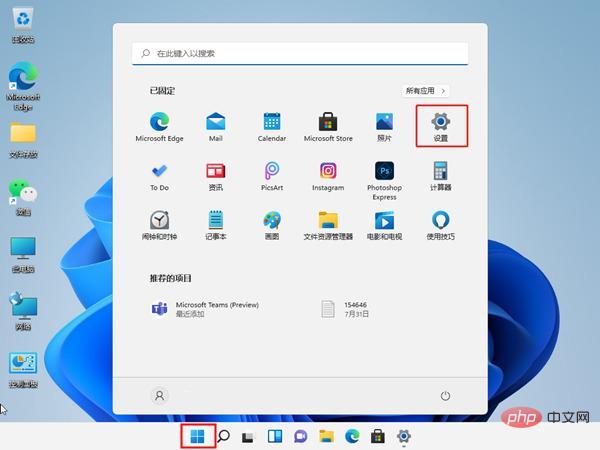
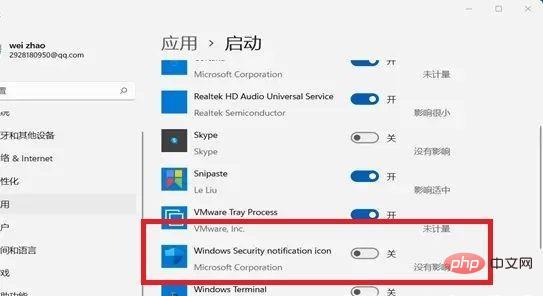
3. Then exit the registry, right-click the start menu, open "Settings", enter "Applications" in the left column, enter the "Startup" settings on the right, find the Security Center there, and close it
The above is the detailed content of How to turn off Windows 11 Security Center. For more information, please follow other related articles on the PHP Chinese website!
 There is no WLAN option in win11
 How to skip online activation in win11
 How to turn off windows security center
 Tutorial on turning off Windows 11 Security Center
 Win11 skips the tutorial to log in to Microsoft account
 How to open win11 control panel
 Introduction to win11 screenshot shortcut keys
 Windows 11 my computer transfer to the desktop tutorial









![[Web front-end] Node.js quick start](https://img.php.cn/upload/course/000/000/067/662b5d34ba7c0227.png)



