


 Computer Tutorials
Computer Knowledge
What's going on when the computer monitor doesn't light up and has no signal?
Computer Tutorials
Computer Knowledge
What's going on when the computer monitor doesn't light up and has no signal?
What's going on when the computer monitor doesn't light up and has no signal?

What’s wrong with the computer monitor not lighting up and having no signal
With the continuous development of technology, computers have become an indispensable part of our daily lives. As the output device of the computer, the computer monitor plays a vital role. However, sometimes we may encounter some problems, such as the computer monitor not lighting up or showing no signal. So, what exactly causes these problems to occur? Well there are many possible reasons.
First, check whether the monitor’s power cord is connected properly. Sometimes, a loose power cord or an incorrect plug can cause the monitor to not work properly. So we need to make sure that the power cord plug is fully inserted into the monitor and the power socket, and confirm that the power button is turned on correctly.
Secondly, check the signal cable of the monitor. The signal cable is the link between the computer host and the monitor. If the signal cable is loose or damaged, the monitor will not be able to receive signals from the computer. So we need to check whether the signal cable used between the monitor and the computer host is connected properly, and clean the dust in the connection port.
If there are no problems in the above two aspects, it may be caused by a problem with the computer host. We can try to restart the computer, or check whether the computer host is working normally. If there is no problem with the computer host, then there may be an error or conflict in the computer's operating system. We can try to enter safe mode or reinstall the operating system to solve the problem.
In addition, problems with the monitor itself may also cause the monitor to not light up or have no signal. At this time, we can try to adjust the brightness, contrast and other settings of the monitor, or perform a self-test on the monitor. Sometimes, there will be problems with the backlight of the monitor. At this time, we can try to replace the backlight of the monitor.
Finally, if none of the above methods solve the problem, it may be caused by hardware failure. We can contact professional technicians to repair or replace the monitor.
To sum up, there are many reasons why the computer monitor does not light up and has no signal. These reasons may include problems with the power cord or signal line, problems with the computer host, problems with the operating system, problems with the monitor itself, or Hardware failure, etc. For different situations, we can investigate and solve the problems one by one. Of course, if we do not have enough understanding of computer hardware, we should seek help from professional technicians to avoid causing greater losses and unnecessary trouble. I hope this article can be helpful to everyone, so that we can easily solve the problem of computer monitor not lighting up and no signal.
The above is the detailed content of What's going on when the computer monitor doesn't light up and has no signal?. For more information, please follow other related articles on the PHP Chinese website!

Hot AI Tools

Undress AI Tool
Undress images for free

Undresser.AI Undress
AI-powered app for creating realistic nude photos

AI Clothes Remover
Online AI tool for removing clothes from photos.

Clothoff.io
AI clothes remover

Video Face Swap
Swap faces in any video effortlessly with our completely free AI face swap tool!

Hot Article
Hot Tools

Notepad++7.3.1
Easy-to-use and free code editor

SublimeText3 Chinese version
Chinese version, very easy to use

Zend Studio 13.0.1
Powerful PHP integrated development environment

Dreamweaver CS6
Visual web development tools

SublimeText3 Mac version
God-level code editing software (SublimeText3)


 Discover ways to solve ghosting problems on HP monitors (How to eliminate ghosting on HP monitors)
Aug 08, 2024 am 01:11 AM
Discover ways to solve ghosting problems on HP monitors (How to eliminate ghosting on HP monitors)
Aug 08, 2024 am 01:11 AM
As a common computer peripheral, HP monitors will inevitably have some problems. One of them is the ghosting problem. When we use HP monitors, blur, ghosting or lag appears on the screen, which will not only affect our visual experience, but also reduce our work efficiency. How should we solve this problem? Understand the phenomenon of ghosting - Ghosting is when a copy of an object or text appears on the monitor screen, causing the image to be blurred or overlapping. -Ghosting issues can be caused by a variety of factors, such as monitor aging, signal transmission issues, etc. Check the connecting cables - Check that the cables connecting the computer and monitor are intact. - Make sure the connection cable is appropriately tight and not loose or broken. Adjust resolution and refresh rate - in operating system settings
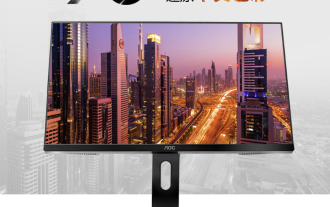 AOC 'Q24B35' 23.8-inch monitor is now available: 2K 120Hz, 749 yuan
Aug 17, 2024 pm 07:44 PM
AOC 'Q24B35' 23.8-inch monitor is now available: 2K 120Hz, 749 yuan
Aug 17, 2024 pm 07:44 PM
According to news from this site on August 17, AOC launched a 23.8-inch monitor with the model number "Q24B35" in its JD flagship store today. This monitor features "2K120Hz", but it is currently out of stock. The product page shows that the price of the monitor is 749 yuan. According to reports, this monitor uses a 2560x1440 resolution 120Hz IPS panel, a brightness of 250 nits, a static contrast ratio of 1300:1, a response speed of 4ms, and supports 8-Bit color. In addition, the monitor stand supports tilt/lift/rotate/tilt, the main body supports VESA100x100mm wall mounting, and provides 1 HDMI2.0 interface and 1 DP1.4 interface. This site organizes the currently known monitor parameter information as follows:
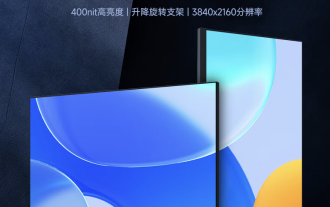 AOC launches 'U24P10R' 23.8-inch monitor: 4K 60Hz + 90W PD USB-C, 1699 yuan
Aug 16, 2024 am 07:34 AM
AOC launches 'U24P10R' 23.8-inch monitor: 4K 60Hz + 90W PD USB-C, 1699 yuan
Aug 16, 2024 am 07:34 AM
According to news from this site on August 15, AOC launched a 23.8-inch monitor model "U24P10R" on JD.com today. This monitor features "4K60Hz + 90WPD USB-C" and is currently on sale, with an initial price of 1,699 yuan. According to reports, this monitor is equipped with a 3840x2160 resolution 60Hz IPS panel, a brightness of 400 nits, a response speed of 4ms, a static contrast ratio of 1300:1, supports 10-Bit color, and covers 100% sRGB and 95% DCI-P3 color gamut. In addition, this monitor stand supports tilt/lift/rotate/tilt, the monitor body supports 100x100mm VESA wall mounting, and provides 2 HDMI2.0 interfaces and 1 DP1
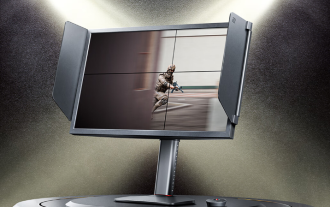 Zhuowei XL2566X + professional gaming monitor: new generation Fast TN panel + 400Hz refresh rate, 5699 yuan
Aug 10, 2024 pm 10:41 PM
Zhuowei XL2566X + professional gaming monitor: new generation Fast TN panel + 400Hz refresh rate, 5699 yuan
Aug 10, 2024 pm 10:41 PM
According to news from this site on August 10, Zhuowei XL2566X+ professional gaming monitor is now available on JD.com, priced at 5,699 yuan. The product page shows that Zhuowei XL2566X+ monitor uses a 24.1-inch new generation FastTN panel (resolution 1920*1080, brightness 320cd/㎡), which is said to be "optimized based on the resolution commonly used by professional players to provide clearer enemy outlines for FPS games"; The new panel adopts a faster electrical conduction design, which further improves the native response speed of liquid crystal molecules and improves the clarity of dynamic images. In addition, based on Zhuowei's specially tuned panel hardware design, DyAc2 can provide players with better dynamic picture clarity, thereby improving the overall visual perception in FPS scenes. X+ series
 KTC '25GR950' 24.5-inch monitor is now available: 1080P 180Hz Fast IPS, 579 yuan
Aug 19, 2024 pm 10:45 PM
KTC '25GR950' 24.5-inch monitor is now available: 1080P 180Hz Fast IPS, 579 yuan
Aug 19, 2024 pm 10:45 PM
According to news from this website on August 19, KTC launched a 24.5-inch monitor with model number "25GR950" on JD.com today. This monitor features "1080P180Hz" and the initial price is 579 yuan. As of the time of publication of this website, the machine has not yet been displayed. Specific sales time. According to reports, this monitor uses a 1920x1080 resolution 180Hz panel, a response speed of 1ms, a static contrast ratio of 1000:1, a brightness of 350 nits, supports 8-Bit color, and covers 99% sRGB and 95% DCI-P3 color gamut. This monitor stand supports tilting, and the monitor body supports VESA100x100mm wall mounting. It provides 1 DP1.4 interface, 2 HDMI2.0 interfaces, and 1 3.
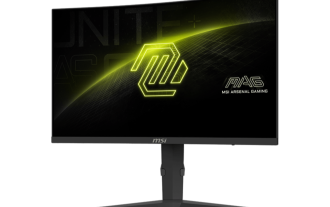 180Hz WQHD Rapid VA panel, MSI launches MAG 275CQPF curved monitor
Aug 07, 2024 pm 08:18 PM
180Hz WQHD Rapid VA panel, MSI launches MAG 275CQPF curved monitor
Aug 07, 2024 pm 08:18 PM
According to news from this site on August 7, based on reports from foreign media GdM and DisplaySpecifications, MSI launched the MAG275CQPF curved screen monitor on the 5th of this month. MAG275CQPF is equipped with a 27-inch 1500R curvature RapidVA panel with a resolution of 2560×1440 (aspect ratio 16:9), a refresh rate of 180Hz, a GtG response time as low as 0.5ms, and supports Adaptive-Sync adaptive synchronization and HDR. The display has a typical brightness of 300 nits, a static contrast ratio of 5000:1, and a dynamic contrast ratio of 100000000:1. It supports 8 dithers and 10 color depths, and the color gamut covers 136% sRGB, 94
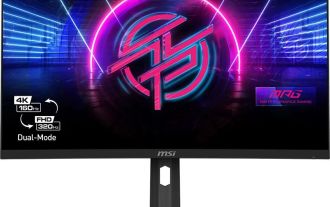 MSI showcases MAG 321CUPDF: the world's first curved dual-mode monitor, supporting 4K 160Hz / 1080P 320Hz
Aug 23, 2024 am 11:17 AM
MSI showcases MAG 321CUPDF: the world's first curved dual-mode monitor, supporting 4K 160Hz / 1080P 320Hz
Aug 23, 2024 am 11:17 AM
According to news from this website on August 23, MSI attended the Cologne Games Show in Germany and showed off the new MAG321CUPDF monitor, claiming to be the world's first curved dual-mode monitor. MSI initially showed the details of the monitor at the 2024 Taipei International Computer Show held in June this year, but the model at the time was MPG321CUPF, but now the official model and series have been adjusted, and it is now called MAG321CUPDF. The MAG321CUPDF display is 31.5 inches in size and supports a 160Hz refresh rate at 4K (3840x2160) resolution and a 320Hz refresh rate at 1080P resolution. Users can switch to high resolution or high refresh rate according to needs. MAG321CUPD
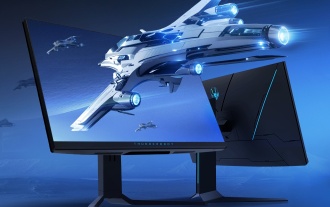 Thor Darth Vader 27-inch gaming monitor DQ27F300L is on sale: 2K+300Hz, starting price is 1,799 yuan
Aug 09, 2024 pm 10:42 PM
Thor Darth Vader 27-inch gaming monitor DQ27F300L is on sale: 2K+300Hz, starting price is 1,799 yuan
Aug 09, 2024 pm 10:42 PM
According to news from this website on August 9, Thor’s new 27-inch monitor, Black Knight, goes on sale today, supporting 2K300Hz screen display. The daily price is 1,899 yuan, and the initial price is 1,799 yuan. According to reports, the Thor Black Knight display DQ27F300L is 27 inches in size, natively supports 300Hz high refresh rate, has built-in dark screen brightness adjustment, and supports HDR400. The display has a resolution of 2560×1440, covers 95% DCI-P3/99% sRGB color gamut, has a brightness of 450nit, supports AdaptiveSync variable refresh anti-tearing, hardware low blue light and DC flicker-free screen. Thor Black Knight 27-inch gaming monitor DQ27F300L interface information is as follows: HDMI2.1×2DP1.4×
