


How to install the flash plug-in in Firefox browser? How do we install the flash plug-in in Firefox browser? What are the specific steps! When we use the Firefox browser to watch movies or play games, the web page will prompt us to install the flash plug-in to use it normally. So how should we install this plug-in? What is the specific operation method? The editor is sorting out the Firefox browser below. Steps to install the flash plug-in on your computer. If you don’t know how to do it, just follow me and read on!
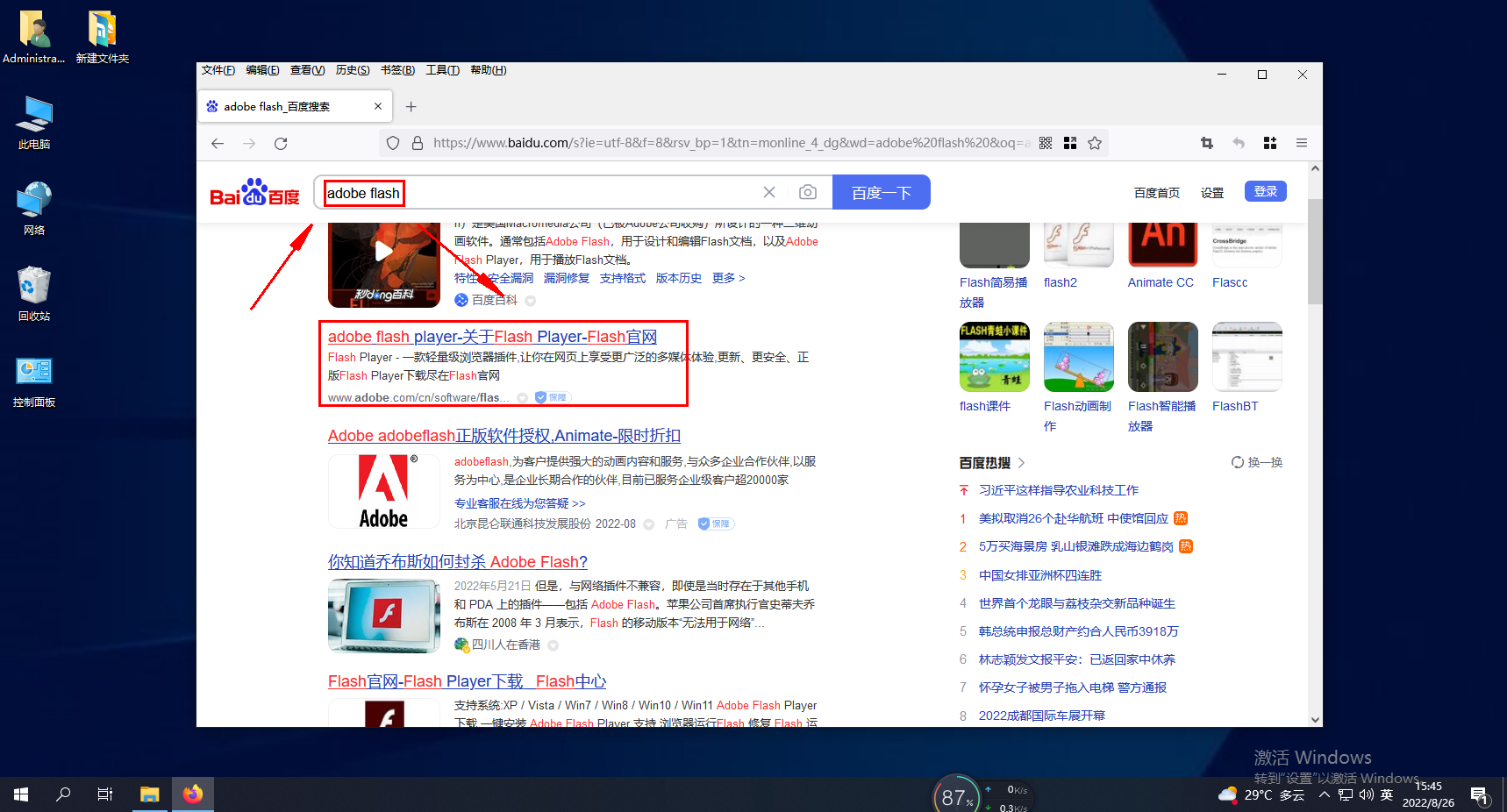
1. Search adobe flash player official website on Baidu and click to enter, as shown in the figure below
2. Enter the flash plug-in installation page and click [Install Now]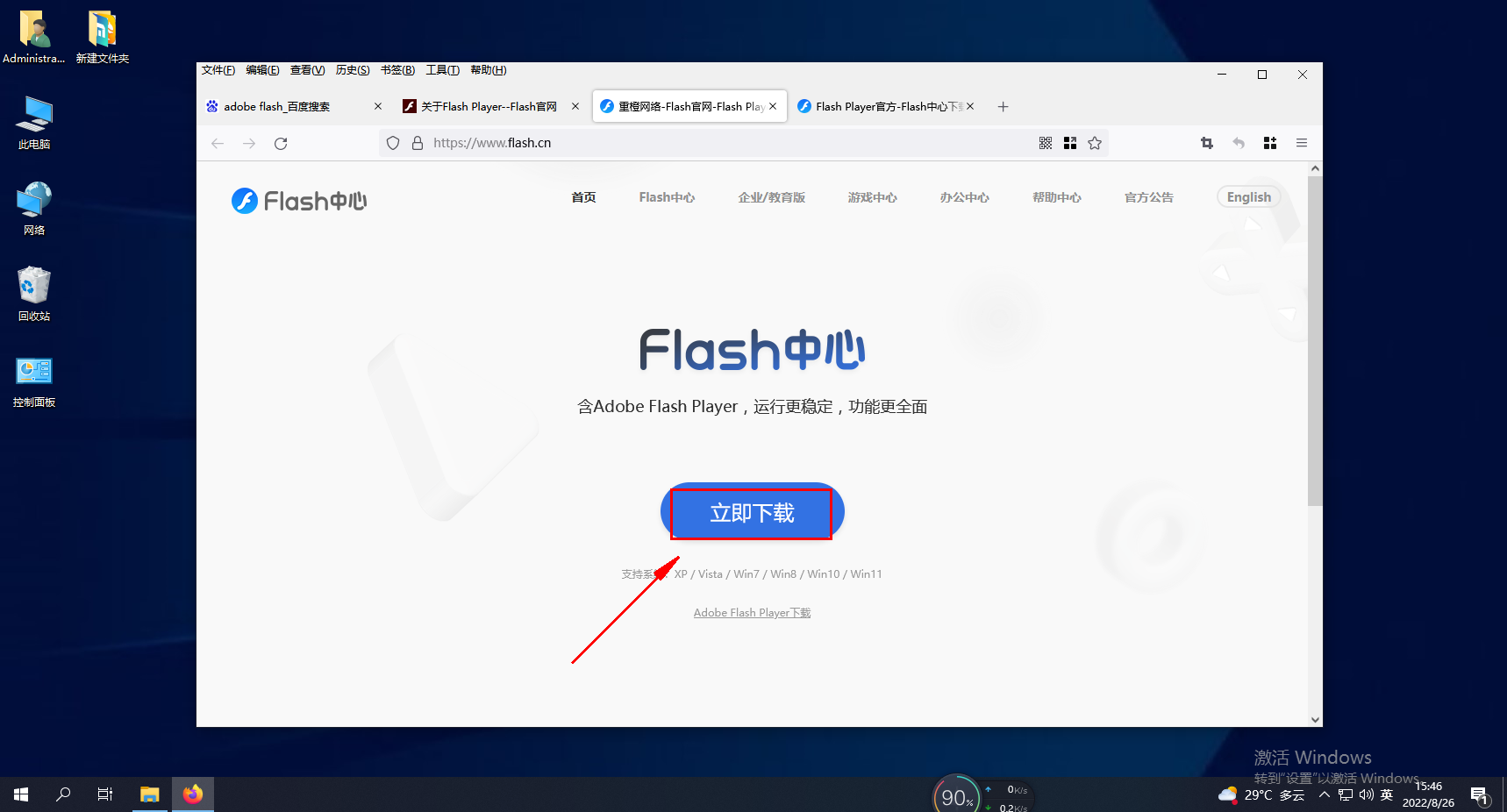
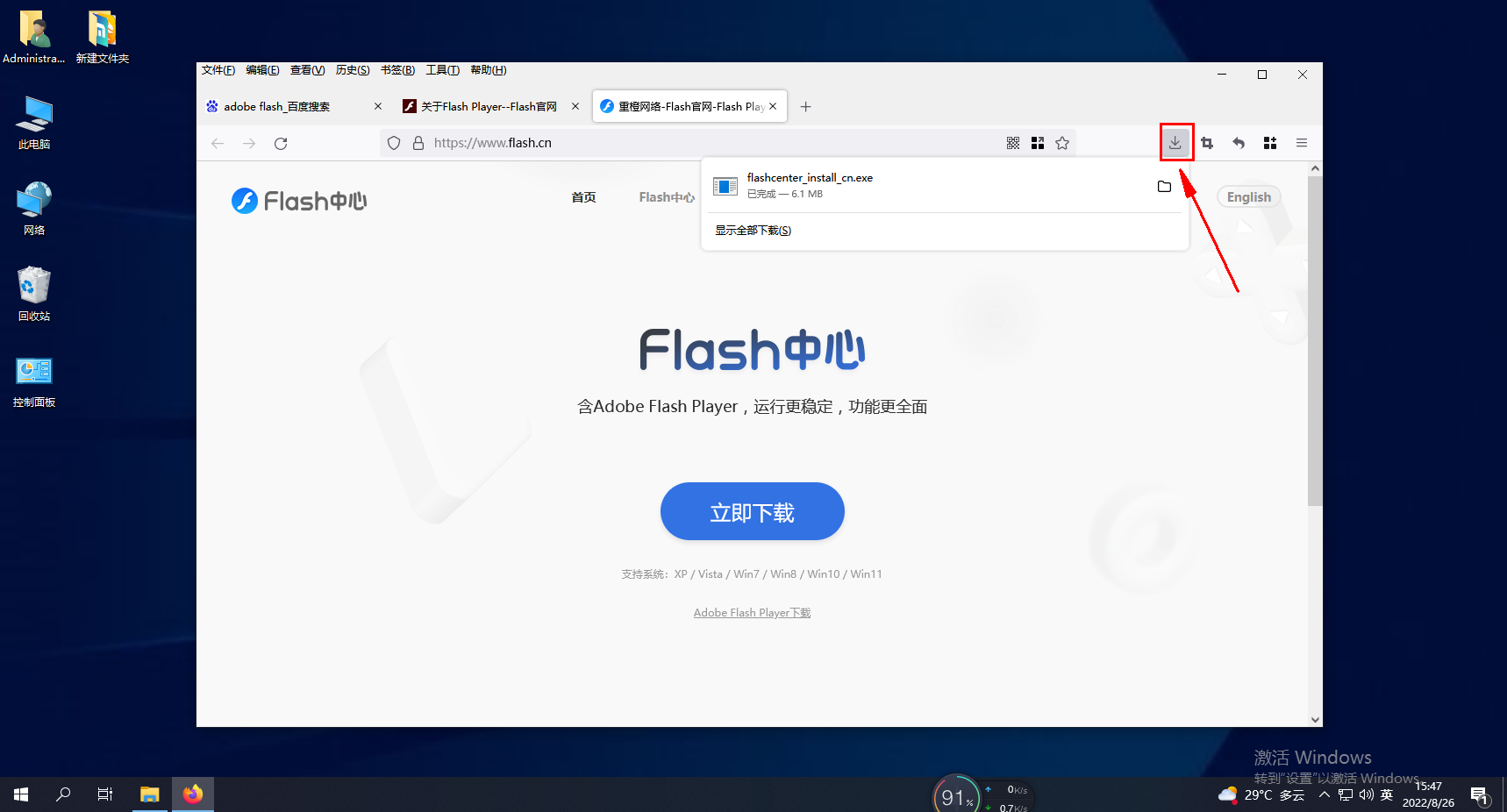
3. After the flash plug-in is downloaded, click [Download] in the upper right corner of the Firefox browser
4. The Adobe Flash Player installer panel will pop up, click [Install]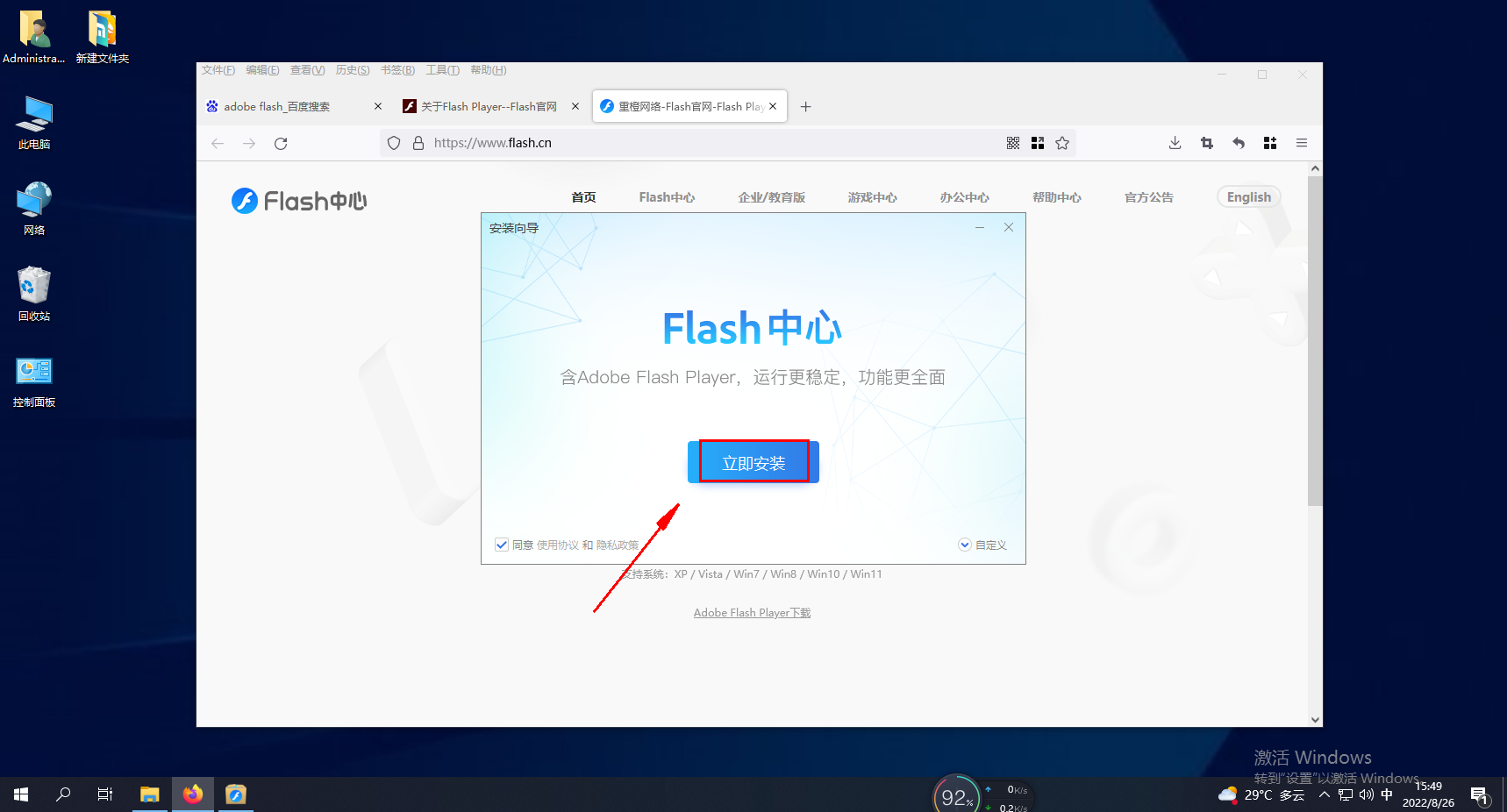
5. Experience it now, as shown in the picture below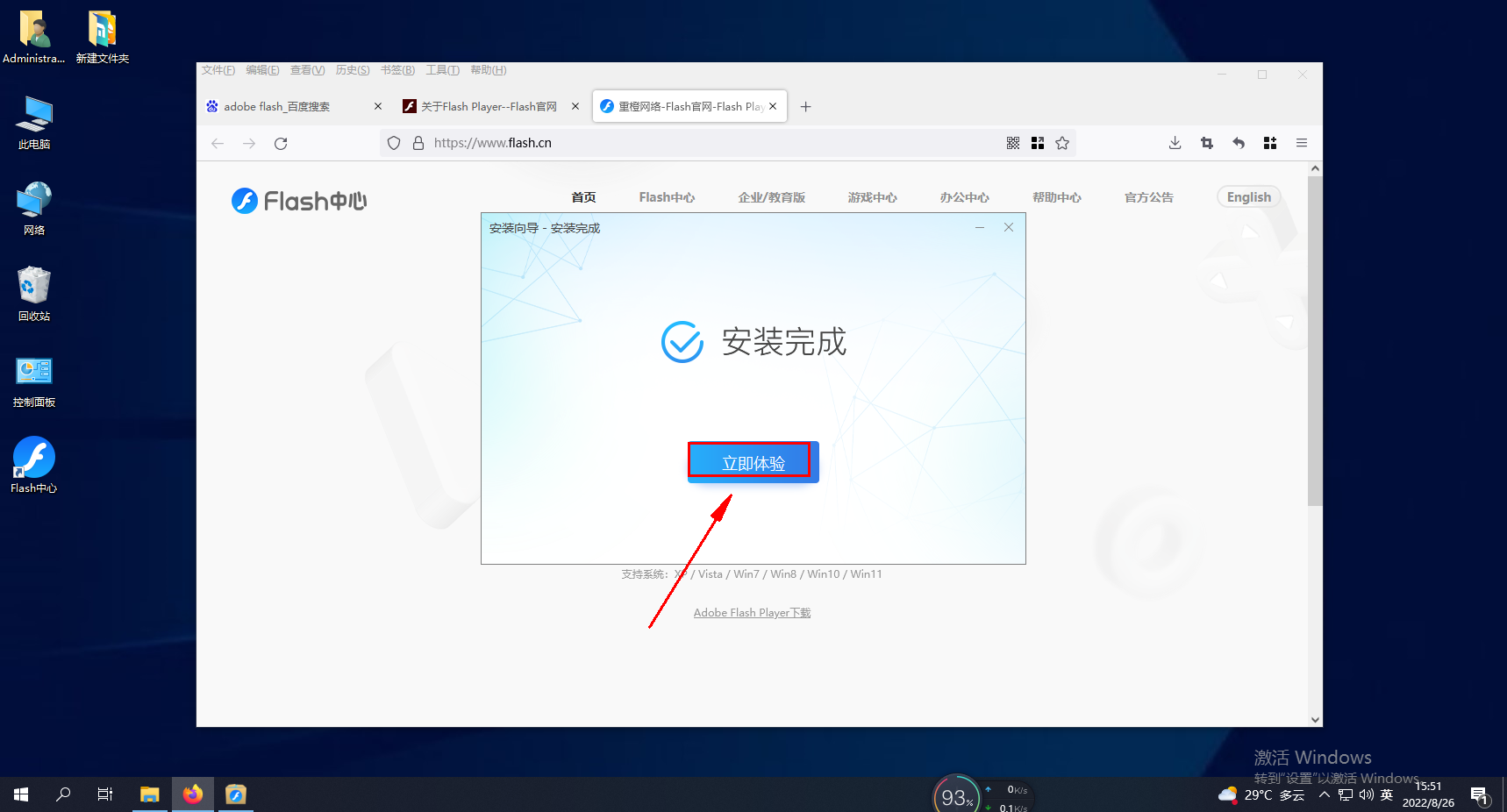
The above is the detailed content of How to install flash plug-in in Firefox browser. For more information, please follow other related articles on the PHP Chinese website!
 Implementation method of vue online chat function
 Will the Bitcoin inscription disappear?
 How to solve the invalid mysql identifier error
 Basic usage of insert statement
 How to prevent the computer from automatically installing software
 Solution to missing xlive.dll
 pscs5 installation serial number
 How to buy and sell Bitcoin on okex




















![[Web front-end] Node.js quick start](https://img.php.cn/upload/course/000/000/067/662b5d34ba7c0227.png)



