


The folder option is still very useful for some uses of our computers, so we must also have a certain understanding of its location. So, today the editor will tell you where the folder options of win7 are located. You have to read it patiently~
There are still many friends using win7 now, and the editor is the only one among them. One of the reasons is definitely because win7 is relatively stable and easier to use. However, some friends still don’t understand some applications of win7, such as the location of the folder options that the editor is talking about now. But it doesn’t matter if you don’t know, because you have the editor~ Next, the editor will tell you where the folder options of win7 are.
First, click "Computer" on the desktop, then click "Organize", then find and click "Folder and Search Options".
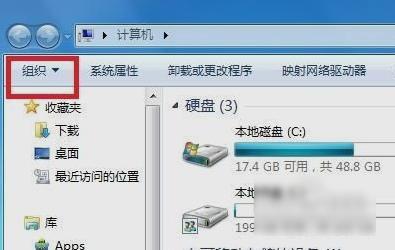
win7 folder option diagram-1
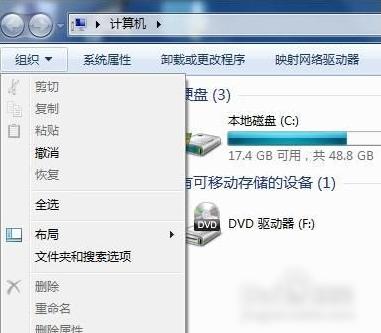
Win7 Folder Options Picture-2
Then the folder options are successfully opened~~~
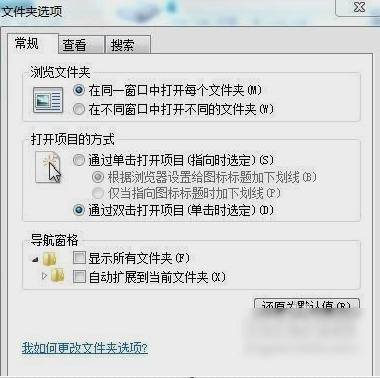
Folder option picture-3
Do you think it’s not difficult at all? ~~~Then, friends, hurry up and try~~
The above is the detailed content of Introduction to the search and location of win7 folder options. For more information, please follow other related articles on the PHP Chinese website!
 How to create virtual wifi in win7
 How to change file type in win7
 How to set up hibernation in Win7 system
 How to open Windows 7 Explorer
 How to solve the problem of not being able to create a new folder in Win7
 Solution to Win7 folder properties not sharing tab page
 Win7 prompts that application data cannot be accessed. Solution
 The difference between win7 32-bit and 64-bit





















![[Web front-end] Node.js quick start](https://img.php.cn/upload/course/000/000/067/662b5d34ba7c0227.png)



