


The difference between get and post

The difference between get and post is mainly the usage method, data transmission method, request length limit, security, caching and idempotence, etc. Detailed introduction: 1. Usage method. The main difference between GET and POST is the usage method. The GET request is used to obtain data from the server. It is generally used to obtain resources or query data. It appends the request parameters to the back of the URL in key-value pairs. The POST request is passed to the server in the form of a POST request. It is used to submit data to the server. It is generally used to create, update or delete resources. It puts the request parameters in the request body and so on.

GET and POST are two commonly used request methods in the HTTP protocol. They have some differences in usage, transmission and security. Below I will introduce the difference between GET and POST in detail.
1. Usage:
The main difference between GET and POST is the usage. The GET request is used to obtain data from the server, generally used to obtain resources or query data. It appends the request parameters to the end of the URL and passes them to the server in the form of key-value pairs. For example:
   GET /api/users?id=1 HTTP/1.1
   Host: example.com
POST request is used to submit data to the server, generally used to create, update or delete resources. It places the request parameters in the request body and specifies the data format through Content-Type in the request header. . For example:
   POST /api/users HTTP/1.1
   Host: example.com
   Content-Type: application/json

   {"id": 1, "name": "Alice"}
2. Data transmission method:
The GET request appends the request parameters to the end of the URL and passes them to the server in the form of a query string, so the data is transmitted in clear text and can See it directly in the URL. For example:
https://example.com/api/users?id=1
POST request puts the request parameters in the request body, so the data is transmitted through the request body and will not be directly exposed in the URL. Data transfer is implicit, making it more secure for sensitive data.
3. Request length limit:
GET requests have restrictions on the length of the URL. Different browsers and servers have different restrictions on the length of the URL, generally between 2KB and 8KB. If the request parameters are too many or too long, the length limit of the URL may be exceeded. POST requests do not have special restrictions on the length of the request body and can transmit a large amount of data.
4. Security:
The parameters of the GET request are transmitted in clear text, so it is not suitable for transmitting sensitive information, such as passwords, etc. The POST request puts the parameters in the request body, which is more secure than the GET request and can transmit sensitive information.
5. Caching:
GET requests can be cached because GET requests are idempotent, that is, multiple identical GET requests have no impact on the status of the server. Caching can be used to improve performance. . POST requests cannot be cached, because POST requests may affect the status of the server, and each request requires re-obtaining the latest data from the server.
6. Idempotence:
GET requests are idempotent, that is, multiple identical GET requests have no impact on the status of the server and will not change the server's data. POST requests are not idempotent. Multiple identical POST requests will affect the status of the server and may change the server's data.
In summary, the difference between GET and POST is mainly reflected in the usage method, data transmission method, request length limit, security, caching and idempotence. The GET request is used to obtain data and the request parameters are appended to the end of the URL; the POST request is used to submit data and the request parameters are placed in the request body. GET requests transmit parameters in clear text, while POST requests implicitly include parameters in the request body, which is relatively safer. GET requests can be cached, POST requests cannot be cached. GET requests are idempotent, POST requests are not. In practical applications, we need to choose the appropriate request method according to specific needs.
The above is the detailed content of The difference between get and post. For more information, please follow other related articles on the PHP Chinese website!

Hot AI Tools

Undress AI Tool
Undress images for free

Undresser.AI Undress
AI-powered app for creating realistic nude photos

AI Clothes Remover
Online AI tool for removing clothes from photos.

Clothoff.io
AI clothes remover

Video Face Swap
Swap faces in any video effortlessly with our completely free AI face swap tool!

Hot Article
Hot Tools

Notepad++7.3.1
Easy-to-use and free code editor

SublimeText3 Chinese version
Chinese version, very easy to use

Zend Studio 13.0.1
Powerful PHP integrated development environment

Dreamweaver CS6
Visual web development tools

SublimeText3 Mac version
God-level code editing software (SublimeText3)


 How to automate tasks using PowerShell
Feb 20, 2024 pm 01:51 PM
How to automate tasks using PowerShell
Feb 20, 2024 pm 01:51 PM
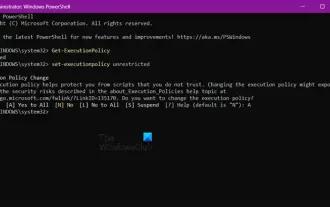
If you are an IT administrator or technology expert, you must be aware of the importance of automation. Especially for Windows users, Microsoft PowerShell is one of the best automation tools. Microsoft offers a variety of tools for your automation needs, without the need to install third-party applications. This guide will detail how to leverage PowerShell to automate tasks. What is a PowerShell script? If you have experience using PowerShell, you may have used commands to configure your operating system. A script is a collection of these commands in a .ps1 file. .ps1 files contain scripts executed by PowerShell, such as basic Get-Help
 How to use python requests post
Apr 29, 2023 pm 04:52 PM
How to use python requests post
Apr 29, 2023 pm 04:52 PM
Python simulates the browser sending post requests importrequests format request.postrequest.post(url,data,json,kwargs)#post request format request.get(url,params,kwargs)#Compared with get request, sending post request parameters are divided into forms ( x-www-form-urlencoded) json (application/json) data parameter supports dictionary format and string format. The dictionary format uses the json.dumps() method to convert the data into a legal json format string. This method requires
 How to implement PHP to jump to the page and carry POST data
Mar 22, 2024 am 10:42 AM
How to implement PHP to jump to the page and carry POST data
Mar 22, 2024 am 10:42 AM
PHP is a programming language widely used in website development, and page jumps and carrying POST data are common requirements in website development. This article will introduce how to implement PHP page jump and carry POST data, including specific code examples. In PHP, page jumps are generally implemented through the header function. If you need to carry POST data during the jump process, you can do it through the following steps: First, create a page containing a form, where the user fills in the information and clicks the submit button. Acti in the form
 How does java initiate an http request and call the post and get interfaces?
May 16, 2023 pm 07:53 PM
How does java initiate an http request and call the post and get interfaces?
May 16, 2023 pm 07:53 PM
1. Java calls post interface 1. Use URLConnection or HttpURLConnection that comes with java. There is no need to download other jar packages. Call URLConnection. If the interface response code is modified by the server, the return message cannot be received. It can only be received when the response code is correct. to return publicstaticStringsendPost(Stringurl,Stringparam){OutputStreamWriterout=null;BufferedReaderin=null;StringBuilderresult=newSt
 How to determine whether a post has been submitted in PHP
Mar 21, 2023 pm 07:12 PM
How to determine whether a post has been submitted in PHP
Mar 21, 2023 pm 07:12 PM
PHP is a widely used server-side scripting language that can be used to create interactive and dynamic web applications. When developing PHP applications, we usually need to submit user input data to the server for processing through forms. However, sometimes we need to determine whether form data has been submitted in PHP. This article will introduce how to make such a determination.
 How to solve the problem that NGINX reverse proxy returns 405 for POST request of HTML page
May 22, 2023 pm 07:49 PM
How to solve the problem that NGINX reverse proxy returns 405 for POST request of HTML page
May 22, 2023 pm 07:49 PM
实现如下:server{listen80;listen443ssl;server_namenirvana.test-a.gogen;ssl_certificate/etc/nginx/ssl/nirvana.test-a.gogen.crt;ssl_certificate_key/etc/nginx/ssl/nirvana.test-a.gogen.key;proxy_connect_timeout600;proxy_read_timeout600;proxy_send_timeout600;c
 PHP code example: How to use POST to pass parameters and implement page jumps
Mar 07, 2024 pm 01:45 PM
PHP code example: How to use POST to pass parameters and implement page jumps
Mar 07, 2024 pm 01:45 PM
Title: PHP code example: How to use POST to pass parameters and implement page jumps In web development, it often involves the need to pass parameters through POST and process them on the server side to implement page jumps. PHP, as a popular server-side scripting language, provides a wealth of functions and syntax to achieve this purpose. The following will introduce how to use PHP to implement this function through a practical example. First, we need to prepare two pages, one to receive POST requests and process parameters
 A brief analysis of the POST method in PHP with parameters to jump to the page
Mar 23, 2023 am 09:15 AM
A brief analysis of the POST method in PHP with parameters to jump to the page
Mar 23, 2023 am 09:15 AM
For PHP developers, using POST to jump to pages with parameters is a basic skill. POST is a method of sending data in HTTP. It can submit data to the server through HTTP requests. The jump page processes and jumps the page on the server side. In actual development, we often need to use POST with parameters to jump to pages to achieve certain functional purposes.