


 Operation and Maintenance
Linux Operation and Maintenance
10 Linux commands to make your operations more efficient
Operation and Maintenance
Linux Operation and Maintenance
10 Linux commands to make your operations more efficient
10 Linux commands to make your operations more efficient

$ pgrep -u hchen2244122444
这个命令相当于:
ps -ef | egrep '^hchen' | awk '{print $2}'02 pstree
这个命令可以以树形的方式列出进程。如下所示:
[hchen@RHELSVR5 ~]$ pstreeinit-+-acpid |-auditd-+-python | `-{auditd} |-automount---4*[{automount}] |-backup.sh---sleep |-dbus-daemon |-events/0 |-events/1 |-hald---hald-runner---hald-addon-acpi |-httpd---10*[httpd] |-irqbalance |-khelper |-klogd |-ksoftirqd/0 |-ksoftirqd/1 |-kthread-+-aio/0 | |-aio/1 | |-ata/0 | |-ata/1 | |-ata_aux | |-cqueue/0 | |-cqueue/1 | |-kacpid | |-kauditd | |-kblockd/0 | |-kblockd/1 | |-kedac | |-khubd | |-6*[kjournald] | |-kmirrord | |-kpsmoused | |-kseriod | |-kswapd0 | |-2*[pdflush] | |-scsi_eh_0 | |-scsi_eh_1 | |-xenbus | `-xenwatch |-migration/0 |-migration/1 |-6*[mingetty] |-3*[multilog] |-mysqld_safe---mysqld---9*[{mysqld}] |-smartd |-sshd---sshd---sshd---bash---pstree |-svscanboot---svscan-+-3*[supervise---run] | |-supervise---qmail-send-+-qmail-clean | | |-qmail-lspawn | | `-qmail-rspawn | `-2*[supervise---tcpserver] |-syslogd |-udevd |-watchdog/0 |-watchdog/1 -xinetd03 bc
这个命令主要是做一个精度比较高的数学运算的。比如开平方根等。下面是一个我们利用bc命令写的一个脚本(文件名:sqrt)
#!/bin/bash
if [ $# -ne 1 ]
then
    echo 'Usage: sqrt number'
    exit 1else
    echo -e "sqrt($1)\nquit\n" | bc -q -i
fi
于是,我们可以这样使用这个脚本进行平方根运算:
[hchen@RHELSVR5]$ ./sqrt 36
6
[hchen@RHELSVR5]$ ./sqrt 2.0000
1.4142
[hchen@RHELSVR5]$ ./sqrt 10.0000
3.1622
04 split
[hchen@RHELSVR5 applebak]# ls -l largefile.tar.gz
-rw-r--r-- 1 hchen hchen 436774774 04-17 02:00 largefile.tar.gz


[hchen@RHELSVR5 applebak]# split -b 50m largefile.tar.gz LF_


[hchen@RHELSVR5]# ls -l LF_*-rw-r--r-- 1 hchen hchen 52428800 05-10 18:34 LF_aa
-rw-r--r-- 1 hchen hchen 52428800 05-10 18:34 LF_ab
-rw-r--r-- 1 hchen hchen 52428800 05-10 18:34 LF_ac
-rw-r--r-- 1 hchen hchen 52428800 05-10 18:34 LF_ad
-rw-r--r-- 1 hchen hchen 52428800 05-10 18:34 LF_ae
-rw-r--r-- 1 hchen hchen 52428800 05-10 18:35 LF_af
-rw-r--r-- 1 hchen hchen 52428800 05-10 18:35 LF_ag
-rw-r--r-- 1 hchen hchen 52428800 05-10 18:35 LF_ah
-rw-r--r-- 1 hchen hchen 17344374 05-10 18:35 LF_ai
文件合并只需要使用简单的合并就行了,如:
[hchen@RHELSVR5]# cat LF_* >largefile.tar.gz
05 nl
<span style="outline: 0px;font-size: 15px;">nl</span>命令其它和<span style="outline: 0px;font-size: 15px;">cat</span>命令很像,只不过它会打上行号。如下所示:
[hchen@RHELSVR5 include]# nl stdio.h | head -n 10 1 /* Define ISO C stdio on top of C++ iostreams. 2 Copyright (C) 1991,1994-2004,2005,2006 Free Software Foundation, Inc. 3 This file is part of the GNU C Library. 4 The GNU C Library is free software; you can redistribute it and/or 5 modify it under the terms of the GNU Lesser General Public 6 License as published by the Free Software Foundation; either 7 version 2.1 of the License, or (at your option) any later version. 8 The GNU C Library is distributed in the hope that it will be useful,
06 mkfifo
[hchen@RHELSVR5 ~]# mkfifo /tmp/hchenpipe
[hchen@RHELSVR5 ~]# ls -l /tmpprw-rw-r-- 1 hchen  hchen  0 05-10 18:58 hchenpipe
[hchen@RHELSVR5 ~]# ls -al > /tmp/hchenpipe
我们在另一个命令窗口中读取这个管道中的信息:(其会导致上一个命令返回)
[hchen@RHELSVR5 ~]# head /tmp/hchenpipedrwx------ 8 hchen hchen 4096 05-10 18:27 .drwxr-xr-x 7 root root 4096 03-05 00:06 ..drwxr-xr-x 3 hchen hchen 4096 03-01 18:13 backup-rw------- 1 hchen hchen 721 05-05 22:12 .bash_history-rw-r--r-- 1 hchen hchen 24 02-28 22:20 .bash_logout-rw-r--r-- 1 hchen hchen 176 02-28 22:20 .bash_profile-rw-r--r-- 1 hchen hchen 124 02-28 22:20 .bashrc-rw-r--r-- 1 root root 14002 03-07 00:29 index.htm-rw-r--r-- 1 hchen hchen 31465 03-01 23:48 index.php
07 ldd
这个命令可以知道你的一个可执行文件所使用了动态链接库。如:
[hchen@RHELSVR5 ~]# ldd /usr/bin/java linux-gate.so.1 => (0x00cd9000) libgij.so.7rh => /usr/lib/libgij.so.7rh (0x00ed3000) libgcj.so.7rh => /usr/lib/libgcj.so.7rh (0x00ed6000) libpthread.so.0 => /lib/i686/nosegneg/libpthread.so.0 (0x00110000) librt.so.1 => /lib/i686/nosegneg/librt.so.1 (0x009c8000) libdl.so.2 => /lib/libdl.so.2 (0x008b5000) libz.so.1 => /usr/lib/libz.so.1 (0x00bee000) libgcc_s.so.1 => /lib/libgcc_s.so.1 (0x00aa7000) libc.so.6 => /lib/i686/nosegneg/libc.so.6 (0x0022f000) libm.so.6 => /lib/i686/nosegneg/libm.so.6 (0x00127000) /lib/ld-linux.so.2 (0x00214000)
08 col
这个命令可以让你把man文件转成纯文本文件。如下示例:
# PAGER=cat# man less | col -b > less.txt
09 xmlwf
这个命令可以让你检查一下一个XML文档是否是所有的tag都是正常的。如:
[hchen@RHELSVR5 ~]# curl 'https://coolshell.cn/?feed=rss2' > cocre.xml % Total % Received % Xferd Average Speed Time Time Time Current Dload Upload Total Spent Left Speed100 64882 0 64882 0 0 86455 0 --:--:-- --:--:-- --:--:-- 2073k[hchen@RHELSVR5 ~]# xmlwf cocre.xml[hchen@RHELSVR5 ~]# perl -i -pe 's@<link>@<br>@g' cocre.xml[hchen@RHELSVR5 ~]# xmlwf cocre.xmlcocre.xml:13:23: mismatched tag
10 lsof
可以列出打开了的文件。
[root@RHELSVR5 ~]# lsof | grep TCPhttpd 548 apache 4u IPv6 14300967 TCP *:http (LISTEN)httpd 548 apache 6u IPv6 14300972 TCP *:https (LISTEN)httpd 561 apache 4u IPv6 14300967 TCP *:http (LISTEN)httpd 561 apache 6u IPv6 14300972 TCP *:https (LISTEN)sshd 1764 root 3u IPv6 4993 TCP *:ssh (LISTEN)tcpserver 8965 root 3u IPv4 153795500 TCP *:pop3 (LISTEN)mysqld 10202 mysql 10u IPv4 73819697 TCP *:mysql (LISTEN)sshd 10735 root 3u IPv6 160731956 TCP 210.51.0.232:ssh->123.117.239.68:31810 (ESTABLISHED)sshd 10767 hchen 3u IPv6 160731956 TCP 210.51.0.232:ssh->123.117.239.68:31810 (ESTABLISHED)vsftpd 11095 root 3u IPv4 152157957 TCP *:ftp (LISTEN)
声明:本文部分素材转载自互联网,如有侵权立即删除 。
The above is the detailed content of 10 Linux commands to make your operations more efficient. For more information, please follow other related articles on the PHP Chinese website!

Hot AI Tools

Undress AI Tool
Undress images for free

Undresser.AI Undress
AI-powered app for creating realistic nude photos

AI Clothes Remover
Online AI tool for removing clothes from photos.

Clothoff.io
AI clothes remover

Video Face Swap
Swap faces in any video effortlessly with our completely free AI face swap tool!

Hot Article
Hot Tools

Notepad++7.3.1
Easy-to-use and free code editor

SublimeText3 Chinese version
Chinese version, very easy to use

Zend Studio 13.0.1
Powerful PHP integrated development environment

Dreamweaver CS6
Visual web development tools

SublimeText3 Mac version
God-level code editing software (SublimeText3)
Hot Topics
 1793
1793
 16
1736
56
1587
29
267
587
16
1736
56
1587
29
267
587

 Postman Integrated Application on CentOS
May 19, 2025 pm 08:00 PM
Postman Integrated Application on CentOS
May 19, 2025 pm 08:00 PM
Integrating Postman applications on CentOS can be achieved through a variety of methods. The following are the detailed steps and suggestions: Install Postman by downloading the installation package to download Postman's Linux version installation package: Visit Postman's official website and select the version suitable for Linux to download. Unzip the installation package: Use the following command to unzip the installation package to the specified directory, for example /opt: sudotar-xzfpostman-linux-x64-xx.xx.xx.tar.gz-C/opt Please note that "postman-linux-x64-xx.xx.xx.tar.gz" is replaced by the file name you actually downloaded. Create symbols
 Detailed introduction to each directory of Linux and each directory (reprinted)
May 22, 2025 pm 07:54 PM
Detailed introduction to each directory of Linux and each directory (reprinted)
May 22, 2025 pm 07:54 PM
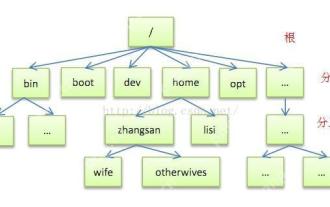
[Common Directory Description] Directory/bin stores binary executable files (ls, cat, mkdir, etc.), and common commands are generally here. /etc stores system management and configuration files/home stores all user files. The root directory of the user's home directory is the basis of the user's home directory. For example, the home directory of the user user is /home/user. You can use ~user to represent /usr to store system applications. The more important directory /usr/local Local system administrator software installation directory (install system-level applications). This is the largest directory, and almost all the applications and files to be used are in this directory. /usr/x11r6 Directory for storing x window/usr/bin Many
 Where is the pycharm interpreter?
May 23, 2025 pm 10:09 PM
Where is the pycharm interpreter?
May 23, 2025 pm 10:09 PM
Setting the location of the interpreter in PyCharm can be achieved through the following steps: 1. Open PyCharm, click the "File" menu, and select "Settings" or "Preferences". 2. Find and click "Project:[Your Project Name]" and select "PythonInterpreter". 3. Click "AddInterpreter", select "SystemInterpreter", browse to the Python installation directory, select the Python executable file, and click "OK". When setting up the interpreter, you need to pay attention to path correctness, version compatibility and the use of the virtual environment to ensure the smooth operation of the project.
 The difference between programming in Java and other languages Analysis of the advantages of cross-platform features of Java
May 20, 2025 pm 08:21 PM
The difference between programming in Java and other languages Analysis of the advantages of cross-platform features of Java
May 20, 2025 pm 08:21 PM
The main difference between Java and other programming languages is its cross-platform feature of "writing at once, running everywhere". 1. The syntax of Java is close to C, but it removes pointer operations that are prone to errors, making it suitable for large enterprise applications. 2. Compared with Python, Java has more advantages in performance and large-scale data processing. The cross-platform advantage of Java stems from the Java virtual machine (JVM), which can run the same bytecode on different platforms, simplifying development and deployment, but be careful to avoid using platform-specific APIs to maintain cross-platformity.
 MySQL installation tutorial teach you step by step the detailed steps for installing and configuration of mySQL step by step
May 23, 2025 am 06:09 AM
MySQL installation tutorial teach you step by step the detailed steps for installing and configuration of mySQL step by step
May 23, 2025 am 06:09 AM
The installation and configuration of MySQL can be completed through the following steps: 1. Download the installation package suitable for the operating system from the official website. 2. Run the installer, select the "Developer Default" option and set the root user password. 3. After installation, configure environment variables to ensure that the bin directory of MySQL is in PATH. 4. When creating a user, follow the principle of minimum permissions and set a strong password. 5. Adjust the innodb_buffer_pool_size and max_connections parameters when optimizing performance. 6. Back up the database regularly and optimize query statements to improve performance.
 Experience in participating in VSCode offline technology exchange activities
May 29, 2025 pm 10:00 PM
Experience in participating in VSCode offline technology exchange activities
May 29, 2025 pm 10:00 PM
I have a lot of experience in participating in VSCode offline technology exchange activities, and my main gains include sharing of plug-in development, practical demonstrations and communication with other developers. 1. Sharing of plug-in development: I learned how to use VSCode's plug-in API to improve development efficiency, such as automatic formatting and static analysis plug-ins. 2. Practical demonstration: I learned how to use VSCode for remote development and realized its flexibility and scalability. 3. Communicate with developers: I have obtained skills to optimize VSCode startup speed, such as reducing the number of plug-ins loaded at startup and managing the plug-in loading order. In short, this event has benefited me a lot and I highly recommend those who are interested in VSCode to participate.
 How to limit user resources in Linux? How to configure ulimit?
May 29, 2025 pm 11:09 PM
How to limit user resources in Linux? How to configure ulimit?
May 29, 2025 pm 11:09 PM
Linux system restricts user resources through the ulimit command to prevent excessive use of resources. 1.ulimit is a built-in shell command that can limit the number of file descriptors (-n), memory size (-v), thread count (-u), etc., which are divided into soft limit (current effective value) and hard limit (maximum upper limit). 2. Use the ulimit command directly for temporary modification, such as ulimit-n2048, but it is only valid for the current session. 3. For permanent effect, you need to modify /etc/security/limits.conf and PAM configuration files, and add sessionrequiredpam_limits.so. 4. The systemd service needs to set Lim in the unit file
 Comparison between Informix and MySQL on Linux
May 29, 2025 pm 11:21 PM
Comparison between Informix and MySQL on Linux
May 29, 2025 pm 11:21 PM
Informix and MySQL are both popular relational database management systems. They perform well in Linux environments and are widely used. The following is a comparison and analysis of the two on the Linux platform: Installing and configuring Informix: Deploying Informix on Linux requires downloading the corresponding installation files, and then completing the installation and configuration process according to the official documentation. MySQL: The installation process of MySQL is relatively simple, and can be easily installed through system package management tools (such as apt or yum), and there are a large number of tutorials and community support on the network for reference. Performance Informix: Informix has excellent performance and
