


nginx current limiting and configuration management methods

nginx current limit
http {
  limit_conn_zone $binary_remote_addr zone=addr:10m;
  //$binary_remote_addr 表示通过remote_addr这个标识来做限制
  //zone=addr:10m 表示生成一个大小为10M,名字为addr的内存区域
  ...
  server {
    location /download/ {
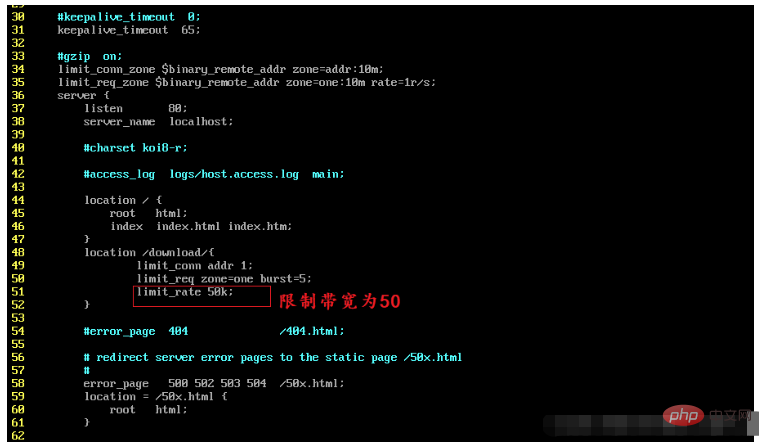
    limit_conn addr 1; #限制并发数
    limit_rate 50k; #限制带宽
 }
}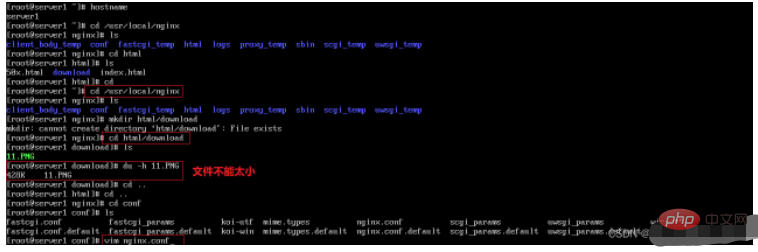
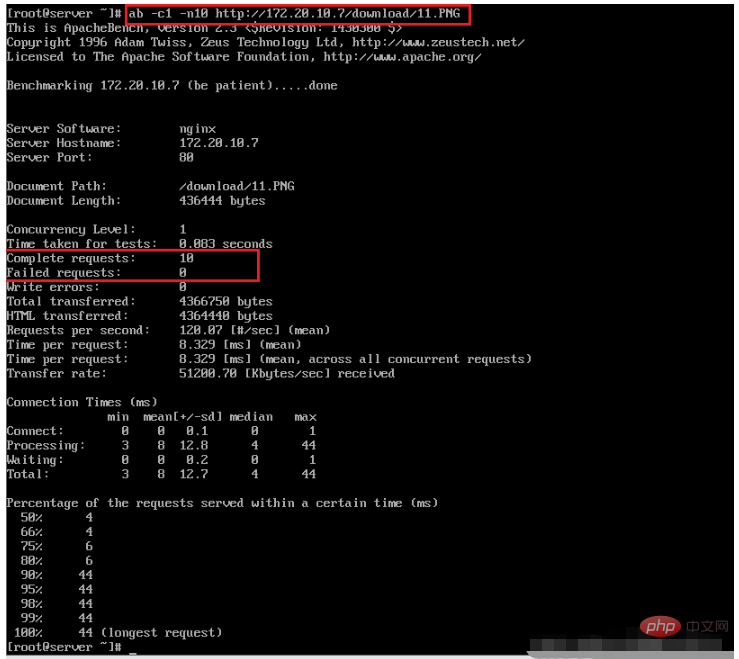
Limit the number of concurrent connections
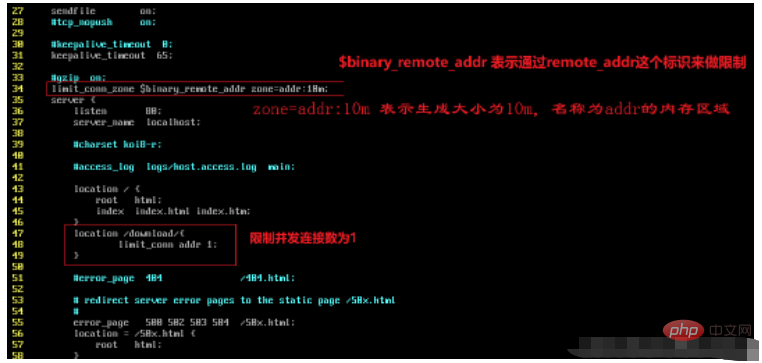
$binary_remote_addr: Indicates restriction through the remote_addr flag. The purpose of "binary_" is to abbreviate the memory usage and limit the same client IP address.
zone=addr:10m: Indicates generating a file with a size of 10M, a memory area named addr, used to store access frequency information

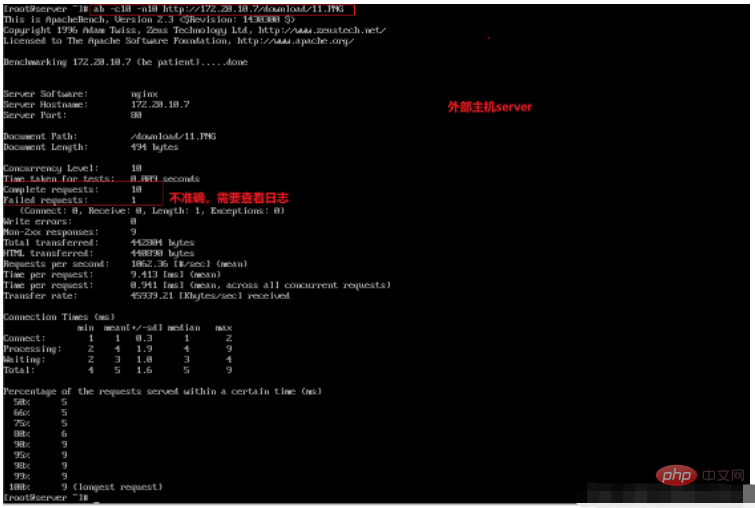

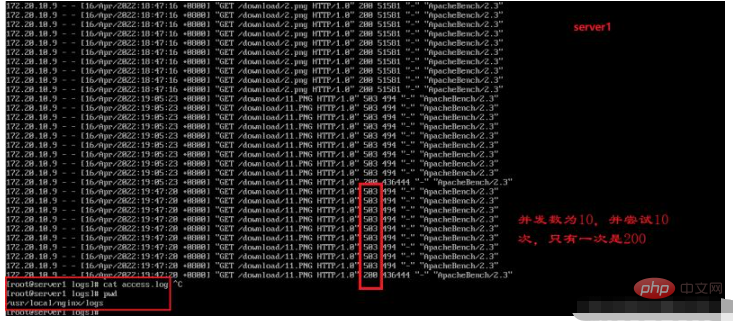
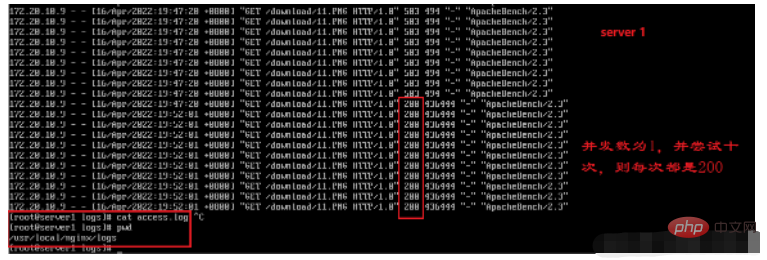
#http status code
400-499 is used to indicate Client error. 500-599 is used to support server errors.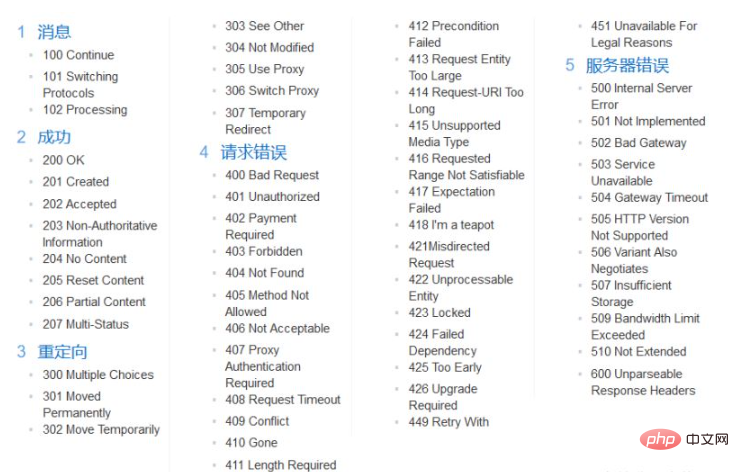
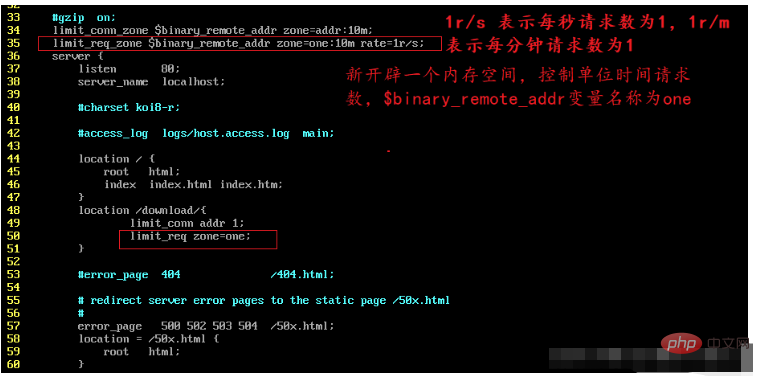
rate=1r/s: indicates that the same ID is allowed The client's access frequency is limited to 1 time per second, that is, only one request is processed per second. It can also be 30r/m, which is limited to one access every 2 seconds, that is, only one request is processed every 2 seconds.

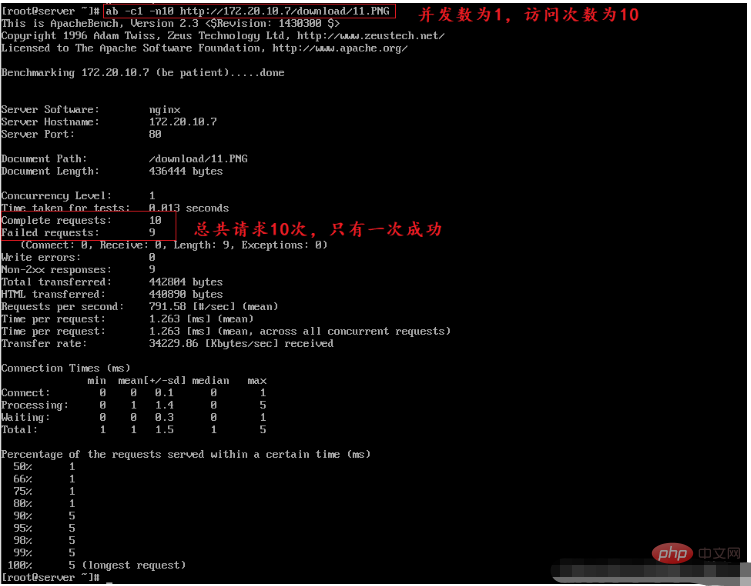
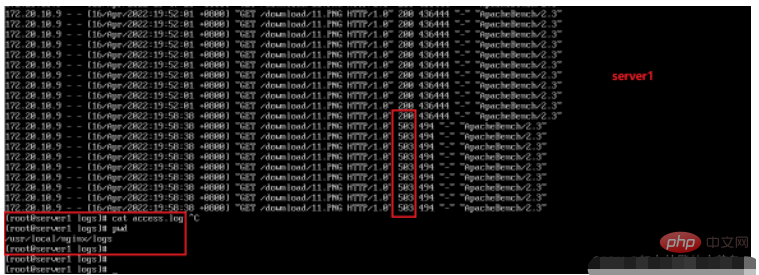 ##burst
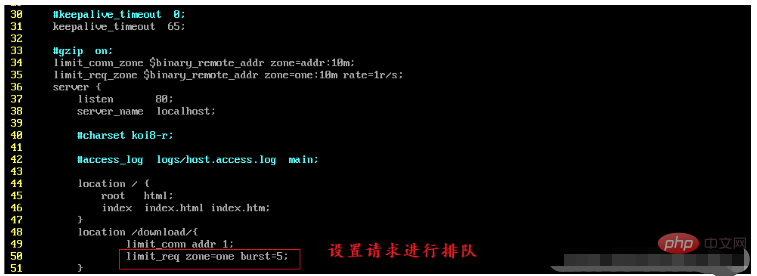
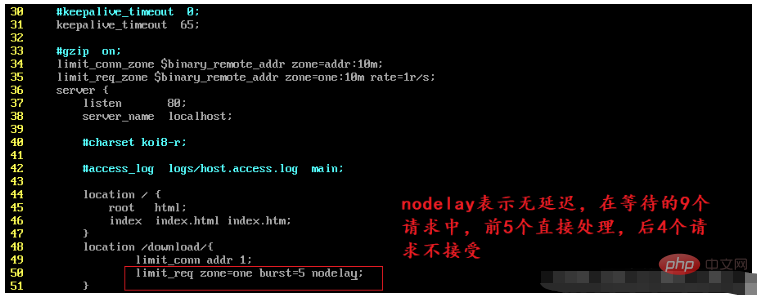
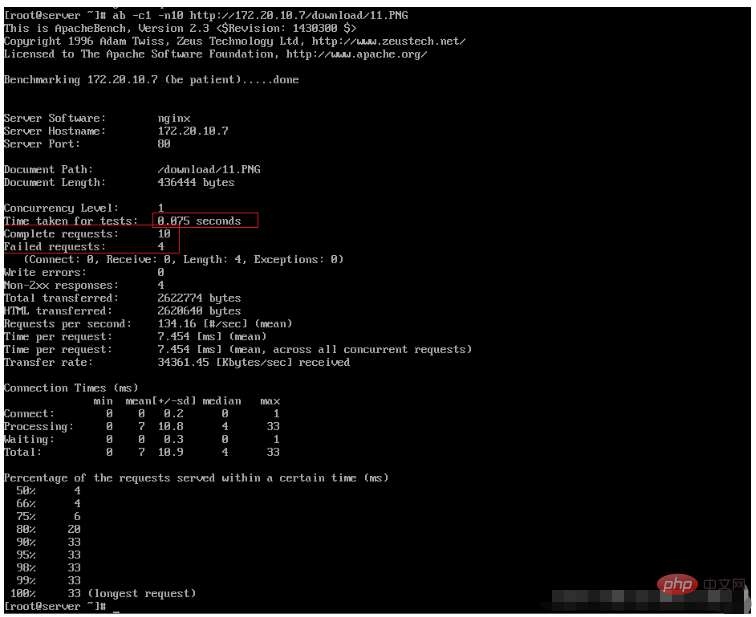
When a large number of requests (burst) come, requests that exceed the access frequency limit can be processed first Put it in this buffer and wait, but there are only 5 positions in this waiting area. Requests that exceed the limit will directly report a 503 error and return.


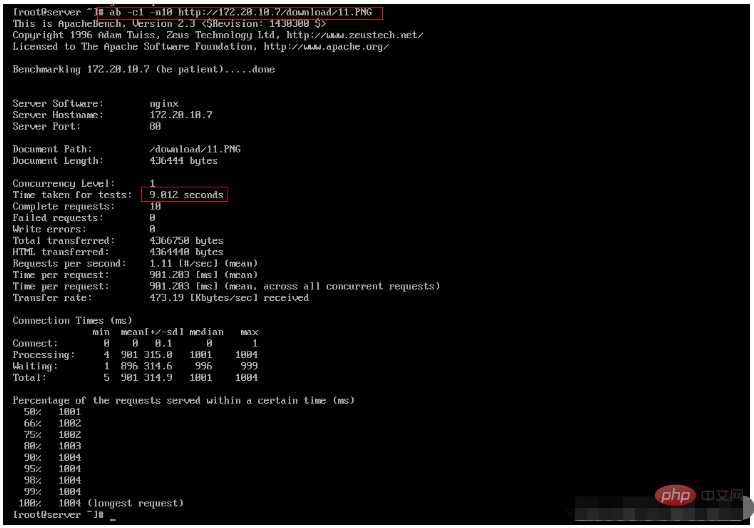
#nodelay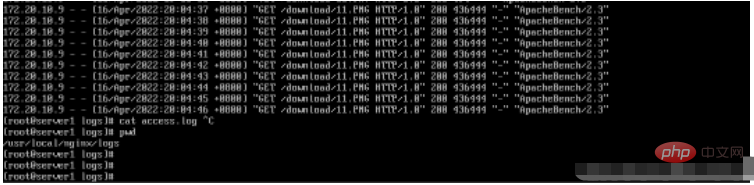
If not set, all requests will be queued in sequence.

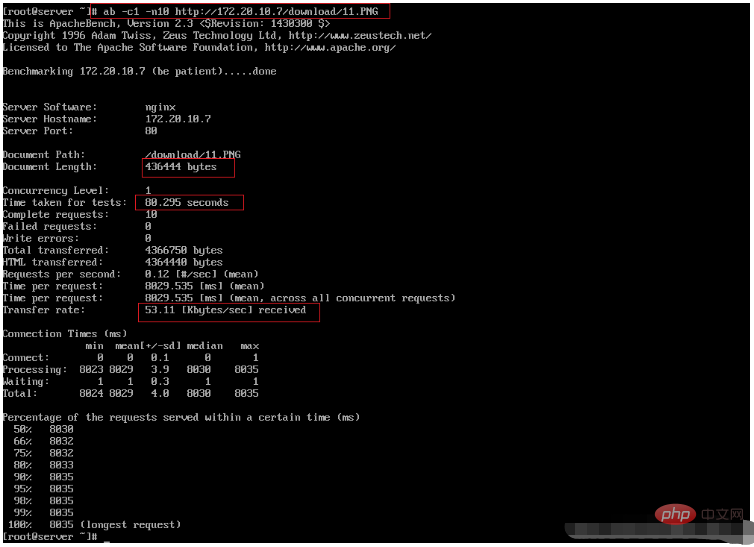
limit_rate limit bandwidth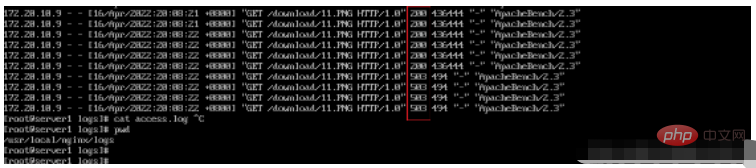

 ##
##
nginx configuration management
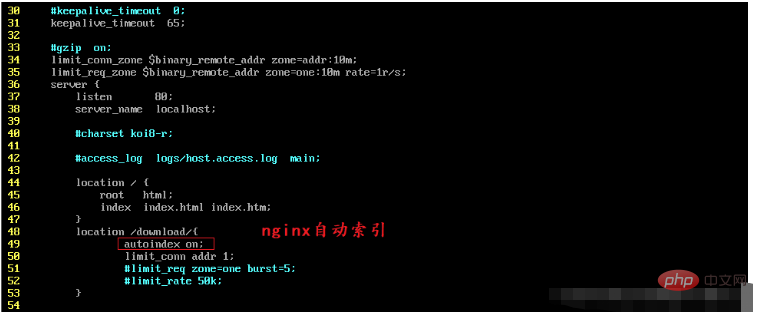
Automatic index


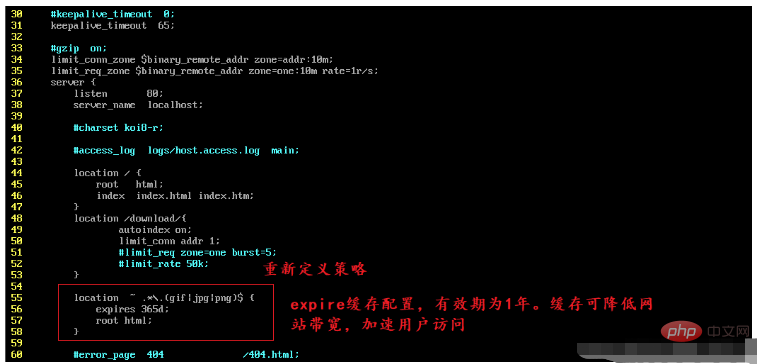

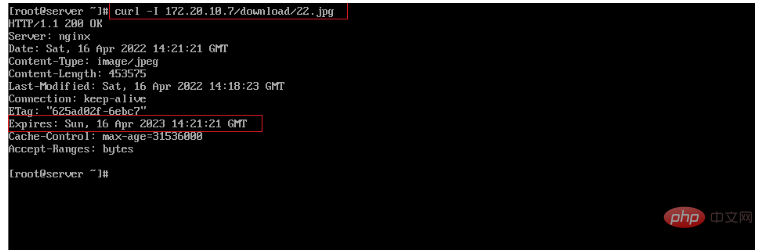
~ means to perform a regular match, which is case-sensitive
~* means to perform a regular match, which is not case-sensitivelocation expression priority^~ means to match ordinary characters. Prefix matching is preferred. If the match is successful, no other locations will be matched.
= performs exact matching of common characters. That is an exact match.
@ "@" defines a named location, used when internally directed, such as error_page, try_files
/: universal matching, if there is no other match, any request will be matched;
location = > location full path> location ^~ path> location ~ ,~* regular sequence> location partial starting path (prefix matching ) > /
Log polling
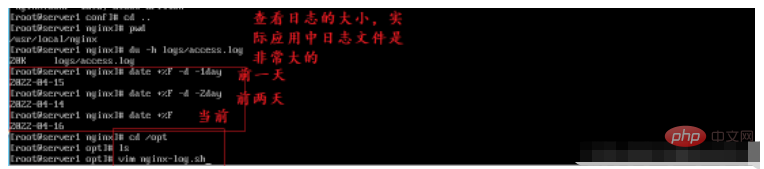

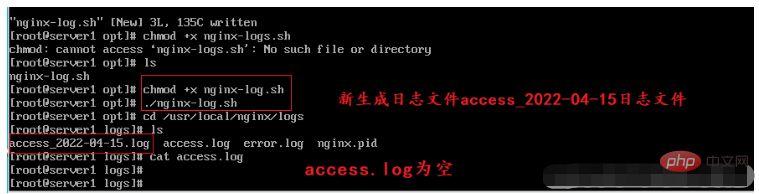
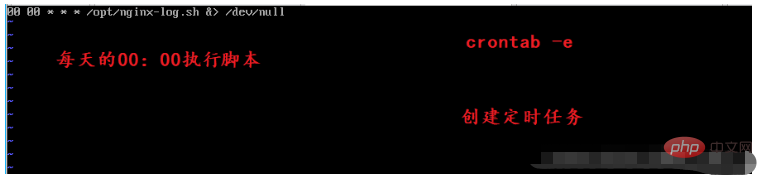
##For security reasons, the log directory does not need to give you nginx user access rights. Set # chmod -R 700 /usr/local/nginx/logs
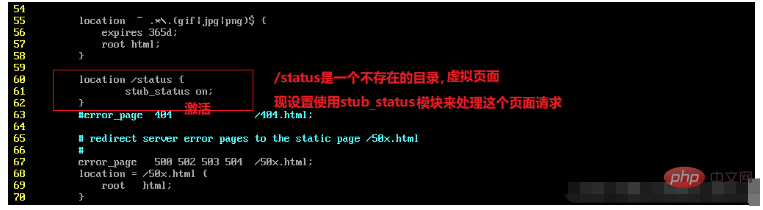

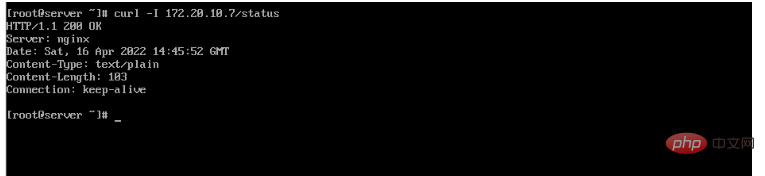
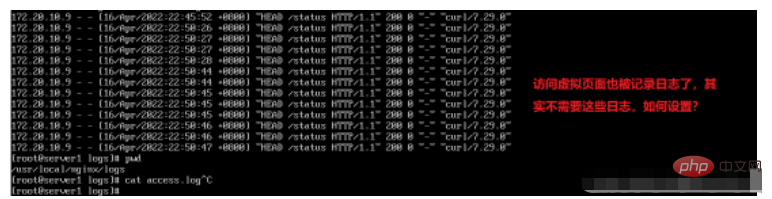
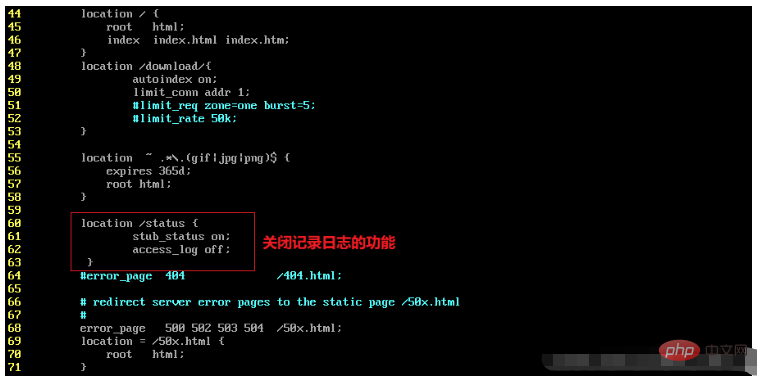

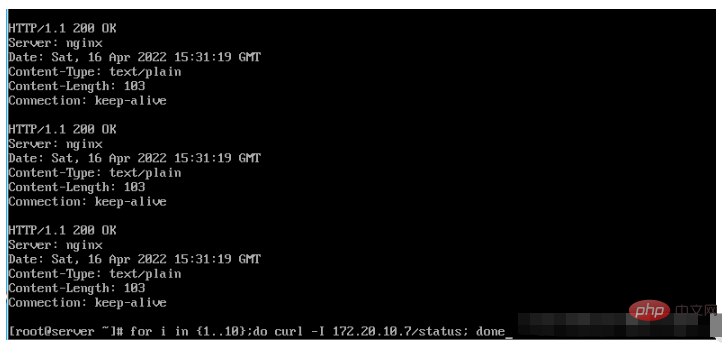
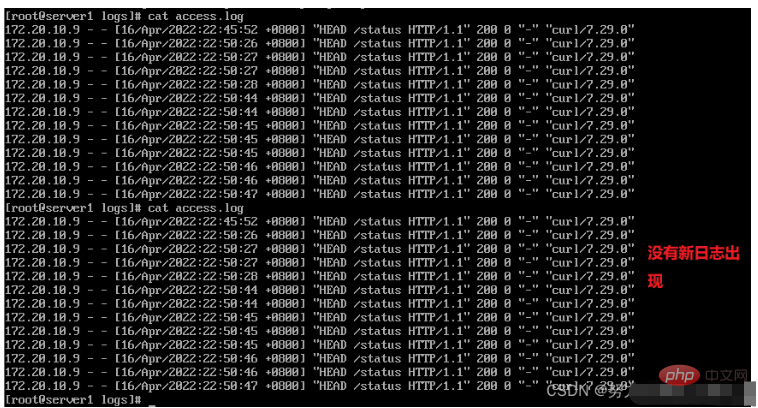
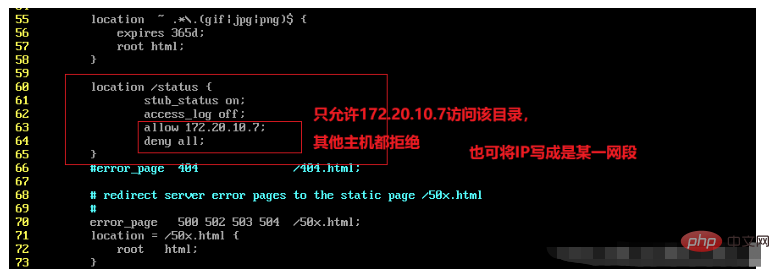
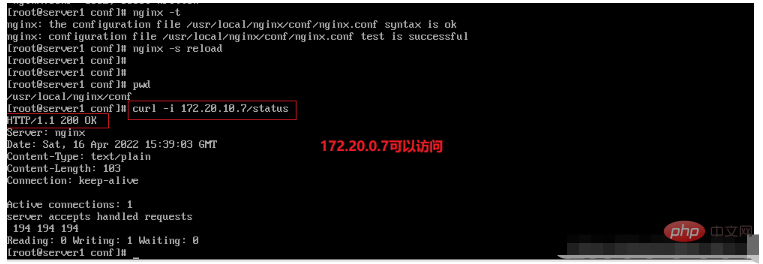
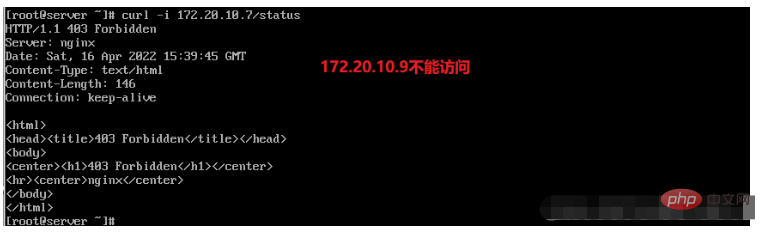 Set charset utf-8;
The above is the detailed content of nginx current limiting and configuration management methods. For more information, please follow other related articles on the PHP Chinese website!

Hot AI Tools

Undress AI Tool
Undress images for free

Undresser.AI Undress
AI-powered app for creating realistic nude photos

AI Clothes Remover
Online AI tool for removing clothes from photos.

Clothoff.io
AI clothes remover

Video Face Swap
Swap faces in any video effortlessly with our completely free AI face swap tool!

Hot Article
Hot Tools

Notepad++7.3.1
Easy-to-use and free code editor

SublimeText3 Chinese version
Chinese version, very easy to use

Zend Studio 13.0.1
Powerful PHP integrated development environment

Dreamweaver CS6
Visual web development tools

SublimeText3 Mac version
God-level code editing software (SublimeText3)
Hot Topics
 1793
1793
 16
1736
56
1587
29
267
587
16
1736
56
1587
29
267
587

 How to start containers by docker
Apr 15, 2025 pm 12:27 PM
How to start containers by docker
Apr 15, 2025 pm 12:27 PM
Docker container startup steps: Pull the container image: Run "docker pull [mirror name]". Create a container: Use "docker create [options] [mirror name] [commands and parameters]". Start the container: Execute "docker start [Container name or ID]". Check container status: Verify that the container is running with "docker ps".
 How to check the name of the docker container
Apr 15, 2025 pm 12:21 PM
How to check the name of the docker container
Apr 15, 2025 pm 12:21 PM
You can query the Docker container name by following the steps: List all containers (docker ps). Filter the container list (using the grep command). Gets the container name (located in the "NAMES" column).
 How to create containers for docker
Apr 15, 2025 pm 12:18 PM
How to create containers for docker
Apr 15, 2025 pm 12:18 PM
Create a container in Docker: 1. Pull the image: docker pull [mirror name] 2. Create a container: docker run [Options] [mirror name] [Command] 3. Start the container: docker start [Container name]
 NGINX vs. Apache: Performance, Scalability, and Efficiency
Apr 19, 2025 am 12:05 AM
NGINX vs. Apache: Performance, Scalability, and Efficiency
Apr 19, 2025 am 12:05 AM
NGINX and Apache are both powerful web servers, each with unique advantages and disadvantages in terms of performance, scalability and efficiency. 1) NGINX performs well when handling static content and reverse proxying, suitable for high concurrency scenarios. 2) Apache performs better when processing dynamic content and is suitable for projects that require rich module support. The selection of a server should be decided based on project requirements and scenarios.
 NGINX vs. Apache: A Comparative Analysis of Web Servers
Apr 21, 2025 am 12:08 AM
NGINX vs. Apache: A Comparative Analysis of Web Servers
Apr 21, 2025 am 12:08 AM
NGINX is more suitable for handling high concurrent connections, while Apache is more suitable for scenarios where complex configurations and module extensions are required. 1.NGINX is known for its high performance and low resource consumption, and is suitable for high concurrency. 2.Apache is known for its stability and rich module extensions, which are suitable for complex configuration needs.
 NGINX and Apache: Understanding the Key Differences
Apr 26, 2025 am 12:01 AM
NGINX and Apache: Understanding the Key Differences
Apr 26, 2025 am 12:01 AM
NGINX and Apache each have their own advantages and disadvantages, and the choice should be based on specific needs. 1.NGINX is suitable for high concurrency scenarios because of its asynchronous non-blocking architecture. 2. Apache is suitable for low-concurrency scenarios that require complex configurations, because of its modular design.
 How to execute php code after writing php code? Several common ways to execute php code
May 23, 2025 pm 08:33 PM
How to execute php code after writing php code? Several common ways to execute php code
May 23, 2025 pm 08:33 PM
PHP code can be executed in many ways: 1. Use the command line to directly enter the "php file name" to execute the script; 2. Put the file into the document root directory and access it through the browser through the web server; 3. Run it in the IDE and use the built-in debugging tool; 4. Use the online PHP sandbox or code execution platform for testing.
 After installing Nginx, the configuration file path and initial settings
May 16, 2025 pm 10:54 PM
After installing Nginx, the configuration file path and initial settings
May 16, 2025 pm 10:54 PM
Understanding Nginx's configuration file path and initial settings is very important because it is the first step in optimizing and managing a web server. 1) The configuration file path is usually /etc/nginx/nginx.conf. The syntax can be found and tested using the nginx-t command. 2) The initial settings include global settings (such as user, worker_processes) and HTTP settings (such as include, log_format). These settings allow customization and extension according to requirements. Incorrect configuration may lead to performance issues and security vulnerabilities.
