


what is a pc

PC is a personal computer, the abbreviation of "personal computer"; PC refers to a computer that is suitable for personal use in terms of size, performance, price, etc. and is directly controlled by the end user. PC A machine is composed of a hardware system and a software system. It is a device that can run independently and complete specific functions.

The operating environment of this tutorial: Windows 10 system, DELL G3 computer.
What is a PC
PC is a personal computer. A personal computer refers to a computer that is suitable for personal use in terms of size, performance, price, etc. and is directly controlled by the end user. collectively. It consists of a hardware system and a software system. It is a device that can run independently and complete specific functions.
PC introduction
PC is the abbreviation of two English words personal computer, which is translated into Chinese as "personal computer". The personal computer is not a large computer that needs to be placed in a large room like the computer was when it was first invented, but a small computer that can be placed on a desktop. With the development of the technological era, there are many types of PCs, such as desktop computers, notebook computers, all-in-one computers, etc.
Expand knowledge
Desktop computer
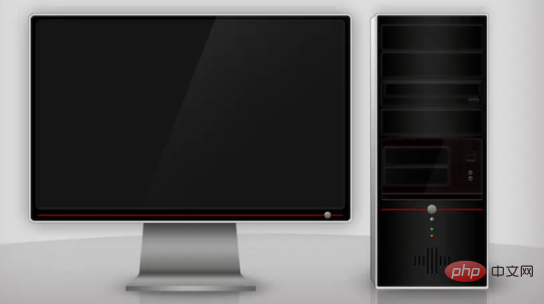
Desktop computer is also called desktop computer. Independent and phase-separated computers are larger and cheaper than notebooks and netbooks. The main components such as: host, monitor, keyboard, mouse, and audio are generally relatively independent and generally need to be placed on a computer desk or a special workbench. . Hence the name desktop, desktop computer. The performance of desktop computers is relatively stronger than that of laptop computers.
Features of desktop computers
Heat dissipation: Desktop computers have advantages that notebook computers cannot match. Desktop computer cases have been widely used because of their large space and good ventilation conditions.
Expandability: The desktop chassis is convenient for users to upgrade hardware, such as optical drives, hard drives, and graphics cards. For example, a desktop case has 4-5 optical drive slots and 4-6 hard drive slots. It is very convenient for users to upgrade their hardware in the future.
Protectiveness: The desktop computer protects the hardware from dust in all aspects. And the water resistance is pretty good; not a great development in a laptop.
Clarity: The desktop computer case’s power on, key reset button, USB, and audio interfaces are all on the front panel of the case, making it convenient for users to use.
All-in-one computer
All-in-one computer is a computer composed of a monitor, a computer keyboard and a mouse. Its chip, motherboard and monitor are integrated together, and the monitor is a computer, so as long as the keyboard and mouse are connected to the monitor, the machine can be used. With the development of wireless technology, the keyboard, mouse and monitor of an all-in-one computer can be connected wirelessly. The machine has only one power cord, which solves the long-criticized problem of desktop computers with many and complicated cables. Some all-in-one computers also have TV reception, AV functions (video output functions), touch functions, etc.
Advantages of all-in-one machine
Simple wireless: The most concise and optimized line connection method, only one power cord is needed to complete all connections. Reduced speaker cables, camera cables, video cables, network cables, keyboard cables, mouse cables, etc.
Saving space: Slimer than traditional split desktops, Lenovo all-in-one desktops can save up to 70% of desktop space.
Super value integration: It has more functional components at the same price, including a camera, wireless network cable, speaker, Bluetooth, and headset.
Energy saving and environmental protection: The all-in-one desktop computer is more energy-saving and environmentally friendly, and the power consumption is only 1/3 of the traditional split desktop computer (the split desktop computer consumes 1 kilowatt hour of electricity in 2 hours, and the all-in-one desktop computer only consumes 1 kilowatt hour in 6 hours) kWh), bringing less electromagnetic radiation.
Trendy appearance: The all-in-one desktop has a simple and stylish solid design, which is more in line with modern people’s purpose of saving space and being beautiful in their homes.
Laptop
A laptop, also known as a laptop or laptop, is a small, portable personal computer. It has a similar architecture to a desktop computer, but provides excellent portability that desktop computers cannot match: including an LCD display, smaller size, and lighter weight.
Laptop computers can be roughly divided into 6 categories: business type, fashion type, multimedia application, Internet type, learning type, and special purpose.
Business laptops can generally be summarized as having strong mobility, long battery life, and many business software; fashionable appearance is mainly aimed at fashionable women; multimedia application laptops have strong graphics, image processing capabilities and multimedia capabilities. Ability, especially playback ability, is an enjoyment product. Moreover, multimedia laptops mostly have relatively powerful independent graphics cards and sound cards (both support high-definition), and have larger screens. Netbooks are lightweight and low-configuration laptops. Netbooks emphasize portability and are mostly used for mobile Internet access on business trips, tourism, and even public transportation. The learning body is designed in the shape of a notebook, uses standard computer operations, and fully integrates multiple machine functions such as learning machines, electronic dictionaries, repeaters, and student computers. Special-purpose laptops are models that serve professionals and can be used in harsh environments such as heat, cold, low pressure, and war.
For more related knowledge, please visit the FAQ column!
The above is the detailed content of what is a pc. For more information, please follow other related articles on the PHP Chinese website!

Hot AI Tools

Undress AI Tool
Undress images for free

Undresser.AI Undress
AI-powered app for creating realistic nude photos

AI Clothes Remover
Online AI tool for removing clothes from photos.

Clothoff.io
AI clothes remover

Video Face Swap
Swap faces in any video effortlessly with our completely free AI face swap tool!

Hot Article
Hot Tools

Notepad++7.3.1
Easy-to-use and free code editor

SublimeText3 Chinese version
Chinese version, very easy to use

Zend Studio 13.0.1
Powerful PHP integrated development environment

Dreamweaver CS6
Visual web development tools

SublimeText3 Mac version
God-level code editing software (SublimeText3)


 How to reset a Lenovo laptop?
Aug 22, 2025 pm 02:02 PM
How to reset a Lenovo laptop?
Aug 22, 2025 pm 02:02 PM
ToresetyourLenovolaptop,useWindowsRecoveryforasoftwarereset,AdvancedStartupforunstablesystems,ahardresettoresolvepowerissues,ortheLenovoRecoveryPartitiontorestorefactorysettings.Choosebasedonyourneedsandsystemcondition.
 The computer's system tray icon is messy, how to organize it?
Aug 21, 2025 pm 08:12 PM
The computer's system tray icon is messy, how to organize it?
Aug 21, 2025 pm 08:12 PM
Hide the system tray icon without affecting the program operation, only removes the visual display; 2. Completely clean up and disable non-essential startup items through the task manager; 3. Resolve the mess and uninstall the software and develop the habit of canceling the bundling and checking during installation, so as to achieve the dual goals of visual refreshing and resource optimization.
 Phone not ringing for incoming calls
Aug 08, 2025 am 10:43 AM
Phone not ringing for incoming calls
Aug 08, 2025 am 10:43 AM
Checkifsilentmodeisenabled—flipthering/silentswitchoniPhoneoradjustvolumesettingsonAndroidtoensuretheringerison.2.VerifyDoNotDisturborFocusModeisn’tactiveandreviewsettingstoallowcallsfromcontacts.3.Confirmthecallerisn’tblockedandcallforwardingisdisab
 What's wrong with the phone calling without sound
Aug 13, 2025 pm 06:09 PM
What's wrong with the phone calling without sound
Aug 13, 2025 pm 06:09 PM
The reasons why there is no sound on the phone call include: hardware problems (damaged speakers, blocked earpiece holes, poor connector contact), software problems (volume setting too low, silent mode is turned on, system failure), network problems (weak signal strength, network congestion), and other reasons (Bluetooth headsets are connected, application interference). Solutions include: checking the hardware, adjusting the volume settings, turning off the silent mode, restarting the phone, updating the system, disconnecting the Bluetooth headset, and uninstalling the problematic application. If it still cannot be solved, please contact technical support.
 How to Search for a Word in a PDF Document?
Aug 06, 2025 am 08:29 AM
How to Search for a Word in a PDF Document?
Aug 06, 2025 am 08:29 AM
TosearchforawordinaPDF,firstensurethePDFistext-based;ifnot,useOCRtoconvertit.1.OnWindows,openthePDFandpressCtrl Ftoopenthesearchbar,typetheword,andviewhighlightedresults.2.OnMac,pressCmd FinappslikePrevieworAdobeAcrobattosearch.3.InAdobeAcrobatReader
 Haitang Literature City Official Website 2025 Latest Entrance/Haitang Culture Online Entrance Free Summary
Aug 12, 2025 pm 09:42 PM
Haitang Literature City Official Website 2025 Latest Entrance/Haitang Culture Online Entrance Free Summary
Aug 12, 2025 pm 09:42 PM
The official entrance of Haitang Literature City, a must-have for novel lovers! Still looking for the entrance to Haitang Literature City? This article brings together the official website of Haitang Literature City and multiple alternate addresses for your quick access. Official and alternate entrance of Haitang Literature City: Official website: https://www.haitbook.com Alternate address 1: https://www.htlvbooks.com Alternate address 2: https://www.longmabookcn.com Alternate address 3: https://www.myhtebook.com More Haitang Literature City Sites: The following lists multiple Haitang Literature City sites for you to choose from: Haitang Site 10: https
 What's wrong with calling on a mobile phone without sound?
Aug 13, 2025 pm 06:06 PM
What's wrong with calling on a mobile phone without sound?
Aug 13, 2025 pm 06:06 PM
The reasons why Huawei phone calls without sound are: earpiece failure, software failure, network problems and physical damage. For earpiece failures, you can try cleaning the earpiece or contact after-sales repair; for software failures, you can update the system or uninstall suspicious applications; for network problems, you can move to a good signal area or contact the network supplier; for physical damage, you need to contact after-sales repair or replace components.
 How to Add Headers and Footers to a PDF?
Aug 11, 2025 am 11:04 AM
How to Add Headers and Footers to a PDF?
Aug 11, 2025 am 11:04 AM
UseAdobeAcrobatProforprecisecontrolbynavigatingtoTools>EditPDF>Header&Footer>Add,insertingtextorplaceholderslike&[Page]and&[Pages],customizingappearance,andapplyingtospecificpages.2.Forquickresults,usefreeonlinetoolssuchasSejdaby