


Detailed examples of Oracle data table import and export

This article brings you relevant knowledge about Oracle, which mainly organizes the related issues of importing and exporting data tables. If a large amount of data needs to be migrated, select "Export Table" and "Import Table" The Oracle method does not require writing a table structure. Let’s take a look at it. I hope it will be helpful to everyone.

Recommended tutorial: "Oracle Video Tutorial"
0. Background: I suddenly received a notice to work from home. All work data is on the intranet and needs to be copied out and taken away. The largest single table is about 3.7G. Based on usual experience, I exported the tables in the Oracle database to xlsx (to facilitate communication with colleagues). I found that the efficiency was too low, and due to the large amount of data, errors were often reported and could not be exported. Later, I tried to export it to a csv file, and it was prompted that the export was completed. However, when I found a new computer to import, I found that the data was seriously missing and could not be used.
1. The original stupid method
Right-click the table to be exported in the object window, click Query Data, and click the csv file or excel file. This method is usually used. The query results are very intuitive and suitable for small amounts of data.
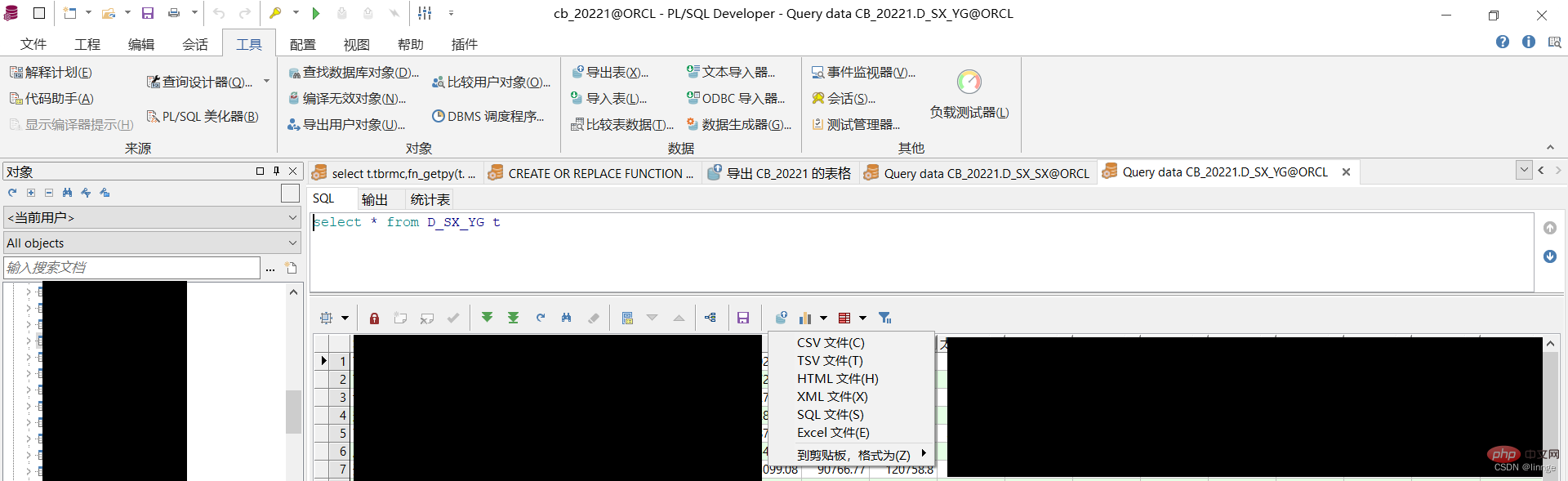
1.Oracle data table export
Export table tool
There are two ways to open it in PL/SQL, method one is Right-click the table that needs to be exported in the object window, click Export Data, and the export table window will pop up. The second method is to click the tool at the top of the PL/SQL page, click Export Table, and the export table window will pop up. The export table tool can export multiple tables in batches
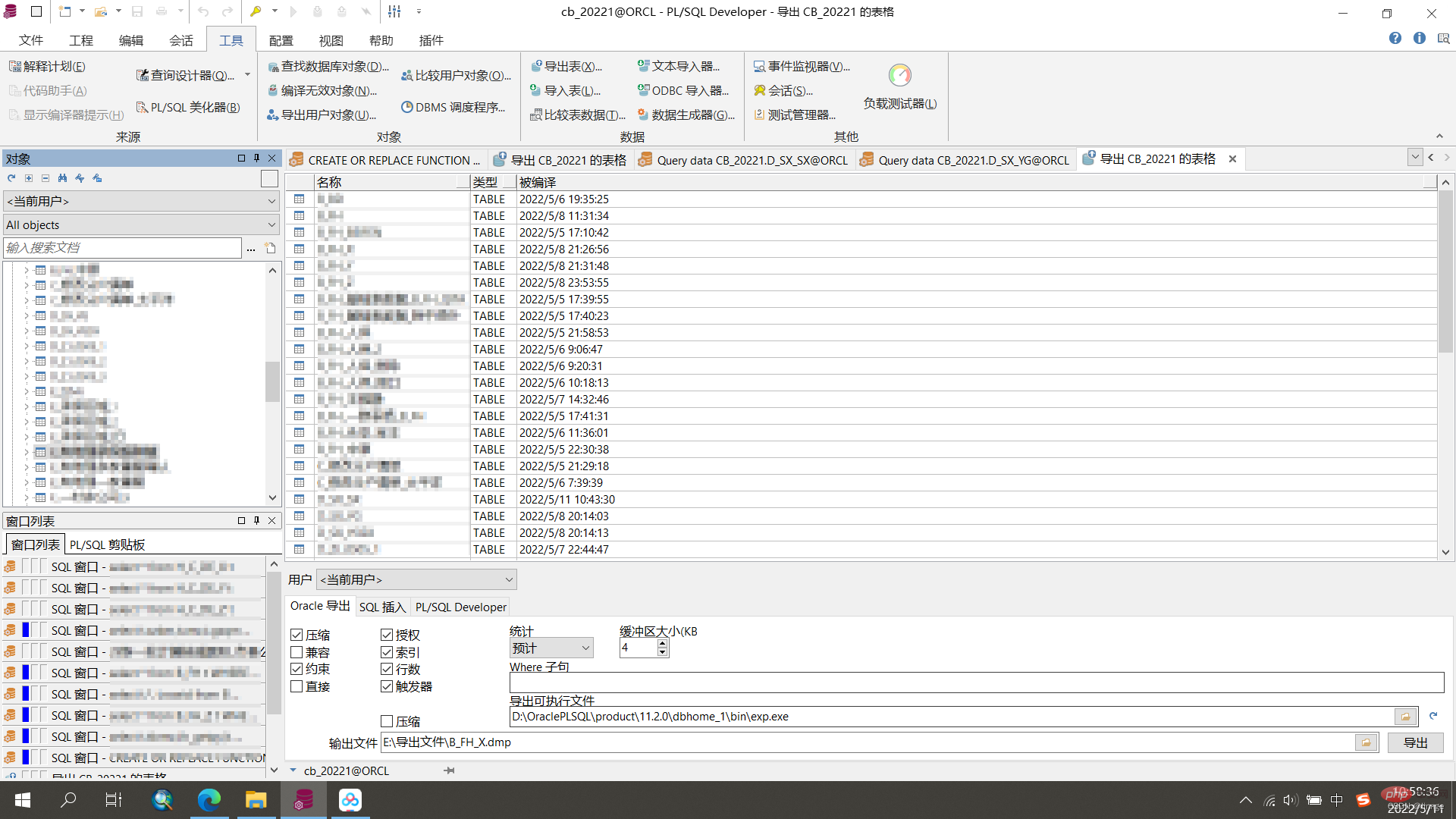
In the export table window, there are three specific export methods, and all three methods can export the table structure and data
(1) Oracle Export
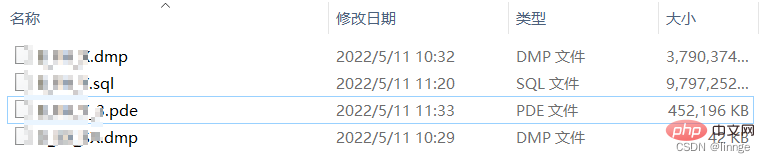
The export result of "Oracle Export" is a binary file in dmp format, which cannot be previewed, but it is fast and can be cross-platform. We plan to use this method in the future. The first dmp file is about 3.61G and takes 3 minutes to export.
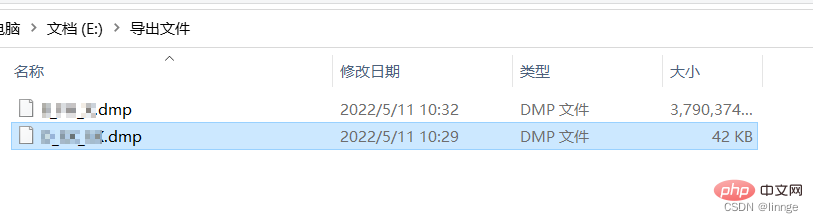
(2) SQL Insert
The export result of "SQL Insert" is a file in sql format, which can be previewed in text format, but the speed is not " Oracle export" is fast. For a 3.61G file in dmp format, the export time is 14 minutes and the size is 9.34G.
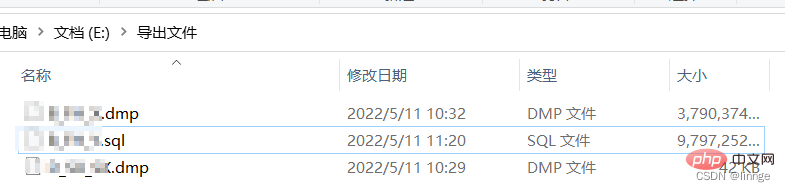
(3) PL/SQL Developer
The export result of "PL/SQL Developer" is a file in pde format, which is PL/SQL free File format, cannot be previewed in text format, speed
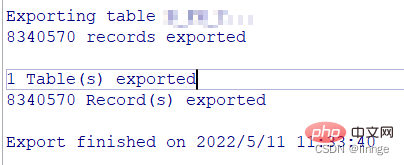
For a 3.61G file in dmp format, the export time is 10 minutes and the size is 0.4G. The amount of data is too small, so I don’t believe that all of it will be copied out, but the number of log prompts is consistent with the data table
2.Oracle data Table Import
ODBC Importer
ODBC should mean Open Database Connectivity (Open Data Interconnection). I often use the ODBC importer to import EXCEL documents and ACCESS database tables. Importing tables using the ODBC importer requires defining the table structure in advance.
(1) Create a new table
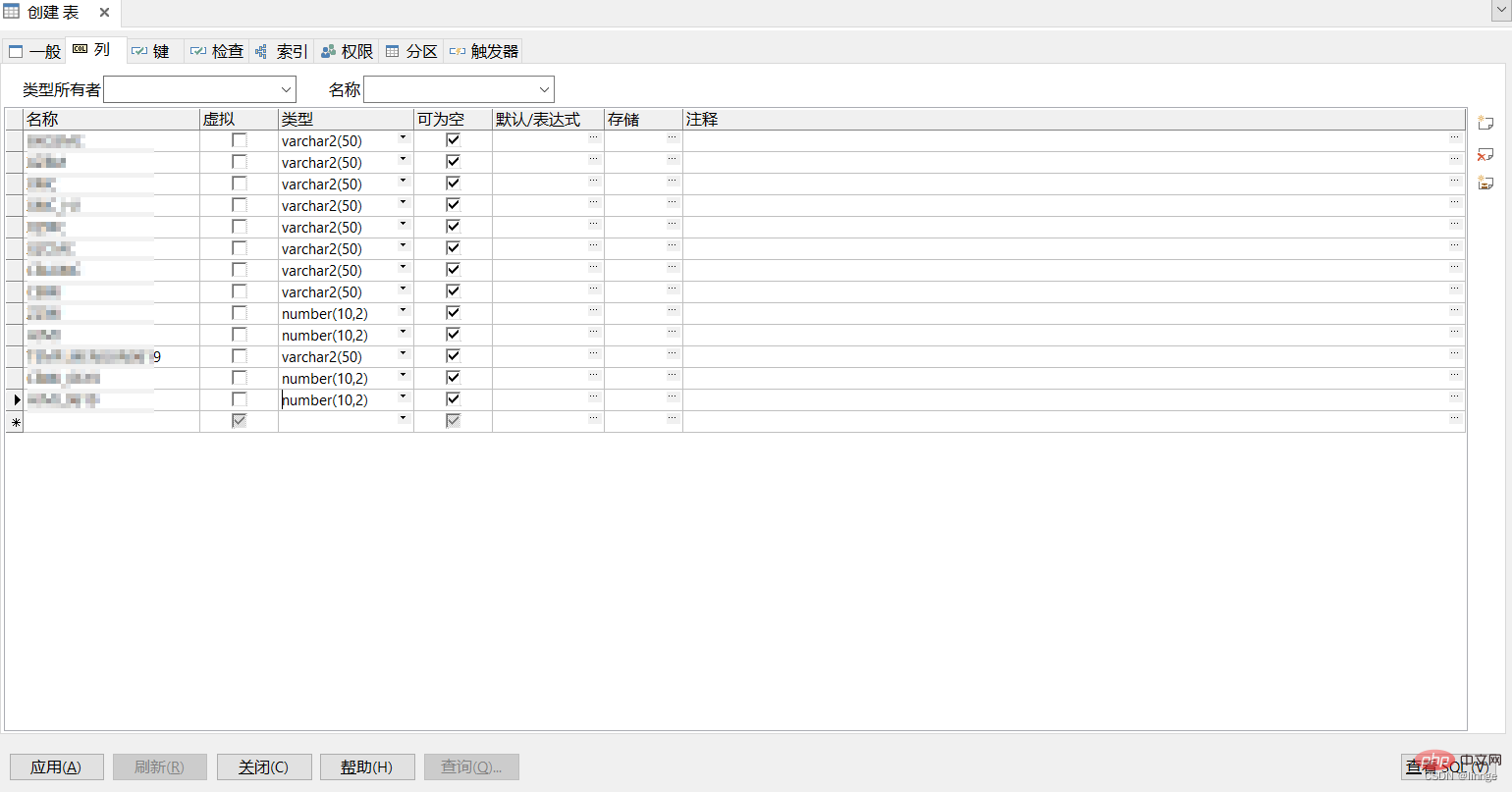
File-New-Create a table and set the table name and columns. Remarks can be added appropriately to facilitate subsequent use. There must be a type when setting the column. Try to set it as large as possible to prevent errors during subsequent imports. You can click the View SQL button to display the SQL statement for creating the table, so that you can directly execute the code to create the table next time. . 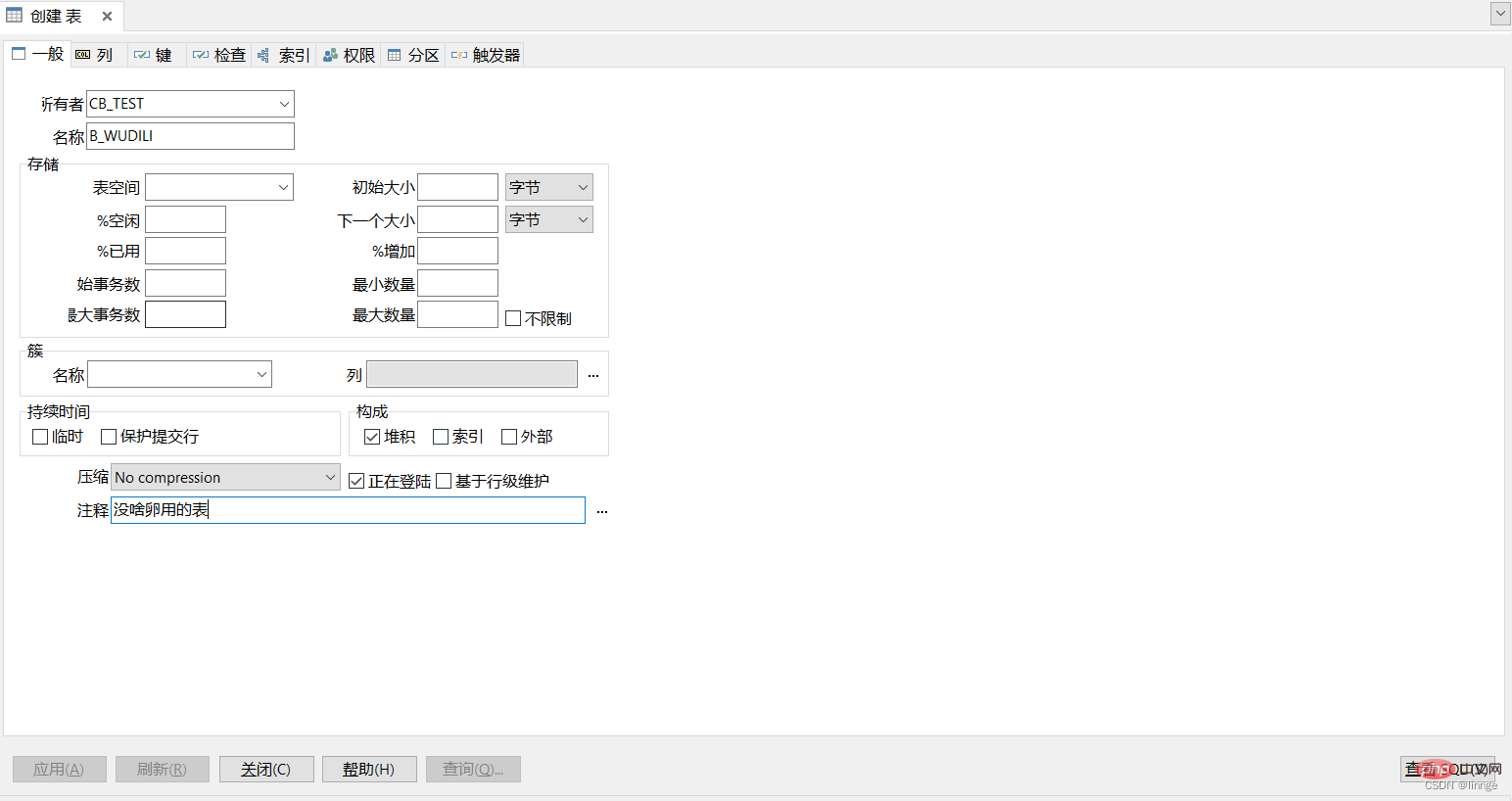
(2) Open the ODBC Importer
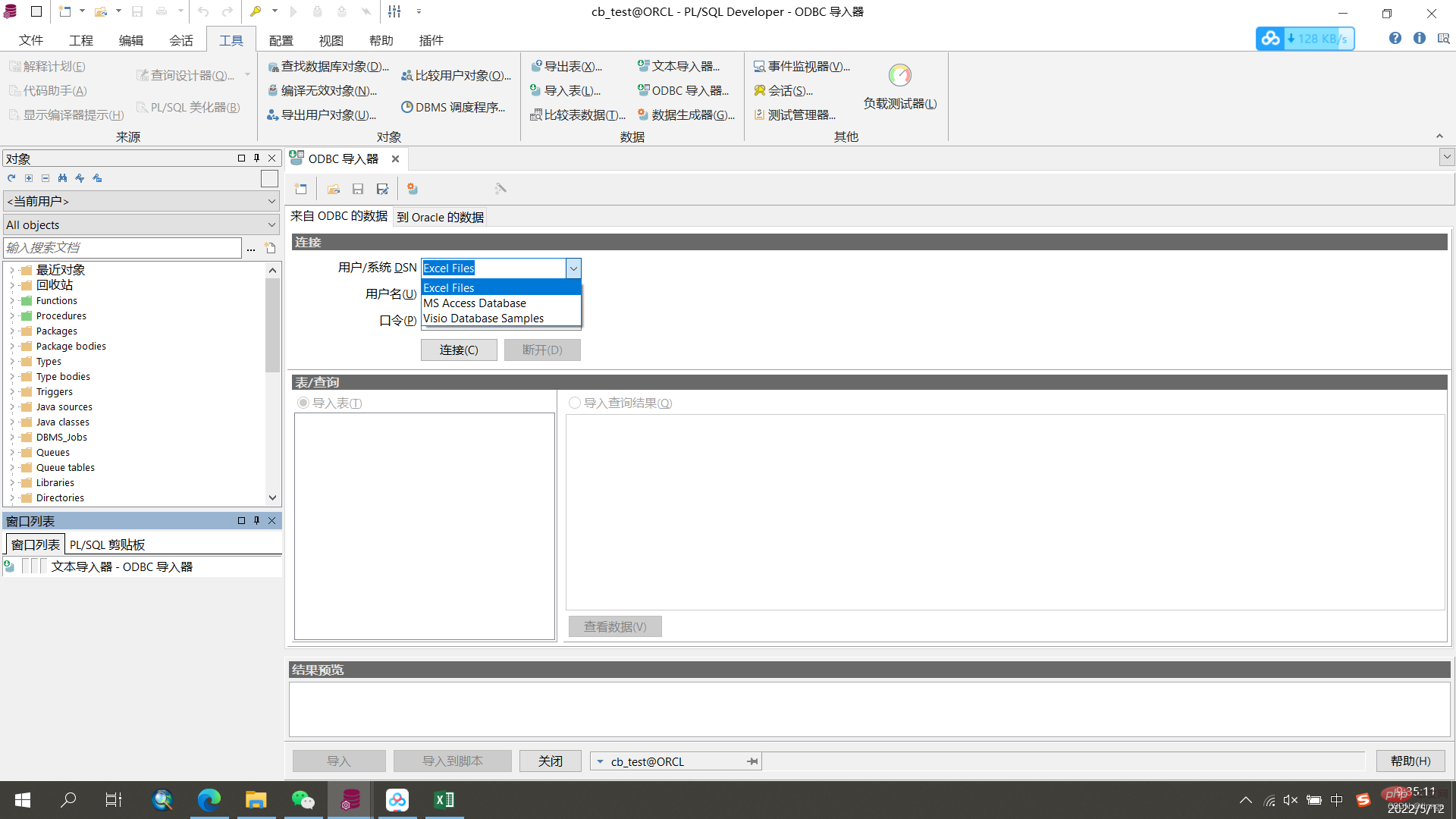
Click "Tools" at the top of the PL/SQL page, click "ODBC Importer", and a pop-up will appear ODBC Importer Window
# (3) Select the table to be imported
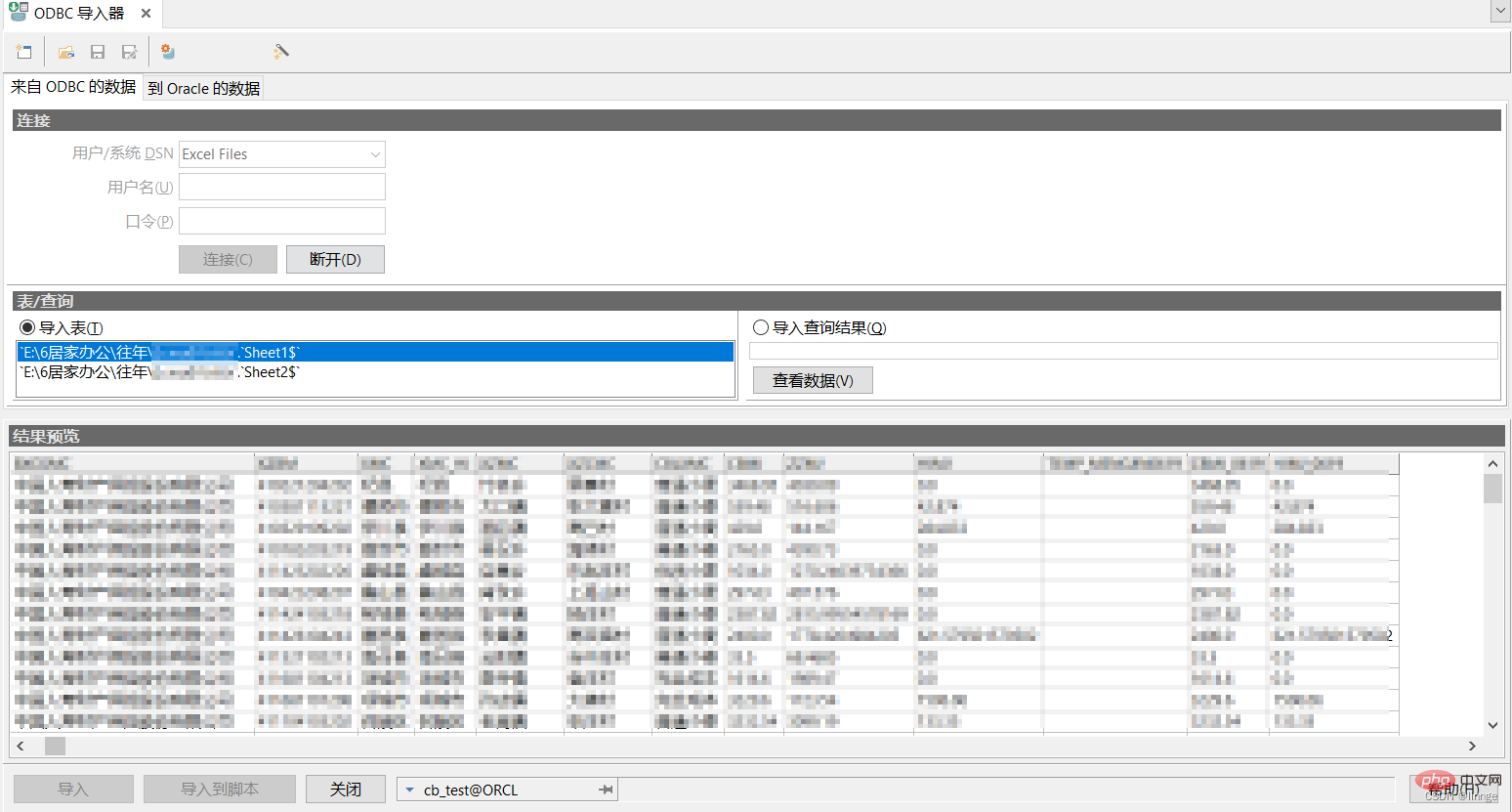
User/System DSN Select "Excel Files", click Connect, and select the table to be imported surface. Select the specific sheet to be imported and preview
(4) Determine the corresponding location of Oracle
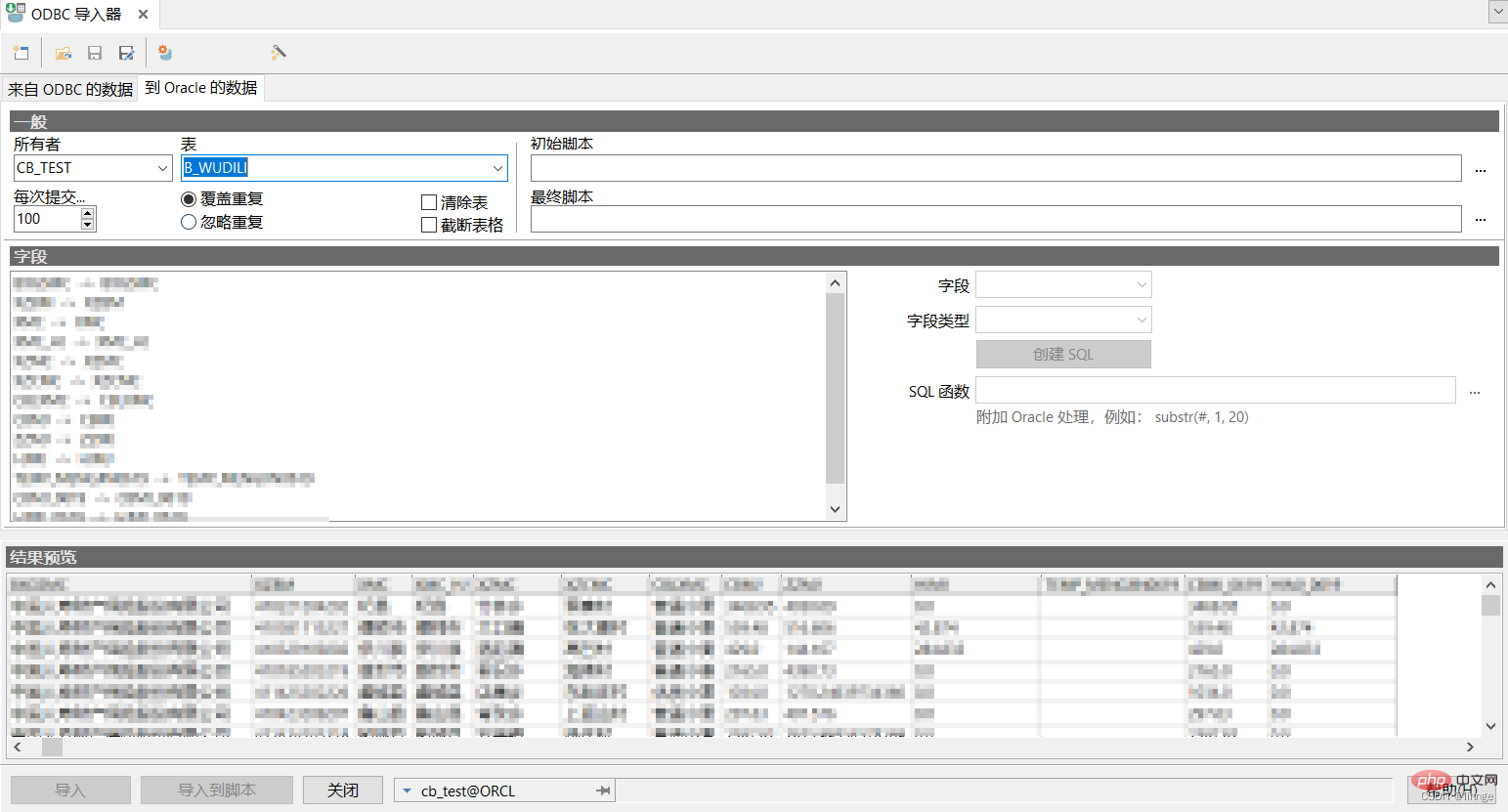
Select the owner, table, and check the field matching. For fields that cannot be automatically matched, manually select the field in the right window Select the corresponding field and field type, and click the "Import" button to import the data.
Text Importer
As the name suggests, the text importer imports files in text format. I usually use the text importer to import files in csv format
(1) Create a new table, the specific method is the same as the ODBC importer
(2) Open the text importer
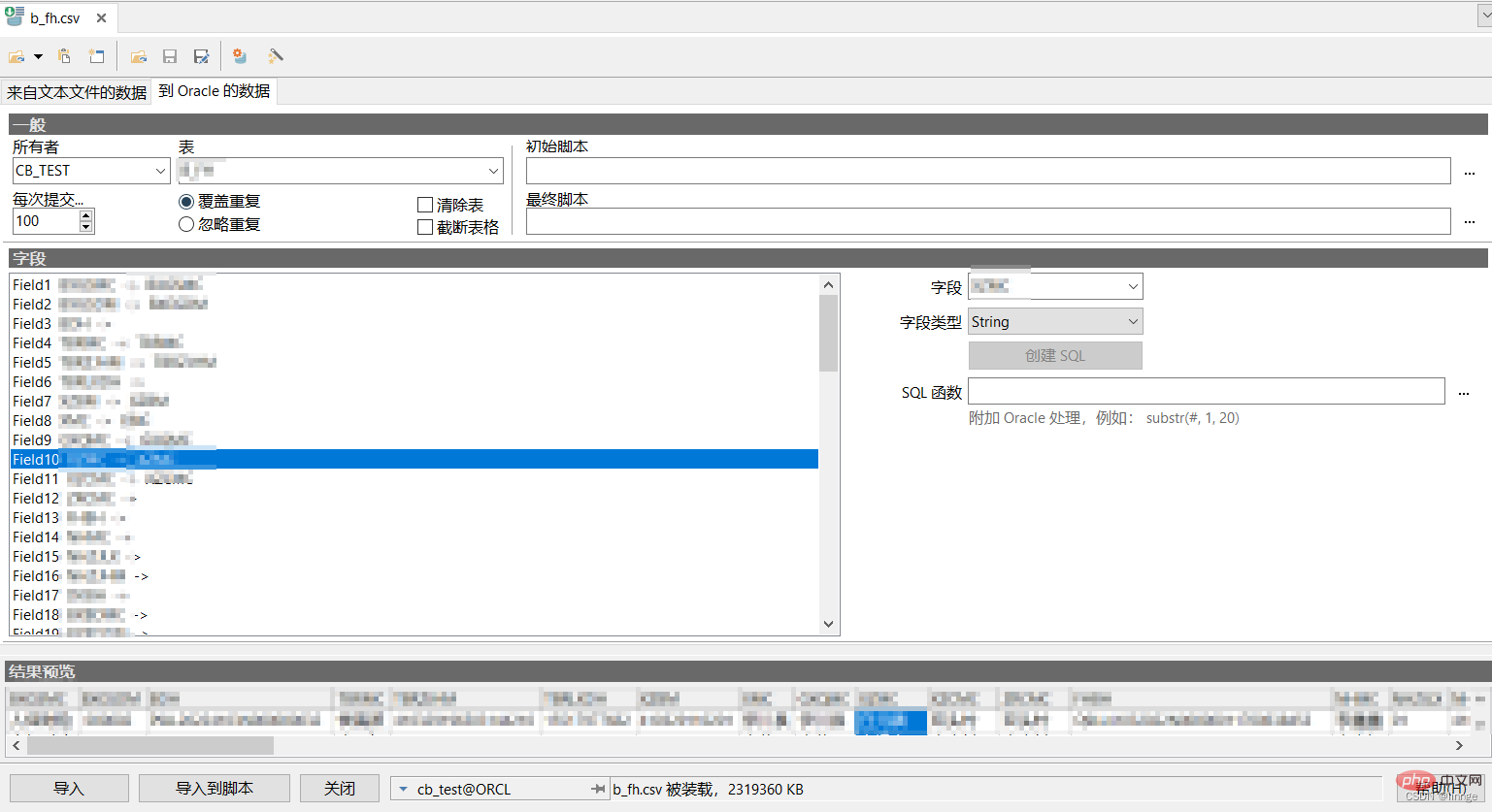
Click "Tools" at the top of the PL/SQL page, click "Text" Importer", the text importer window pops up
(3) Select the table to be imported
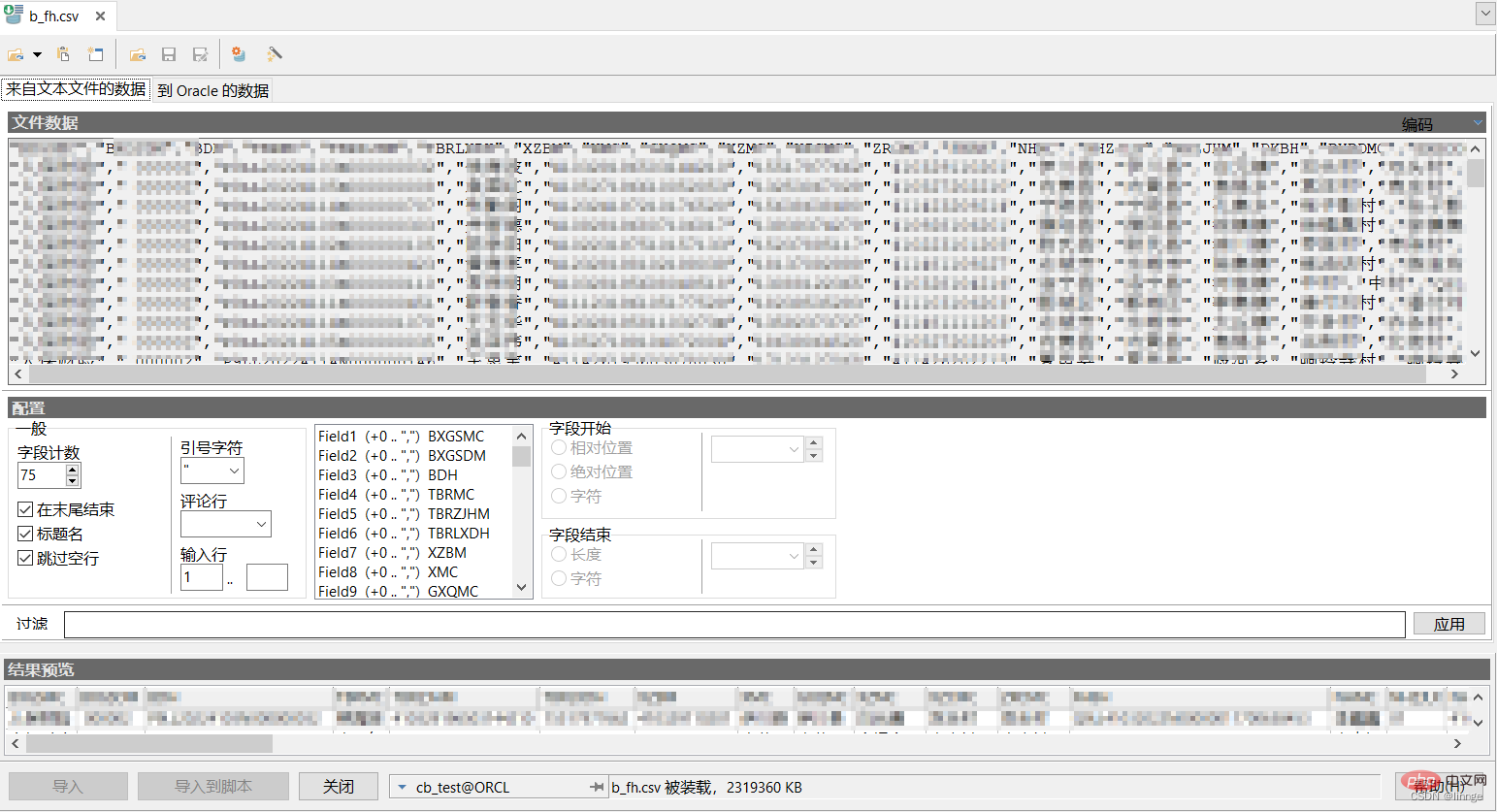
Click the Select File button, select the text file to be imported and preview it
(4) Determine the corresponding location of Oracle
Select the owner, table, and check the field matching. For fields that cannot be automatically matched, manually select the corresponding field in the right window Fields and field types, click the "Import" button to import data.
Import table tool
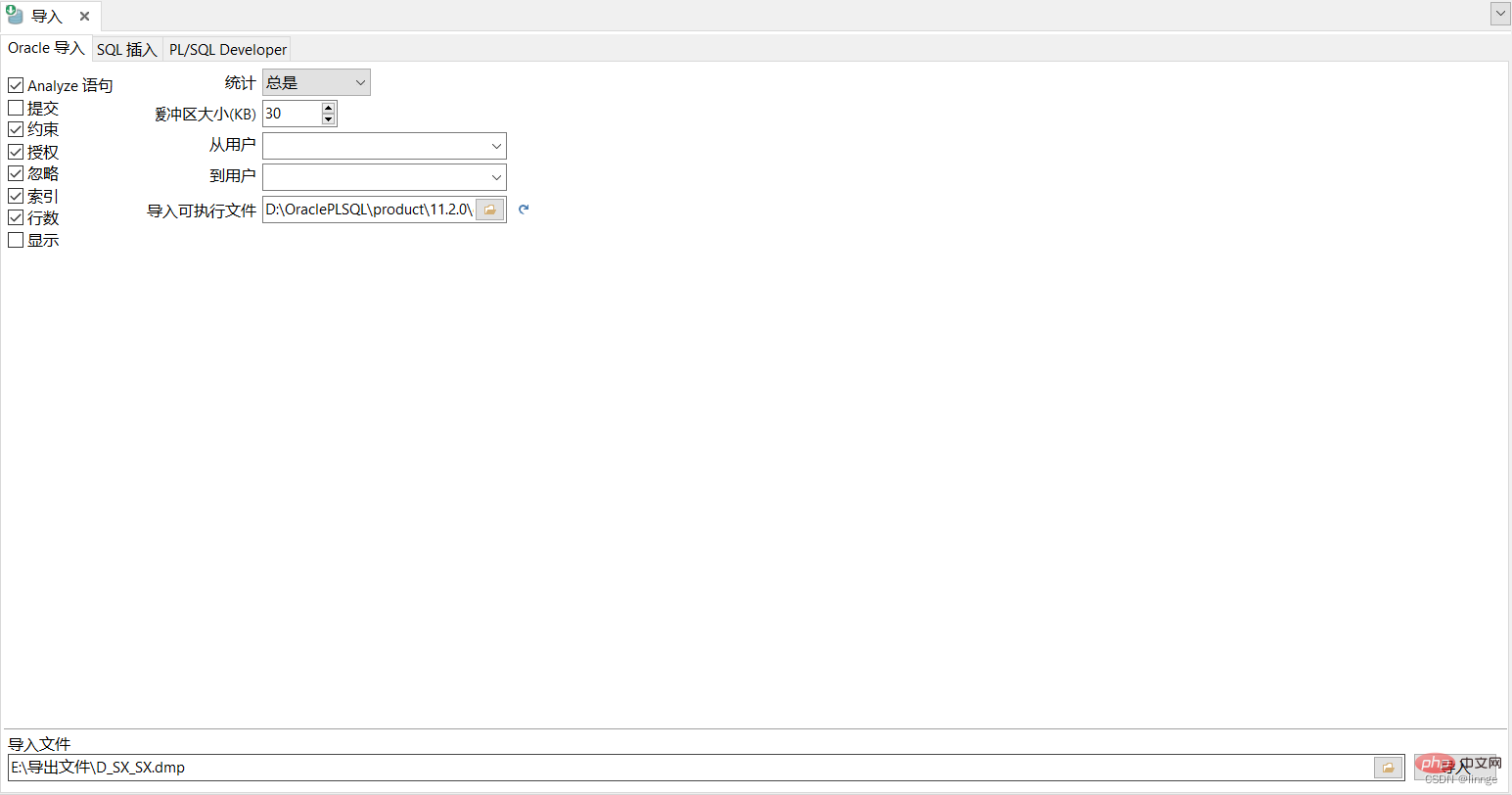
Click the tool at the top of the PL/SQL page, click Import table, and the import table window will pop up
(1) Oracle import
Select the dmp file to be imported, click the "Import" button, and there will be an import completion prompt at the bottom. After the import is completed, you can view the detailed import results on the rightmost log page
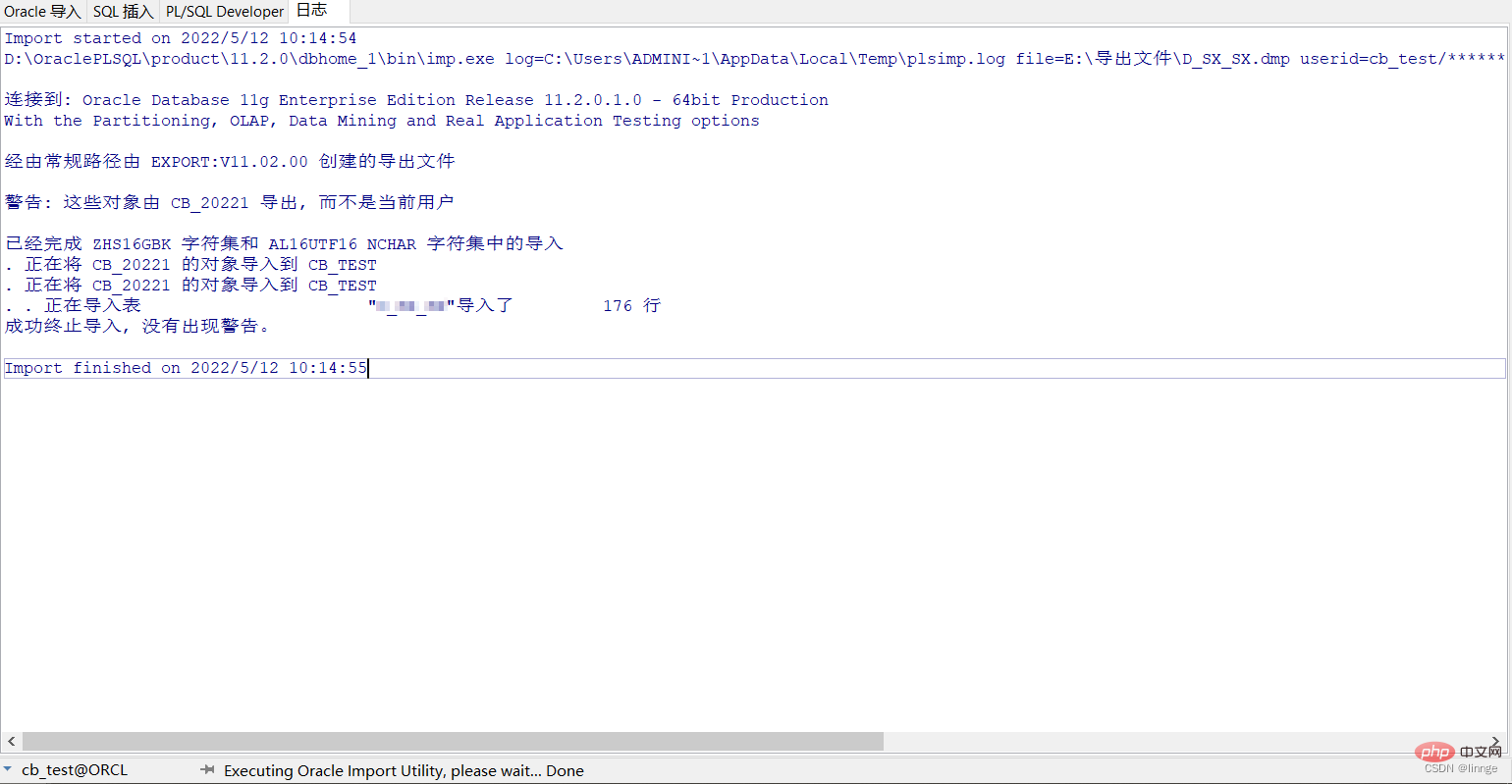
(2) SQL insertion
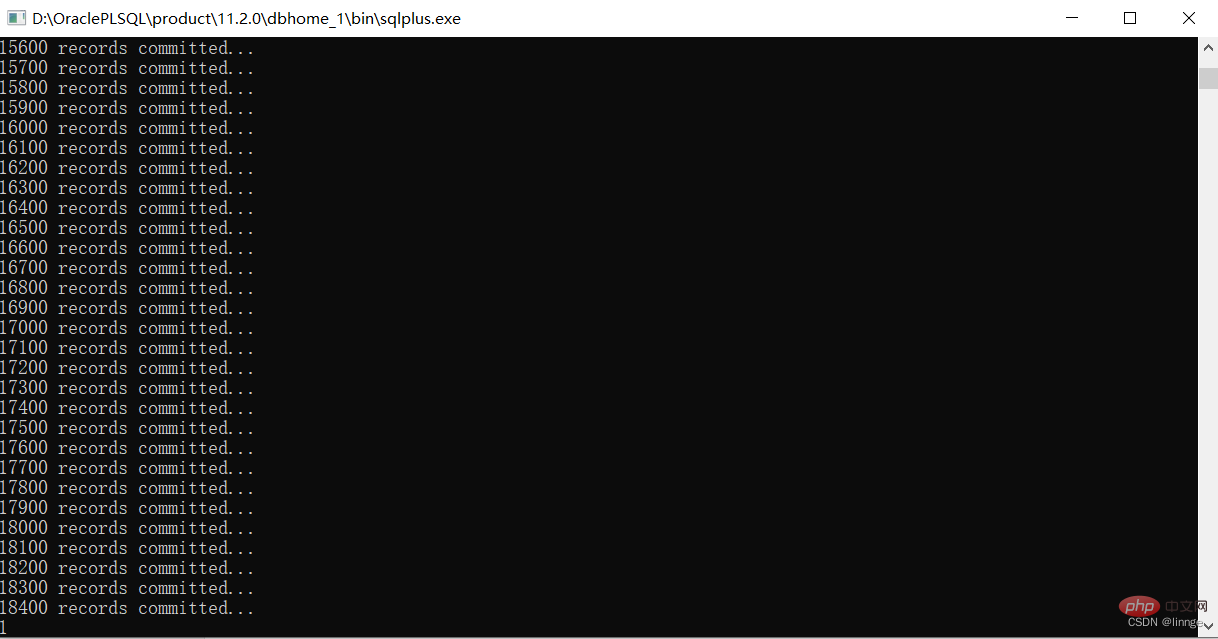
Select the sql file to be imported and click the "Import" button. The sqlplus.exe execution program window will pop up, showing the real-time progress of the import. After the import is completed, you can view the detailed import results on the rightmost log page
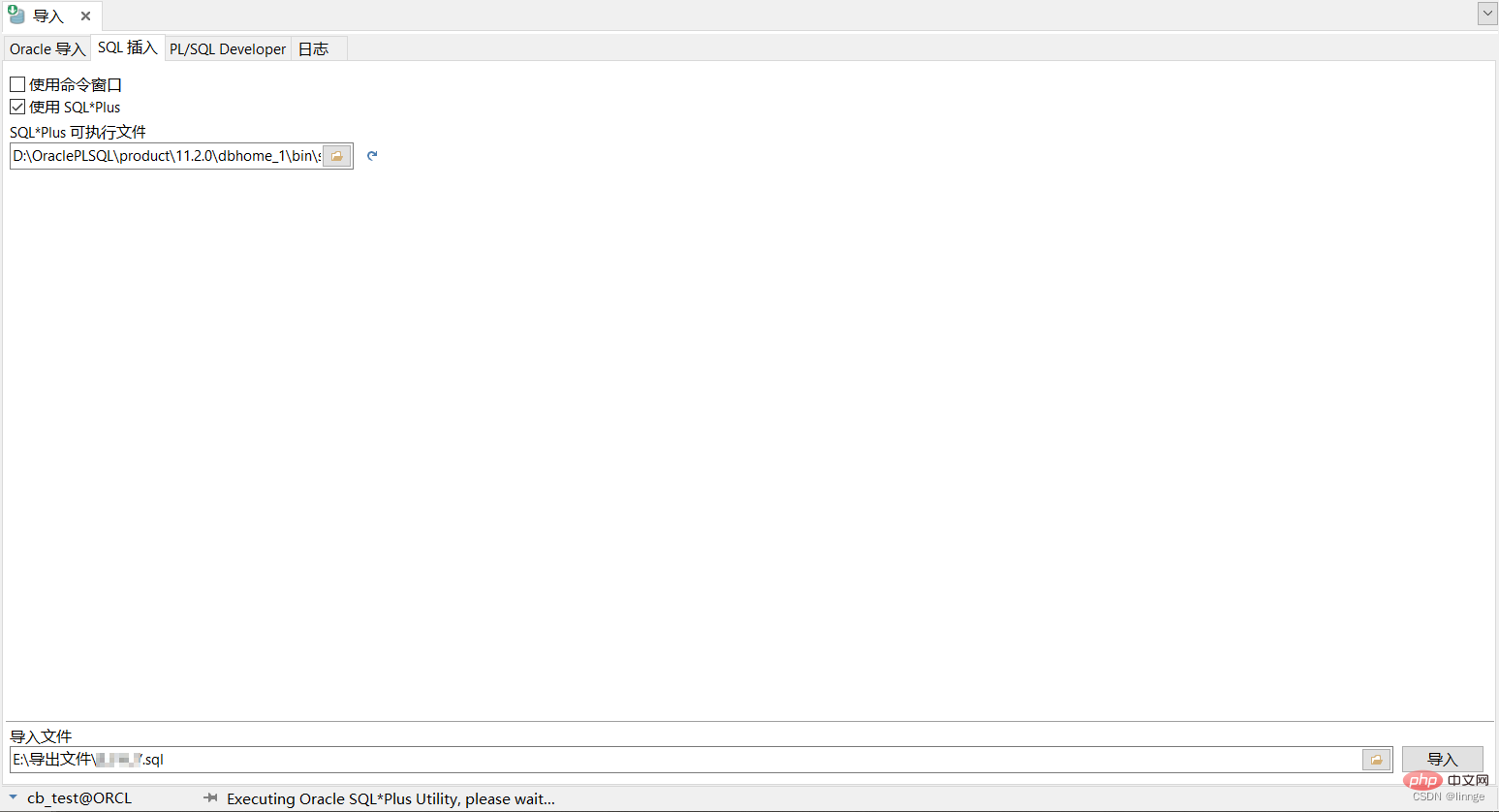
(3) PL/SQL Developer
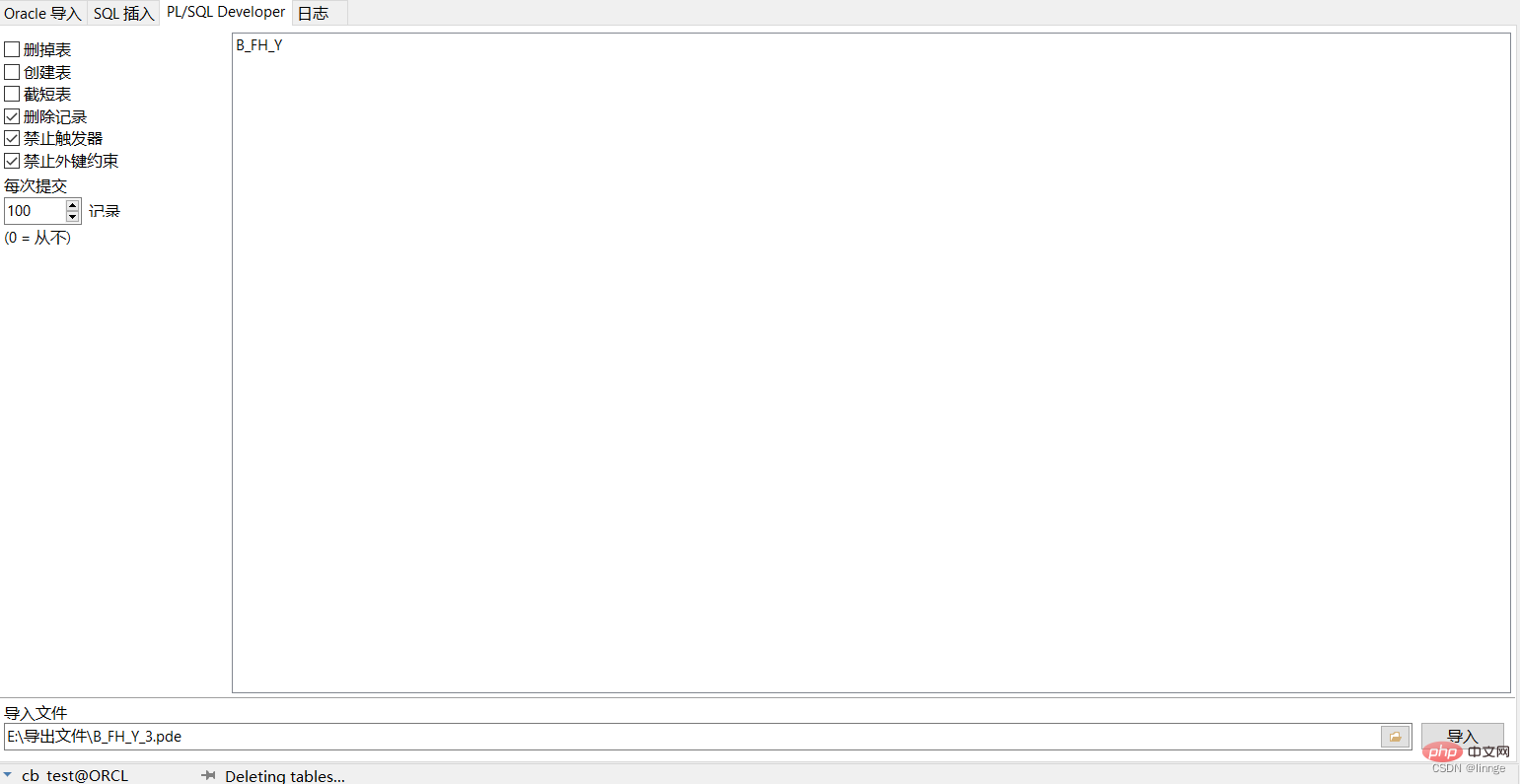
Select the pde file that needs to be imported, click the "Import" button, and there will be an import completion prompt at the bottom. After the import is completed, you can view the detailed import results on the log page on the far right. The speed is really slow, slower than SQL insertion
3. Summary
(1) If you need to interact with other people with a small amount of daily data, Export query results to xlsx format
(2) ODBC importer and text importer need to write the table structure in advance
(3) If a large amount of data needs to be migrated, choose the Oracle method of "Export Table" and "Import Table". There is no need to write the table structure
(4) The backup data can be directly exported to a file in dmp format. Re-import when you need to restore
Recommended tutorial: "Oracle Video Tutorial"
The above is the detailed content of Detailed examples of Oracle data table import and export. For more information, please follow other related articles on the PHP Chinese website!

Hot AI Tools

Undress AI Tool
Undress images for free

Undresser.AI Undress
AI-powered app for creating realistic nude photos

AI Clothes Remover
Online AI tool for removing clothes from photos.

Clothoff.io
AI clothes remover

Video Face Swap
Swap faces in any video effortlessly with our completely free AI face swap tool!

Hot Article
Hot Tools

Notepad++7.3.1
Easy-to-use and free code editor

SublimeText3 Chinese version
Chinese version, very easy to use

Zend Studio 13.0.1
Powerful PHP integrated development environment

Dreamweaver CS6
Visual web development tools

SublimeText3 Mac version
God-level code editing software (SublimeText3)


 How to learn Java without taking detours. Share methods and techniques for efficiently learning Java
May 20, 2025 pm 08:24 PM
How to learn Java without taking detours. Share methods and techniques for efficiently learning Java
May 20, 2025 pm 08:24 PM
The key to learning Java without taking detours is: 1. Understand core concepts and grammar; 2. Practice more; 3. Understand memory management and garbage collection; 4. Join online communities; 5. Read other people’s code; 6. Understand common libraries and frameworks; 7. Learn to deal with common mistakes; 8. Make a learning plan and proceed step by step. These methods can help you master Java programming efficiently.
 What to learn Java? A summary of Java learning routes and essential knowledge points
May 20, 2025 pm 08:15 PM
What to learn Java? A summary of Java learning routes and essential knowledge points
May 20, 2025 pm 08:15 PM
Learning Java requires learning basic syntax, object-oriented programming, collection frameworks, exception handling, multithreading, I/O streaming, JDBC, network programming, and advanced features such as reflection and annotation. 1. The basic syntax includes variables, data types, operators and control flow statements. 2. Object-oriented programming covers classes, objects, inheritance, polymorphism, encapsulation and abstraction. 3. The collection framework involves ArrayList, LinkedList, HashSet, and HashMap. 4. Exception handling ensures program robustness through try-catch block. 5. Multithreaded programming requires understanding of thread life cycle and synchronization. 6. I/O streams are used for data reading, writing and file operations. 7. JDBC is used to interact with databases. 8. Network programming passes S
 Connection and data visualization of Oracle databases with BI tools such as Tableau
May 19, 2025 pm 06:27 PM
Connection and data visualization of Oracle databases with BI tools such as Tableau
May 19, 2025 pm 06:27 PM
To connect Oracle database to Tableau for data visualization, you need to follow the following steps: 1. Configure Oracle database connection in Tableau, use ODBC or JDBC drivers; 2. Explore data and create visualizations, such as bar charts, etc.; 3. Optimize SQL queries and indexes to improve performance; 4. Use Oracle's complex data types and functions to implement through custom SQL queries; 5. Create materialized views to improve query speed; 6. Use Tableau's interactive functions such as dashboard for in-depth analysis.
 How to connect to oracle database connection pool using jdbc
Jun 04, 2025 pm 10:15 PM
How to connect to oracle database connection pool using jdbc
Jun 04, 2025 pm 10:15 PM
The steps to connect to an Oracle database connection pool using JDBC include: 1) Configure the connection pool, 2) Get the connection from the connection pool, 3) Perform SQL operations, and 4) Close the resources. Use OracleUCP to effectively manage connections and improve performance.
 Using Oracle Database Integration with Hadoop in Big Data Environment
Jun 04, 2025 pm 10:24 PM
Using Oracle Database Integration with Hadoop in Big Data Environment
Jun 04, 2025 pm 10:24 PM
The main reason for integrating Oracle databases with Hadoop is to leverage Oracle's powerful data management and transaction processing capabilities, as well as Hadoop's large-scale data storage and analysis capabilities. The integration methods include: 1. Export data from OracleBigDataConnector to Hadoop; 2. Use ApacheSqoop for data transmission; 3. Read Hadoop data directly through Oracle's external table function; 4. Use OracleGoldenGate to achieve data synchronization.
 Parallel query configuration and performance improvements in Oracle databases
May 19, 2025 pm 06:24 PM
Parallel query configuration and performance improvements in Oracle databases
May 19, 2025 pm 06:24 PM
In Oracle database, the steps to configure parallel query to improve performance include: 1. Set at the database level, and implement it by modifying initialization parameters such as PARALLEL_DEGREE_POLICY and PARALLEL_MAX_SERVERS; 2. Set at the session level, adjust the parallelism of the current session through the ALTERSESSION command; 3. Consider key points such as parallelism, resource management and data distribution; 4. Improve performance by optimizing query planning, adjusting parallelism and monitoring and tuning. These steps help to take full advantage of parallel queries and significantly improve the query performance of the database.
 How to query your administrator password for oracle database
Jun 04, 2025 pm 10:06 PM
How to query your administrator password for oracle database
Jun 04, 2025 pm 10:06 PM
Directly querying administrator passwords is not recommended in terms of security. The security design principle of Oracle database is to avoid storing passwords in plain text. Alternative methods include: 1. Reset the SYS or SYSTEM user password using SQL*Plus; 2. Verify the encrypted password through the DBMS_CRYPTO package.
 How to do oracle without taking a certain field value
Jun 04, 2025 pm 10:21 PM
How to do oracle without taking a certain field value
Jun 04, 2025 pm 10:21 PM
In Oracle database, if you want to not return the value of a certain field when querying, you can use the following three methods: Only list the required fields in the SELECT statement and do not select the unwanted fields. Create views to simplify queries, but pay attention to the complexity and maintenance costs of the views. Excluding unwanted columns using subqueries or JOINs is suitable for dynamic exclusion of columns, but may affect query performance. Each method has its applicable scenarios and potential disadvantages, and the most suitable method needs to be selected based on specific needs and performance considerations.
