


RHEL-7.8 MySQL 8.0 linux generic installation and deployment

Prepare the most basic information my.cnf
The my.cnf configuration file in this case is the most basic initialization configuration file. It can only ensure that the mysql service starts normally and is not suitable for production environments.
About More performance parameters such as buffer and logfile need to be optimized and configured according to the host's CPU, MEM/hard disk and other hardware environments
System version
[root@mysql~]# cat /etc/redhat- release
----Red Hat Enterprise Linux Server release 7.8 (Maipo)
MySQL version
---MySQL-mysql-8.0.20
1.1. Prepare my.cnf configuration file
[root@mysql ~]#vi /ect/my.cnf
[mysqld]
SERVER ID
server_id=1
data directory
datadir=/mysql/data
SOCKET & pid
socket=/tmp/mysql.sock
pid-file=/tmp/mysql.pid
logfile
log-error=/mysql/log/error.log
log_bin = /mysql/binlog/mysql-bin
binlog_format=ROW
TRX mode
transaction-isolation = READ-COMMITTED
1.2 Environment variable configuration
[root@mysql ~]# pwd
/root
1.2.1 Add The following environment variables
[root@mysql ~]# vi .bash_profile
PATH=$PATH:/usr/local/mysql/bin
1.2.2 source effective current environment variables
[root@mysql ~]# source .bash_profile
1.2.3 Check the effective result. The environment variable of mysql is already in PATH
[root@mysql ~]#echo $PATH
/ usr/local/sbin:/usr/local/bin:/usr/sbin:/usr/bin:/root/bin:/usr/local/mysql/bin:/usr/local/mysql/bin:/root/bin :/usr/local/mysql/bin:/usr/local/mysql/bin
2.mysql data user and file directory initialization
2.1 Create mysql user and group
[root@mysql~]#groupadd mysql
[root@mysql~]#useradd -r -g mysql -s /bin/false mysql
2.2 Create mysql data file directory permissions
[root@mysql~]# mkdir -p /mysql/data
[root@mysql~]# mkdir -p /mysql/log/
[root@mysql~]# mkdir -p /mysql/binlog/
[root@mysql~]# chown -R mysql:mysql /mysql
[root@mysql~]# chmod -R 775 /mysql/
2.2.1 View Permissions
[root@mysql /]# ls -ld /mysql/
drwxr-xr-x. 5 mysql mysql 41 Oct 25 21:35 /mysql/
2.3 Unzip and install mysql server
2.3.1 Place the downloaded mysql-8.0.20-linux-glibc2.12-x86_64.tar.xz file in the directory /usr/local
[root@mysql local]#cd /usr/local
2.3.2 Decompress mysql compressed file
[root@mysql local]#tar xvf mysql-8.0.20-linux-glibc2.12-x86_64. tar.xz
2.3.3 Create mysql soft link file
[root@mysql local]#ln -s mysql-8.0.20-linux-glibc2.12-x86_64 mysql
2.3.4 Create mysql-file and grant permissions
[root@mysql local]#cd mysql
[root@mysql mysql]#mkdir mysql-files
[root@mysql mysql] #chown mysql:mysql mysql-files
[root@mysql mysql]#chmod 750 mysql-files
3. Initialize mysql server
[root@mysql mysql]# cd /usr/local/mysql
[root@mysql mysql]#bin/mysqld --initialize --user=mysql
Configure ssl
[root@mysql mysql]#bin /mysql_ssl_rsa_setup
Use mysqld_safe to start mysql
[root@mysql mysql]#bin/mysqld_safe --user=mysql &
2020-10-25T13:57:57.972091Z mysqld_safe Logging to '/mysql/log/error.log'.
2020-10-25T14:58:58.008556Z mysqld_safe Starting mysqld daemon with databases from /mysql/data
Check port 3306, there is 3306 The port proves that mysql has been started
[root@mysql mysql]# ss -ln |grep 3306
tcp LISTEN 0 70 [::]:33060 [::]:*
tcp LISTEN 0 128 [:: ]:3306 [::]:*
3.2 Copy the mysql startup file to /etc/init.d/
[root@mysql mysql]#cp support-files/mysql.server /etc/init .d/mysql.server
4. Check the password
The error log directory is in /mysql/log/. Enter /mysql/log/ and you can also check error.log to find the mysql initialization password
[root@mysql]#cd /mysql/log/
[root@mysql log]# more error.log
2020-10-25T13:58:13.679884Z 0 [System] [MY-013169] [Server] /usr/local/mysql-8.0.20-linux-glibc2.12-x86_64/bin/mysqld (mysqld 8.0.20) initializing of server in progress as pro
cess 14924
2020-10- 25T13:58:13.693343Z 1 [System] [MY-013576] [InnoDB] InnoDB initialization has started.
2020-10-25T13:58:14.402699Z 1 [System] [MY-013577] [InnoDB] InnoDB initialization has ended.
2020-10-25T13:58:15.799133Z 6 [Note] [MY-010454] [Server] A temporary password is generated for root@localhost: Ern8uu_RY!9r
The password is random Code----> Ern8uu_RY!9r
5. Restart MySQL server
[root@mysql ~]# /etc/init.d/mysql.server restart
Shutting down MySQL. .2020-10-25T14:03:22.070562Z mysqld_safe mysqld from pid file /tmp/mysql.pid ended
SUCCESS!
Starting MySQL.. SUCCESS!
[1] Done bin/mysqld_safe --user =mysql (wd: /usr/local/mysql)
(wd now: ~)
6. Log in to mysql
Use rn8uu_RY!9r password to log in
[root@ mysql ]# mysql -uroot -h127.0.0.1 -p
Enter password:
Welcome to the MySQL monitor. Commands end with ; or g.
Your MySQL connection id is 8
Server version: 8.0.20
Copyright (c) 2000, 2020, Oracle and/or its affiliates. All rights reserved.
You will be prompted to change the initial password when executing show database
mysql> ; show databases;
ERROR 1820 (HY000): You must reset your password using ALTER USER statement before executing this statement.
7. Modify the initial root password
The dimension of the mysql password is the user name host. To modify the password, you need to modify it together according to the dimensions of the user name and host.
mysql> alter user 'root'@'localhost ' identified by 'mysql123';
Query OK, 0 rows affected (0.01 sec)
mysql> flush privileges;
Query OK, 0 rows affected (0.00 sec)
8. Use the newly modified password to log in to mysql
[root@ mysql]# mysql -uroot -h127.0.0.1 -p mysql123
Enter password:
Welcome to the MySQL monitor. Commands end with ; or g.
Your MySQL connection id is 8
Server version: 8.0.20
Copyright (c) 2000, 2020, Oracle and/or its affiliates. All rights reserved.
Oracle is a registered trademark of Oracle Corporation and/or its affiliates. Other names may be trademarks of their respective owners.
Type 'help;' or 'h' for help. Type 'c' to clear the current input statement.
mysql> show databases;
Database
information_schema
mysql
performance_schema
sys
4 rows in set (0.00 sec)
At this point, the most basic initialization of mysql server is completed
The above is the detailed content of RHEL-7.8 MySQL 8.0 linux generic installation and deployment. For more information, please follow other related articles on the PHP Chinese website!

Hot AI Tools

Undresser.AI Undress
AI-powered app for creating realistic nude photos

AI Clothes Remover
Online AI tool for removing clothes from photos.

Undress AI Tool
Undress images for free

Clothoff.io
AI clothes remover

AI Hentai Generator
Generate AI Hentai for free.

Hot Article
Hot Tools

Notepad++7.3.1
Easy-to-use and free code editor

SublimeText3 Chinese version
Chinese version, very easy to use

Zend Studio 13.0.1
Powerful PHP integrated development environment

Dreamweaver CS6
Visual web development tools

SublimeText3 Mac version
God-level code editing software (SublimeText3)
Hot Topics
 1378
1378
 52
52

 PHP 8.4 Installation and Upgrade guide for Ubuntu and Debian
Dec 24, 2024 pm 04:42 PM
PHP 8.4 Installation and Upgrade guide for Ubuntu and Debian
Dec 24, 2024 pm 04:42 PM
PHP 8.4 brings several new features, security improvements, and performance improvements with healthy amounts of feature deprecations and removals. This guide explains how to install PHP 8.4 or upgrade to PHP 8.4 on Ubuntu, Debian, or their derivati
 How To Set Up Visual Studio Code (VS Code) for PHP Development
Dec 20, 2024 am 11:31 AM
How To Set Up Visual Studio Code (VS Code) for PHP Development
Dec 20, 2024 am 11:31 AM
Visual Studio Code, also known as VS Code, is a free source code editor — or integrated development environment (IDE) — available for all major operating systems. With a large collection of extensions for many programming languages, VS Code can be c
 7 PHP Functions I Regret I Didn't Know Before
Nov 13, 2024 am 09:42 AM
7 PHP Functions I Regret I Didn't Know Before
Nov 13, 2024 am 09:42 AM
If you are an experienced PHP developer, you might have the feeling that you’ve been there and done that already.You have developed a significant number of applications, debugged millions of lines of code, and tweaked a bunch of scripts to achieve op
 How do you parse and process HTML/XML in PHP?
Feb 07, 2025 am 11:57 AM
How do you parse and process HTML/XML in PHP?
Feb 07, 2025 am 11:57 AM
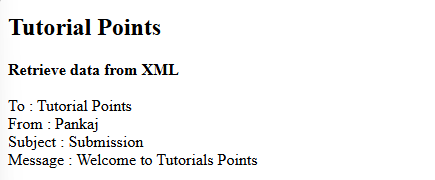
This tutorial demonstrates how to efficiently process XML documents using PHP. XML (eXtensible Markup Language) is a versatile text-based markup language designed for both human readability and machine parsing. It's commonly used for data storage an
 Explain JSON Web Tokens (JWT) and their use case in PHP APIs.
Apr 05, 2025 am 12:04 AM
Explain JSON Web Tokens (JWT) and their use case in PHP APIs.
Apr 05, 2025 am 12:04 AM
JWT is an open standard based on JSON, used to securely transmit information between parties, mainly for identity authentication and information exchange. 1. JWT consists of three parts: Header, Payload and Signature. 2. The working principle of JWT includes three steps: generating JWT, verifying JWT and parsing Payload. 3. When using JWT for authentication in PHP, JWT can be generated and verified, and user role and permission information can be included in advanced usage. 4. Common errors include signature verification failure, token expiration, and payload oversized. Debugging skills include using debugging tools and logging. 5. Performance optimization and best practices include using appropriate signature algorithms, setting validity periods reasonably,
 PHP Program to Count Vowels in a String
Feb 07, 2025 pm 12:12 PM
PHP Program to Count Vowels in a String
Feb 07, 2025 pm 12:12 PM
A string is a sequence of characters, including letters, numbers, and symbols. This tutorial will learn how to calculate the number of vowels in a given string in PHP using different methods. The vowels in English are a, e, i, o, u, and they can be uppercase or lowercase. What is a vowel? Vowels are alphabetic characters that represent a specific pronunciation. There are five vowels in English, including uppercase and lowercase: a, e, i, o, u Example 1 Input: String = "Tutorialspoint" Output: 6 explain The vowels in the string "Tutorialspoint" are u, o, i, a, o, i. There are 6 yuan in total
 Explain late static binding in PHP (static::).
Apr 03, 2025 am 12:04 AM
Explain late static binding in PHP (static::).
Apr 03, 2025 am 12:04 AM
Static binding (static::) implements late static binding (LSB) in PHP, allowing calling classes to be referenced in static contexts rather than defining classes. 1) The parsing process is performed at runtime, 2) Look up the call class in the inheritance relationship, 3) It may bring performance overhead.
 What are PHP magic methods (__construct, __destruct, __call, __get, __set, etc.) and provide use cases?
Apr 03, 2025 am 12:03 AM
What are PHP magic methods (__construct, __destruct, __call, __get, __set, etc.) and provide use cases?
Apr 03, 2025 am 12:03 AM
What are the magic methods of PHP? PHP's magic methods include: 1.\_\_construct, used to initialize objects; 2.\_\_destruct, used to clean up resources; 3.\_\_call, handle non-existent method calls; 4.\_\_get, implement dynamic attribute access; 5.\_\_set, implement dynamic attribute settings. These methods are automatically called in certain situations, improving code flexibility and efficiency.
