


php method to implement user login: 1. Create a get.php file to obtain user login information; 2. Create a login.php file to implement the login function; 3. Create a logout.php file. It can be used to implement the user logout function.

The operating environment of this article: windows7 system, PHP7.1 version, DELL G3 computer
How to use php to achieve user login?
Put it on your daily PHP learning routine to record it
I used the bootstrap framework, so this interface should look better
Login page: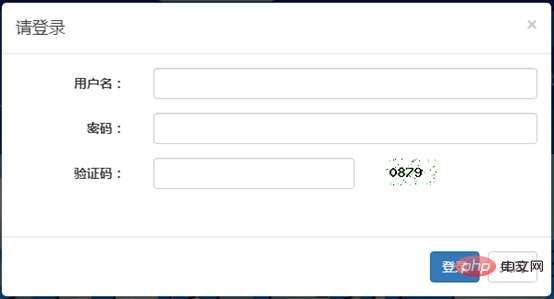
You must enter the correct username, password, and verification code to successfully log in. Otherwise, the following prompt will appear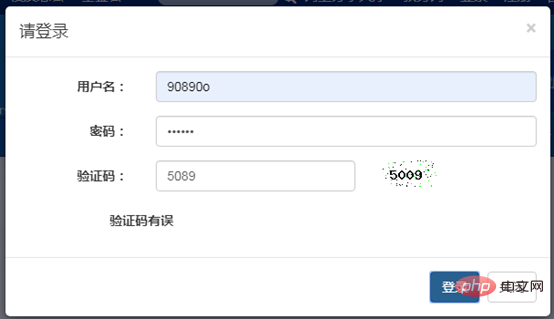
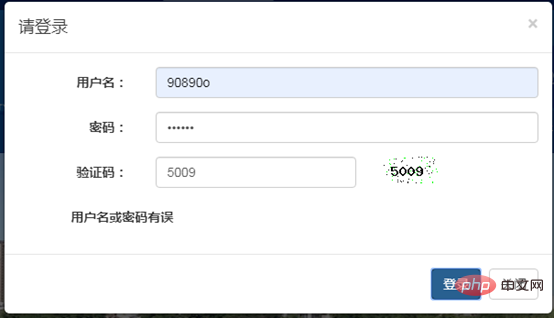
After successful login, the login and registration options switch to User nickname and logout options:
After successful login:
Select logout: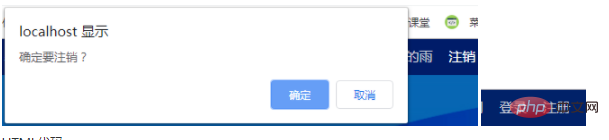
query("set names utf8");
Copy after login
query("select * from `user` where username='$user' and pwd='$pwd'"); $link = null; $row = $result->fetch();/*读取从数据库获取的数据*/ if ($row) {/*如果数据存在,即用户登录成功*/ $_SESSION['username'] = $row['username']; /*将用户名和昵称存在服务器,可以多个页面使用*/ $_SESSION['nc'] = $row['nc']; $flag=3; }else{/*用户名或密码错误*/ $flag=2; } }else{/*验证码输入错误*/ $flag=1; } echo $flag;
Copy after login
PHP Video Tutorial"
The above is the detailed content of How to use php to implement user login. For more information, please follow other related articles on the PHP Chinese website!






























![[Web front-end] Node.js quick start](https://img.php.cn/upload/course/000/000/067/662b5d34ba7c0227.png)



