

Solution to the problem that win10 airplane mode is gray and cannot be turned off: First press [win r] to open run, enter services.msc, and click OK; then find windows event.log and double-click to open it; finally, set the startup type to automatic , restart the computer.

#The operating environment of this article: windows10 system, thinkpad t480 computer.
Press win r, open the run function, enter services.msc

Find windows Event Log in the service list, double-click it
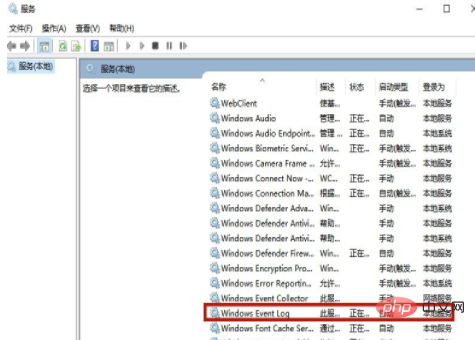
Set the startup type to automatic in General, then click OK and restart the computer.

Free learning video sharing:php programming
The above is the detailed content of win10 airplane mode is gray and cannot be turned off. For more information, please follow other related articles on the PHP Chinese website!
 win10 bluetooth switch is missing
 Why do all the icons in the lower right corner of win10 show up?
 The difference between win10 sleep and hibernation
 Win10 pauses updates
 What to do if the Bluetooth switch is missing in Windows 10
 win10 connect to shared printer
 Clean up junk in win10
 How to share printer in win10





















![[Web front-end] Node.js quick start](https://img.php.cn/upload/course/000/000/067/662b5d34ba7c0227.png)



