


How to create a new py file in pycharm: first select the open project file and click the "file" option; then pull down to select "new" and click "Python file"; then select the input file name; finally click OK That’s it.
The operating environment of this tutorial: windows7 system, pycharm2020 version, DELL G3 computer.
How to create a new py file in pycharm:
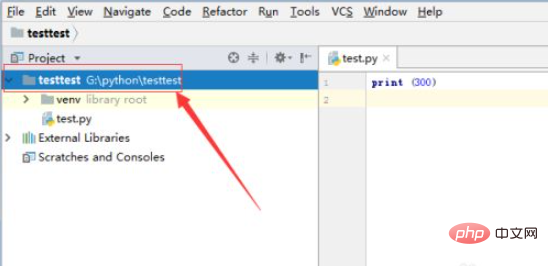
1. First, select the already opened project file in the pycharm software interface that is opened.
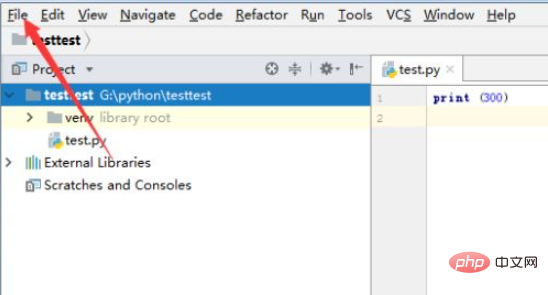
#2. Then click the "file" option menu in the menu.
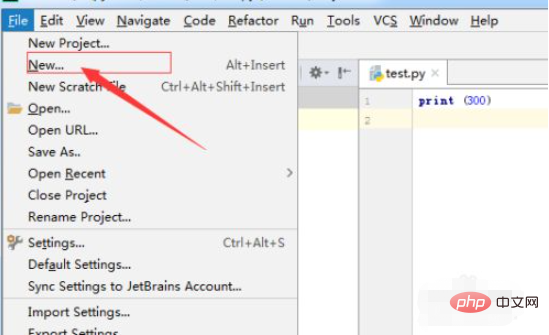
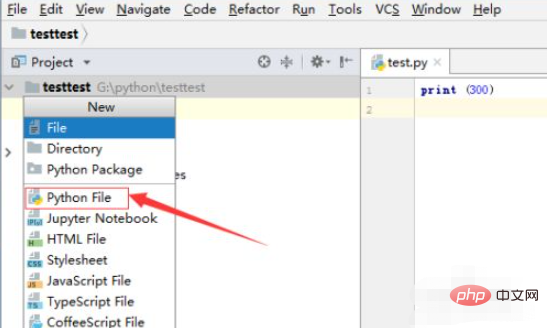
#3. After clicking the file menu, click the "new" option in the drop-down menu.
#4. A window will pop up, click on the "Python file" option.
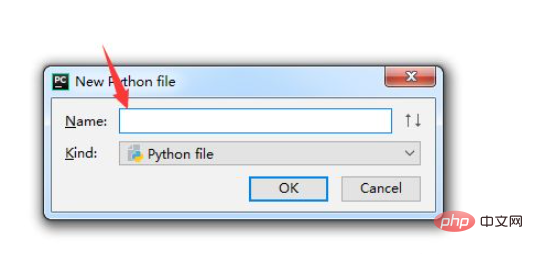
#5. A new Python file window will pop up, enter the file name.
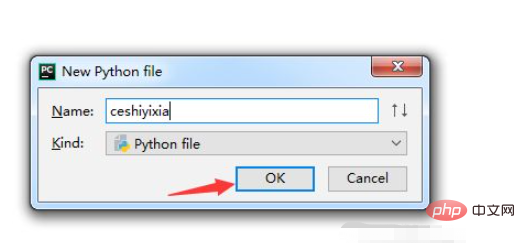
#6. After entering the file name, click "ok".
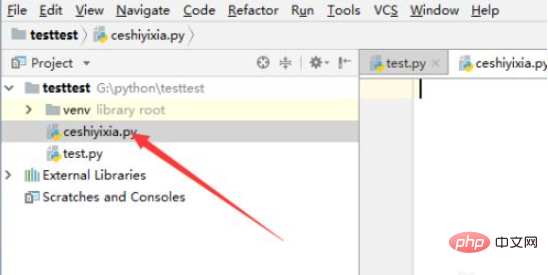
#7. You can see that the file in the current python is created successfully.
Related free learning recommendations: python video tutorial
The above is the detailed content of How to create a new py file in pycharm. For more information, please follow other related articles on the PHP Chinese website!


















![[Web front-end] Node.js quick start](https://img.php.cn/upload/course/000/000/067/662b5d34ba7c0227.png)



