


Add customer service function to mini program
(Learning video sharing: Programming video)
1. Need to be in mini program Add a customer service message button
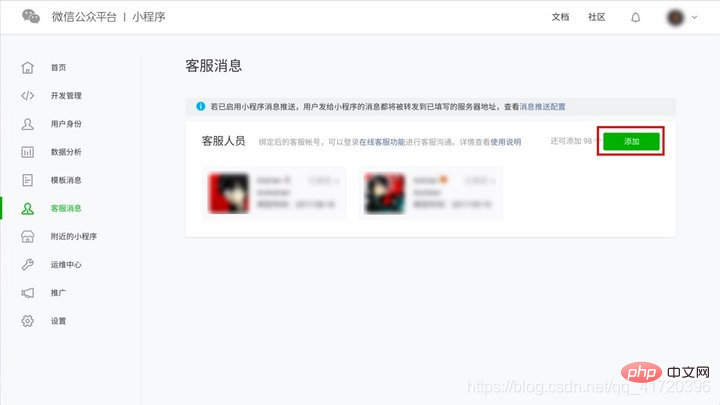
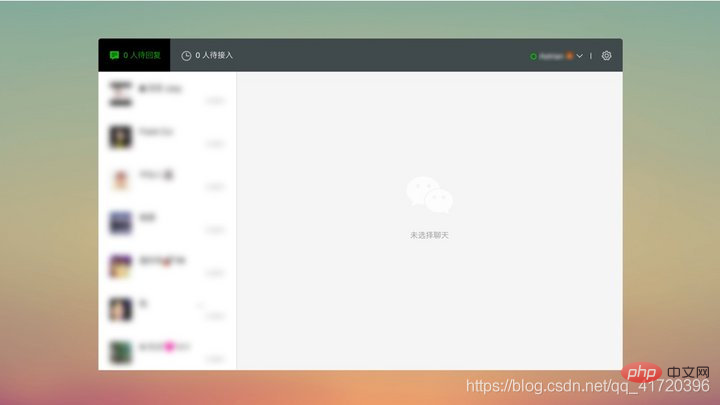
The mini program is connected to the WeChat "customer service message" function module. Developers only need to call the button to trigger the customer service message function of WeChat. There is no need to implement it in the mini program by themselves.
There are two ways to add the customer service message button. You can choose any method according to your actual needs.
1. Insert a fixed style customer service message button
WeChat designed an initial style for the customer service message button.
It is also very simple to call it. You only need to insert
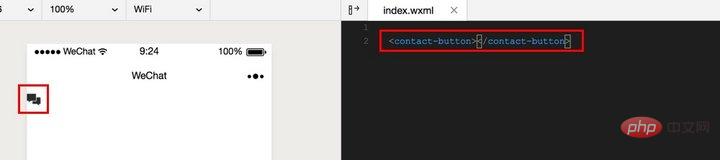
The style of the customer service message button made using this method has been fixed, and the color can only be black and white. The only truly customizable item is the size of the button.
2. Insert a custom style customer service message button
Using the open-type attribute of the

Mini Program Development Tutorial
The above is the detailed content of Mini program adds online customer service function. For more information, please follow other related articles on the PHP Chinese website!
 Mini program path acquisition
 Introduction to the method of intercepting strings in js
 The difference between console cable and network cable
 Common tools for software testing
 Solution to garbled characters when opening excel
 Two-way data binding principle
 What to do if the Chinese socket is garbled?
 Complete list of CSS color codes










![[Web front-end] Node.js quick start](https://img.php.cn/upload/course/000/000/067/662b5d34ba7c0227.png)



