


VSCode Chinese comment garbled problem

This article will introduce to you the problem of garbled Chinese comments in VSCode. It has certain reference value. Friends in need can refer to it. I hope it will be helpful to everyone.

Related recommendations: "vscode Basic Tutorial"
-
Problem Situation:
- When using VisualStudioCode for Python development,
- Since the format needs to be set to utf-8 when running Python, the encoding of the file is often set to utf-8.
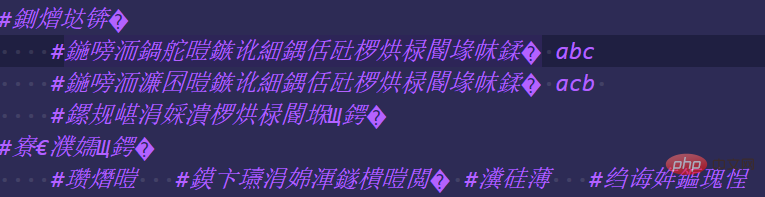
- When I opened it again, I found that a large number of Chinese comments had become garbled characters
- For example:

- ##By referring to the solutions on the Internet:
- Set to automatic recognition, no solution
- Install gbk to utf-8, no solution either
- Observation test:
- I found out that the compiler always opens it in GB2313 format every time it is opened.
- When running the program, the file needs to be saved as utf-8 before it can be run.
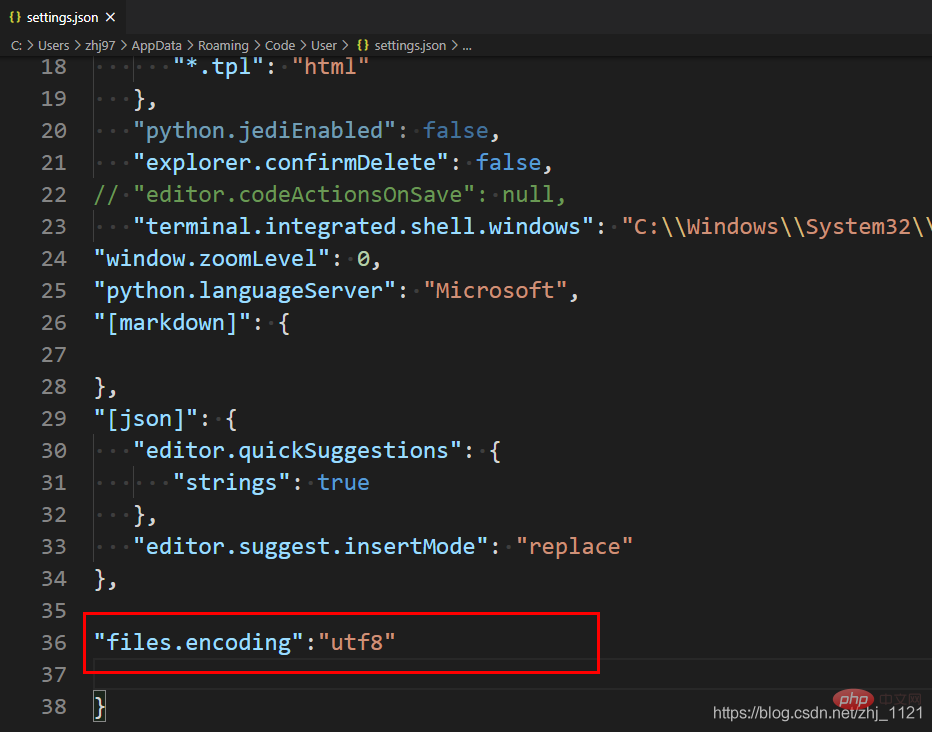
- So in the configuration file, set it to open in utf-8 format each time, unified encoding, and solve the problem
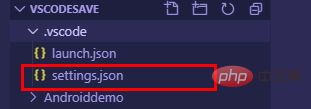
- Step 1: Find the configuration file and open it
- Step 2: Add statements in the configuration file
"files.encoding":"utf8"
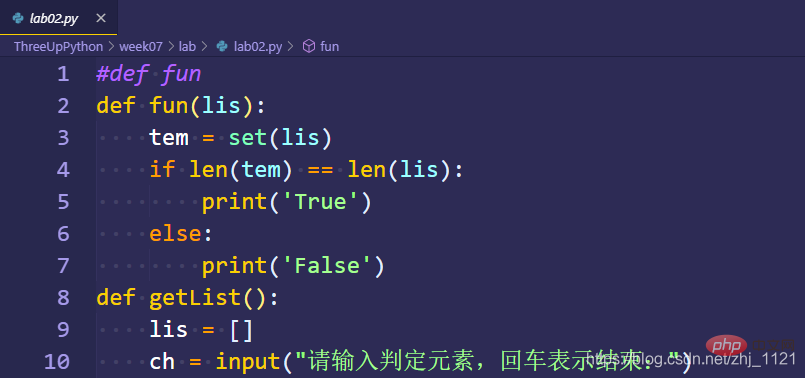
- Step 3: Create a new file, Successfully solved the problem
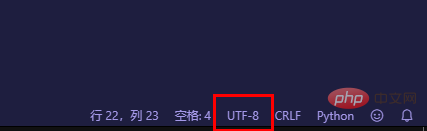
- Pay attention to whether it is utf-8
- Close vscode and reopen
- No garbled characters found
- If you have any questions, please leave a message below in the comments.
- 1. Where to add the statement, specifically where?

Before the problem is solved, there is aFor more programming-related knowledge, please visit:suggestion that can be said:
Because this problem comes down to the final analysis It is a coding problem, that is, Chinese, so a better solution is to use English when commenting. This can not only improve your English level, but also avoid various coding problems and focus more on the code.
VSCode has two setting methods, namely mouse operation and modifying the configuration file.You can choose one of the methods to modify
Entrance:English version: file->preferences->settingsChinese version: File (in the upper left corner)->Preferences->SettingsYou can see the top There is a search box—Mouse operationYou can enter "encoding" in the search box. When you see file encoding, you can select utf-8, as follows:
—Modify the configuration fileEnter "setting.json" in the search box and click on the first option to enter, as follows:
Then, add a statement in the last line


Introduction to Programming ! !
The above is the detailed content of VSCode Chinese comment garbled problem. For more information, please follow other related articles on the PHP Chinese website!

Hot AI Tools

Undress AI Tool
Undress images for free

Undresser.AI Undress
AI-powered app for creating realistic nude photos

AI Clothes Remover
Online AI tool for removing clothes from photos.

Clothoff.io
AI clothes remover

Video Face Swap
Swap faces in any video effortlessly with our completely free AI face swap tool!

Hot Article
Hot Tools

Notepad++7.3.1
Easy-to-use and free code editor

SublimeText3 Chinese version
Chinese version, very easy to use

Zend Studio 13.0.1
Powerful PHP integrated development environment

Dreamweaver CS6
Visual web development tools

SublimeText3 Mac version
God-level code editing software (SublimeText3)


 How to install VSCode on Windows
Jul 27, 2025 am 03:16 AM
How to install VSCode on Windows
Jul 27, 2025 am 03:16 AM
Gotohttps://code.visualstudio.comanddownloadtheWindowsUserInstaller.2.Runthe.exefile,allowchanges,andselectrecommendedoptionsincludingaddingtoPATHandcreatingadesktopshortcut.3.ClickFinishtolaunchVSCodeafterinstallation.4.Optionallyinstallusefulextens
 How to run Python script with arguments in VSCode
Jul 30, 2025 am 04:11 AM
How to run Python script with arguments in VSCode
Jul 30, 2025 am 04:11 AM
TorunaPythonscriptwithargumentsinVSCode,configurelaunch.jsonbyopeningtheRunandDebugpanel,creatingoreditingthelaunch.jsonfile,andaddingthedesiredargumentsinthe"args"arraywithintheconfiguration.2.InyourPythonscript,useargparseorsys.argvtoacce
 How to use VSCode with WSL (Windows Subsystem for Linux)
Aug 01, 2025 am 06:26 AM
How to use VSCode with WSL (Windows Subsystem for Linux)
Aug 01, 2025 am 06:26 AM
InstallWSLandaLinuxdistributionbyrunningwsl--installinPowerShellasAdministrator,thenrestartandsetuptheLinuxdistribution.2.Installthe"Remote-WSL"extensioninVSCodetoenableintegrationwithWSL.3.OpenaprojectinWSLbylaunchingtheWSLterminal,navigat
 What is the difference between VSCode and Visual Studio
Jul 30, 2025 am 02:38 AM
What is the difference between VSCode and Visual Studio
Jul 30, 2025 am 02:38 AM
VSCodeisalightweight,cross-platformcodeeditorwithIDE-likefeaturesviaextensions,idealforwebandopen-sourcedevelopment;2.VisualStudioisafull-featured,Windows-onlyIDEdesignedforcomplex.NET,C ,andenterpriseapplications;3.VSCodeperformsfasteronlower-endma
 How to change font size in VSCode
Jul 26, 2025 am 04:13 AM
How to change font size in VSCode
Jul 26, 2025 am 04:13 AM
TochangethefontsizeinVSCode,gotoFile>Preferences>Settings,searchfor"fontsize",andmodifythe"Editor:FontSize"value.2.Alternatively,manuallyeditthesettings.jsonfilebyopeningtheCommandPalette,selecting"Preferences:OpenSetti
 How to debug unit tests in VSCode
Aug 01, 2025 am 06:12 AM
How to debug unit tests in VSCode
Aug 01, 2025 am 06:12 AM
Createormodifylaunch.jsoninVSCodebyopeningtheRunandDebugview,selectingyourenvironment(e.g.,Python,Node.js),andconfiguringitforyourtestframework(e.g.,pytest,Jest).2.Setbreakpointsinyourtestfile,selectthedebugconfiguration,andstartdebuggingwithF5topaus
 How to change the font size in vscode?
Aug 02, 2025 am 02:37 AM
How to change the font size in vscode?
Aug 02, 2025 am 02:37 AM
TochangethefontsizeinVSCode,useoneofthesemethods:1.OpenSettingsviaCtrl ,(orCmd ,onMac),searchfor"fontsize",andadjustthe"Editor:FontSize"value.2.OpenSettings(JSON)fromtheCommandPalette,thenaddormodify"editor.fontSize":e.g
 How to change the default terminal in VSCode
Jul 25, 2025 am 02:58 AM
How to change the default terminal in VSCode
Jul 25, 2025 am 02:58 AM
Open the VSCode settings and enter the settings interface through Ctrl (macOS is Cmd ,); 2. Enter "terminaldefault" in the search bar and find the "Terminal›Integrated:DefaultProfile" option; 3. Select the preferred terminal from the drop-down menu, such as PowerShell, GitBash, WSL or zsh, etc.; 4. If the terminal is not listed, you can open the settings.json file and customize the path by adding terminal.integrated.profiles, such as setting GitBash or zsh; 5. After modification, close the existing terminal and press Ctrl
