

How to modify the original subtitles in Premiere: First open the text tool in the shortcut key and enter text on the video; then select the subtitle material on the video material, open the text tool again, and change the text on the video screen Select Delete; enter text at the end to complete.

Recommended (free):premiere tutorial
The operating environment of this article: Windows7 system, Adobe Premiere Pro 2020 version, Dell G3 computer.
How to modify original subtitles in Premiere:
1. Open the text tool in the shortcut key
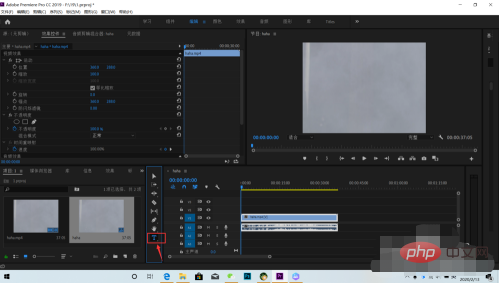
2. Enter the text
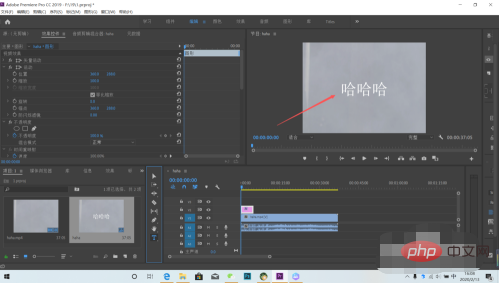
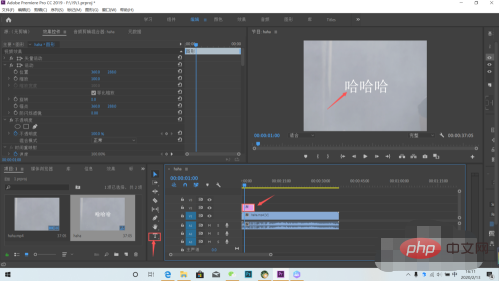
on the video. 3. Select the subtitle material on the video material, open the text tool again, select the text on the video screen, and delete
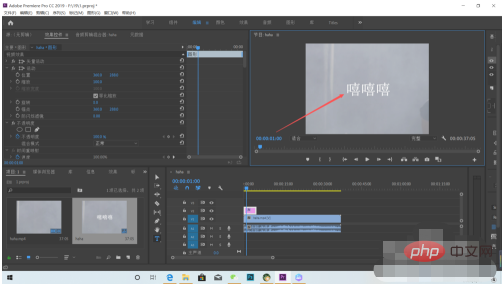
4. Enter text to complete
The above is the detailed content of How to modify original subtitles in premiere. For more information, please follow other related articles on the PHP Chinese website!
 What software is premiere
 WiFi is connected but there is an exclamation mark
 How to convert pdg files to pdf
 How to match numbers in regular expressions
 The difference between powershell and cmd
 What key do you press to recover when your computer crashes?
 Formal digital currency trading platform
 notepad set font





















![[Web front-end] Node.js quick start](https://img.php.cn/upload/course/000/000/067/662b5d34ba7c0227.png)



