


The method for python crawler to set proxy IP: first write the obtained IP address to proxy; then use Baidu to detect whether the IP proxy is successful and request the parameters passed by the web page; finally send a get request and obtain the return page Save to local.

【Related learning recommendations: python tutorial】
How to set proxy ip for python crawler:
Setting ip proxy is an essential skill for crawlers;
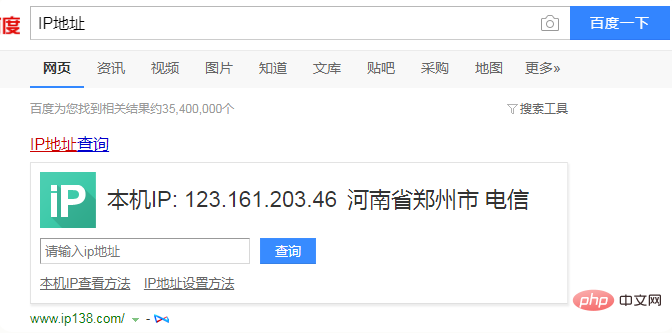
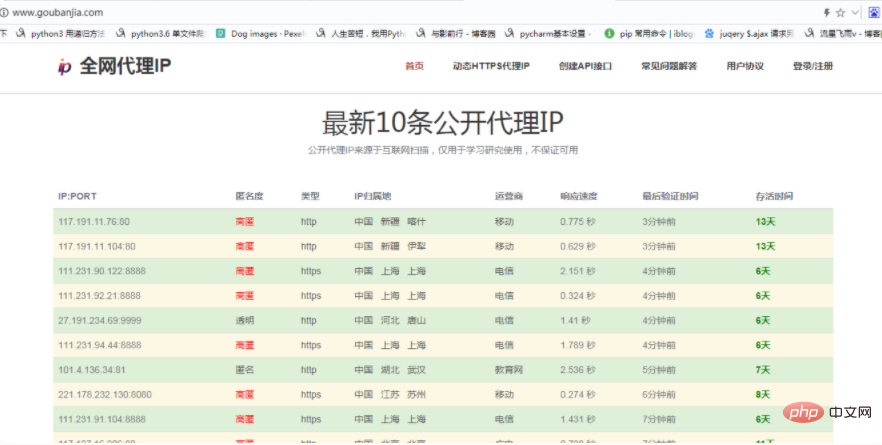
View the local ip address; open Baidu and enter "ip address ”, you can see the IP address of this machine;
# 用到的库
import requests
# 写入获取到的ip地址到proxy
proxy = {
    'https':'221.178.232.130:8080'
}
# 用百度检测ip代理是否成功
url = 'https://www.baidu.com/s?'
# 请求网页传的参数
params={
    'wd':'ip地址'
}
# 请求头
headers = {
    'User-Agent': 'Mozilla/5.0 (Windows NT 6.1; WOW64) AppleWebKit/537.36 (KHTML, like Gecko) Chrome/65.0.3325.181 Safari/537.36'
}
# 发送get请求
response = requests.get(url=url,headers=headers,params=params,proxies=proxy)
# 获取返回页面保存到本地,便于查看
with open('ip.html','w',encoding='utf-8') as f:
    f.write(response.text)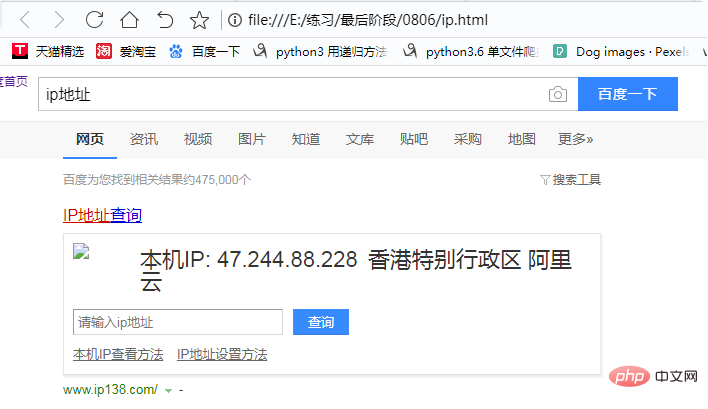
The above is the detailed content of How to set proxy IP for python crawler. For more information, please follow other related articles on the PHP Chinese website!































![[Web front-end] Node.js quick start](https://img.php.cn/upload/course/000/000/067/662b5d34ba7c0227.png)



