

prThe solution to the problem that pr cannot drag materials to the sequence: First, in the material section in the lower left corner, double-click the blank position under the project; then find the material you want to edit on the computer hard disk and click to open; finally Use the left mouse button to hold down the video in the material section and drag it directly to the blank space of the timeline on the right.
pr can’t drag the material to the sequence solution:
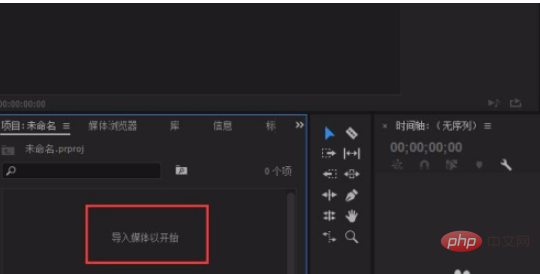
1. As shown in the figure below, we enter Go to the Premiere work interface, in the material section in the lower left corner, double-click the blank position under the project;
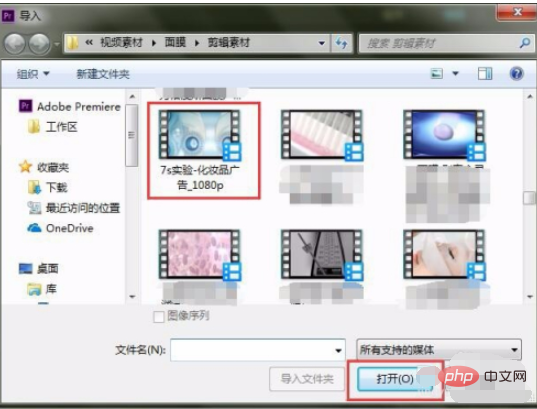
2. Find the material you want to edit on the computer hard drive, and directly Open it;
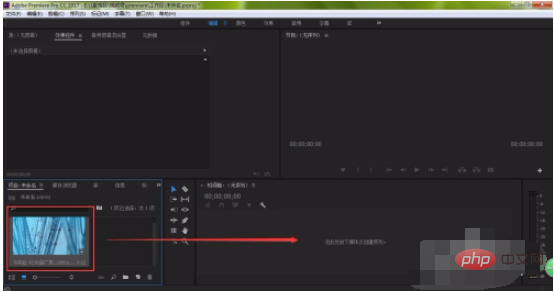
#3. Then, we can press and hold the video in the material section with the left mouse button, drag it directly to the blank space of the timeline on the right, and release The import can be completed with the left mouse button.
Related learning recommendations:premiere entry to mastery tutorial
The above is the detailed content of What should I do if PR cannot drag materials to the sequence?. For more information, please follow other related articles on the PHP Chinese website!
 What software is premiere
 Reasons why the homepage cannot be modified
 lightning interface introduction
 How to connect vb to access database
 Complete collection of SQL query statements
 How to enter recovery mode on win10 system computer
 How to solve the problem of slow computer startup
 What currency is BTC?





















![[Web front-end] Node.js quick start](https://img.php.cn/upload/course/000/000/067/662b5d34ba7c0227.png)



