


How do I update the excel version on my computer?
excel is generally divided into two types: Microsoft Office and WPS Office, but these two update methods are basically the same. This time I will use WPS Office for demonstration.

First we need to open WPS Office (2019), click the settings icon to the left of the avatar in the upper right corner of the page, and select About WPS.

Click to enter the About WPS page. We can find the "Check for Updates" option at the bottom of the page. Click Check for Updates to update the version.

We can also click on the WPS official website on the settings page to enter the WPS official website, and choose to download and install the corresponding application on the official website. What we download here are all the latest version of the application.

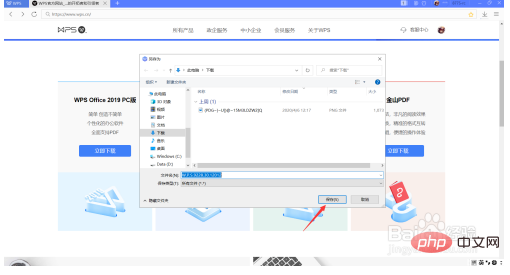
Click to download the installation package of WPS Office. When the download is complete, click to select to install, the original application can be overwritten, and excel will naturally be updated to the latest version.
Recommended: "Excel Tutorial"
The above is the detailed content of How to update excel version on computer. For more information, please follow other related articles on the PHP Chinese website!
 Computer is infected and cannot be turned on
 Compare the similarities and differences between two columns of data in excel
 excel duplicate item filter color
 How to copy an Excel table to make it the same size as the original
 Excel table slash divided into two
 Excel diagonal header is divided into two
 How to prevent the computer from automatically installing software
 Absolute reference input method





















![[Web front-end] Node.js quick start](https://img.php.cn/upload/course/000/000/067/662b5d34ba7c0227.png)



