


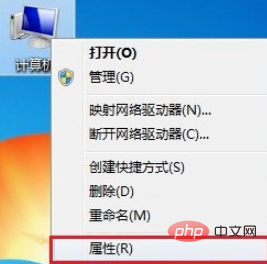
Right-click [Computer], select [Properties]
Click [Device Manager]

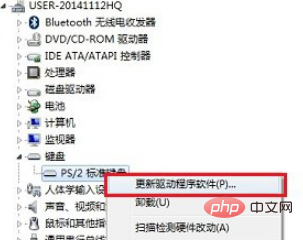
Expand the keyboard, right-click [PS/2 Standard Keyboard], select [Update Driver Software]
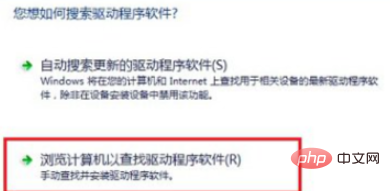
Select [Browse Computer To find driver software]
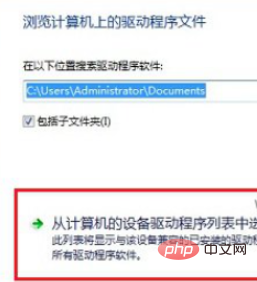
Select [Select from a list of device drivers on your computer]
Remove the check mark in front of [Display compatible hardware], and then select any other laptop brand from the manufacturer. Here we select the "Acer" manufacturer at will, and then select any one from the model on the right, and click below when finished [Next step]
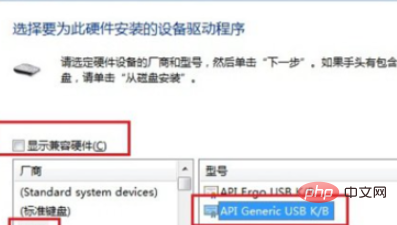
Finally, a message "It is not recommended to install the driver for this device because Windows cannot verify whether this driver is compatible with the hardware..." will pop up. Here we directly click [Yes] at the bottom

The above is the detailed content of How to disable built-in keyboard on laptop. For more information, please follow other related articles on the PHP Chinese website!
 How to enter safe mode on laptop
 Win11 My Computer Added to Desktop Tutorial
 What are the tips for using dezender?
 Introduction to the meaning of invalid password
 How to Get Started with Buying Cryptocurrencies
 jsonp solves cross-domain problems
 How to configure JDK environment variables
 What does independent direct connection mean?





















![[Web front-end] Node.js quick start](https://img.php.cn/upload/course/000/000/067/662b5d34ba7c0227.png)



