


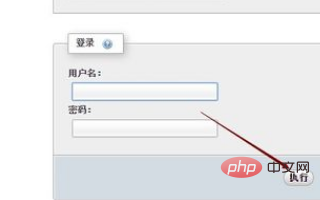
1. Open the phpMyAdmin application software, enter the database name and login password on the login page, and then click Execute.
#2. After successfully logging in to phpMyAdmin, click Database on the left navigation.
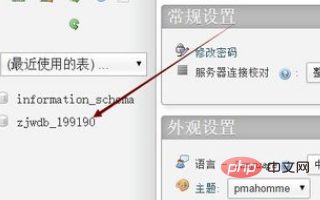
#3. In the phpMyAdmin database, we click to create a new database table.
4. After opening the phpMyAdmin new database table page, click the drop-down menu in the "Index" of the new table column on the right to select primary. Selecting primary means that the table has been set. the primary key, and then click Execute.
Recommended related articles and tutorials: phpmyadmin tutorial
The above is the detailed content of How to add fields in phpmyadmin. For more information, please follow other related articles on the PHP Chinese website!
 Commonly used mysql management tools
 What to do if phpmyadmin fails to import sql file
 How to change phpmyadmin to Chinese
 What's going on when phpmyadmin can't access it?
 telnet command
 How to solve the problem that Ethernet cannot connect to the internet
 Unknown error 3004 solution
 Introduction to Java special effects implementation methods























![[Web front-end] Node.js quick start](https://img.php.cn/upload/course/000/000/067/662b5d34ba7c0227.png)



