



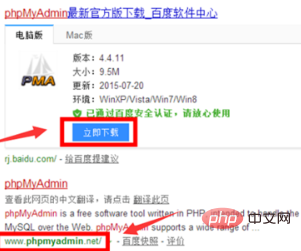
First open the browser, search on Baidu to download phpMyAdmin, and unzip it to a directory accessible to the web
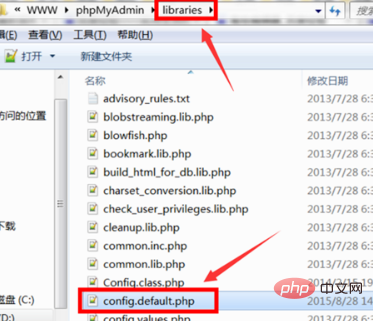
Then open phpmyadmin In the home directory, open the config.default.php file in the libraries directory, double-click to open the edit configuration
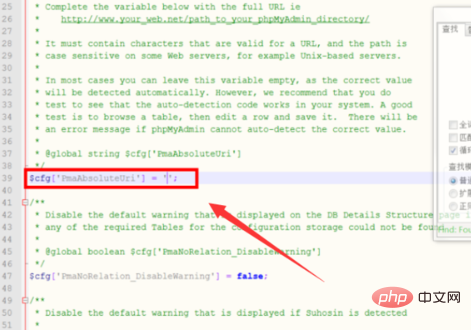
After opening, configure the access URL first, in the variable "$cfg['PmaAbsoluteUri' ] "Fill in the access URL of phpMyAdmin, which is the address of the current host
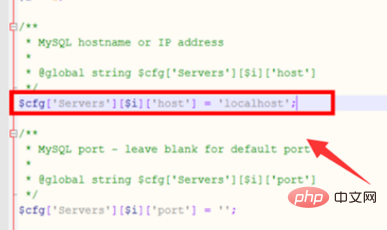
#Configure the MySQL host information and modify the variable "$cfg['Servers'][$i] ['host']" for the URL after "localhost", the default MySQL port is 3306, just leave it empty
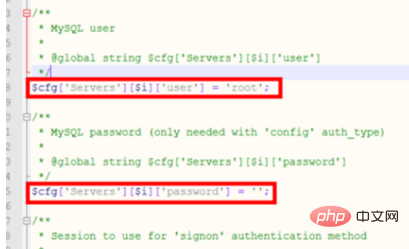
Then set the MySQL user name and password respectively in " Fill in the two variables "$cfg['Servers'][$i]['user']" and "fg['Servers'][$i]['password']", which need to be consistent with your own mysql username and password. To access
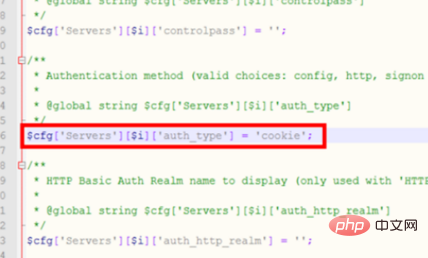
, then fill in the authentication method. The variable set is "$cfg['Servers'][$i]['auth_type']", taking into account security factors , just fill in the cookie directly here
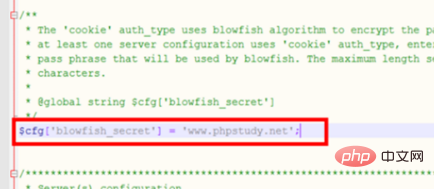
The last step is to set the phrase password and set the value of the variable "$cfg['blowfish_secret']" because the authentication method is set to cookie. Set the phrase password. Once this is completed, the configuration is complete.
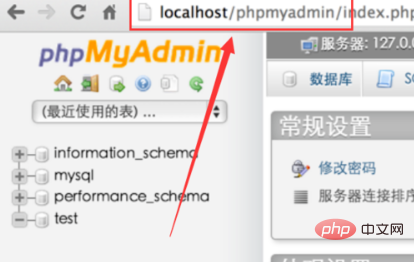
After all settings are completed, enter the host name and the Phpmyadmin file directory in the browser to access it
Recommended related articles and tutorials:phpmyadmin tutorial
The above is the detailed content of How to install phpmyadmin. For more information, please follow other related articles on the PHP Chinese website!
 Commonly used mysql management tools
 What to do if phpmyadmin fails to import sql file
 How to change phpmyadmin to Chinese
 What's going on when phpmyadmin can't access it?
 Why webstorm cannot run the file
 Introduction to the meaning of += in C language
 parentnode usage
 How to solve the problem of forgetting the power-on password of Windows 8 computer




















![[Web front-end] Node.js quick start](https://img.php.cn/upload/course/000/000/067/662b5d34ba7c0227.png)



