


what is apache web server


Apache is the world's number one web server software. It can run on almost all widely used computer platforms and is one of the most popular web server-side software due to its cross-platform and security features. It is fast, reliable and can be extended through a simple API to compile interpreters such as Perl/Python into the server. At the same time, Apache is transliterated as Apache, which is a tribe of North American Indians called the Apache tribe in the southwestern United States. It is also the name of a foundation, an armed helicopter, etc.
What is the apache web server?
Apache HTTP Server (referred to as Apache) is an open source web server of the Apache Software Foundation that can operate on most computers It is one of the most popular web server-side software that runs on the system and is widely used due to its multi-platform and security. It is fast, reliable and extensible through a simple API to compile interpreters such as Perl/Python into the server.
Apache HTTP server is a modular server, derived from NCSAhttpd server. After many modifications, it has become the world's number one web server software.
It can run on almost all widely used computer platforms.
For more Apache related knowledge, please visit the Apache usage tutorial column!
The above is the detailed content of what is apache web server. For more information, please follow other related articles on the PHP Chinese website!

Hot AI Tools

Undress AI Tool
Undress images for free

Undresser.AI Undress
AI-powered app for creating realistic nude photos

AI Clothes Remover
Online AI tool for removing clothes from photos.

Clothoff.io
AI clothes remover

Video Face Swap
Swap faces in any video effortlessly with our completely free AI face swap tool!

Hot Article
Hot Tools

Notepad++7.3.1
Easy-to-use and free code editor

SublimeText3 Chinese version
Chinese version, very easy to use

Zend Studio 13.0.1
Powerful PHP integrated development environment

Dreamweaver CS6
Visual web development tools

SublimeText3 Mac version
God-level code editing software (SublimeText3)
Hot Topics
 1793
1793
 16
1737
56
1588
29
267
587
16
1737
56
1588
29
267
587

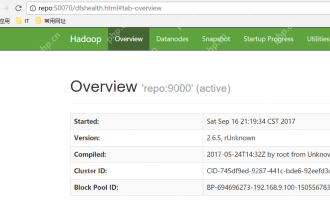 Hadoop pseudo-distributed cluster construction
May 07, 2025 pm 04:45 PM
Hadoop pseudo-distributed cluster construction
May 07, 2025 pm 04:45 PM
Software preparation I am using a virtual machine with CentOS-6.6, with the host name repo. Refer to the steps to install a Linux virtual machine in Windows, I installed JDK in that virtual machine, refer to the guide to installing JDK in Linux. In addition, the virtual machine is configured with a key-free login itself, and the settings for configuring key-free login between each virtual machine are referenced. The download address of Hadoop installation package is: https://mirrors.aliyun.com/apache/hadoop/common/. I am using hadoop 2.6.5 version. Upload the Hadoop installation package to the server and unzip [root@repo~]#tarzxv
 NGINX and Apache: Understanding the Key Differences
Apr 26, 2025 am 12:01 AM
NGINX and Apache: Understanding the Key Differences
Apr 26, 2025 am 12:01 AM
NGINX and Apache each have their own advantages and disadvantages, and the choice should be based on specific needs. 1.NGINX is suitable for high concurrency scenarios because of its asynchronous non-blocking architecture. 2. Apache is suitable for low-concurrency scenarios that require complex configurations, because of its modular design.
 Detailed steps to deploy a Joomla website on PhpStudy
May 16, 2025 pm 08:00 PM
Detailed steps to deploy a Joomla website on PhpStudy
May 16, 2025 pm 08:00 PM
The steps to deploy a Joomla website on PhpStudy include: 1) Configure PhpStudy, ensure that Apache and MySQL services run and check PHP version compatibility; 2) Download and decompress PhpStudy's website from the official Joomla website, and then complete the installation through the browser according to the installation wizard; 3) Make basic configurations, such as setting the website name and adding content.
 How to execute php code after writing php code? Several common ways to execute php code
May 23, 2025 pm 08:33 PM
How to execute php code after writing php code? Several common ways to execute php code
May 23, 2025 pm 08:33 PM
PHP code can be executed in many ways: 1. Use the command line to directly enter the "php file name" to execute the script; 2. Put the file into the document root directory and access it through the browser through the web server; 3. Run it in the IDE and use the built-in debugging tool; 4. Use the online PHP sandbox or code execution platform for testing.
 How to update Debian Tomcat
May 28, 2025 pm 04:54 PM
How to update Debian Tomcat
May 28, 2025 pm 04:54 PM
Updating the Tomcat version in the Debian system generally includes the following process: Before performing the update operation, be sure to do a complete backup of the existing Tomcat environment. This covers the /opt/tomcat folder and its related configuration documents, such as server.xml, context.xml, and web.xml. The backup task can be completed through the following command: sudocp-r/opt/tomcat/opt/tomcat_backup Get the new version Tomcat Go to ApacheTomcat's official website to download the latest version. According to your Debian system
 Troubleshooting of system performance not recovered after uninstalling Apache service
May 16, 2025 pm 10:09 PM
Troubleshooting of system performance not recovered after uninstalling Apache service
May 16, 2025 pm 10:09 PM
Reasons for system performance not recovered after uninstalling the Apache service may include resource occupancy by other services, error messages in log files, resource consumption by abnormal processes, network connection problems, and file system residues. First, check whether there are other services or processes before uninstalling with Apache; second, pay attention to the operating system's log files and find error messages that may occur during the uninstallation process; second, check the system's memory usage and CPU load, and find out abnormal processes; then, use the netstat or ss command to view the network connection status to ensure that no ports are occupied by other services; finally, clean up the remaining configuration files and log files after uninstallation to avoid occupying disk space.
 Commands and configurations for starting Apache service in macOS system
May 16, 2025 pm 10:00 PM
Commands and configurations for starting Apache service in macOS system
May 16, 2025 pm 10:00 PM
The command to start the Apache service on macOS is sudoapachectlstart, and the configuration file is located in /etc/apache2/. The main steps include: 1. Edit the httpd.conf file, modify the Listen port such as Listen8080; 2. Adjust the DocumentRoot path to the personal directory such as /Users/your_username/Sites, and update the corresponding permission settings; 3. Use the sudoapachectlgraceful command to restart Apache to ensure that the configuration takes effect; 4. Enable the mod_deflate module to compress data to improve page loading speed.
 Solve the problem of file deletion failure during uninstalling Apache
May 16, 2025 pm 10:06 PM
Solve the problem of file deletion failure during uninstalling Apache
May 16, 2025 pm 10:06 PM
The reasons for file deletion failure during Apache uninstall include file permission issues, locking files, and running processes. Solutions include: 1. Stop the Apache service: sudosystemctlstoppapache2; 2. Manually delete the Apache directory: sudorm-rf/etc/apache2/usr/sbin/apache2; 3. Use lsof to find and terminate the process of locking the file: sudolsof|grepapache2, and then sudokill-9; 4. Try to delete the file again.
