


Is it necessary to learn bootstrap?

Bootstrap is an internationally popular front-end framework. Its most obvious advantage as a CSS framework is its convenient and fast construction of responsive layout and overall site style.
Bootstrap is a very standardized and complete framework. On the road of learning, I often hear the words of front-end experts saying, "Reading excellent code is progress." "Way", Bootstrap is such an excellent code.
In addition, there are the following advantages: (Recommended learning: Bootstrap video tutorial)
1. Save time
Using Bootstrap, you will have more time to make money. The Bootstrap library contains many ready-made code snippets that can add more life to your website. Web developers no longer have to spend time and effort coding, they just need to find the right code and insert it into the right place. In addition, CSS is written using LESS, and many styles and designs have been designed.
2. Customization
One of the most important aspects of Bootstrap is that you can make it your own. You can keep the parts of the framework that you need and discard the ones you don't. Bootstrap as a whole allows you to tailor the projects you develop according to your needs.
3. Design factors
Grid system
When laying out a page, it is often necessary to have a suitable grid. You don’t have to use the platform’s grid, but it does make your job a lot easier. In default mode, the platform offers a 16-column grid (960px wide). Each column is 40px wide, with a 10px gap on the left and right sides of each column, and a 20px margin on the outermost side of each grid. You can change the number of rows and gap size as needed. The style has been developed, and the developer only needs to put the appropriate code into the appropriate location in the HTML.
LESS
LESS is widely used in the development cycle. It is a high-level language based on CSS, and its purpose is to make CSS development more flexible and powerful. You can customize the inline grid using LESS's mixins and CSS operations. Bootstrap uses a large number of popular CSS3 features to provide a unified browsing experience for all websites.
JavaScript
Bootstrap provides a JavaScript library that goes beyond basic architecture and styling. Through Bootstrap, developers can easily operate window warning boxes, tool tip boxes, scroll bars, buttons, etc. The most outstanding thing about Bootstrap is that it saves you from having to worry about writing scripts.
4. Consistency
The main reason why Twitter originally developed this tool was the inconsistency of projects developed by developers across different browsers. This leads to a lot of problems between front-end development and the end user interface. Bootstrap ensures the uniformity of the interface on different platforms. In IE, Chrome and Firefox, you can see a unified interface.
5. Keep updated
Take jQuery’s UI as an example: update it once a year. Bootstrap is constantly improving and is more regular and sustainable. As soon as web developers discover a new problem, the Bootstrap team immediately works to fix it.
6. Easy to integrate
If you want to further improve a completed website, Bootstrap can help you. For example, if you want to uniformly use a table style you wrote yourself, what you have to do is copy your style into a CSS style file. Bootstrap will immediately remove its own styles, here you need to associate the file with Twitter. The integration process is very simple, convenient and fast. Once completed, you can apply your design to your core content.
7. Responsive
Bootstrap is a responsive framework. Whether your development work is moved from laptop to iPad or from iPad to Mac, you don't have to worry about your work. Because Bootstrap can adapt to the differences between different platforms with ultra-fast speed and efficiency.
8. Compatible with future technologies
Bootstrap contains many special elements such as HTML5 and CSS3, which are called the future of design. Because the framework is designed and developed with the future in mind, it has the potential to become the reference standard for web developers in the coming years.
9. Competitiveness
Bootstrap is not the only front-end development framework, such as JQuery UI, HTML5 Boilerplate, etc. But for Bootstrap, the real competitor is Zurb Foundation. Bootstrap 2 adds a new toolset that Foundation took a long time to fill in. Bootstrap contains a large number of third-party plug-ins, themes, features, code, etc., but Foundation does not have these.
10. Detailed documentation
Bootstrap’s documentation is quite exciting. Most new platforms often do not have appropriate documentation, and Bootstrap's documentation greatly helps us get started. All the information we need can be found through the documentation.
For more technical articles related to Bootstrap, please visit the Bootstrap Tutorial column to learn!
The above is the detailed content of Is it necessary to learn bootstrap?. For more information, please follow other related articles on the PHP Chinese website!

Hot AI Tools

Undress AI Tool
Undress images for free

Undresser.AI Undress
AI-powered app for creating realistic nude photos

AI Clothes Remover
Online AI tool for removing clothes from photos.

Clothoff.io
AI clothes remover

Video Face Swap
Swap faces in any video effortlessly with our completely free AI face swap tool!

Hot Article
Hot Tools

Notepad++7.3.1
Easy-to-use and free code editor

SublimeText3 Chinese version
Chinese version, very easy to use

Zend Studio 13.0.1
Powerful PHP integrated development environment

Dreamweaver CS6
Visual web development tools

SublimeText3 Mac version
God-level code editing software (SublimeText3)


 How to use bootstrap in vue
Apr 07, 2025 pm 11:33 PM
How to use bootstrap in vue
Apr 07, 2025 pm 11:33 PM
Using Bootstrap in Vue.js is divided into five steps: Install Bootstrap. Import Bootstrap in main.js. Use the Bootstrap component directly in the template. Optional: Custom style. Optional: Use plug-ins.
 How to write split lines on bootstrap
Apr 07, 2025 pm 03:12 PM
How to write split lines on bootstrap
Apr 07, 2025 pm 03:12 PM
There are two ways to create a Bootstrap split line: using the tag, which creates a horizontal split line. Use the CSS border property to create custom style split lines.
 How to verify bootstrap date
Apr 07, 2025 pm 03:06 PM
How to verify bootstrap date
Apr 07, 2025 pm 03:06 PM
To verify dates in Bootstrap, follow these steps: Introduce the required scripts and styles; initialize the date selector component; set the data-bv-date attribute to enable verification; configure verification rules (such as date formats, error messages, etc.); integrate the Bootstrap verification framework and automatically verify date input when form is submitted.
 How to view the date of bootstrap
Apr 07, 2025 pm 03:03 PM
How to view the date of bootstrap
Apr 07, 2025 pm 03:03 PM
Answer: You can use the date picker component of Bootstrap to view dates in the page. Steps: Introduce the Bootstrap framework. Create a date selector input box in HTML. Bootstrap will automatically add styles to the selector. Use JavaScript to get the selected date.
 How to set up the framework for bootstrap
Apr 07, 2025 pm 03:27 PM
How to set up the framework for bootstrap
Apr 07, 2025 pm 03:27 PM
To set up the Bootstrap framework, you need to follow these steps: 1. Reference the Bootstrap file via CDN; 2. Download and host the file on your own server; 3. Include the Bootstrap file in HTML; 4. Compile Sass/Less as needed; 5. Import a custom file (optional). Once setup is complete, you can use Bootstrap's grid systems, components, and styles to create responsive websites and applications.
 How to insert pictures on bootstrap
Apr 07, 2025 pm 03:30 PM
How to insert pictures on bootstrap
Apr 07, 2025 pm 03:30 PM
There are several ways to insert images in Bootstrap: insert images directly, using the HTML img tag. With the Bootstrap image component, you can provide responsive images and more styles. Set the image size, use the img-fluid class to make the image adaptable. Set the border, using the img-bordered class. Set the rounded corners and use the img-rounded class. Set the shadow, use the shadow class. Resize and position the image, using CSS style. Using the background image, use the background-image CSS property.
 10 latest tools for web developers
May 07, 2025 pm 04:48 PM
10 latest tools for web developers
May 07, 2025 pm 04:48 PM
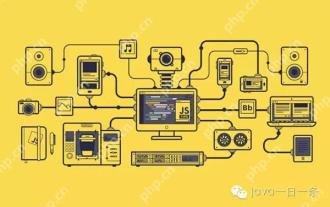
Web development design is a promising career field. However, this industry also faces many challenges. As more businesses and brands turn to the online marketplace, web developers have the opportunity to demonstrate their skills and succeed in their careers. However, as demand for web development continues to grow, the number of developers is also increasing, resulting in increasingly fierce competition. But it’s exciting that if you have the talent and will, you can always find new ways to create unique designs and ideas. As a web developer, you may need to keep looking for new tools and resources. These new tools and resources not only make your job more convenient, but also improve the quality of your work, thus helping you win more business and customers. The trends of web development are constantly changing.
 How to use bootstrap button
Apr 07, 2025 pm 03:09 PM
How to use bootstrap button
Apr 07, 2025 pm 03:09 PM
How to use the Bootstrap button? Introduce Bootstrap CSS to create button elements and add Bootstrap button class to add button text
