


What are the causes of 0x000000d1 blue screen?

Just like people will catch a cold, computers will also malfunction due to some reasons. What should we do if we are lucky enough to encounter a blue screen on the computer? This means that the computer may have malfunctioned in some places and cannot start normally. In fact, there is a blue screen code displayed below. What is the reason when the blue screen code 0x000000d1 appears?

The meaning of blue screen error code 0x000000D1: (Recommended learning: PHP video tutorial)
1. The memory is of low quality or has poor contact or is aging.
2. The hardware driver does not match or is damaged.
3. The system was damaged by viruses and some hardware configuration files were changed.
4. There are several software conflicts.
0x000000D1 blue screen solution:
1. Set the BIOS to default values.
2. Check all connections and dust the host.
3. Check the heat dissipation.
4. Test whether there is any problem with the memory, clean the slot, and then insert it tightly.
5. Reset the virtual memory and set the virtual memory in a partition other than the C drive with a relatively large space.
6. If you encounter this blue screen when surfing the Internet, and you are downloading and uploading a large amount of data (for example: online games, BT downloads), then it should be a problem with the network card driver. Replace the network card driver. Or change the network card.
7. Check the latest installed or upgraded driver. If ""acpi.sys"" and other similar file names appear on the computer blue screen, you can be sure that there is a driver problem. Uninstall the driver and reinstall it. Drivers.
8. Replace the graphics card and sound card driver
9. Uninstall and replace the suspected problematic software in the machine, especially the killing software. Change the game software version.
10. It may also be due to the incompatibility between the hardware or its driver and Windows power management.
The same blue screen code will have different error causes due to different computer operating systems and usage environments. You can go to the Microsoft Blue Screen Knowledge Base to query related knowledge points similar to your own operating system and eliminate them one by one.
For more PHP-related technical articles, please visit the PHP Graphic Tutorial column to learn!
The above is the detailed content of What are the causes of 0x000000d1 blue screen?. For more information, please follow other related articles on the PHP Chinese website!

Hot AI Tools

Undress AI Tool
Undress images for free

Undresser.AI Undress
AI-powered app for creating realistic nude photos

AI Clothes Remover
Online AI tool for removing clothes from photos.

Clothoff.io
AI clothes remover

Video Face Swap
Swap faces in any video effortlessly with our completely free AI face swap tool!

Hot Article
Hot Tools

Notepad++7.3.1
Easy-to-use and free code editor

SublimeText3 Chinese version
Chinese version, very easy to use

Zend Studio 13.0.1
Powerful PHP integrated development environment

Dreamweaver CS6
Visual web development tools

SublimeText3 Mac version
God-level code editing software (SublimeText3)


 How to solve the computer blue screen system thread exception not handled?
Mar 13, 2024 pm 02:46 PM
How to solve the computer blue screen system thread exception not handled?
Mar 13, 2024 pm 02:46 PM
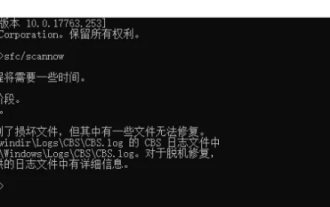
When the computer is running, it is inevitable that the computer will have a blue screen, a black screen, unresponsive operations, etc. Recently, some users have reported to the editor that their computers have a blue screen code systemthreadexceptionnothandled. What does this mean? How do we solve this problem? Let’s take a look at the detailed solutions below. What does systemthreadexceptionnothandled mean? Answer: The systemthreadexceptionnothandled blue screen is usually caused by soft faults such as driver conflicts and virtual memory configuration errors. Incompatible hardware and software, drivers or updated patches cause damage to system files. Solution:
 How to restart the computer without blue screen when playing League of Legends
Feb 13, 2024 pm 07:12 PM
How to restart the computer without blue screen when playing League of Legends
Feb 13, 2024 pm 07:12 PM
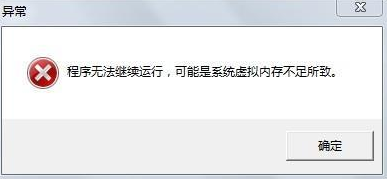
As one of the most popular and influential online games, LOL has a huge user base. However, many friends have recently reported to the editor that a blue screen appears when playing LOL. This is really terrible. How should I deal with it? Don’t panic when encountering anything. Here, the editor will share with you some tips on solving LOL blue screen. lol blue screen solution: Reason 1, the computer's own memory is insufficient, resulting in a blue screen solution: In order to solve the problem of insufficient hard disk space, we can take some measures. First, make sure not to store too many files and data on your hard drive, and try to delete some files you no longer need. Secondly, to regularly clean up temporary files generated by the system, you can use the system's own cleaning tool or third-party cleaning software. Furthermore, if there are
 What to do if the blue screen error code 0x00000124 appears in Win7 system? The editor will teach you how to solve it
Mar 21, 2024 pm 10:10 PM
What to do if the blue screen error code 0x00000124 appears in Win7 system? The editor will teach you how to solve it
Mar 21, 2024 pm 10:10 PM
Computers are now the most commonly used. Whether it is work, study, or life, they are everywhere. However, computers also have their problems. People are overwhelmed with all kinds of problems, such as the blue screen 0x00000124 error in the Win7 system of the computer. Code is one of the more common problems for win7 users. What should you do if you encounter this problem? For this reason, the editor has brought a method to solve the blue screen 0x00000124. In the process of using the win7 system, it is inevitable to encounter problems of one kind or another, especially problems such as blue screen or black screen, which are often encountered by users. Some users of the win7 ultimate system reported that a blue screen appeared when the computer was turned on. And prompts 0x00000124 error code, how to deal with this
 What to do if the blue screen code 0x0000001 occurs
Feb 23, 2024 am 08:09 AM
What to do if the blue screen code 0x0000001 occurs
Feb 23, 2024 am 08:09 AM
What to do with blue screen code 0x0000001? The blue screen error is a warning mechanism when there is a problem with the computer system or hardware. Code 0x0000001 usually indicates a hardware or driver failure. When users suddenly encounter a blue screen error while using their computer, they may feel panicked and at a loss. Fortunately, most blue screen errors can be troubleshooted and dealt with with a few simple steps. This article will introduce readers to some methods to solve the blue screen error code 0x0000001. First, when encountering a blue screen error, we can try to restart
 What does the blue screen code 0x000000d1 represent?
Feb 18, 2024 pm 01:35 PM
What does the blue screen code 0x000000d1 represent?
Feb 18, 2024 pm 01:35 PM
What does the 0x000000d1 blue screen code mean? In recent years, with the popularization of computers and the rapid development of the Internet, the stability and security issues of the operating system have become increasingly prominent. A common problem is blue screen errors, code 0x000000d1 is one of them. A blue screen error, or "Blue Screen of Death," is a condition that occurs when a computer experiences a severe system failure. When the system cannot recover from the error, the Windows operating system displays a blue screen with the error code on the screen. These error codes
 How to Fix 0x00000001 Blue Screen Error
Feb 19, 2024 pm 11:12 PM
How to Fix 0x00000001 Blue Screen Error
Feb 19, 2024 pm 11:12 PM
What to do about 0x00000001 blue screen? The blue screen problem is a headache that many computer users often encounter. When our computer encounters a blue screen, it will suddenly stop running and display a blue screen interface with an error code. Among them, 0x00000001 is a common blue screen error code. Blue screen issues can be caused by a variety of reasons, including software errors, hardware failures, driver issues, and more. Although this problem can be frustrating, there are things we can do to resolve it. Below I will introduce some solutions to blue screen
 The computer frequently blue screens and the code is different every time
Jan 06, 2024 pm 10:53 PM
The computer frequently blue screens and the code is different every time
Jan 06, 2024 pm 10:53 PM
The win10 system is a very excellent high-intelligence system. Its powerful intelligence can bring the best user experience to users. Under normal circumstances, users’ win10 system computers will not have any problems! However, it is inevitable that various faults will occur in excellent computers. Recently, friends have been reporting that their win10 systems have encountered frequent blue screens! Today, the editor will bring you solutions to different codes that cause frequent blue screens in Windows 10 computers. Let’s take a look. Solutions to frequent computer blue screens with different codes each time: causes of various fault codes and solution suggestions 1. Cause of 0×000000116 fault: It should be that the graphics card driver is incompatible. Solution: It is recommended to replace the original manufacturer's driver. 2,
 Win11 users reported that problems such as blue screens and lags occurred after installing Microsoft's March update.
Apr 11, 2024 pm 07:04 PM
Win11 users reported that problems such as blue screens and lags occurred after installing Microsoft's March update.
Apr 11, 2024 pm 07:04 PM
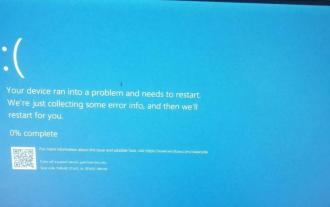
Microsoft pushed the KB5035853 update to Windows 11 users during the March Patch Tuesday event, but users reported that a blue screen of death error occurred after installation. Affected users reported that the blue screen error page displayed "ThreadStuckinDeviceDriver" (a thread in the device driver is stuck). A Lenovo user reported that after installing KB5035853 on a device with Bitlocker, the hardware failed to boot and a blue screen of death occurred. Another user reported: After installing KB5035853 on multiple of my AMD hosts (all models are 21B9), a cyclic blue screen requesting Bitlocker code occurred. 5 sets