


How to update the kernel on CentOS?

更新 CentOS 内核的关键在于使用 ELRepo 仓库并正确设置启动项。1. 首先运行 uname -r 查看当前内核版本;2. 安装 ELRepo 仓库并导入密钥;3. 使用 yum 安装 kernel-lt(长期支持版)或 kernel-ml(主线版);4. 安装完成后通过 awk 命令查看可用内核并使用 grub2-set-default 设置默认启动项;5. 生成新的 GRUB 配置文件 grub2-mkconfig -o /boot/grub2/grub.cfg;6. 最后重启系统并再次运行 uname -r 确认内核版本是否生效。整个过程需注意选择合适内核、确保默认启动项正确,避免系统无法启动或重复安装。
更新 CentOS 的内核其实不算太难,但需要注意几个关键点。很多人在升级内核时担心系统不稳定或者启动失败,其实只要按照标准流程操作,问题不大。
查看当前内核版本
更新之前,第一步是确认你现在的内核版本,这样方便对比是否真的更新成功了。
你可以运行下面这条命令查看:
uname -r
输出结果类似这样:
3.10.0-1160.el7.x86_64
这个信息能告诉你目前用的是哪个内核版本,也方便后面判断是否需要更新。
使用 ELRepo 仓库安装新内核
CentOS 默认的软件源里提供的内核版本可能不是最新的,所以推荐使用 ELRepo 这个第三方仓库来安装更新的内核版本。
步骤如下:
安装 ELRepo 仓库密钥和仓库配置:
rpm --import //m.sbmmt.com/link/718d59ade166b11b3ec4ef5c4e6abfe6RPM-GPG-KEY-elrepo.org
rpm -Uvh http://www.elrepo.org/elrepo-release-7-5.el7.elrepo.noarch.rpm
启用 ELRepo 并安装长期支持版(LTS)或主线版(mainline)内核:
如果你想安装长期支持的稳定内核,可以运行:
yum --enablerepo=elrepo-kernel install kernel-lt
如果想要最新功能、不介意稍微冒险一点,可以选择主线版本:
yum --enablerepo=elrepo-kernel install kernel-ml
安装完成后不会立即生效,需要重启系统并选择新内核启动。
修改默认启动内核
CentOS 使用 GRUB2 管理启动菜单,安装完新内核后,你需要设置它为默认启动项。
首先查看可用的内核选项:
awk -F\' '$1=="menuentry " {print i++ " : " $2}' /etc/grub2.cfg输出大概像这样:
0 : CentOS Linux (5.4.123-1.el7.elrepo.x86_64) 7 (Core)
1 : CentOS Linux (3.10.0-1160.el7.x86_64) 7 (Core)
设置默认启动项为新安装的内核:
grub2-set-default 0
最后生成新的 GRUB 配置文件(有些系统不需要这一步,但加上更保险):
grub2-mkconfig -o /boot/grub2/grub.cfg
完成这些之后就可以重启了:
reboot
重启后再次运行 uname -r 来确认是否已经切换到新内核。
基本上就这些。整个过程不复杂,但有几个容易忽略的地方:比如忘记修改默认启动项、没检查当前内核版本导致重复安装,或者误选了不太稳定的主线内核。只要你按上面的步骤一步步来,一般不会出错。
The above is the detailed content of How to update the kernel on CentOS?. For more information, please follow other related articles on the PHP Chinese website!

Hot AI Tools

Undress AI Tool
Undress images for free

Undresser.AI Undress
AI-powered app for creating realistic nude photos

AI Clothes Remover
Online AI tool for removing clothes from photos.

Clothoff.io
AI clothes remover

Video Face Swap
Swap faces in any video effortlessly with our completely free AI face swap tool!

Hot Article
Hot Tools

Notepad++7.3.1
Easy-to-use and free code editor

SublimeText3 Chinese version
Chinese version, very easy to use

Zend Studio 13.0.1
Powerful PHP integrated development environment

Dreamweaver CS6
Visual web development tools

SublimeText3 Mac version
God-level code editing software (SublimeText3)


 .NET Core Quick Start Tutorial 1. The beginning: Talking about .NET Core
May 07, 2025 pm 04:54 PM
.NET Core Quick Start Tutorial 1. The beginning: Talking about .NET Core
May 07, 2025 pm 04:54 PM
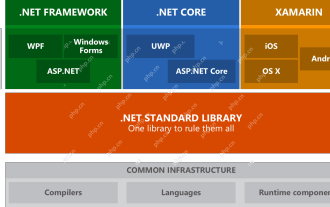
1. The Origin of .NETCore When talking about .NETCore, we must not mention its predecessor .NET. Java was in the limelight at that time, and Microsoft also favored Java. The Java virtual machine on the Windows platform was developed by Microsoft based on JVM standards. It is said to be the best performance Java virtual machine at that time. However, Microsoft has its own little abacus, trying to bundle Java with the Windows platform and add some Windows-specific features. Sun's dissatisfaction with this led to a breakdown of the relationship between the two parties, and Microsoft then launched .NET. .NET has borrowed many features of Java since its inception and gradually surpassed Java in language features and form development. Java in version 1.6
 Hadoop pseudo-distributed cluster construction
May 07, 2025 pm 04:45 PM
Hadoop pseudo-distributed cluster construction
May 07, 2025 pm 04:45 PM
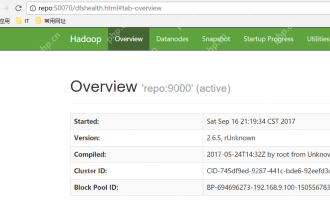
Software preparation I am using a virtual machine with CentOS-6.6, with the host name repo. Refer to the steps to install a Linux virtual machine in Windows, I installed JDK in that virtual machine, refer to the guide to installing JDK in Linux. In addition, the virtual machine is configured with a key-free login itself, and the settings for configuring key-free login between each virtual machine are referenced. The download address of Hadoop installation package is: https://mirrors.aliyun.com/apache/hadoop/common/. I am using hadoop 2.6.5 version. Upload the Hadoop installation package to the server and unzip [root@repo~]#tarzxv
 Postman Integrated Application on CentOS
May 19, 2025 pm 08:00 PM
Postman Integrated Application on CentOS
May 19, 2025 pm 08:00 PM
Integrating Postman applications on CentOS can be achieved through a variety of methods. The following are the detailed steps and suggestions: Install Postman by downloading the installation package to download Postman's Linux version installation package: Visit Postman's official website and select the version suitable for Linux to download. Unzip the installation package: Use the following command to unzip the installation package to the specified directory, for example /opt: sudotar-xzfpostman-linux-x64-xx.xx.xx.tar.gz-C/opt Please note that "postman-linux-x64-xx.xx.xx.tar.gz" is replaced by the file name you actually downloaded. Create symbols
 CentOS: What Led to the Decision to End Support
Apr 23, 2025 am 12:10 AM
CentOS: What Led to the Decision to End Support
Apr 23, 2025 am 12:10 AM
RedHatendedsupportforCentOStoshifttowardsacommerciallyfocusedmodelwithCentOSStream.1)CentOStransitionedtoCentOSStreamforRHELdevelopment.2)ThisencourageduserstomovetoRHEL.3)AlternativeslikeAlmaLinux,RockyLinux,andOracleLinuxemergedasreplacements.
 How to optimize HDFS configuration on CentOS
May 19, 2025 pm 08:18 PM
How to optimize HDFS configuration on CentOS
May 19, 2025 pm 08:18 PM
Optimizing the performance of Hadoop distributed file system (HDFS) on CentOS systems can be achieved through a variety of methods, including adjusting system kernel parameters, optimizing HDFS configuration files, and improving hardware resources. The following are detailed optimization steps and suggestions: Adjust the system kernel parameters to increase the limit on the number of files opened by a single process: Use the ulimit-n65535 command to temporarily adjust. If it needs to take effect permanently, please edit the /etc/security/limits.conf and /etc/pam.d/login files. Optimize TCP parameters: Edit /etc/sysctl.conf file, add or modify the following content: net.ipv4.tcp_tw
 CentOS: A Community-Driven Linux Distribution
Apr 17, 2025 am 12:03 AM
CentOS: A Community-Driven Linux Distribution
Apr 17, 2025 am 12:03 AM
CentOS is a stable, enterprise-grade Linux distribution suitable for server and enterprise environments. 1) It is based on RedHatEnterpriseLinux and provides a free, open source and compatible operating system. 2) CentOS uses the Yum package management system to simplify software installation and updates. 3) Support advanced automation management, such as using Ansible. 4) Common errors include package dependency and service startup issues, which can be solved through log files. 5) Performance optimization suggestions include the use of lightweight software, regular cleaning of the system and optimization of kernel parameters.
 CentOS: Security, Stability, and Performance
Apr 21, 2025 am 12:11 AM
CentOS: Security, Stability, and Performance
Apr 21, 2025 am 12:11 AM
CentOS is the first choice for server and enterprise environments for its superior security, stability and performance. 1) Security provides forced access control through SELinux to improve system security. 2) Stability is supported by the LTS version for up to 10 years to ensure the stability of the system. 3) Performance significantly improves system response speed and resource utilization by optimizing kernel and system configuration.
 How to customize the interface of GitLab on CentOS
May 19, 2025 pm 08:03 PM
How to customize the interface of GitLab on CentOS
May 19, 2025 pm 08:03 PM
Customize the GitLab interface on CentOS system to easily create a personalized workspace! The following steps will guide you how to change the interface language and customize the homepage style: Interface language settings Log in to GitLab: Access your GitLab server address in your browser and log in. Access settings: Click on your user avatar in the upper right corner and select "Settings". Go to User Interface Settings: In the menu on the left, find "Preferences" and select "UserInterface". Select language: In the "User Interface" drop-down menu, select "Chinese(Simplified)",
