


I installed the basic server version and used NAT mode
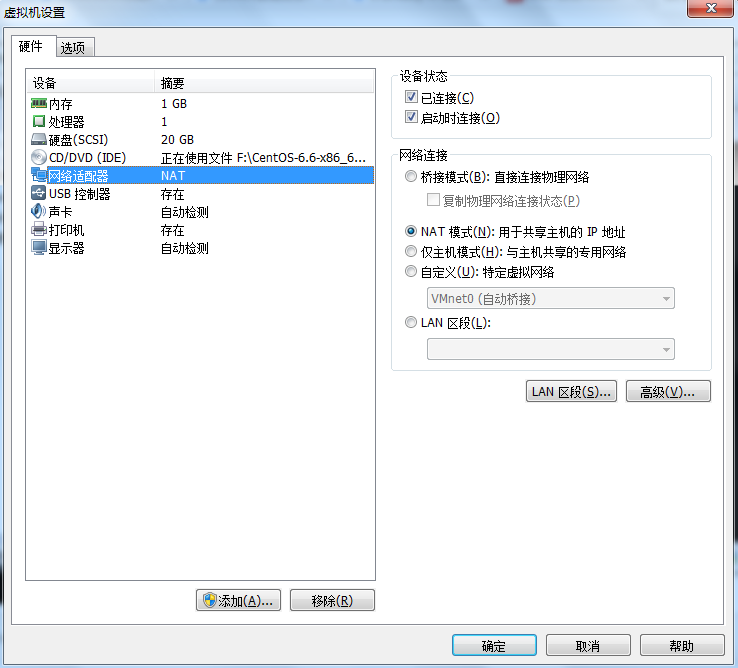
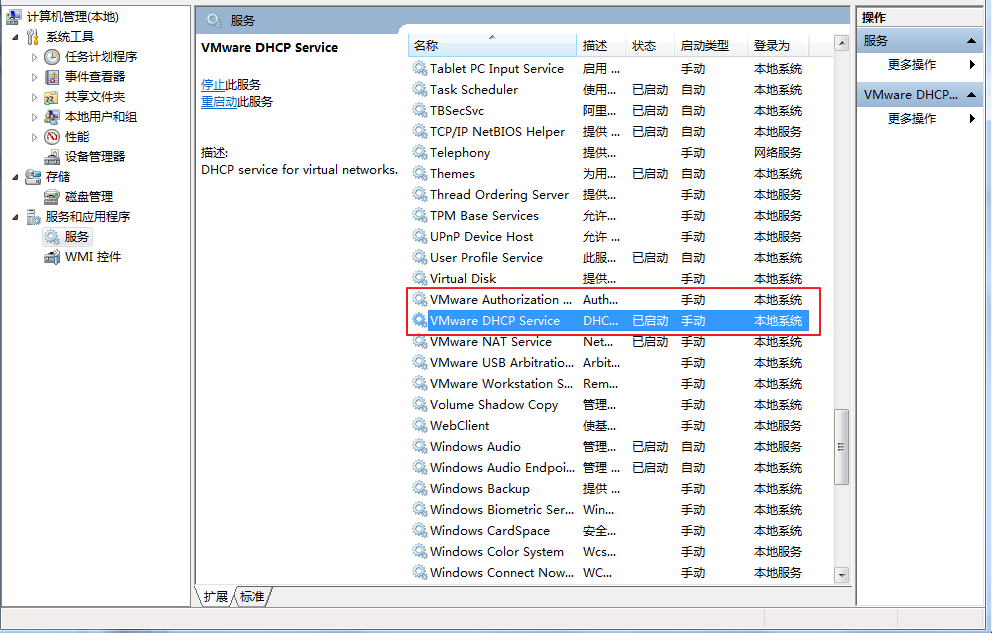
Then, make sure these two are started in the service
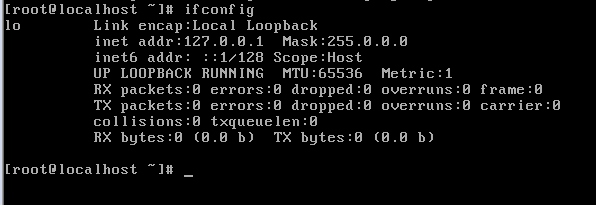
When centos was first installed, there was no eth0 network card.
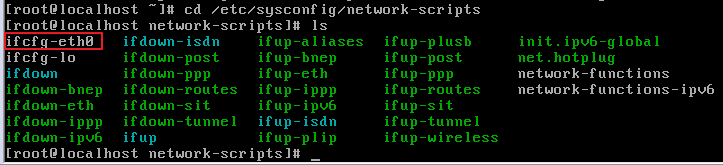
cd /etc/sysconfig/network-scripts
Then ls, you can see that ifcfg-eth0 exists, but it is not activated
vi ifcfg-eth0
You can see it as follows
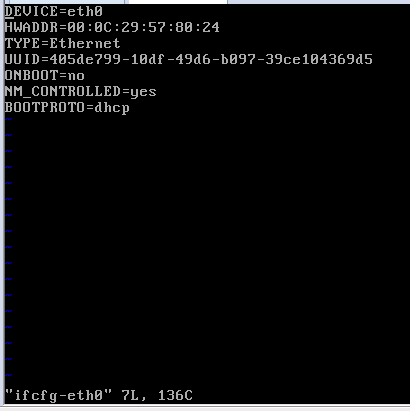
Press the "insert" key to enter editing mode. Set ONBOOT=yes, then press the "esc" key, ":" key, "w" key, "q" key, ifcfg-eth0 is modified
service network restart

Then ifconfig, you can see that eth0 has been randomly assigned an IP address
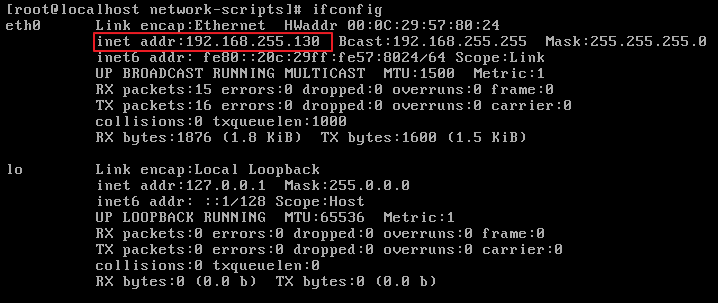
Ping baidu.com, you can see that you can connect to the Internet (ctrl+c to exit ping)

At this time, remote tools such as putty and winscp can be connected
Virtual machine-->Edit-->Virtual network editor-->vmnet8-->nat settings
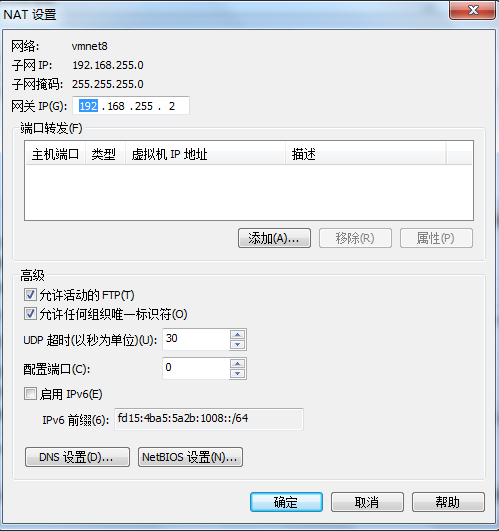
In this page, you can see that the gateway IP is "192.168.255.2" (each machine is different)
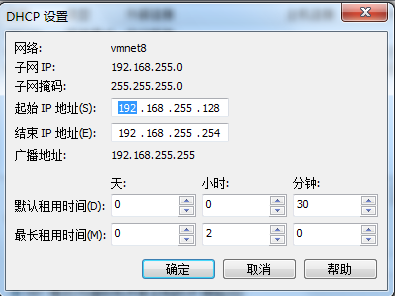
Close the gateway viewing page and click the "DHCP Settings" button at the bottom of the page
You can view network information, including:
开始IP地址为“192.168.255.128” 结束IP地址为“192.168.255.254” 子网掩码为“255.255.255.0”
Check the status of "VMware Network Adapter VMnet8" in Network and Sharing Center
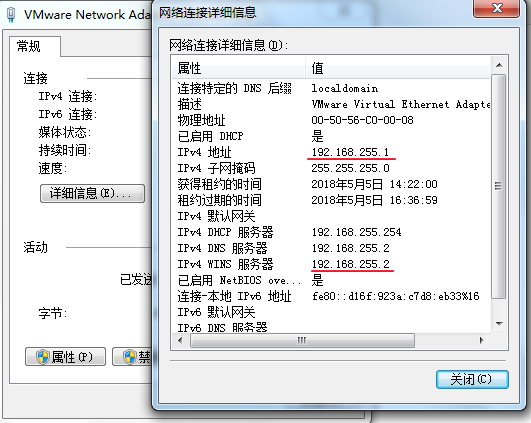
192.168.255.1 是虚拟路由器为Windows分配的地址 192.168.255.2 是虚拟路由器的网关地址
Then, in centos, enter the command "vi /etc/sysconfig/network-script/ifcfg-eth0" to modify the eth0 information, and press the "insert" key to modify it
Modify information:
ONBOOT=yes BOOTPROTO=static
Add information:
IPADDR=192.168.255.100(根据网关自行调整) NETMASK=255.255.255.0 GATEWAY=192.168.255.2
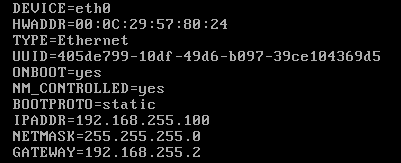
After modification, press the "esc key", ":" key, "w" key, and "q" key
service network restart

If *** is already in use for device eth0 error occurs, add ARPCHECK=no to the ifcfg-eth0 file just now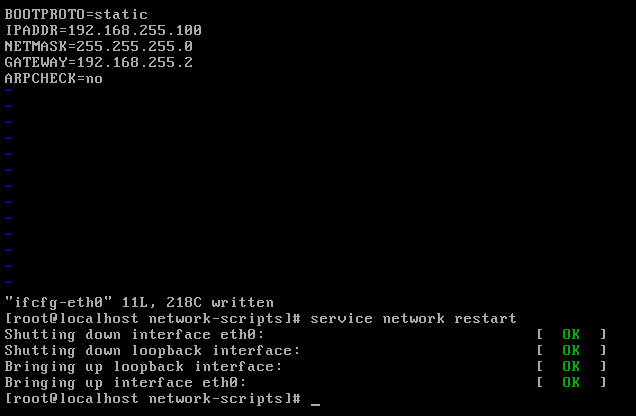
View the newly configured IP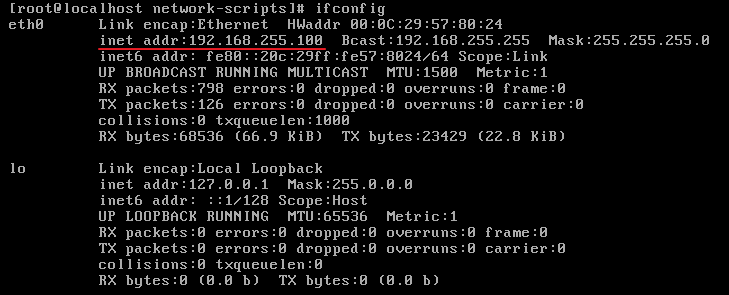
Can the speed test be connected to the Internet?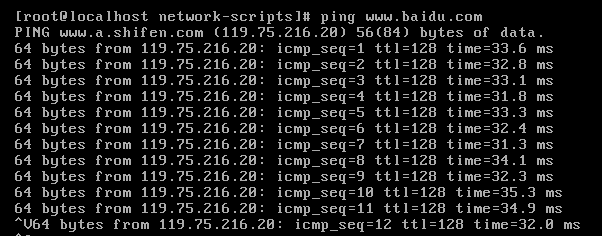
The above is the detailed content of Network card allocation problem under vmware. For more information, please follow other related articles on the PHP Chinese website!





























![[Web front-end] Node.js quick start](https://img.php.cn/upload/course/000/000/067/662b5d34ba7c0227.png)



