



This article mainly introduces the method of building a react project framework based on webpack4. The content is quite good. I will share it with you now and give it as a reference.
Introduction
Introduction to the framework, a react single-page application built using webpac, integrating antd. Use webpack-dev-server to start local services and add hot updates to facilitate development and debugging. Use bundle-loader for code cutting and lazy loading
Manually built, without using cli, a large number of comments are suitable for beginners to understand and learn webpack, and have an in-depth understanding of react projects
Start
##
 git clone https://gitee.com/wjj0720/react-demo.git
 cd react-demo
 yarn
 yarn start
##Package
yarn build
Directory structure
 +node_modules
 -src
  +asset
  +Layout
  +pages
  +redux
  +utils
  +app.js
  +index.html
  +index.js
 .babelrc
 package.json
 postcss.config.js
 webpack.config.js //webpack 配置
bundle-loader lazy loading usage
 // webpack.config.js 配置
 module: {
  rules: [
   {
    test: /\.bundle\.js$/,
    use: {
     loader: 'bundle-loader',
     options: {
      name: '[name]',
      lazy: true
     }
    }
   }
  ]
 }
 // 页面引入组件
 import Home from "bundle-loader?lazy&name=[name]!./Home";

 // 组件使用 因为组件懒加载 是通过异步的形式引入 所以不能再页面直接以标签的形式使用 需要做使用封装
 import React, {Component} from 'react'
 import { withRouter } from 'react-router-dom'
 class LazyLoad extends Component {
  state = {
   LoadOver: null
  }
  componentWillMount() {
   this.props.Loading(c => {
    this.setState({
     LoadOver: withRouter(c.default)
    })
   })
  }

  render() {
   let {LoadOver} = this.state;
   return (
    LoadOver ? <LoadOver/> : <p>加载动画</p>
   )
  }
 }
 export default LazyLoad

 // 通过封装的懒加载组件过度 增加加载动画
 <LazyLoad Loading={Home} />
Routing configuration
The framework is divided according to modules, and there is route.js under the pages folder That is a module
 // 通过require.context读取模块下路由文件
 const files = require.context('./pages', true, /route\.js$/)
 let routers = files.keys().reduce((routers, route) => {
  let router = files(route).default
  return routers.concat(router)
 }, [])

 // 模块路由文件格式
 import User from "bundle-loader?lazy&name=[name]!./User";
 export default [
  {
   path: '/user',
   component: User
  },
  {
   path: '/user/:id',
   component: User
  }
 ]
redux usage introduction
##
// ---------创建 --------
// 为了不免action、reducer 在不同文件 来回切换 对象的形式创建
// createReducer 将书写格式创建成rudex认识的reducer
export function createReducer({state: initState, reducer}) {
return (state = initState, action) => {
return reducer.hasOwnProperty(action.type) ? reducer[action.type](state, action) : state
}
}
// 创建页面级别的store
const User_Info_fetch_Memo = 'User_Info_fetch_Memo'
const store = {
// 初始化数据
state: {
memo: 9,
test: 0
},
action: {
async fetchMemo (params) {
return {
type: User_Info_fetch_Memo,
callAPI: {url: 'http://stage-mapi.yimifudao.com/statistics/cc/kpi', params, config: {}},
payload: params
}
},
...
},
reducer: {
[User_Info_fetch_Memo] (prevState = {}, {payload}) {
console.log('reducer--->',payload)
return {
...prevState,
memo: payload.memo
}
},
...
}
}
export default createReducer(store)
export const action = store.action
// 最终在模块界别组合 [当然模块也有公共的数据(见Home模块下的demo写法)]
import {combineReducers} from 'redux'
import info from './Info/store'
export default combineReducers({
info,
。。。
})
// 最终rudex文件夹下的store.js 会去取所有模块下的store.js 组成一个大的store也就是我们最终仓库
// --------使用------
// 首先在app.js中将store和app关联
import { createStore } from 'redux'
import { Provider } from 'react-redux'
// reducer即我们最终
import reducer from './redux/store.js'
// 用户异步action的中间件
import middleware from './utils/middleware.js'
let store = createStore(reducer, middleware)
<Provider store={store}>
。。。
</Provider>
// 然后组件调用 只需要在组件导出时候 使用connent链接即可
import React, {Component} from 'react'
import {connect} from 'react-redux'
// 从页面级别的store中导出action
import {action} from './store'
class Demo extends Component {
const handle = () => {
// 触发action
this.props.dispatch(action.fetchMemo({}))
}
render () {
console.log(this.props.test)
return <p onClick={this.handle}>ss</p>
}
}
export default connect(state => ({
test: state.user.memo.test
}) )(demo)
About redux middleware
 // 与其说redux中间件不如说action中间件
 // 中间件执行时机 即每个action触发之前执行

 //
 import { applyMiddleware } from 'redux'
 import fetchProxy from './fetchProxy';

 // 中间件 是三个嵌套的函数 第一个入参为整个store 第二个为store.dispatch 第三个为本次触发的action
 // 简单封装的中间件 没有对请求失败做过多处理 目的在与项错误处理机制给到页面处理
 const middleware = ({getState}) => next => async action => {
  // 此时的aciton还没有被执行
  const {type, callAPI, payload} = await action
  // 没有异步请求直接返回action
  if (!callAPI) return next({type, payload})
  // 请求数据
  const res = await fetchProxy(callAPI)
  // 请求数据失败 提示
  if (res.status !== 200) return console.log('网络错误!')
  // 请求成功 返回data
  return next({type, payload: res.data})
 }
 export default applyMiddleware(middleware)
The above is the entire content of this article, I hope it will be useful for everyone’s learning Help, please pay attention to the PHP Chinese website for more related content! Related recommendations:
About the three ways to create components in React and their differences
Webpack optimization configuration narrowed file search Introduction to the scope
The above is the detailed content of Methods to build react project framework based on webpack4. For more information, please follow other related articles on the PHP Chinese website!

 Python vs. JavaScript: The Learning Curve and Ease of UseApr 16, 2025 am 12:12 AM
Python is more suitable for beginners, with a smooth learning curve and concise syntax; JavaScript is suitable for front-end development, with a steep learning curve and flexible syntax. 1. Python syntax is intuitive and suitable for data science and back-end development. 2. JavaScript is flexible and widely used in front-end and server-side programming.
 Python vs. JavaScript: Community, Libraries, and ResourcesApr 15, 2025 am 12:16 AM
Python and JavaScript have their own advantages and disadvantages in terms of community, libraries and resources. 1) The Python community is friendly and suitable for beginners, but the front-end development resources are not as rich as JavaScript. 2) Python is powerful in data science and machine learning libraries, while JavaScript is better in front-end development libraries and frameworks. 3) Both have rich learning resources, but Python is suitable for starting with official documents, while JavaScript is better with MDNWebDocs. The choice should be based on project needs and personal interests.
 From C/C to JavaScript: How It All WorksApr 14, 2025 am 12:05 AM
The shift from C/C to JavaScript requires adapting to dynamic typing, garbage collection and asynchronous programming. 1) C/C is a statically typed language that requires manual memory management, while JavaScript is dynamically typed and garbage collection is automatically processed. 2) C/C needs to be compiled into machine code, while JavaScript is an interpreted language. 3) JavaScript introduces concepts such as closures, prototype chains and Promise, which enhances flexibility and asynchronous programming capabilities.
 JavaScript Engines: Comparing ImplementationsApr 13, 2025 am 12:05 AM
Different JavaScript engines have different effects when parsing and executing JavaScript code, because the implementation principles and optimization strategies of each engine differ. 1. Lexical analysis: convert source code into lexical unit. 2. Grammar analysis: Generate an abstract syntax tree. 3. Optimization and compilation: Generate machine code through the JIT compiler. 4. Execute: Run the machine code. V8 engine optimizes through instant compilation and hidden class, SpiderMonkey uses a type inference system, resulting in different performance performance on the same code.
 Beyond the Browser: JavaScript in the Real WorldApr 12, 2025 am 12:06 AM
JavaScript's applications in the real world include server-side programming, mobile application development and Internet of Things control: 1. Server-side programming is realized through Node.js, suitable for high concurrent request processing. 2. Mobile application development is carried out through ReactNative and supports cross-platform deployment. 3. Used for IoT device control through Johnny-Five library, suitable for hardware interaction.
 Building a Multi-Tenant SaaS Application with Next.js (Backend Integration)Apr 11, 2025 am 08:23 AM
I built a functional multi-tenant SaaS application (an EdTech app) with your everyday tech tool and you can do the same. First, what’s a multi-tenant SaaS application? Multi-tenant SaaS applications let you serve multiple customers from a sing
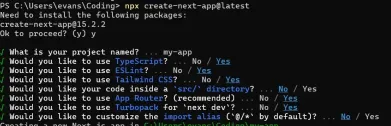 How to Build a Multi-Tenant SaaS Application with Next.js (Frontend Integration)Apr 11, 2025 am 08:22 AM
This article demonstrates frontend integration with a backend secured by Permit, building a functional EdTech SaaS application using Next.js. The frontend fetches user permissions to control UI visibility and ensures API requests adhere to role-base
 JavaScript: Exploring the Versatility of a Web LanguageApr 11, 2025 am 12:01 AM
JavaScript is the core language of modern web development and is widely used for its diversity and flexibility. 1) Front-end development: build dynamic web pages and single-page applications through DOM operations and modern frameworks (such as React, Vue.js, Angular). 2) Server-side development: Node.js uses a non-blocking I/O model to handle high concurrency and real-time applications. 3) Mobile and desktop application development: cross-platform development is realized through ReactNative and Electron to improve development efficiency.


Hot AI Tools

Undresser.AI Undress
AI-powered app for creating realistic nude photos

AI Clothes Remover
Online AI tool for removing clothes from photos.

Undress AI Tool
Undress images for free

Clothoff.io
AI clothes remover

AI Hentai Generator
Generate AI Hentai for free.

Hot Article
Hot Tools

Dreamweaver Mac version
Visual web development tools

DVWA
Damn Vulnerable Web App (DVWA) is a PHP/MySQL web application that is very vulnerable. Its main goals are to be an aid for security professionals to test their skills and tools in a legal environment, to help web developers better understand the process of securing web applications, and to help teachers/students teach/learn in a classroom environment Web application security. The goal of DVWA is to practice some of the most common web vulnerabilities through a simple and straightforward interface, with varying degrees of difficulty. Please note that this software

Safe Exam Browser
Safe Exam Browser is a secure browser environment for taking online exams securely. This software turns any computer into a secure workstation. It controls access to any utility and prevents students from using unauthorized resources.

ZendStudio 13.5.1 Mac
Powerful PHP integrated development environment

SublimeText3 English version
Recommended: Win version, supports code prompts!

