


Microsoft official website win10 download step tutorial

When many friends download the win10 operating system, they will choose to search and download online. However, there are various download addresses and they are afraid of downloading a pirated system. So how to download the official win10 system? The next step is The editor will bring you the download method of win10 from Microsoft official website.
Microsoft official website win10 download:
1. First we search Microsoft official website win10 download and find Microsoft’s official website.

2. Enter the page and click the 'Download Tool Now' option.
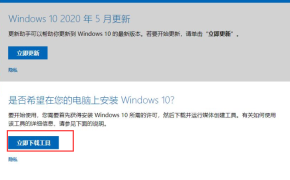
3. Then download the file to the desktop.

4. When we click to open the file, we will enter the page.
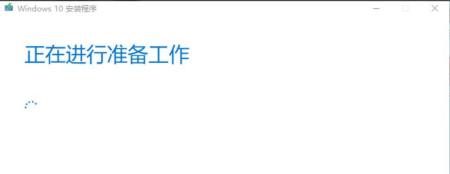
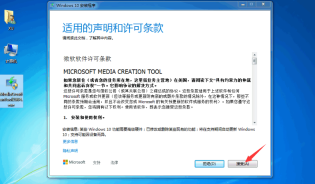
5. Then we click "Accept" the license terms.
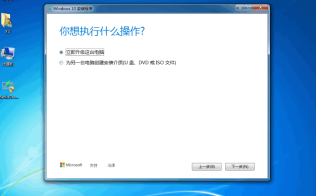
6. Then select to upgrade this computer now and click "Next".
7. The software will start downloading Windows 10, just follow the software prompts.
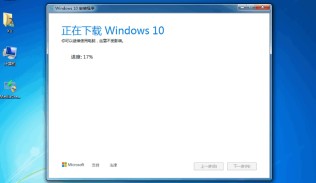
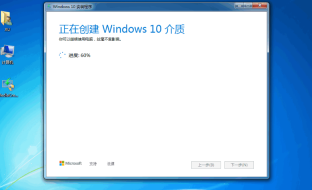
# 8. After the download is completed, enter the "Creating Windows 10 Media" page.
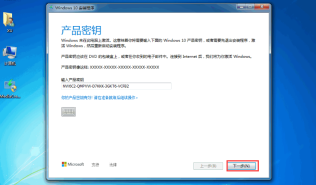
9. We will then be asked to enter the product key. If you have a genuine serial number, you can also enter your own serial number and click Next.
10. When we are finished, the Windows 10 system will start to install automatically.

11. After a while, you will be able to enter a new page after the installation is completed.
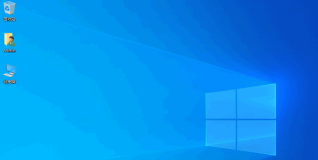
The above are the steps to download win10 from Microsoft’s official website. Have you learned it?
The above is the detailed content of Microsoft official website win10 download step tutorial. For more information, please follow other related articles on the PHP Chinese website!

Hot AI Tools

Undresser.AI Undress
AI-powered app for creating realistic nude photos

AI Clothes Remover
Online AI tool for removing clothes from photos.

Undress AI Tool
Undress images for free

Clothoff.io
AI clothes remover

AI Hentai Generator
Generate AI Hentai for free.

Hot Article
Hot Tools

PhpStorm Mac version
The latest (2018.2.1) professional PHP integrated development tool

SAP NetWeaver Server Adapter for Eclipse
Integrate Eclipse with SAP NetWeaver application server.

SublimeText3 English version
Recommended: Win version, supports code prompts!

Atom editor mac version download
The most popular open source editor

Dreamweaver Mac version
Visual web development tools

