


How do I recover my Steam account (no username or password required)?

During this time, you have downloaded many games to your Steam account, and one day when you log into Steam to play one of the games, you realize that you have forgotten your username or password.
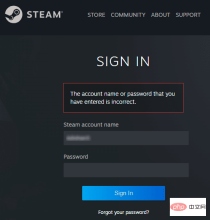
Games downloaded through your account are at risk. No need to worry, you can follow the steps below to recover your Steam account and get back to your favorite games.
Steps to restore your Steam account:
1-Go to the Steam login page https://store.steampowered.com/login from your desktop browser.
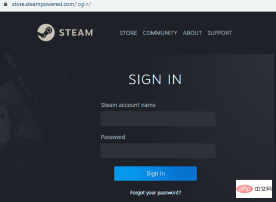
2-Click Forgot your password? Or the Support tab on the Steam login page.
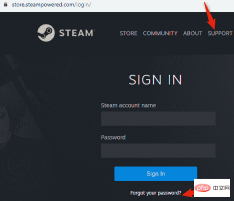
3 - Selecting the Support tab will take you to the Steam Support page as shown below. Click Help, I can't log in.
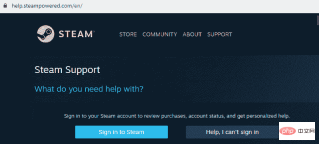
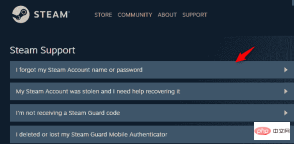
#4-Select After forgetting my password, I can't log in to the Steam support page, You will see 4 options for you to choose from. Click I forgot my Steam account name or password as shown below.
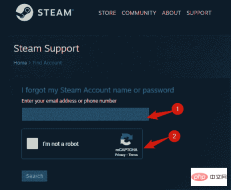
#5 - After clicking the first option on the Steam Support page, you will be asked to enter the email address associated with your account. Enter your email address and select I'm not a robot, you will then be asked to fill in a verification code as shown below.
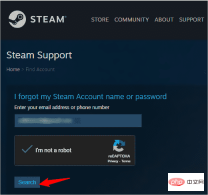
#6-Once your verification code is entered correctly, I am not a robot will be automatically checked. Now click on the "Search" tab.
#7-On the next page, you will be informed that the account associated with your email ID has been found. Apart from that, the page will provide you with 2 options. The first is to email an account verification code to the email address associated with your Steam account. Choose to have your account verification code sent via email to (your email address) tab, as is the case for this discussion here.
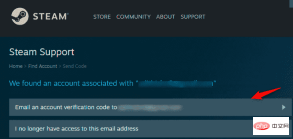
If you are not using the email address associated with your Steam account, please select the second option I no longer have access to this email address. This special case can be discussed later.
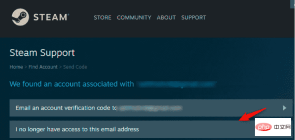
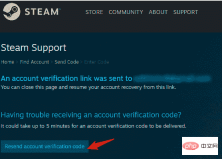
#8 - A notification that an account verification email has been sent to your registered email address will appear on the next page. Check your email for the link. If you still haven't received the verification link, click Resend Account Verification Code as shown below.
9 - Search for an email from Steam Support with the subject "Steam Account Recovery". The content of the email will have a "RestoreRecover" button as shown in the screenshot below. Just click on it.
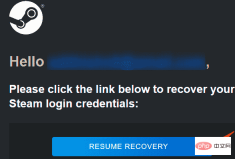
10- Pressing the "RestoreRecovery" tab will redirect you to the Steam Support page notifying you with the email ID you entered Relevant account details.
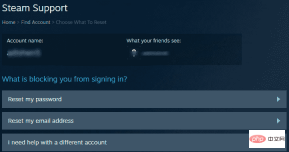
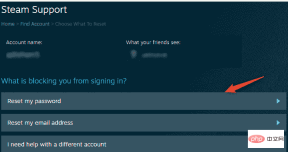
So you will see that your Steam account has been restored. Now change your Steam account password by clicking on the option Reset my password.
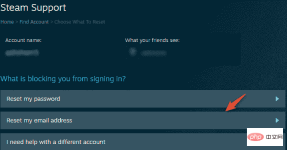
If you would like to change your Steam account email address, click Reset my email address.
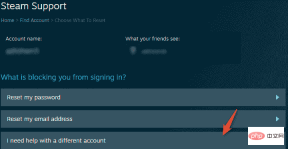
#If you need help with a different account than the one above, click on the third option I need help with a different account.
The above is the detailed content of How do I recover my Steam account (no username or password required)?. For more information, please follow other related articles on the PHP Chinese website!

Hot AI Tools

Undresser.AI Undress
AI-powered app for creating realistic nude photos

AI Clothes Remover
Online AI tool for removing clothes from photos.

Undress AI Tool
Undress images for free

Clothoff.io
AI clothes remover

AI Hentai Generator
Generate AI Hentai for free.

Hot Article
Hot Tools

VSCode Windows 64-bit Download
A free and powerful IDE editor launched by Microsoft

SublimeText3 Chinese version
Chinese version, very easy to use

Dreamweaver Mac version
Visual web development tools

mPDF
mPDF is a PHP library that can generate PDF files from UTF-8 encoded HTML. The original author, Ian Back, wrote mPDF to output PDF files "on the fly" from his website and handle different languages. It is slower than original scripts like HTML2FPDF and produces larger files when using Unicode fonts, but supports CSS styles etc. and has a lot of enhancements. Supports almost all languages, including RTL (Arabic and Hebrew) and CJK (Chinese, Japanese and Korean). Supports nested block-level elements (such as P, DIV),

Atom editor mac version download
The most popular open source editor

