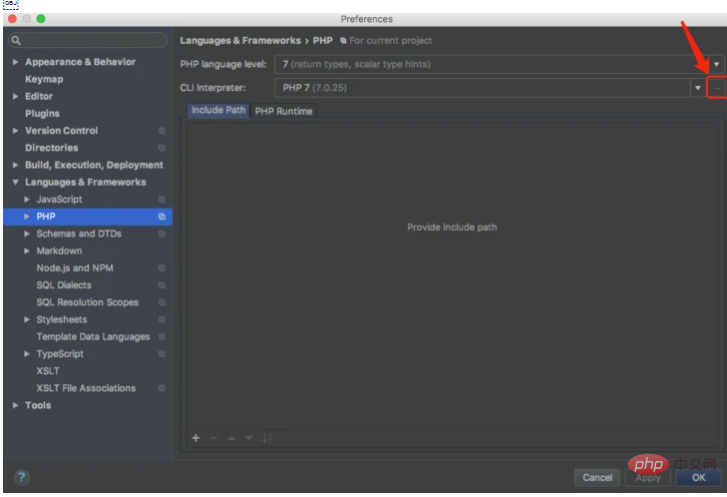
2. In PHPStorm-> ;Preferences->Languages & Frameworks->PHP The arrow points to the configuration
selection, select from vagrant
# #Configuration is as follows:
## Set in PHP->Debug->DBGp Proxy as follows

Set the port in PHP->Debug

##Set the mapping path in PHP->Servers

3. Download Xdebug helper from google and configure

Note: If breakpoints are not available, it means that Xdebug and php versions do not correspond. You can set 20-xdebug.ini of other php versions.
The above is the detailed content of Vagrant+PHPStorm implements XDebug breakpoint debugging. For more information, please follow other related articles on the PHP Chinese website!