



This article will give you a detailed introduction to the template syntax in Angular. It has certain reference value. Friends in need can refer to it. I hope it will be helpful to everyone.

Related tutorial recommendations: "angular tutorial"
Interpolation expression
- test-interpolation.component.ts
@Component({
  selector: 'app-test-interpolation',
  templateUrl: './test-interpolation.component.html',
  styleUrls: ['./test-interpolation.component.css']
})
export class TestInterpolationComponent implements OnInit {

  title = '插值表达式';

  constructor() { }

  ngOnInit() {
  }

  getValue(): string {
    return '值';
  }
}- test-interpolation.component.html
<div class="panel panel-primary">
  <div class="panel-heading">基插值语法</div>
  <div class="panel-body">
    <h3>
      欢迎来到 {{title}}!
    </h3>
    <h3 id="nbsp-nbsp-nbsp-nbsp">2+2 = {{2 + 2}}</h3>
    <h3 id="调用方法-getValue">调用方法{{getValue()}}</h3>
  </div>
</div>
Template Variables
- test-template-variables.component.ts
@Component({
  selector: 'app-test-template-variables',
  templateUrl: './test-template-variables.component.html',
  styleUrls: ['./test-template-variables.component.css']
})
export class TestTempRefVarComponent implements OnInit {

  constructor() { }

  ngOnInit() {
  }

  public saveValue(value: string): void {
    console.log(value);
  }
}- test-template-variables.component.html
<div class="panel panel-primary">
  <div class="panel-heading">模板变量</div>
  <div class="panel-body">
    <input #templateInput>
    <p>{{templateInput.value}}</p>
    <button class="btn btn-success" (click)="saveValue(templateInput.value)">局部变量</button>
  </div>
</div>
Value binding, event binding, two-way binding
Value binding: []
- test-value-bind.component.ts
@Component({
  selector: 'app-test-value-bind',
  templateUrl: './test-value-bind.component.html',
  styleUrls: ['./test-value-bind.component.css']
})
export class TestValueBindComponent implements OnInit {

  public imgSrc = './assets/imgs/1.jpg';

  constructor() { }

  ngOnInit() {
  }
}- test-value-bind.component.html
<div class="panel panel-primary">
  <div class="panel-heading">单向值绑定</div>
  <div class="panel-body">
    <img  [src]="imgSrc" / alt="Detailed explanation of template syntax in Angular" >
  </div>
</div>
Event Binding: ()
- test- event-bind-component.ts
@Component({
  selector: 'app-test-event-binding',
  templateUrl: './test-event-binding.component.html',
  styleUrls: ['./test-event-binding.component.css']
})
export class TestEventBindingComponent implements OnInit {

  constructor() { }

  ngOnInit() {
  }

  public btnClick(event: any): void {
    console.log(event + '测试事件绑定!');
  }
}- test-event-bind.component.html
<div>
    <div>事件绑定</div>
    <div>
        <button>点击按钮</button>
    </div>
</div>
Two-way binding: [()]
- test-twoway-binding.component.ts
@Component({
  selector: 'app-test-twoway-binding',
  templateUrl: './test-twoway-binding.component.html',
  styleUrls: ['./test-twoway-binding.component.css']
})
export class TestTwowayBindingComponent implements OnInit {

  public fontSizePx = 14;

  constructor() { }

  ngOnInit() {
  }

}- test-twoway-binding.component.html
<div class="panel panel-primary">
  <div class="panel-heading">双向绑定</div>
  <div class="panel-body">
    <app-font-resizer [(size)]="fontSizePx"></app-font-resizer>
    <div [style.font-size.px]="fontSizePx">Resizable Text</div>
  </div>
</div> - font-resizer.component.ts
@Component({
  selector: 'app-font-resizer',
  templateUrl: './font-resizer.component.html',
  styleUrls: ['./font-resizer.component.css']
})
export class FontResizerComponent implements OnInit {

  @Input()
  size: number | string;

  @Output()
  sizeChange = new EventEmitter<number>();

  constructor() { }

  ngOnInit() {
  }

  decrement(): void {
    this.resize(-1);
  }

  increment(): void {
    this.resize(+1);
  }

  resize(delta: number) {
    this.size = Math.min(40, Math.max(8, +this.size + delta));
    this.sizeChange.emit(this.size);
  }
}- font-resizer.component.html
<div style="border: 2px solid #333">
  <p>这是子组件</p>
  <button (click)="decrement()" title="smaller">-</button>
  <button (click)="increment()" title="bigger">+</button>
  <label [style.font-size.px]="size">FontSize: {{size}}px</label>
</div>
Built-in structural directives
*ngIf
- test-ng-if.component.ts
@Component({
  selector: 'app-test-ng-if',
  templateUrl: './test-ng-if.component.html',
  styleUrls: ['./test-ng-if.component.css']
})
export class TestNgIfComponent implements OnInit {

  isShow = true;

  constructor() { }

  ngOnInit() {
  }
}- test- ng-if.component.html
<div class="panel panel-primary">
  <div class="panel-heading">*ngIf的用法</div>
  <div class="panel-body">
    <p *ngIf="isShow" style="background-color:#ff3300">显示内容</p>
  </div>
</div>*ngFor
- ##test-ng-for.component.ts
@Component({
  selector: 'app-test-ng-for',
  templateUrl: './test-ng-for.component.html',
  styleUrls: ['./test-ng-for.component.css']
})
export class TestNgForComponent implements OnInit {

  races = [
    {name: 'star'},
    {name: 'kevin'},
    {name: 'kent'}
  ];

  constructor() { }

  ngOnInit() {
  }

}
- test-ng-for.component.html
<div class="panel panel-primary">
  <div class="panel-heading">*ngFor用法</div>
  <div class="panel-body">
    <h3 id="名字列表">名字列表</h3>
    <ul>
      <li *ngFor="let name of names;let i=index;">
       {{i}}-{{name.name}}
      </li>
    </ul>
  </div>
</div>
ngSwitch
- test-ng-switch.component.ts
@Component({
  selector: 'app-test-ng-switch',
  templateUrl: './test-ng-switch.component.html',
  styleUrls: ['./test-ng-switch.component.css']
})
export class TestNgSwitchComponent implements OnInit {

  status = 1;

  constructor() { }

  ngOnInit() {
  }

}
- test-ng-switch.component.html
<div class="panel panel-primary">
  <div class="panel-heading">ngSwitch用法</div>
  <div class="panel-body">
    <div [ngSwitch]="status">
      <p *ngSwitchCase="0">Good</p>
      <p *ngSwitchCase="1">Bad</p>
      <p *ngSwitchDefault>Exception</p>
    </div>
  </div>
</div>
Built-in attribute directive
The relationship between HTML attributes and DOM attributes
- There is a one-to-one mapping relationship between a small number of HTML attributes and DOM attributes, such as id;
- Some HTML attributes have no correspondence DOM attributes, such as colspan;
- Some DOM attributes do not have corresponding HTML attributes, such as textContent;
- Even if the names are the same, HTML attributes and DOM attributes are not the same thing;
- The value of the HTML attribute specifies the initial value, and the value of the DOM attribute indicates the current value; the value of the HTML attribute cannot be changed, and the value of the DOM attribute can be changed.
- Template binding works through DOM properties and events, not HTML attributes.
Note: Interpolation expression and attribute binding are the same thing, and interpolation expression belongs to DOM attribute binding.
NgClass
- test-ng-class.component.ts
@Component({
  selector: 'app-test-ng-class',
  templateUrl: './test-ng-class.component.html',
  styleUrls: ['./test-ng-class.component.scss']
})
export class TestNgClassComponent implements OnInit {
  public currentClasses: {};

  public canSave = true;
  public isUnchanged = true;
  public isSpecial = true;

  constructor() { }

  ngOnInit() {
    this.currentClasses = {
      'saveable': this.canSave,
      'modified': this.isUnchanged,
      'special': this.isSpecial
    };
  }
}
- test-ng-class. component.html
<div class="panel panel-primary"> <div class="panel-heading">NgClass用法</div> <div class="panel-body"> <div [ngClass]="currentClasses">设置多个样式</div> <div [class.modified]='true'></div> </div> </div>
- test-ng-class.component.less
.saveable {
    font-size: 18px;
}

.modified {
    font-weight: bold;
}

.special {
    background-color: #ff3300;
}
NgStyle
- test-ng-style.component.ts
@Component({
  selector: 'app-test-ng-style',
  templateUrl: './test-ng-style.component.html',
  styleUrls: ['./test-ng-style.component.css']
})
export class TestNgStyleComponent implements OnInit {

  currentStyles: { };
  canSave = false;
  isUnchanged = false;
  isSpecial = false;

  constructor() { }

  ngOnInit() {
    this.currentStyles = {
      'font-style': this.canSave ? 'italic' : 'normal',
      'font-weight': !this.isUnchanged ? 'bold' : 'normal',
      'font-size': this.isSpecial ? '36px' : '12px'
    };
  }

}
- test-ng-style.component.html
<div class="panel panel-primary"> <div class="panel-heading">NgStyle用法</div> <div class="panel-body"> <div [ngStyle]="currentStyles"> 用NgStyle批量修改内联样式! </div> <div [style.font-size]="isSpecial? '36px' : '12px'"></div> </div> </div>
NgModel
- test-ng-model.component.ts
@Component({
  selector: 'app-test-ng-model',
  templateUrl: './test-ng-model.component.html',
  styleUrls: ['./test-ng-model.component.css']
})
export class TestNgModelComponent implements OnInit {

  name = 'kevin';

  constructor() { }

  ngOnInit() {
  }

}
- test-ng-model.component.html
<div class="panel panel-primary">
    <div class="panel-heading">NgModel的用法</div>
    <div class="panel-body">
        <p class="text-danger">ngModel只能用在表单类的元素上面</p>
        <input type="text" name="name" [(ngModel)]="name">
    </div>
</div>
Widget
Pipeline
Angular’s built-in common pipes:- uppercase and lowercase
uppercase Convert letters to uppercase {{'aaa' | uppercase}} lowercase Convert letters to lowercase {
{'BBB' | lowercase}}
- Date
{ birthday | date: 'yyyy-MM-dd HH:mm:ss'}}number
{ pi | number: '2.2-2'}}Example2.2-2: Indicates that 2-digit integer and 2-digit number are reserved decimal. 2-2: Indicates a minimum of 2 decimal places and a maximum of 2 decimal places.
- test-pipe.component.ts
@Component({
  selector: 'app-test-pipe',
  templateUrl: './test-pipe.component.html',
  styleUrls: ['./test-pipe.component.css']
})
export class TestPipeComponent implements OnInit {

  currentTime: Date = new Date();

  str = 'aaa';

  money = 34.567;


  constructor() {
  }

  ngOnInit() {
    window.setInterval(
      () => { this.currentTime = new Date() }
      , 1000);
  }
}
test-pipe.component.html
<div class="panel panel-primary">
<div class="panel-heading">管道的用法</div>
<div class="panel-body">
{{ currentTime | date:'yyyy-MM-dd HH:mm:ss' }}
</div>
<div class="panel-body">
{{ str | uppercase }}
</div>
<div class="panel-body">
{{ money | number: '2.2-2' }}
</div>
</div>Non-null assertion
test-not-null-assert.component.ts
@Component({
  selector: 'app-test-safe-nav',
  templateUrl: './test-not-null-assert.component.html',
  styleUrls: ['./test-not-null-assert.component.css']
})
export class TestSafeNavComponent implements OnInit {

  public currentValue: any = null;

  constructor() { }

  ngOnInit() {
  }

}
<div class="panel panel-primary">
  <div class="panel-heading">安全取值</div>
  <div class="panel-body">
    名字:{{currentValue?.name}}
  </div>
</div>
For more programming-related knowledge, please visit:
The above is the detailed content of Detailed explanation of template syntax in Angular. For more information, please follow other related articles on the PHP Chinese website!

 Python vs. JavaScript: Community, Libraries, and ResourcesApr 15, 2025 am 12:16 AM
Python and JavaScript have their own advantages and disadvantages in terms of community, libraries and resources. 1) The Python community is friendly and suitable for beginners, but the front-end development resources are not as rich as JavaScript. 2) Python is powerful in data science and machine learning libraries, while JavaScript is better in front-end development libraries and frameworks. 3) Both have rich learning resources, but Python is suitable for starting with official documents, while JavaScript is better with MDNWebDocs. The choice should be based on project needs and personal interests.
 From C/C to JavaScript: How It All WorksApr 14, 2025 am 12:05 AM
The shift from C/C to JavaScript requires adapting to dynamic typing, garbage collection and asynchronous programming. 1) C/C is a statically typed language that requires manual memory management, while JavaScript is dynamically typed and garbage collection is automatically processed. 2) C/C needs to be compiled into machine code, while JavaScript is an interpreted language. 3) JavaScript introduces concepts such as closures, prototype chains and Promise, which enhances flexibility and asynchronous programming capabilities.
 JavaScript Engines: Comparing ImplementationsApr 13, 2025 am 12:05 AM
Different JavaScript engines have different effects when parsing and executing JavaScript code, because the implementation principles and optimization strategies of each engine differ. 1. Lexical analysis: convert source code into lexical unit. 2. Grammar analysis: Generate an abstract syntax tree. 3. Optimization and compilation: Generate machine code through the JIT compiler. 4. Execute: Run the machine code. V8 engine optimizes through instant compilation and hidden class, SpiderMonkey uses a type inference system, resulting in different performance performance on the same code.
 Beyond the Browser: JavaScript in the Real WorldApr 12, 2025 am 12:06 AM
JavaScript's applications in the real world include server-side programming, mobile application development and Internet of Things control: 1. Server-side programming is realized through Node.js, suitable for high concurrent request processing. 2. Mobile application development is carried out through ReactNative and supports cross-platform deployment. 3. Used for IoT device control through Johnny-Five library, suitable for hardware interaction.
 Building a Multi-Tenant SaaS Application with Next.js (Backend Integration)Apr 11, 2025 am 08:23 AM
I built a functional multi-tenant SaaS application (an EdTech app) with your everyday tech tool and you can do the same. First, what’s a multi-tenant SaaS application? Multi-tenant SaaS applications let you serve multiple customers from a sing
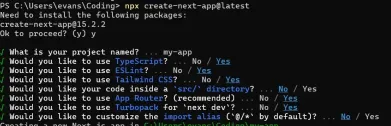 How to Build a Multi-Tenant SaaS Application with Next.js (Frontend Integration)Apr 11, 2025 am 08:22 AM
This article demonstrates frontend integration with a backend secured by Permit, building a functional EdTech SaaS application using Next.js. The frontend fetches user permissions to control UI visibility and ensures API requests adhere to role-base
 JavaScript: Exploring the Versatility of a Web LanguageApr 11, 2025 am 12:01 AM
JavaScript is the core language of modern web development and is widely used for its diversity and flexibility. 1) Front-end development: build dynamic web pages and single-page applications through DOM operations and modern frameworks (such as React, Vue.js, Angular). 2) Server-side development: Node.js uses a non-blocking I/O model to handle high concurrency and real-time applications. 3) Mobile and desktop application development: cross-platform development is realized through ReactNative and Electron to improve development efficiency.
 The Evolution of JavaScript: Current Trends and Future ProspectsApr 10, 2025 am 09:33 AM
The latest trends in JavaScript include the rise of TypeScript, the popularity of modern frameworks and libraries, and the application of WebAssembly. Future prospects cover more powerful type systems, the development of server-side JavaScript, the expansion of artificial intelligence and machine learning, and the potential of IoT and edge computing.


Hot AI Tools

Undresser.AI Undress
AI-powered app for creating realistic nude photos

AI Clothes Remover
Online AI tool for removing clothes from photos.

Undress AI Tool
Undress images for free

Clothoff.io
AI clothes remover

AI Hentai Generator
Generate AI Hentai for free.

Hot Article
Hot Tools

PhpStorm Mac version
The latest (2018.2.1) professional PHP integrated development tool

SublimeText3 English version
Recommended: Win version, supports code prompts!

WebStorm Mac version
Useful JavaScript development tools

SAP NetWeaver Server Adapter for Eclipse
Integrate Eclipse with SAP NetWeaver application server.

Zend Studio 13.0.1
Powerful PHP integrated development environment

