
How does eclipse run java code?
How eclipse runs java code:
1. First, let’s create a new project test.

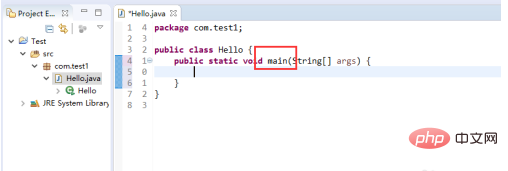
2. Then write a main function in it
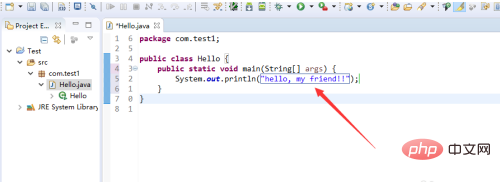
##3. Then write any output in the function
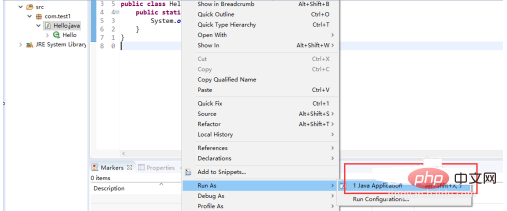
4. Right-click on the blank space and find Run As

5. Select the first java application
6. Finally you will see the output results displayed on the console.

7. If the console does not have a console, you can click window -> Show View -> Console to display the console

Recommended tutorial: "
java"
The above is the detailed content of How does eclipse run java code?. For more information, please follow other related articles on the PHP Chinese website!
Statement:
The content of this article is voluntarily contributed by netizens, and the copyright belongs to the original author. This site does not assume corresponding legal responsibility. If you find any content suspected of plagiarism or infringement, please contact admin@php.cn


