




1. Download and install jdk
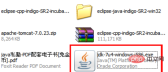
2. Right-click the mouse to open my computer and find "Properties"
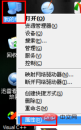
3. After opening the properties, find "Advanced", find the "Environment Variables" below and open

4. In the environment In the variables, there are two places to modify. One is to add JAVA_HOME. You can choose "New", fill in JAVA_HOME for the variable name, and fill in C:\Program Files\Java\jdk1.7.0_04 for the variable value. Because during the above installation process, I defaulted to the next step to install, so I installed it on the C drive. If you changed it during the installation process, it may be the D drive or E drive. The same variable value needs to be changed accordingly
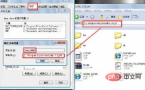
5. There is one more place to modify, which is Path. Add the JAVA variable value to Path, select Path, and then click "Edit" ”, add the following statement at the end; %JAVA_HOME%\bin;
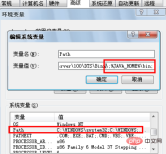
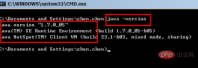
6. Okay, the environment variables have been set, just click OK. Now start testing to see if it really works. Open the DOS window, in the "Start" in the lower left corner, enter "CMD" in "Run", open the DOS window, enter the command java -version and press Enter
Recommended tutorial: java tutorial
The above is the detailed content of java installation steps. For more information, please follow other related articles on the PHP Chinese website!

Hot AI Tools

Undresser.AI Undress
AI-powered app for creating realistic nude photos

AI Clothes Remover
Online AI tool for removing clothes from photos.

Undress AI Tool
Undress images for free

Clothoff.io
AI clothes remover

AI Hentai Generator
Generate AI Hentai for free.

Hot Article
Hot Tools

VSCode Windows 64-bit Download
A free and powerful IDE editor launched by Microsoft

DVWA
Damn Vulnerable Web App (DVWA) is a PHP/MySQL web application that is very vulnerable. Its main goals are to be an aid for security professionals to test their skills and tools in a legal environment, to help web developers better understand the process of securing web applications, and to help teachers/students teach/learn in a classroom environment Web application security. The goal of DVWA is to practice some of the most common web vulnerabilities through a simple and straightforward interface, with varying degrees of difficulty. Please note that this software

SublimeText3 Linux new version
SublimeText3 Linux latest version

Dreamweaver CS6
Visual web development tools

MantisBT
Mantis is an easy-to-deploy web-based defect tracking tool designed to aid in product defect tracking. It requires PHP, MySQL and a web server. Check out our demo and hosting services.

