



This article mainly introduces the detailed use of window units and percentage units in CSS. It is the basic knowledge for introductory learning of CSS. Friends in need can refer to
Window (Viewport) Unit
Viewport units are relative units, meaning they have no objective size. Their size is determined by the viewport size. The following are four units related to the viewport. 
I will focus on the first two units since they are more likely to be used.
In many cases, viewport units (vh and vw) and percentage units overlap in terms of what they can accomplish. However, each of them has its distinct advantages and disadvantages. To summarize:
When dealing with width, the % unit is more appropriate. When dealing with heights, vh units are better.
Element that takes up full width: % > vw
As I mentioned, the vw unit determines its size based on the width of the viewport. However, the browser calculates the window size based on the browser window, including space for scroll bars. 
If the page extends beyond the height of the viewport - scroll bars appear - the width of the viewport will be larger than the width of the html element.
Viewport > html > body
So, if you set an element to 100vw, this element will extend beyond the scope of the html and body elements. In this example, I wrap the html element with a red border and then set the background color for the section element. 
Because of this subtle difference, when making an element span the entire width of the page, it's better to use percentage units rather than the width of the viewport.
Full-height elements: vh > %
On the other hand, vh is far better than the percentage unit when making an element span the entire height of the page.
Because the size of an element defined in percentage is determined by its parent element, we can have an element that fills the entire height of the screen only if the parent element also fills the entire height of the screen. This usually means that we have to position the element to be fixed, in order to make the element's parent element an html element, or rely on some program.
However, with vh, it is as simple as writing:
.example {
  height: 100vh;
}
No matter how nested the .example element is, it can still be sized relative to the window size . The issue of scroll bars isn't a problem either, since most pages these days don't usually have horizontal scroll bars.
Here are some examples of how we can use vh units to easily create some designs.
Full screen background image
A typical use of the vh unit is to create a background image that spans the entire height and width of the screen, regardless of the size of the device. This is easy to achieve with vh:
.bg {
  position: relative;
  background: url('bg.jpg') center/cover;
  width: 100%;
  height: 100vh;
}
##The content block that takes up the full screen is like "multi-page"
Similarly, we can also achieve a "multi-page" effect by making each content block of the page span the entire height and width of the viewport.section {
width: 100%;
height: 100vh;
}
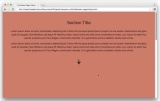
$('nav').on('click', function() {
  if ( $(this).hasClass('down') ) {
    var movePos = $(window).scrollTop() + $(window).height();
  }
  if ( $(this).hasClass('up') ) {
    var movePos = $(window).scrollTop() - $(window).height();
  }
  $('html, body').animate({
    scrollTop: movePos
  }, 1000);
})
Pictures in the area
img {
      width: auto; /* 图片宽度根据高度按比例调整*/
      max-width: 100%; /* 图片不超过父元素的宽度 */
      max-height: 90vh; /* 图片不超过视口的高度 */
      margin: 2rem auto;
    }

Browser support
Because these units are relatively new, there are still some issues when used in some browsers. Here is how to solve these problems -
Analysis of weight, cascading and importance (!important) in CSS
Utilization CSS3 realizes the flashing effect of text looping to the right
How to implement a custom "W" shaped running trajectory in CSS3
The above is the detailed content of About the use of window units and percentage units in CSS. For more information, please follow other related articles on the PHP Chinese website!

 Draggin' and Droppin' in ReactApr 17, 2025 am 11:52 AM
The React ecosystem offers us a lot of libraries that all are focused on the interaction of drag and drop. We have react-dnd, react-beautiful-dnd,
 Fast SoftwareApr 17, 2025 am 11:49 AM
There have been some wonderfully interconnected things about fast software lately.
 Nested Gradients with background-clipApr 17, 2025 am 11:47 AM
I can't say I use background-clip all that often. I'd wager it's hardly ever used in day-to-day CSS work. But I was reminded of it in a post by Stefan Judis,
 Using requestAnimationFrame with React HooksApr 17, 2025 am 11:46 AM
Animating with requestAnimationFrame should be easy, but if you haven’t read React’s documentation thoroughly then you will probably run into a few things
 Need to scroll to the top of the page?Apr 17, 2025 am 11:45 AM
Perhaps the easiest way to offer that to the user is a link that targets an ID on the element. So like...
 The Best (GraphQL) API is One You WriteApr 17, 2025 am 11:36 AM
Listen, I am no GraphQL expert but I do enjoy working with it. The way it exposes data to me as a front-end developer is pretty cool. It's like a menu of
 Weekly Platform News: Text Spacing Bookmarklet, Top-Level Await, New AMP Loading IndicatorApr 17, 2025 am 11:26 AM
In this week's roundup, a handy bookmarklet for inspecting typography, using await to tinker with how JavaScript modules import one another, plus Facebook's
 Various Methods for Expanding a Box While Preserving the Border RadiusApr 17, 2025 am 11:19 AM
I've recently noticed an interesting change on CodePen: on hovering the pens on the homepage, there's a rectangle with rounded corners expanding in the back.


Hot AI Tools

Undresser.AI Undress
AI-powered app for creating realistic nude photos

AI Clothes Remover
Online AI tool for removing clothes from photos.

Undress AI Tool
Undress images for free

Clothoff.io
AI clothes remover

AI Hentai Generator
Generate AI Hentai for free.

Hot Article
Hot Tools

Atom editor mac version download
The most popular open source editor

SecLists
SecLists is the ultimate security tester's companion. It is a collection of various types of lists that are frequently used during security assessments, all in one place. SecLists helps make security testing more efficient and productive by conveniently providing all the lists a security tester might need. List types include usernames, passwords, URLs, fuzzing payloads, sensitive data patterns, web shells, and more. The tester can simply pull this repository onto a new test machine and he will have access to every type of list he needs.

PhpStorm Mac version
The latest (2018.2.1) professional PHP integrated development tool

SAP NetWeaver Server Adapter for Eclipse
Integrate Eclipse with SAP NetWeaver application server.

Dreamweaver CS6
Visual web development tools

