



This time I will bring you the H5 canvas to implement the Snake game, and the H5 canvas to implement the Snake game. Notes What are the following, the following is a practical case, let’s take a look.
This article introduces the H5 canvas implementation of the Snake game and shares it with everyone. The details are as follows:
The implementation effect is as follows
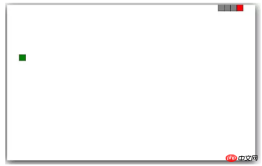
Implementation ideas:
ps: This is just an idea, please refer to the code comments for details
First, first Draw a snake
# Define the structure of the snake and use an array to save a bunch of rectangles, including the snake head (red) and the snake body (gray).
Drawing a snake (initial state)
2. The snake can move (key points)
Snake movement method: only the snake head is moving from beginning to end
Draw a gray square, the position overlaps with the snake head
Insert this block into the array at a position behind the snake head arrar.splice(0,1,rect)
Cut off the last block array.pop()
Move the snake head one space to the set direction
-
Requires a variable to save the direction (direction)
Move according to the direction, move one frame at a time
Change the direction according to the keys
Three , Randomly put food
Need random food location
Need to determine whether the food is on the snake.
##4. Eat food
- Determine whether the food overlaps with the snake head
- Add an element to the array (removing one element means adding one element)
- Generate new food
5. gameover
- Judgment of hitting the wall
- Pretend to make your own judgment
nbsp;html>
<meta>
<title>Document</title>
<style>
#canvas{
box-shadow: 0 5px 40px black;
}
</style>
<canvas></canvas>
<script>
var canvas = document.getElementById('canvas');
var context = canvas.getContext('2d');
//构造对象方块
function Rect (x,y,w,h,color) {
this.x = x;
this.y = y;
this.w = w;
this.h = h;
this.color = color;
}
//画方块的方法
Rect.prototype.draw = function () {
context.beginPath();
context.fillStyle = this.color;
context.rect(this.x,this.y,this.w,this.h);
context.fill();
context.stroke();
}
//构造对象蛇
function Snake () {
//定义一个空数组存放组成整蛇的方块对象
var snakeArray = [];
//画出4个方块,设置成灰色
for (var i = 0; i < 4; i++) {
var rect = new Rect(i*20,0,20,20,"gray");
//之所以用splice(往前加)而不是用push(往后加),是为了让蛇头出现在数组第一个位置
snakeArray.splice(0,0,rect);
}
//把数组第一个作为蛇头,蛇头设成红色
var head = snakeArray[0];
head.color = "red";
//此处将两个后面常用的东西定为属性,方便后面调用
this.head = snakeArray[0]; //蛇头
this.snakeArray = snakeArray; //整蛇数组
//给定初始位置向右(同keyCode右箭头)
this.direction = 39;
}
//画蛇的方法
Snake.prototype.draw = function () {
for (var i = 0; i < this.snakeArray.length; i++) {
this.snakeArray[i].draw();
}
}
//蛇移动的方法
Snake.prototype.move = function () {
//此处是核心部分,蛇的 移动方式
//1、画一个灰色的方块,位置与蛇头重叠
//2、将这个方块插到数组中蛇头后面一个的位置
//3、砍去末尾的方块
//4、将蛇头向设定方向移动一格
var rect = new Rect(this.head.x,this.head.y,this.head.w,this.head.h,"gray");
this.snakeArray.splice(1,0,rect);
//判断是否吃到食物,isEat判定函数写在最后了
//吃到则食物重新给位置,不砍去最后一节,即蛇变长
//没吃到则末尾砍掉一节,即蛇长度不变
if (isEat()){
food = new getRandomFood();
}else{
this.snakeArray.pop();
}
//设置蛇头的运动方向,37 左,38 上,39 右,40 下
switch (this.direction) {
case 37:
this.head.x -= this.head.w
break;
case 38:
this.head.y -= this.head.h
break;
case 39:
this.head.x += this.head.w
break;
case 40:
this.head.y += this.head.h
break;
default:
break;
}
// gameover判定
// 撞墙
if (this.head.x > canvas.width || this.head.x < 0 || this.head.y > canvas.height || this.head.y < 0){
clearInterval(timer);
}
// 撞自己,循环从1开始,避开蛇头与蛇头比较的情况
for (var i = 1; i < this.snakeArray.length; i++) {
if (this.snakeArray[i].x == this.head.x && this.snakeArray[i].y == this.head.y){
clearInterval(timer);
}
}
}
//画出初始的蛇
var snake = new Snake()
snake.draw();
//画出初始的食物
var food = new getRandomFood()
//定时器
var timer = setInterval(function () {
context.clearRect(0,0,canvas.width,canvas.height);
food.draw();
snake.move();
snake.draw();
}, 100)
//键盘事件,其中的if判定是为了让蛇不能直接掉头
document.onkeydown = function (e) {
var ev = e||window.event;
switch(ev.keyCode){
case 37:{
if (snake.direction !== 39){
snake.direction = 37;
}
break;
}
case 38:{
if (snake.direction !== 40){
snake.direction = 38;
}
break;
}
case 39:{
if (snake.direction !== 37){
snake.direction = 39;
}
break;
}
case 40:{
if (snake.direction !== 38){
snake.direction = 40;
}
break;
}
}
ev.preventDefault();
}
//随机函数,获得[min,max]范围的值
function getNumberInRange (min,max) {
var range = max-min;
var r = Math.random();
return Math.round(r*range+min)
}
//构建食物对象
function getRandomFood () {
//判定食物是否出现在蛇身上,如果是重合,则重新生成一遍
var isOnSnake = true;
//设置食物出现的随机位置
while(isOnSnake){
//执行后先将判定条件设置为false,如果判定不重合,则不会再执行下列语句
isOnSnake = false;
var indexX = getNumberInRange(0,canvas.width/20-1);
var indexY = getNumberInRange(0,canvas.height/20-1);
var rect = new Rect(indexX*20, indexY*20, 20, 20, "green");
for (var i = 0; i < snake.snakeArray.length; i++) {
if(snake.snakeArray[i].x == rect.x && snake.snakeArray[i].y == rect.y){
//如果判定重合,将其设置为true,使随机数重给
isOnSnake = true;
break;
}
}
}
//返回rect,使得实例化对象food有draw的方法
return rect;
}
//判定吃到食物,即蛇头坐标与食物坐标重合
function isEat () {
if (snake.head.x == food.x && snake.head.y == food.y){
return true;
} else {
return false;
}
}
</script>
H5 drag-and-drop API for drag-and-drop sorting
What are the newly added tags in html5
The above is the detailed content of H5 canvas implements the Snake game. For more information, please follow other related articles on the PHP Chinese website!

 Understanding H5 Code: The Fundamentals of HTML5Apr 17, 2025 am 12:08 AM
HTML5 is a key technology for building modern web pages, providing many new elements and features. 1. HTML5 introduces semantic elements such as, , etc., which enhances web page structure and SEO. 2. Support multimedia elements and embed media without plug-ins. 3. Forms enhance new input types and verification properties, simplifying the verification process. 4. Offer offline and local storage functions to improve web page performance and user experience.
 H5 Code: Best Practices for Web DevelopersApr 16, 2025 am 12:14 AM
Best practices for H5 code include: 1. Use correct DOCTYPE declarations and character encoding; 2. Use semantic tags; 3. Reduce HTTP requests; 4. Use asynchronous loading; 5. Optimize images. These practices can improve the efficiency, maintainability and user experience of web pages.
 H5: The Evolution of Web Standards and TechnologiesApr 15, 2025 am 12:12 AM
Web standards and technologies have evolved from HTML4, CSS2 and simple JavaScript to date and have undergone significant developments. 1) HTML5 introduces APIs such as Canvas and WebStorage, which enhances the complexity and interactivity of web applications. 2) CSS3 adds animation and transition functions to make the page more effective. 3) JavaScript improves development efficiency and code readability through modern syntax of Node.js and ES6, such as arrow functions and classes. These changes have promoted the development of performance optimization and best practices of web applications.
 Is H5 a Shorthand for HTML5? Exploring the DetailsApr 14, 2025 am 12:05 AM
H5 is not just the abbreviation of HTML5, it represents a wider modern web development technology ecosystem: 1. H5 includes HTML5, CSS3, JavaScript and related APIs and technologies; 2. It provides a richer, interactive and smooth user experience, and can run seamlessly on multiple devices; 3. Using the H5 technology stack, you can create responsive web pages and complex interactive functions.
 H5 and HTML5: Commonly Used Terms in Web DevelopmentApr 13, 2025 am 12:01 AM
H5 and HTML5 refer to the same thing, namely HTML5. HTML5 is the fifth version of HTML, bringing new features such as semantic tags, multimedia support, canvas and graphics, offline storage and local storage, improving the expressiveness and interactivity of web pages.
 What Does H5 Refer To? Exploring the ContextApr 12, 2025 am 12:03 AM
H5referstoHTML5,apivotaltechnologyinwebdevelopment.1)HTML5introducesnewelementsandAPIsforrich,dynamicwebapplications.2)Itsupportsmultimediawithoutplugins,enhancinguserexperienceacrossdevices.3)SemanticelementsimprovecontentstructureandSEO.4)H5'srespo
 H5: Tools, Frameworks, and Best PracticesApr 11, 2025 am 12:11 AM
The tools and frameworks that need to be mastered in H5 development include Vue.js, React and Webpack. 1.Vue.js is suitable for building user interfaces and supports component development. 2.React optimizes page rendering through virtual DOM, suitable for complex applications. 3.Webpack is used for module packaging and optimize resource loading.
 The Legacy of HTML5: Understanding H5 in the PresentApr 10, 2025 am 09:28 AM
HTML5hassignificantlytransformedwebdevelopmentbyintroducingsemanticelements,enhancingmultimediasupport,andimprovingperformance.1)ItmadewebsitesmoreaccessibleandSEO-friendlywithsemanticelementslike,,and.2)HTML5introducednativeandtags,eliminatingthenee


Hot AI Tools

Undresser.AI Undress
AI-powered app for creating realistic nude photos

AI Clothes Remover
Online AI tool for removing clothes from photos.

Undress AI Tool
Undress images for free

Clothoff.io
AI clothes remover

AI Hentai Generator
Generate AI Hentai for free.

Hot Article
Hot Tools

EditPlus Chinese cracked version
Small size, syntax highlighting, does not support code prompt function

WebStorm Mac version
Useful JavaScript development tools

Safe Exam Browser
Safe Exam Browser is a secure browser environment for taking online exams securely. This software turns any computer into a secure workstation. It controls access to any utility and prevents students from using unauthorized resources.

SublimeText3 English version
Recommended: Win version, supports code prompts!

Zend Studio 13.0.1
Powerful PHP integrated development environment

