


Code sharing for developing Nodejs programs with vs code

This article mainly introduces how to use vs code to develop Nodejs programs. The editor thinks it is quite good. Now I will share it with you and give you a reference. Let’s follow the editor to take a look, I hope it can help everyone.
Recently I have been studying nodejs again and struggled to choose a lightweight editor. Since I have been engaged in .net development, although Microsoft has launched a plug-in for Visual Studio to develop node js, and uses Not bad, but I always feel that this editor is too big (one installation is several G)! webstore is currently one of the most popular IDEs for Nodejs development. The reason for its popularity is, of course, the integrated development environment of Nodejs IDE, which integrates project creation, editing, and debugging, simple configuration, and powerful intelligent prompts. As I said before, I have been doing .net development. It just so happened that Microsoft launched vs code in 2016, a lightweight text editor that can write programs in various languages and debug them. In order to become familiar with this editor, it will be convenient for subsequent work. development, so this time I chose vs code as the editor for this development (although VScode looks more like powerful file editors such as Uedit and Noteplus, it also provides scalable and powerful prompt functions (especially file js reference prompt), and the built-in Nodejs debugging function, making it different from ordinary editing tools)! Of course, it is also related to Microsoft’s future strategy!
The premise of this article is that you have installed vs code. Editor and nodejs environment, if they are not installed, please download and install them yourself!
1. Use Express to create a project [Both steps are executed in dos mode]
1, install global Express! (Please ignore if already installed)
npm install -g express
2, Create project
Create project (create folder name ExpressApp)
express ExpressApp
Interlude: If you are used to the Linux environment, you can install cmder on your computer (if you don’t know what it is, please Baidu). This command line tool has beautiful layout. It's so boring like Microsoft's DOS! I use the Mini version. If you want to experience all the functions under Linux, you can download the full version.
3, download the third-party package
(1)cmd command line to switch to the project directory
cd d:\nodejs\ExpressApp
(2) Edit package.json as needed and run the following instructions to install the third-party package
npm install
The installed third-party package can be seen in node_modules in the project directory
ExpressApp
|– node_modules
(3) Run the project
npm start
The output is as follows:
ExpressApp@0.0.0 start d:\Nodejs_Workspace\ExpressApp
node ./bin/www
Note: The npm start command will automatically execute node ./bin/www
in the browser Enter http://localhost:3000 to access the Express welcome page
2. Use VSCode to develop Nodejs
1. Open Nodejs with VSCode
code d:\nodejs\ExpressApp
code.
Note: Create ExpressApp.bat under the current project and enter "code .". Next time, use this file to open the Nodejs project directly with VSCode
2 , Add smart prompts
Open the Nodejs project with VSCode. There is no smart prompt by default.
(1) Use TypeScript Definition Manager (TSD) to download the required tsd file in the project, and there will be intelligence when opening it in VSCode
Install tsd globally (if it is already installed, ignore it)
npm install -g tsd
Download the required component prompts (take the prompts for downloading node, express, requirejs as an example)
tsd query node --action install
tsd query express --action install
tsd install require
Note:
①Multiple prompt components can be separated by spaces after the query parameter, abbreviated as tsd query node express –action install
②The component will add the typings folder to the project directory
|– typings
|– node
|– express
|– require
(2) Add smart prompts for js file references
If the file references another file common.js, add the following to the file header
{
  // See https://go.microsoft.com/fwlink/?LinkId=759670
  // for the documentation about the jsconfig.json format
  "compilerOptions": {
    "target": "es6",
    "module": "commonjs",
    "allowSyntheticDefaultImports": true
  },
  "exclude": [
    "node_modules",
    "bower_components",
    "jspm_packages",
    "tmp",
    "temp"
  ]
}
(Tips, if you introduce rquire, then you A "light bulb" prompt will be displayed in the lower right corner of the editor. You just need to click the light bulb and you don't have to write this configuration file yourself.)
This configuration means that the code obeys ES5 standards and uses commonjs specifications. Send VScode With this configuration, you can realize smart prompts for require reference js files in files. (There will be smart prompts when I test without this configuration, I don’t know the reason)
3. Debugging
1. Create VSCode scheduling configuration file
When you click the debug panel and click the Run (F5) button, a drop-down box will appear on the right, select "Node.js"
Then the launch.json file will be created in the project directory
ExpressAppp
|–.vscode
|– launch.json
You can edit launch.json as needed and modify the startup configuration items
2. Create a break Point:
Create breakpoints as needed: On the left side of the js file editing area, breakpoints will be added/removed
3, Scheduling
Click Run on the debugging panel or press the shortcut key F5, and press F10 for single-step debugging!
In fact, these are included in Microsoft's official documents. Some small details or steps will be ignored by developers, which will have a certain impact on later development, so please strictly follow the configuration requirements!
Related recommendations:
Use vs code to write php and debug
The above is the detailed content of Code sharing for developing Nodejs programs with vs code. For more information, please follow other related articles on the PHP Chinese website!

 From C/C to JavaScript: How It All WorksApr 14, 2025 am 12:05 AM
The shift from C/C to JavaScript requires adapting to dynamic typing, garbage collection and asynchronous programming. 1) C/C is a statically typed language that requires manual memory management, while JavaScript is dynamically typed and garbage collection is automatically processed. 2) C/C needs to be compiled into machine code, while JavaScript is an interpreted language. 3) JavaScript introduces concepts such as closures, prototype chains and Promise, which enhances flexibility and asynchronous programming capabilities.
 JavaScript Engines: Comparing ImplementationsApr 13, 2025 am 12:05 AM
Different JavaScript engines have different effects when parsing and executing JavaScript code, because the implementation principles and optimization strategies of each engine differ. 1. Lexical analysis: convert source code into lexical unit. 2. Grammar analysis: Generate an abstract syntax tree. 3. Optimization and compilation: Generate machine code through the JIT compiler. 4. Execute: Run the machine code. V8 engine optimizes through instant compilation and hidden class, SpiderMonkey uses a type inference system, resulting in different performance performance on the same code.
 Beyond the Browser: JavaScript in the Real WorldApr 12, 2025 am 12:06 AM
JavaScript's applications in the real world include server-side programming, mobile application development and Internet of Things control: 1. Server-side programming is realized through Node.js, suitable for high concurrent request processing. 2. Mobile application development is carried out through ReactNative and supports cross-platform deployment. 3. Used for IoT device control through Johnny-Five library, suitable for hardware interaction.
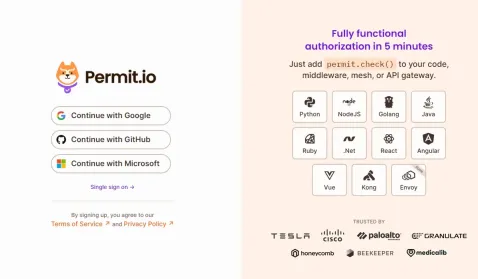 Building a Multi-Tenant SaaS Application with Next.js (Backend Integration)Apr 11, 2025 am 08:23 AM
I built a functional multi-tenant SaaS application (an EdTech app) with your everyday tech tool and you can do the same. First, what’s a multi-tenant SaaS application? Multi-tenant SaaS applications let you serve multiple customers from a sing
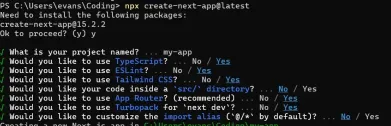 How to Build a Multi-Tenant SaaS Application with Next.js (Frontend Integration)Apr 11, 2025 am 08:22 AM
This article demonstrates frontend integration with a backend secured by Permit, building a functional EdTech SaaS application using Next.js. The frontend fetches user permissions to control UI visibility and ensures API requests adhere to role-base
 JavaScript: Exploring the Versatility of a Web LanguageApr 11, 2025 am 12:01 AM
JavaScript is the core language of modern web development and is widely used for its diversity and flexibility. 1) Front-end development: build dynamic web pages and single-page applications through DOM operations and modern frameworks (such as React, Vue.js, Angular). 2) Server-side development: Node.js uses a non-blocking I/O model to handle high concurrency and real-time applications. 3) Mobile and desktop application development: cross-platform development is realized through ReactNative and Electron to improve development efficiency.
 The Evolution of JavaScript: Current Trends and Future ProspectsApr 10, 2025 am 09:33 AM
The latest trends in JavaScript include the rise of TypeScript, the popularity of modern frameworks and libraries, and the application of WebAssembly. Future prospects cover more powerful type systems, the development of server-side JavaScript, the expansion of artificial intelligence and machine learning, and the potential of IoT and edge computing.
 Demystifying JavaScript: What It Does and Why It MattersApr 09, 2025 am 12:07 AM
JavaScript is the cornerstone of modern web development, and its main functions include event-driven programming, dynamic content generation and asynchronous programming. 1) Event-driven programming allows web pages to change dynamically according to user operations. 2) Dynamic content generation allows page content to be adjusted according to conditions. 3) Asynchronous programming ensures that the user interface is not blocked. JavaScript is widely used in web interaction, single-page application and server-side development, greatly improving the flexibility of user experience and cross-platform development.


Hot AI Tools

Undresser.AI Undress
AI-powered app for creating realistic nude photos

AI Clothes Remover
Online AI tool for removing clothes from photos.

Undress AI Tool
Undress images for free

Clothoff.io
AI clothes remover

AI Hentai Generator
Generate AI Hentai for free.

Hot Article
Hot Tools

ZendStudio 13.5.1 Mac
Powerful PHP integrated development environment

SublimeText3 Mac version
God-level code editing software (SublimeText3)

Notepad++7.3.1
Easy-to-use and free code editor

SublimeText3 Linux new version
SublimeText3 Linux latest version

MantisBT
Mantis is an easy-to-deploy web-based defect tracking tool designed to aid in product defect tracking. It requires PHP, MySQL and a web server. Check out our demo and hosting services.

