


 Web Front-endH5 TutorialDetailed explanation of the progress element of the progress bar in HTML5 and sample code for compatibility processing
HTML5You can use the progress tag to add progress bar directly to the page. This is quite exciting, but the default display effect will be different under each browser. Here we will do it Take a look at the progress bar progress element in HTML5Introductionand compatibility handling
1. Basic understanding of progress element
1. Basic UI
progress element Belongs to the HTML5 family and refers to the progress bar. Supported by IE10+ and other reliable browsers. The following is a simple code:
<progress>o(︶︿︶)o</progress>
is a very impressive progress bar. Some people are wondering: "Oh~ why do I see a character emoticon?" Well... I can only say to you: "I despise you, you are so reluctant to use a more reliable browser?!"
This default The effect is different under different browsers, as shown in the screenshots below (under window 7): 
The slow-motion convergence effect of IE10 particles is quite eye-catching. of.
2. Basic attributes
max, value, position, and labels.
(1) max refers to the maximum value . If it is defaulted, the progress value range is from 0.0~1.0. If set to max=100, the progress value range is from 0~100.
(2) value is the value. If max=100, value=50, the progress is just right. half. The presence or absence of the value attribute determines whether the progress progress bar is deterministic. What's the meaning? For example, has no value and is uncertain, so under the IE10 browser it looks like an infinite loop of dot animation; however, once there is a value attribute (even if it has no value), such as , is also considered to be confirmed, and the virtual point animation enters the fairy mode——>The bars change, as shown in the screenshot below: 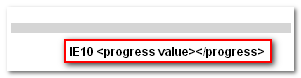
(3) position It is a read-only attribute. As the name implies, the current progress position is the value of value / max. If the progress bar is uncertain, the value is -1.
(4) labels is also a read-only attribute, and what is obtained is the label elements pointing to the progress element. For example, document.querySelector("progress").labels returns an HTMLCollection, and the following is a screenshot of one of my tests (taken from the Opera browser, currently FireFox18.0.2 and IE10 do not seem to support it).
2. Progress element compatibility processing example
html code
<progress max="100" value="20"><ie style="width:20%;"></ie></progress>
css compatibility code
progress {
    display: inline-block;
    width: 160px;
    height: 20px;
    border: 1px solid #0064B4;
    background-color:#e6e6e6;
    color: #0064B4; /*IE10*/
}
/*ie6-ie9*/
progress ie {
    display:block;
    height: 100%;
    background: #0064B4;
}
progress::-moz-progress-bar { background: #0064B4; }
progress::-webkit-progress-bar { background: #e6e6e6; }
progress::-webkit-progress-value  { background: #0064B4; }
Basically perfectly solves the problem of each browser device differences.
The above is the detailed content of Detailed explanation of the progress element of the progress bar in HTML5 and sample code for compatibility processing. For more information, please follow other related articles on the PHP Chinese website!

 Deconstructing H5 Code: Tags, Elements, and AttributesApr 18, 2025 am 12:06 AM
HTML5 code consists of tags, elements and attributes: 1. The tag defines the content type and is surrounded by angle brackets, such as. 2. Elements are composed of start tags, contents and end tags, such as contents. 3. Attributes define key-value pairs in the start tag, enhance functions, such as. These are the basic units for building web structure.
 Understanding H5 Code: The Fundamentals of HTML5Apr 17, 2025 am 12:08 AM
HTML5 is a key technology for building modern web pages, providing many new elements and features. 1. HTML5 introduces semantic elements such as, , etc., which enhances web page structure and SEO. 2. Support multimedia elements and embed media without plug-ins. 3. Forms enhance new input types and verification properties, simplifying the verification process. 4. Offer offline and local storage functions to improve web page performance and user experience.
 H5 Code: Best Practices for Web DevelopersApr 16, 2025 am 12:14 AM
Best practices for H5 code include: 1. Use correct DOCTYPE declarations and character encoding; 2. Use semantic tags; 3. Reduce HTTP requests; 4. Use asynchronous loading; 5. Optimize images. These practices can improve the efficiency, maintainability and user experience of web pages.
 H5: The Evolution of Web Standards and TechnologiesApr 15, 2025 am 12:12 AM
Web standards and technologies have evolved from HTML4, CSS2 and simple JavaScript to date and have undergone significant developments. 1) HTML5 introduces APIs such as Canvas and WebStorage, which enhances the complexity and interactivity of web applications. 2) CSS3 adds animation and transition functions to make the page more effective. 3) JavaScript improves development efficiency and code readability through modern syntax of Node.js and ES6, such as arrow functions and classes. These changes have promoted the development of performance optimization and best practices of web applications.
 Is H5 a Shorthand for HTML5? Exploring the DetailsApr 14, 2025 am 12:05 AM
H5 is not just the abbreviation of HTML5, it represents a wider modern web development technology ecosystem: 1. H5 includes HTML5, CSS3, JavaScript and related APIs and technologies; 2. It provides a richer, interactive and smooth user experience, and can run seamlessly on multiple devices; 3. Using the H5 technology stack, you can create responsive web pages and complex interactive functions.
 H5 and HTML5: Commonly Used Terms in Web DevelopmentApr 13, 2025 am 12:01 AM
H5 and HTML5 refer to the same thing, namely HTML5. HTML5 is the fifth version of HTML, bringing new features such as semantic tags, multimedia support, canvas and graphics, offline storage and local storage, improving the expressiveness and interactivity of web pages.
 What Does H5 Refer To? Exploring the ContextApr 12, 2025 am 12:03 AM
H5referstoHTML5,apivotaltechnologyinwebdevelopment.1)HTML5introducesnewelementsandAPIsforrich,dynamicwebapplications.2)Itsupportsmultimediawithoutplugins,enhancinguserexperienceacrossdevices.3)SemanticelementsimprovecontentstructureandSEO.4)H5'srespo
 H5: Tools, Frameworks, and Best PracticesApr 11, 2025 am 12:11 AM
The tools and frameworks that need to be mastered in H5 development include Vue.js, React and Webpack. 1.Vue.js is suitable for building user interfaces and supports component development. 2.React optimizes page rendering through virtual DOM, suitable for complex applications. 3.Webpack is used for module packaging and optimize resource loading.


Hot AI Tools

Undresser.AI Undress
AI-powered app for creating realistic nude photos

AI Clothes Remover
Online AI tool for removing clothes from photos.

Undress AI Tool
Undress images for free

Clothoff.io
AI clothes remover

AI Hentai Generator
Generate AI Hentai for free.

Hot Article
Hot Tools

WebStorm Mac version
Useful JavaScript development tools

Atom editor mac version download
The most popular open source editor

DVWA
Damn Vulnerable Web App (DVWA) is a PHP/MySQL web application that is very vulnerable. Its main goals are to be an aid for security professionals to test their skills and tools in a legal environment, to help web developers better understand the process of securing web applications, and to help teachers/students teach/learn in a classroom environment Web application security. The goal of DVWA is to practice some of the most common web vulnerabilities through a simple and straightforward interface, with varying degrees of difficulty. Please note that this software

SublimeText3 English version
Recommended: Win version, supports code prompts!

SublimeText3 Mac version
God-level code editing software (SublimeText3)

