


今天在用canvas绘图时,看到有许多相同的代码,就想介绍sublime里面为了加快代码编写,而采用代码片段。
这里只写我了解的。其他需要,请读者自行了解。
打开位置,见下图:
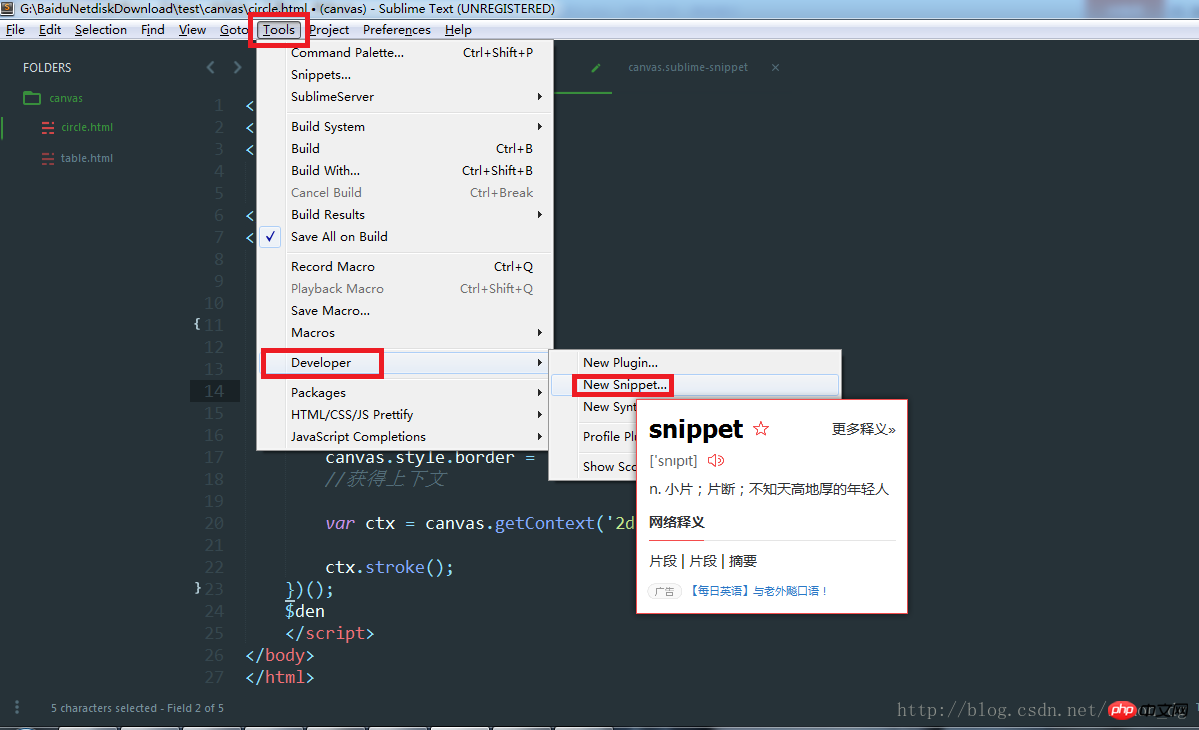
打开页面
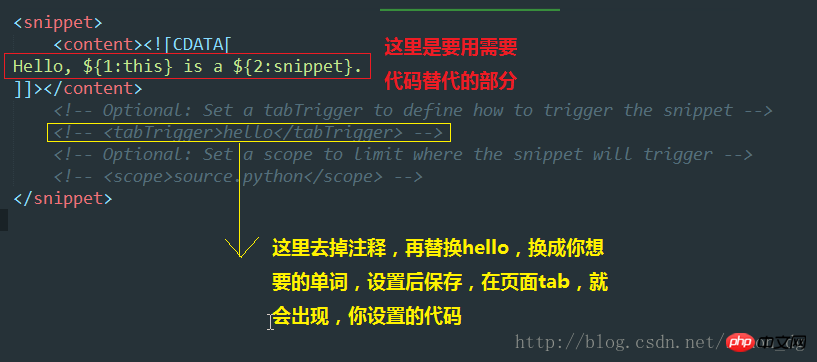
例子
<How to write code blocks with sublime>
<content>
<![CDATA[
<!DOCTYPE html>
<html lang="en">
<head>
<meta charset="UTF-8">
<title>${1}</title>
</head>
<body>
<canvas id="demo">
</canvas>
<script>
(function() {
var canvas = document.getElementById('demo');
canvas.width = ${2:agewg};
canvas.height = ${3};
canvas.style.border = '1px solid #000';
var ctx = canvas.getContext('2d');
${4}
ctx.stroke();
})();
\$(function() {
});
</script>
</body>
</html>
]]>
</content>
<!-- Optional: Set a tabTrigger to define how to trigger the How to write code blocks with sublime -->
<tabTrigger>cans</tabTrigger>
<!-- Optional: Set a scope to limit where the How to write code blocks with sublime will trigger -->
<!-- <scope>source.python</scope> --></How to write code blocks with sublime>下面图片和上面代码块一样的内容,为了说明清楚,加的图片: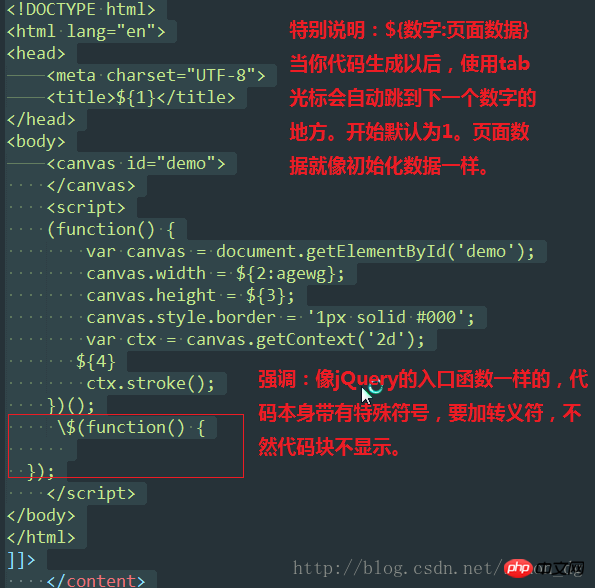
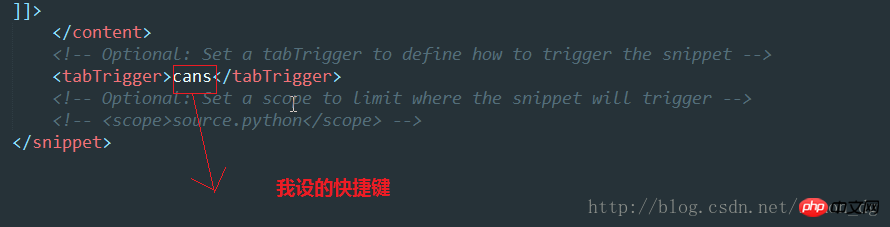
保存 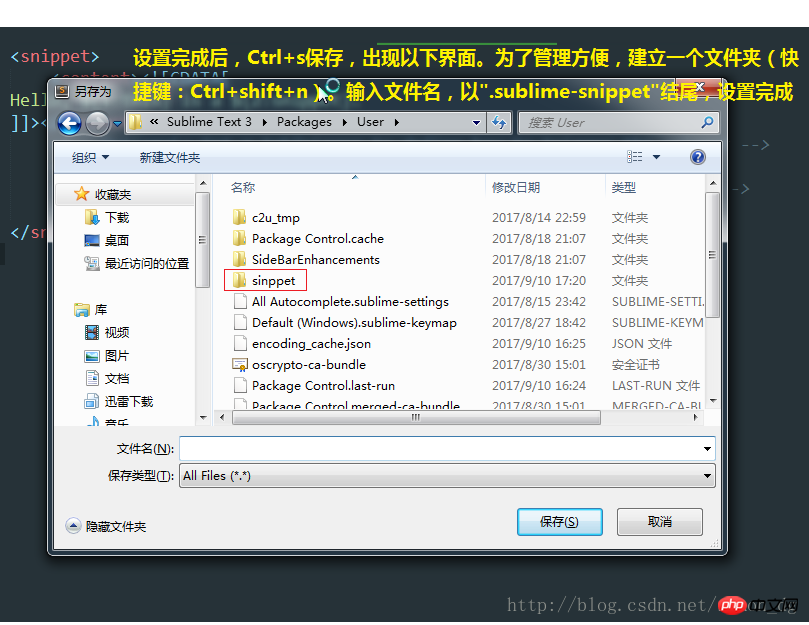
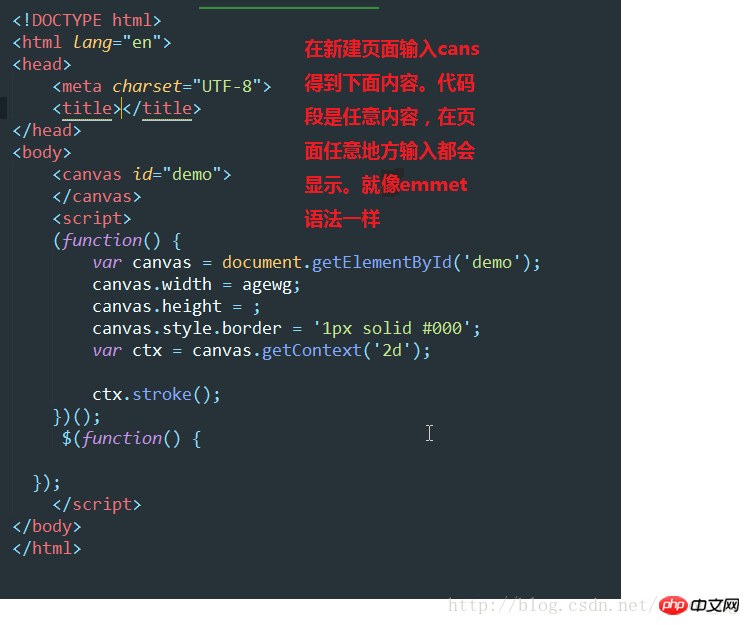
输入快捷键
The above is the detailed content of How to write code blocks with sublime. For more information, please follow other related articles on the PHP Chinese website!




























![[Web front-end] Node.js quick start](https://img.php.cn/upload/course/000/000/067/662b5d34ba7c0227.png)



