


HTML佈局
大多的網頁佈局要配合css來完成;css用於對元素進行定位或為頁面創建背景以及色彩豐富的外觀。由於這裡我們涉及HTML的基礎知識,我們就用現有的知識來進行佈局。
網頁版面可以透過< table>元素,或是< div>元素實現。 先來個簡單的< table>佈局網頁我們在上一章中學習了表格,那麼下面我們就來將一個網頁的一個板塊用沒有邊框的表格來佈局(添加背景顏色和佈置文本內容)
<html>
<body bgcolor="gray">
<table width="1000">
    <tr>
        <td colspan="2" style="background-color: royalblue">
            <h1 align="center">php中文网</h1>
        </td>
    </tr>
    <tr valign="top">
        <td style="background-color: darkorange;width:300px">
          <dl>
              <dt>list of book</dt>
              <dd>
                  <ol>
                      <li>hadoop</li>
                      <li>linux</li>
                      <li>c</li>
                  </ol>
              </dd>
          </dl>
        </td>
        <td style="background-color: forestgreen;height:500px;width:700px;">
            <h1 style="font-size: 20px;text-align: center">the summary of the book</h1>
        i will lead you to travel in the season of linux
        </td>
    </tr>
    <tr>
        <td colspan="2" style="background-color: powderblue;text-align:center;height: 100px">
            good good study day day up</td>
    </tr>
</table>
</body>
</html>
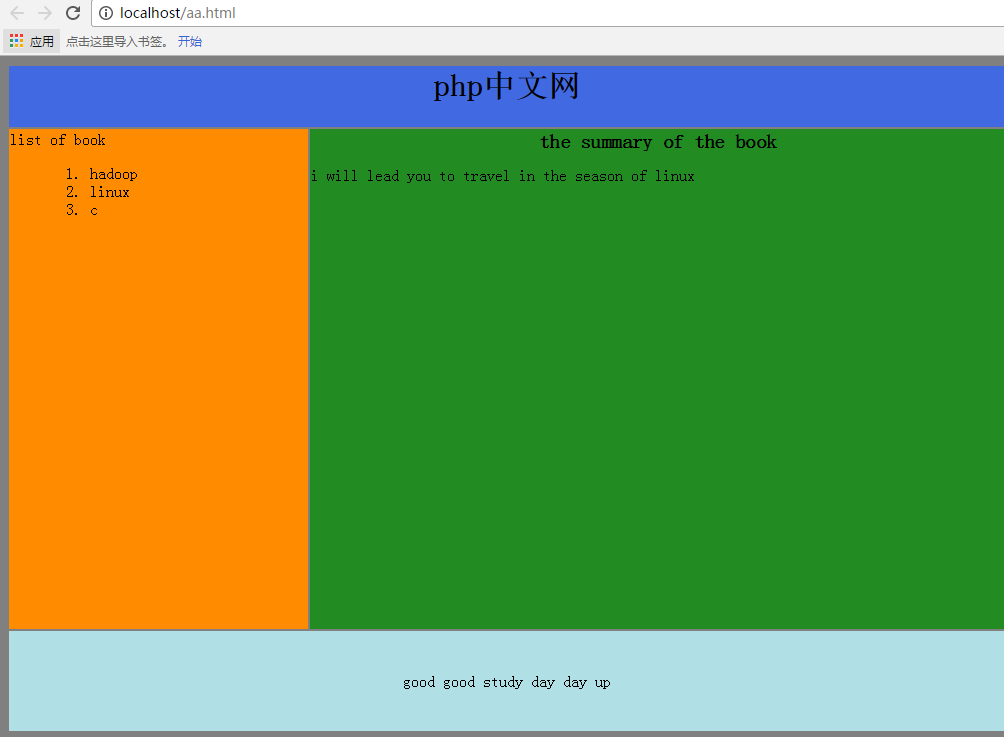
下面我們再使用< div>元素進行佈局(盡量達到上面的頁面效果): 一般的div元素結構就如下圖(思路也是用table的思路) :
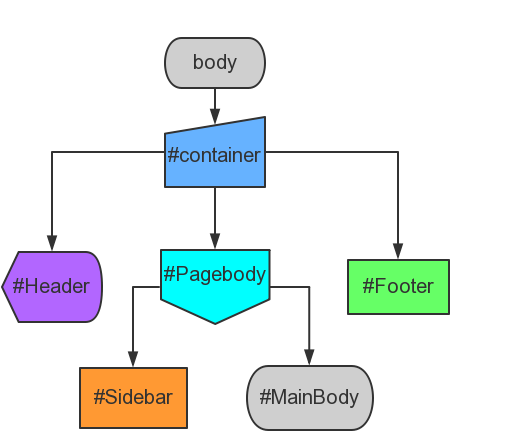
這裡是具體實作內容:
<html>
<head>
    <style>
        div#container{width:1000px}
        div#header {background-color: royalblue ;height: 100px;text-align:center;font-size: 20px}
        div#sidebar{background-color: darkorange;height:400px;width:300px;float:left;}
        div#mainbody {background-color: forestgreen;height:400px;width:700px;float:left;}
        div#footer {background-color: powderblue;height: 100px;clear:both;text-align:center;}
    </style>
</head>
<body>
<div id="container">
    <div id="header">
        <h1>php中文网</h1>
    </div>
    <div id="sidebar">
       <dl>
           <dt>list of book</dt>
            <dd>
                <ol>
                    <li>hadoop</li>
                    <li>linux</li>
                    <li>c</li>
                </ol>
            </dd>
       </dl>
    </div>
    <div id="mainbody">
        <h1>the summary of the book</h1>
        <p>i will lead you to travel in the season of linux</p>
    </div>
    <div id="footer">good good study day day up</div>
</div>
</body>
</html>
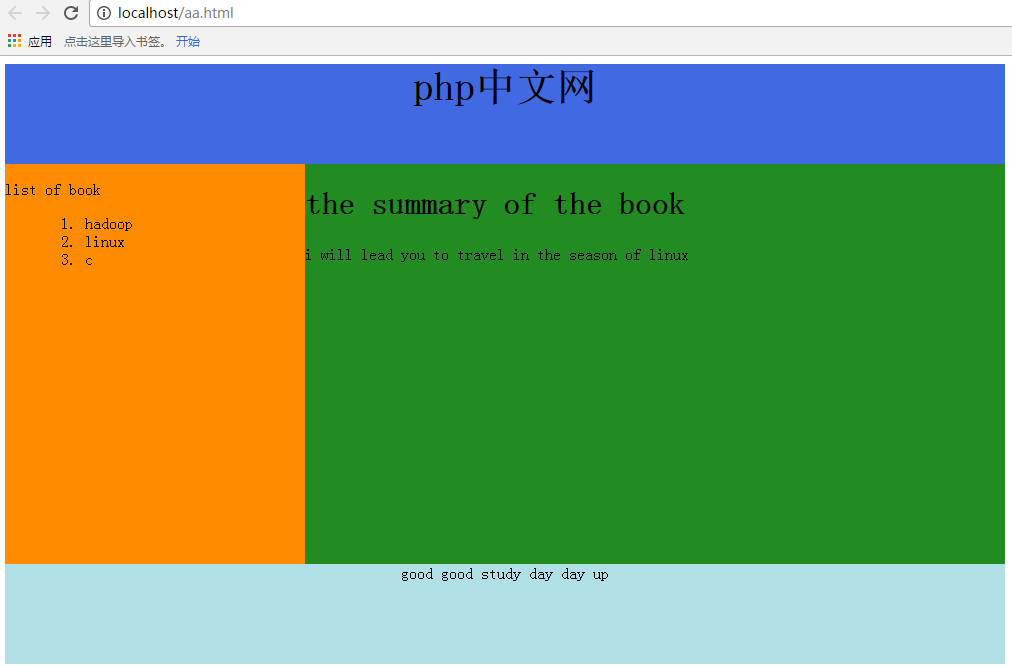
#只要將上面的style裡的div定義和下面的div塊對應就很好理解,這裡的邏輯表達的很清晰,就不再贅述。直接來看看效果截圖吧
新建檔案
<html>
<head>
<style>
div#container{width:1000px}
div#header {background-color: royalblue ;height: 100px;text-align:center;font-size: 20px}
div#sidebar{background-color: darkorange;height:400px;width:300px;float:left;}
div#mainbody {background-color: forestgreen;height:400px;width:700px;float:left;}
div#footer {background-color: powderblue;height: 100px;clear:both;text-align:center;}
</style>
</head>
<body>
<div id="container">
<div id="header">
<h1>php中文网</h1>
</div>
<div id="sidebar">
<dl>
<dt>list of book</dt>
<dd>
<ol>
<li>hadoop</li>
<li>linux</li>
<li>c</li>
</ol>
</dd>
</dl>
</div>
<div id="mainbody">
<h1>the summary of the book</h1>
<p>i will lead you to travel in the season of linux</p>
</div>
<div id="footer">good good study day day up</div>
</div>
</body>
</html>
預覽
Clear
- 課程推薦
- 課件下載














 課件暫不提供下載,工作人員正在整理中,後期請多關注該課程~