


新しい製品カテゴリーを追加
#新しい製品カテゴリ
CateController.class.php コントローラー
<?php
namespace Admin\Controller;
use Think\Controller;
class CateController extends  CommonController
{
    public function index(){

        $this->display();
    }
     public function add(){
        $cate=D('Cate');
        if (IS_POST) {
            if($cate->create()){
                if ($cate->add()) {
                    $this->success('添加商品分类成功',U('Cate/add'));
                }else{
                    $this->error('添加商品分类失败!');
                }
            }else{
                $this->error($cate->getError());
            }
            return;
        }
        $cateres=$cate->select();
        $this->assign('cateres',$cateres);
        $this->display();
    }

}
CommonController は、テンプレート カテゴリに割り当てられたパブリック コントローラー
$cateres=$cate->select();
$this->assign('cateres',$cateres);
を引き続き継承します。 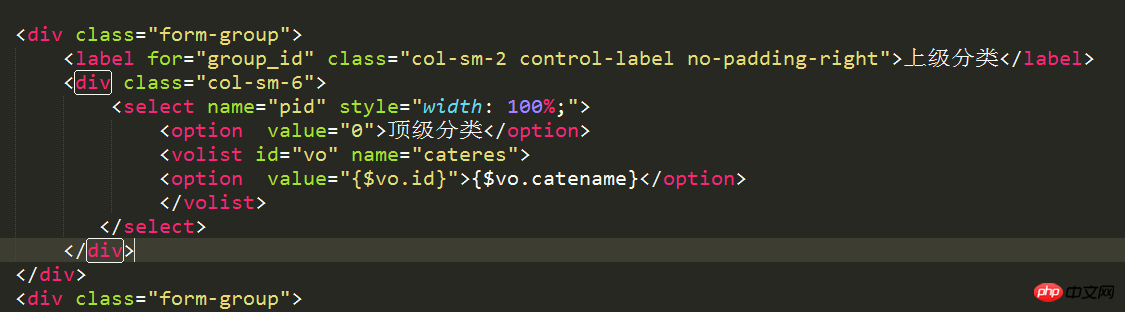
#
<?php
namespace Admin\Model;
use Think\Model;
class CateModel extends Model {
    protected $_validate = array(
      array('catename','require','管理员名称不得为空!',1),
    );

}
分類の試行を追加 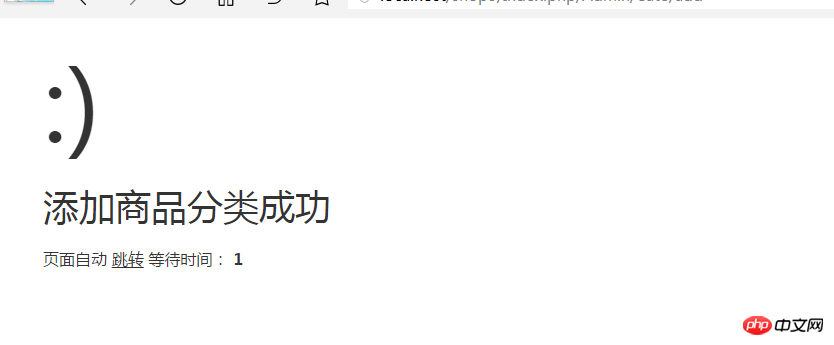
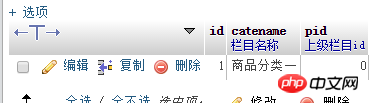
##名前を追加せずに送信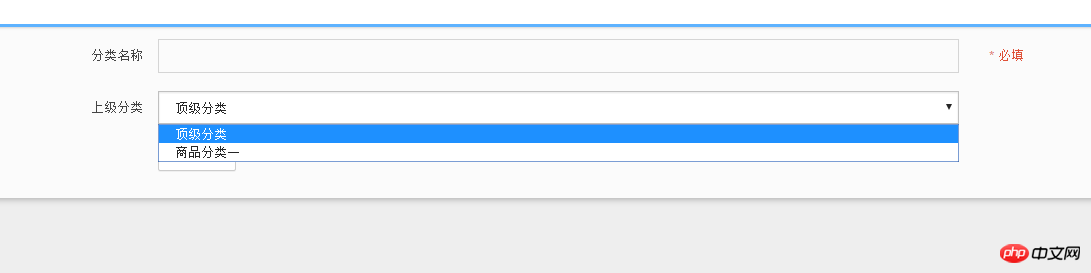
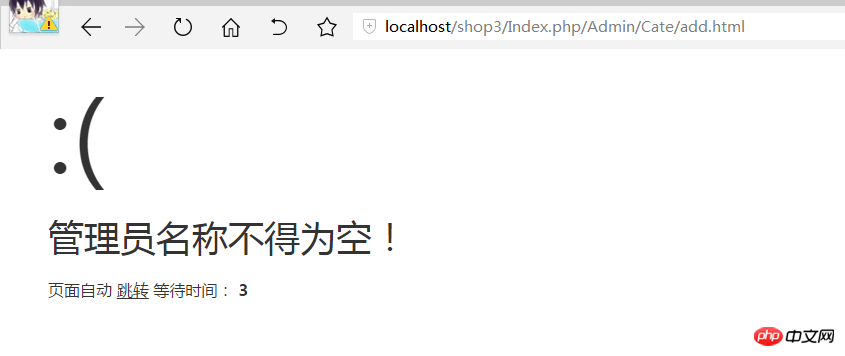 ##検証が有効になります
##
新しいファイル
<!DOCTYPE html>
<html><head>
<meta charset="utf-8">
<title>PHP中文网</title>
<meta name="description" content="Dashboard">
<meta name="viewport" content="width=device-width, initial-scale=1.0">
<meta http-equiv="X-UA-Compatible" content="IE=edge">
<meta http-equiv="Content-Type" content="text/html; charset=UTF-8">
<!--Basic Styles-->
<link href="__PUBLIC__/style/bootstrap.css" rel="stylesheet">
<link href="__PUBLIC__/style/font-awesome.css" rel="stylesheet">
<link href="__PUBLIC__/style/weather-icons.css" rel="stylesheet">
<!--Beyond styles-->
<link id="beyond-link" href="__PUBLIC__/style/beyond.css" rel="stylesheet" type="text/css">
<link href="__PUBLIC__/style/demo.css" rel="stylesheet">
<link href="__PUBLIC__/style/typicons.css" rel="stylesheet">
<link href="__PUBLIC__/style/animate.css" rel="stylesheet">
</head>
<body>
<!-- 头部 -->
<include file="Common/header" />
<!-- /头部 -->
<div class="main-container container-fluid">
<div class="page-container">
<!-- Page Sidebar -->
<include file="Common/left" />
<!-- /Page Sidebar -->
<!-- Page Content -->
<div class="page-content">
<!-- Page Breadcrumb -->
<div class="page-breadcrumbs">
<ul class="breadcrumb">
<li>
<a href="#">系统</a>
</li>
<li>
<a href="#">用户管理</a>
</li>
<li class="active">添加商品分类</li>
</ul>
</div>
<!-- /Page Breadcrumb -->
<!-- Page Body -->
<div class="page-body">
<div class="row">
<div class="col-lg-12 col-sm-12 col-xs-12">
<div class="widget">
<div class="widget-header bordered-bottom bordered-blue">
<span class="widget-caption">新增商品分类</span>
</div>
<div class="widget-body">
<div id="horizontal-form">
<form class="form-horizontal" role="form" action="" method="post">
<div class="form-group">
<label for="username" class="col-sm-2 control-label no-padding-right">分类名称</label>
<div class="col-sm-6">
<input class="form-control" id="catename" name="catename" type="text">
</div>
<p class="help-block col-sm-4 red">* 必填</p>
</div>
<div class="form-group">
<label for="group_id" class="col-sm-2 control-label no-padding-right">上级分类</label>
<div class="col-sm-6">
<select name="pid" style="width: 100%;">
<option value="0">顶级分类</option>
<volist id="vo" name="cateres">
<option value="{$vo.id}">{$vo.catename}</option>
</volist>
</select>
</div>
</div>
<div class="form-group">
<div class="col-sm-offset-2 col-sm-10">
<button type="submit" class="btn btn-default">保存信息</button>
</div>
</div>
</form>
</div>
</div>
</div>
</div>
</div>
</div>
<!-- /Page Body -->
</div>
<!-- /Page Content -->
</div>
</div>
<!--Basic Scripts-->
<script src="__PUBLIC__/style/jquery_002.js"></script>
<script src="__PUBLIC__/style/bootstrap.js"></script>
<script src="__PUBLIC__/style/jquery.js"></script>
<!--Beyond Scripts-->
<script src="__PUBLIC__/style/beyond.js"></script>
</body>
</html>
プレビュー
Clear
- おすすめコース
- コースウェアのダウンロード













 現時点ではコースウェアはダウンロードできません。現在スタッフが整理中です。今後もこのコースにもっと注目してください〜
このコースを視聴した生徒はこちらも学んでいます
