


 Operation and Maintenance
Linux Operation and Maintenance
How to configure a highly secure web interface on a Linux server?
Operation and Maintenance
Linux Operation and Maintenance
How to configure a highly secure web interface on a Linux server?
How to configure a highly secure web interface on a Linux server?

How to configure a highly secure web interface on a Linux server?
In today’s digital age, protecting the security of web interfaces has become even more important. Whether it is a personal website or an enterprise-level application, configuring a highly secure web interface can provide users and organizations with a more secure online experience. This article will focus on how to configure a highly secure web interface on a Linux server.
- Ensuring server security
First of all, we must ensure the security of the server itself. This includes updating operating system and application patches, regularly changing server administrator and root user passwords, disabling logins with weak passwords, restricting access to services, etc.
For example, system packages can be updated with the following command:
sudo apt update
sudo apt upgrade
- Using HTTPS protocol
Using the HTTPS protocol can encrypt the communication between the web interface and the user, providing users with a higher level of security. The HTTPS protocol uses an SSL/TLS certificate to encrypt communication and verify the identity of the server through public and private keys.
First, you need to install an SSL certificate on the server. Commercial SSL certificates can be purchased or generated through a free certificate authority such as Let's Encrypt. Then, configure the certificate and private key to the web server. The following is a sample code using Nginx server:
server {
listen 443 ssl;
server_name example.com;

ssl_certificate /path/to/certificate.crt;
ssl_certificate_key /path/to/private.key;

#其他Nginx配置
...
}
- Configure the firewall
Configure the firewall to be able to filter and Monitor network data flows, block abnormal access and protect servers from malicious attacks. Commonly used firewall software on Linux servers include iptables and ufw.
Before enabling the firewall, make sure to only allow necessary inbound and outbound connections and disable unnecessary services and ports. Then, set up firewall rules to allow HTTP and HTTPS traffic. The following is sample code using ufw:
sudo ufw default deny incoming
sudo ufw default allow outgoing
sudo ufw allow 80/tcp
sudo ufw allow 443/tcp
sudo ufw enable
- Configure access control
Configuring access control can restrict access to the web interface and only allow access to authorized users or IP addresses. This prevents unauthorized users and potential attackers from accessing sensitive data or performing illegal operations.
On the Nginx server, you can use IP address-based access control (for example, using the allow and deny directives). Here is the sample code:
location/{
allow 192.168.0.0/24;
deny all;
}
- Use a secure authentication method
Strong authentication and Authorization mechanisms are key to configuring highly secure web interfaces. Using secure authentication methods, such as token-based access tokens and multi-factor authentication (MFA), can increase trust between users and servers.
For example, in a web application, you can use JSON Web Tokens (JWT) to implement token-based authentication and authorization. The following is sample code using Node.js (Express framework):
const jwt = require('jsonwebtoken');
const secretKey = 'your-secret-key';
// User login
app.post('/login', (req, res) => {
const username = req.body.username;
const password = req.body.password;

// 验证用户身份
if (username === 'admin' && password === 'admin123') {
    const token = jwt.sign({ username: username }, secretKey);
    res.json({ token: token });
} else {
    res.status(401).json({ error: 'Invalid username or password' });
}
});
// Access protected resources
app.get('/protected', verifyToken, (req, res) => {
res.json({ message: 'Protected resource' });});
function verifyToken(req, res, next) {
const token = req.headers['authorization'];

if (!token) {
    res.status(401).json({ error: 'Unauthorized' });
} else {
    jwt.verify(token, secretKey, (err, decoded) => {
        if (err) {
            res.status(401).json({ error: 'Invalid token' });
        } else {
            req.user = decoded.username;
            next();
        }
    });
}
}
By implementing the above security measures, you can configure a highly secure web interface and provide users with a safer online experience. Remember, keeping your servers and applications secure is an ongoing process that requires staying updated and monitored against evolving security threats.
The above is the detailed content of How to configure a highly secure web interface on a Linux server?. For more information, please follow other related articles on the PHP Chinese website!

Hot AI Tools

Undress AI Tool
Undress images for free

AI Clothes Remover
Online AI tool for removing clothes from photos.

Undresser.AI Undress
AI-powered app for creating realistic nude photos

ArtGPT
AI image generator for creative art from text prompts.

Stock Market GPT
AI powered investment research for smarter decisions

Hot Article
Popular tool

Notepad++7.3.1
Easy-to-use and free code editor

SublimeText3 Chinese version
Chinese version, very easy to use

Zend Studio 13.0.1
Powerful PHP integrated development environment

Dreamweaver CS6
Visual web development tools

SublimeText3 Mac version
God-level code editing software (SublimeText3)
Hot Topics
 20516
20516
 7
13630
4
7
13630
4

 What is Binance C2C? What are the risks? Is it safe? Binance C2C Coins Buying and Selling Coins Tutorial
Mar 05, 2025 pm 04:48 PM
What is Binance C2C? What are the risks? Is it safe? Binance C2C Coins Buying and Selling Coins Tutorial
Mar 05, 2025 pm 04:48 PM
Binance C2C Trading Guide: Safe and convenient way to deposit and withdraw money in cryptocurrency. This article will explain the Binance C2C (CustomertoCustomer) trading model in detail, explain its security, characteristics and operation procedures, and provide graphic tutorials to help you easily master the Binance C2C deposit and withdraw money in ease. What is Binance C2C? Binance C2C is a user-to-user cryptocurrency trading service provided by the Binance platform, providing users with convenient cryptocurrency and fiat currency exchange channels. Launched in 2019, the service supports multiple cryptocurrencies and fiat currency transactions through a peer-to-peer trading model, and provides enhanced security and multiple features. Compared with traditional OTC trading, Binance C2C platform authenticates both parties to the transaction and provides complete support.
 How often should you regenerate session IDs?
Apr 23, 2025 am 12:03 AM
How often should you regenerate session IDs?
Apr 23, 2025 am 12:03 AM
The session ID should be regenerated regularly at login, before sensitive operations, and every 30 minutes. 1. Regenerate the session ID when logging in to prevent session fixed attacks. 2. Regenerate before sensitive operations to improve safety. 3. Regular regeneration reduces long-term utilization risks, but the user experience needs to be weighed.
 Why won't Apache start after a configuration change?
Jun 19, 2025 am 12:05 AM
Why won't Apache start after a configuration change?
Jun 19, 2025 am 12:05 AM
Apachenotstartingafteraconfigurationchangeisusuallycausedbysyntaxerrors,misconfigurations,orruntimeissues.(1)First,checktheconfigurationsyntaxusingapachectlconfigtestorhttpd-t,whichwillidentifyanytypos,incorrectpaths,orunclosedblockslikeor.(2)Next,re
 How does PHP handle file system operations, and what are the security considerations?
Jun 19, 2025 am 01:00 AM
How does PHP handle file system operations, and what are the security considerations?
Jun 19, 2025 am 01:00 AM
PHP handles file system operations through built-in functions, but needs to pay attention to security risks. Common functions include fopen(), file_get_contents(), unlink(), etc., which are used to read, write, delete and check files; user input must be verified during operation to prevent path traversal attacks; script access to directories should be restricted through open_basedir; reasonable permissions should be set to avoid sensitive files being read and written; verification of types and renaming when uploading files; performance is recommended to use buffer reading and regular cleaning of temporary files. Following best practices can improve safety and efficiency.
 'Black Myth: Wukong ' gaming notebook configuration recommendations, allowing you to enjoy the ultimate gaming experience!
Aug 27, 2024 pm 03:39 PM
'Black Myth: Wukong ' gaming notebook configuration recommendations, allowing you to enjoy the ultimate gaming experience!
Aug 27, 2024 pm 03:39 PM
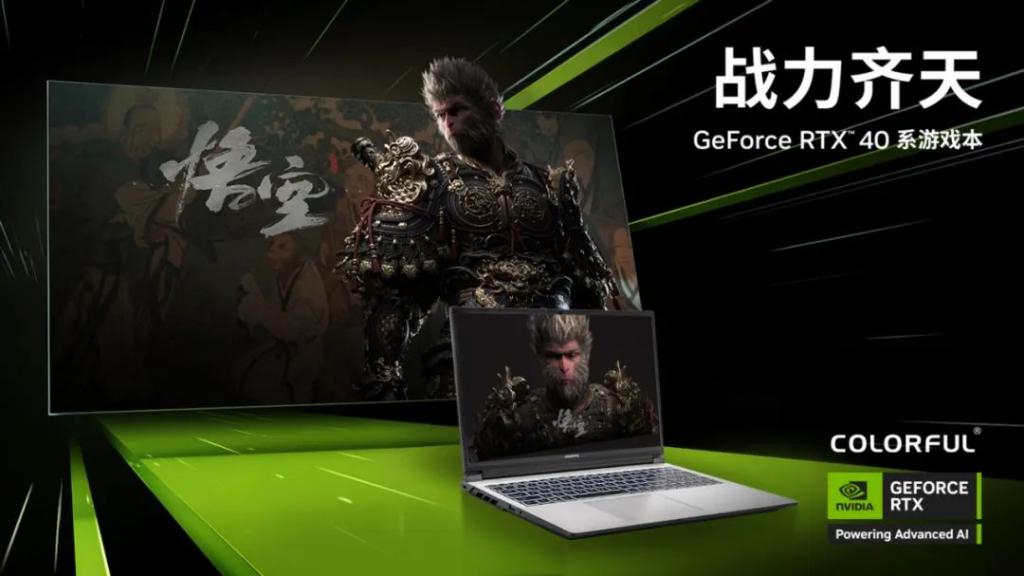
On August 20, the much-anticipated "Black Myth: Wukong" was officially launched, which attracted widespread attention and heated discussions. In order to more fully experience the stunning visual effects of "Black Myth: Wukong", RTX4070 and above laptop GPUs are ideal choices. They not only support panoramic ray tracing technology, but are also equipped with DLSS3 frame generation technology. As early as the beginning of the year, NVIDIA officially announced that "Black Myth: Wukong" will make full use of panoramic ray tracing technology and NVIDIA DLSS3 light reconstruction technology. In order to help everyone give full play to the visual and performance advantages of the game, we specially recommend several highly cost-effective Colorful Hidden Star gaming notebooks, equipped with RTX4070 laptop GPU. These Colorful Hidden Star notebooks can not only ensure smooth operation
 NGINX's Key Features: Performance, Scalability, and Security
Apr 13, 2025 am 12:09 AM
NGINX's Key Features: Performance, Scalability, and Security
Apr 13, 2025 am 12:09 AM
NGINX improves performance through its event-driven architecture and asynchronous processing capabilities, enhances scalability through modular design and flexible configuration, and improves security through SSL/TLS encryption and request rate limiting.
 What are the configurations of the Vertu IRONFLIP priced at more than 30,000 yuan?
Aug 20, 2024 pm 12:51 PM
What are the configurations of the Vertu IRONFLIP priced at more than 30,000 yuan?
Aug 20, 2024 pm 12:51 PM
Recently, the new folding screen mobile phone VertuIRON FLIP has been on the hot search list on major platforms. So what are the configurations of this popular model? What’s so special about it with a price tag of 30,000 yuan? 1. This model is the first small vertical folding mobile phone "VertuIRON FLIP" launched by Vertu in May this year. It uses the Snapdragon 8Gen2 processor, the internal screen is 6.7 inches 2790×1188120Hz, and the external screen is 1.43 inches 466×466 OLED. In terms of imaging, there is a 16MP front camera and a 50MP rear main camera + 2MP depth of field. Built-in 4310mAh battery, supports 65W charging.
 How to fix a hacked WordPress site
Aug 22, 2025 pm 05:05 PM
How to fix a hacked WordPress site
Aug 22, 2025 pm 05:05 PM
If your WordPress website is hacked, you should immediately enter maintenance mode and follow the steps to troubleshoot and repair it. 1. First check whether the website has abnormal behavior, such as unknown links, jumps, strange accounts or slowing down, and set the website to maintenance mode; 2. Replace all login credentials, including background passwords, FTP, database and control panel information, and delete suspicious users; 3. Use security plug-ins to scan malicious code, check key files and plug-in themes, and reinstall core files if necessary; 4. Update and strengthen website security, keep the system updated, delete useless plug-in themes, install security plug-ins, and back up data regularly to prevent being attacked again.
