


FusionCharts 3D Dual Bar Chart

1. The source code of the 3D double column chart page is as follows
doubleColumn3D.html:
<!DOCTYPE html>
<!--
To change this license header, choose License Headers in Project Properties.
To change this template file, choose Tools | Templates
and open the template in the editor.
-->
<html>
    <head>
        <title>FusionCharts 3D双柱状图</title>
        <meta charset="UTF-8">
        <meta name="viewport" content="width=device-width">
        <script type="text/javascript" src="../script/jquery-1.10.2.js"></script>
        <script type="text/javascript" src="../script/Charts/FusionCharts.js"></script>
        <style type="text/css">
            body{
                width:99%;
                height:100%;
                font-size:12px;
            }
            #doubleColumn3DChart{
                width:100%;
            }
        </style>
        <script type="text/javascript">
            $(function(){
                var column3D = new FusionCharts( "../script/Charts/MSColumn3D.swf", "myChartId", "100%", "520", "0" );
                column3D.setXMLUrl("data/doubleColumn3D.xml");
                column3D.render("doubleColumn3DChart");
            });
        </script>
    </head>
    <body>
        <p id="doubleColumn3DChart"></p>
    </body>
</html>
2. 3D double column chart data source
##doubleColumn3D.xml:
<?xml version="1.0" encoding="UTF-8"?>
<chart caption='2012年和2013年统计收入' xAxisName='月份' yAxisName='收入' showValues='0' baseFont='微软雅黑' baseFontSize='14'
       baseFontColor='#00FF00' outCnvBaseFont='宋体' outCnvBaseFontSize='16' outCnvBaseFontColor='#798777' showAboutMenuItem='1'
       showLabels='1' labelDisplay='ROTATE ' useEllipsesWhenOverflow='1' rotateLabels='1' slantLabels='1' staggerLines='2'
       labelStep='3' placeValuesInside='1' showYAxisValues='1' showLimits='1' showpLineValues='1' showShadow='1' adjustp='1'
       setAdaptiveYMin='1' centerYaxisName='1' useRoundEdges='1' numpLines='8' pLineColor='#987989' pLineIsDashed='1'>

   <categories>
      <category label='一月' />
      <category label='二月' />
      <category label='三月' />
      <category label='四月' />
      <category label='五月' />
      <category label='六月' />
      <category label='七月' />
      <category label='八月' />
      <category label='九月' />
      <category label='十月' />
      <category label='十一月' />
      <category label='十二月' />
   </categories>

   <dataset seriesName='2012'>
      <set value='45155' />
      <set value='12452'/>
      <set value='63455' />
      <set value='45233' />
      <set value='95656' />
      <set value='87545' />
      <set value='12425' />
      <set value='94633' />
      <set value='85452' />
      <set value='75455' />
      <set value='32312' />
      <set value='65625' />
   </dataset>

   <dataset seriesName='2013'>
      <set value='65655'/>
      <set value='74555'/>
      <set value='61245'/>
      <set value='12451'/>
      <set value='95656' />
      <set value='24655' />
      <set value='45122' />
      <set value='32656' />
      <set value='65656' />
      <set value='95666' />
      <set value='65323' />
      <set value='54656' />
   </dataset>

</chart>
3. The running result is as shown below
(1) During initialization
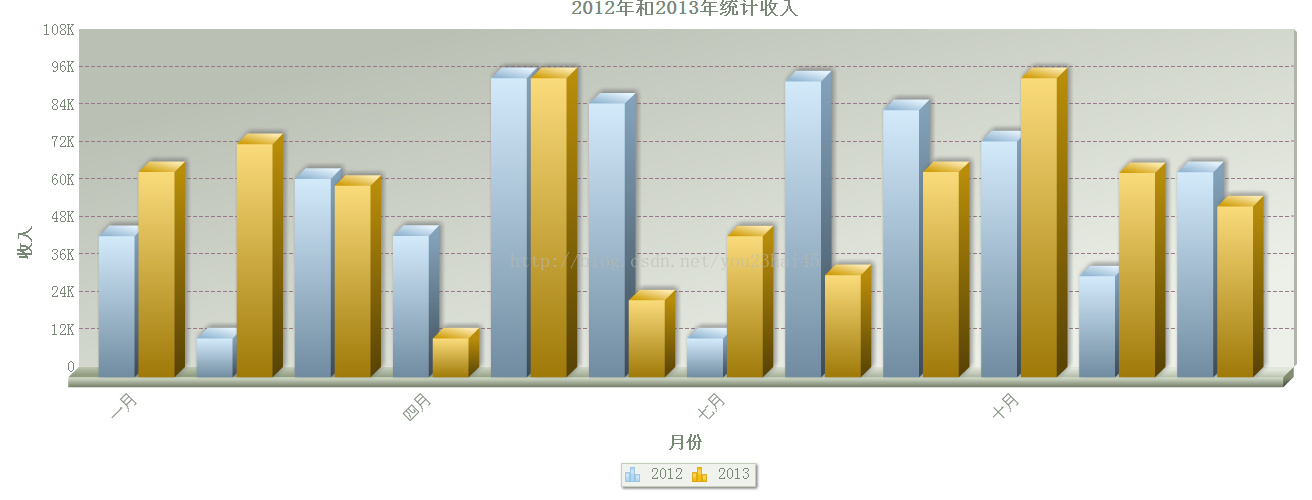
(2) When clicking on the legend 2012

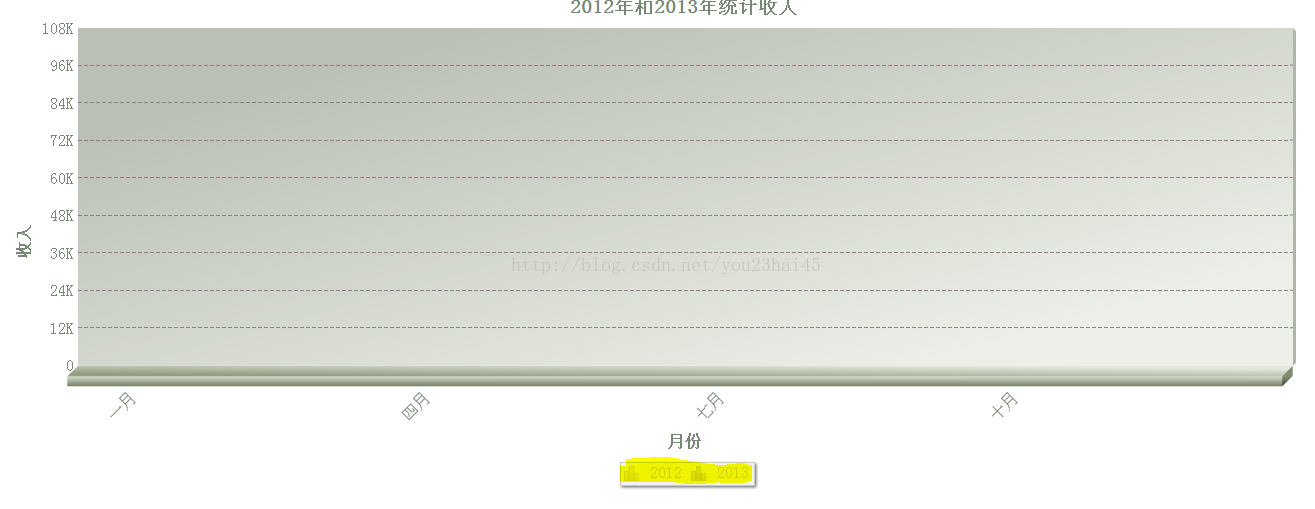
(3) When clicking on the legend 2013

## (4) When clicking legend 2012 and legend 2013
The above is the content of FusionCharts 3D double bar chart. For more related content, please pay attention to PHP Chinese Net (m.sbmmt.com)!

Hot AI Tools

Undress AI Tool
Undress images for free

AI Clothes Remover
Online AI tool for removing clothes from photos.

Undresser.AI Undress
AI-powered app for creating realistic nude photos

ArtGPT
AI image generator for creative art from text prompts.

Stock Market GPT
AI powered investment research for smarter decisions

Hot Article
Popular tool

Notepad++7.3.1
Easy-to-use and free code editor

SublimeText3 Chinese version
Chinese version, very easy to use

Zend Studio 13.0.1
Powerful PHP integrated development environment

Dreamweaver CS6
Visual web development tools

SublimeText3 Mac version
God-level code editing software (SublimeText3)
Hot Topics
 20519
20519
 7
13632
4
7
13632
4

 How to format and beautify XML code in Notepad ? (Pretty Print)
Mar 07, 2026 am 12:20 AM
How to format and beautify XML code in Notepad ? (Pretty Print)
Mar 07, 2026 am 12:20 AM
Notepad needs to manually install and enable the XMLTools plug-in to format XML; if the tags are messed up or the content is lost after formatting, it means that the XML itself is illegal, and there are problems such as unclosed tags or illegal characters.
 How to convert XML to YAML for DevOps? (Configuration Management)
Mar 12, 2026 am 12:11 AM
How to convert XML to YAML for DevOps? (Configuration Management)
Mar 12, 2026 am 12:11 AM
xmltodict PyYAMListhesafestcomboforDevOpsconfigfilesbecauseitpreservescomments,CDATA,namespaces,andattributesaccurately,unlikerawXML-to-YAMLtoolsorCLIutilitieslikeyqandxmllintwhichsilentlydropcriticalmetadata.
 How to minify XML files for faster web loading? (Performance Optimization)
Mar 08, 2026 am 12:16 AM
How to minify XML files for faster web loading? (Performance Optimization)
Mar 08, 2026 am 12:16 AM
RunningminifyonXMLwithoutunderstandingitsrulesbreaksparsingoralterssemanticsbecausewhitespacecanbemeaningful;safeminificationrequiresdata-orientedXML,controlledgeneration/consumption,andstrictparserawareness.
 How to convert an XML file to a Word document? (Reporting)
Mar 09, 2026 am 01:05 AM
How to convert an XML file to a Word document? (Reporting)
Mar 09, 2026 am 01:05 AM
python-docx does not support direct reading of XML files. You need to use xml.etree.ElementTree or lxml to parse the XML extraction fields first, and then write them into the Document object segment by segment. Explicit declaration of prefixes is required to process namespaces, and manual manipulation of the underlying XML is required for table merging and styling. Chinese paths should be avoided when saving.
 How to parse XML data from a URL API? (Rest Services)
Mar 13, 2026 am 12:06 AM
How to parse XML data from a URL API? (Rest Services)
Mar 13, 2026 am 12:06 AM
To parse remote XML API in Python, you need to use requests to get the response and then check the status code and Content-Type. Prioritize using r.text with xml.etree.ElementTree to parse; when encountering a namespace, you need to pass the namespace dictionary; use iterparse to stream large files and clear them manually; front-end JS requires CORS support or proxy.
 How to use Attributes vs Elements in XML? (Design Best Practices)
Mar 16, 2026 am 12:26 AM
How to use Attributes vs Elements in XML? (Design Best Practices)
Mar 16, 2026 am 12:26 AM
You should use attributes to store short metadata (such as id, type), and use elements to store scalable content data; because attributes do not support namespaces, duplication, nesting, and internationalization, their parsing is error-prone and maintenance is difficult.
 How to open and view XML files in Windows 11? (Beginner Guide)
Mar 12, 2026 am 01:02 AM
How to open and view XML files in Windows 11? (Beginner Guide)
Mar 12, 2026 am 01:02 AM
The XML file cannot be opened by double-clicking because it is associated with Notepad by default, causing confusion in the display. You should use Notepad, VSCode or Edge instead; Edge can format and report errors, while VSCode requires the installation of extensions such as RedHatXML for normal highlighting, indentation and verification.
 How to read XML data in C# using LINQ? (.NET Development)
Mar 15, 2026 am 12:43 AM
How to read XML data in C# using LINQ? (.NET Development)
Mar 15, 2026 am 12:43 AM
XDocument.Load() is the preferred method for reading local XML files and automatically handles encoding, BOM and format exceptions; absolute or correct relative paths are required; namespaces must be explicitly declared and participate in queries; Elements() and Descendants() behave differently and should be selected as needed; string parsing must capture XmlException and verify the source.
