


How to connect to a PostgreSQL database with Java using JDBC?

First add the PostgreSQL JDBC driver to the project, then use the correct JDBC URL format (such as jdbc:postgresql://host:port/database) to establish a connection through DriverManager.getConnection(url, user, password). The sample code shows how to connect and automatically close the resource. Finally, you need to handle exceptions and securely manage credentials to ensure that the database service is running normally and the configuration allows the connection.

To connect to a PostgreSQL database with Java using JDBC, you need to include the PostgreSQL JDBC driver in your project, load the driver (optional for newer versions), and establish a connection using DriverManager.getConnection() with the appropriate URL, username, and password.
1. Add the PostgreSQL JDBC Driver
Make sure the PostgreSQL JDBC driver is available in your project's classpath. If you're using Maven, add this dependency:
For Gradle:
implementation 'org.postgresql:postgresql:42.6.0'If not using a build tool, download the JAR from jdbc.postgresql.org and add it manually.
2. Use the Correct Connection URL
The JDBC URL format for PostgreSQL is:
jdbc:postgresql://host:port/databaseExample:
jdbc:postgresql://localhost:5432/mydbYou can include credentials in the URL or pass them separately.
3. Establish the Connection
Use DriverManager.getConnection() to create a connection. Here's a complete example:
Example Code:
import java.sql.Connection;import java.sql.DriverManager;
import java.sql.SQLException;
public class PostgreSQLJDBC {
public static void main(String[] args) {
String url = "jdbc:postgresql://localhost:5432/mydb";
String user = "username";
String password = "password";
try (Connection conn = DriverManager.getConnection(url, user, password)) {
if (conn != null) {
System.out.println("Connected to the PostgreSQL server successfully.");
}
} catch (SQLException e) {
System.err.println(e.getMessage());
}
}
}
This code connects to the database and verifies the connection. The try-with-resources statement ensures the connection is closed automatically.
4. Handle Exceptions and Secure Credentials
Always handle SQLException . Avoid hardcoding credentials in production—use environment variables or configuration files.
String password = System.getenv("DB_PASS");
Ensure PostgreSQL is running and accepts connections on the specified host and port. Check pg_hba.conf and postgresql.conf if connection fails.
Basically that's all you need to get started connecting Java to PostgreSQL via JDBC.
The above is the detailed content of How to connect to a PostgreSQL database with Java using JDBC?. For more information, please follow other related articles on the PHP Chinese website!

Hot AI Tools

Undress AI Tool
Undress images for free

AI Clothes Remover
Online AI tool for removing clothes from photos.

Undresser.AI Undress
AI-powered app for creating realistic nude photos

ArtGPT
AI image generator for creative art from text prompts.

Stock Market GPT
AI powered investment research for smarter decisions

Hot Article
Popular tool

Notepad++7.3.1
Easy-to-use and free code editor

SublimeText3 Chinese version
Chinese version, very easy to use

Zend Studio 13.0.1
Powerful PHP integrated development environment

Dreamweaver CS6
Visual web development tools

SublimeText3 Mac version
God-level code editing software (SublimeText3)
Hot Topics
 20518
20518
 7
13631
4
7
13631
4

 After Java8 (291), TLS1.1 is disabled and JDBC cannot connect to SqlServer2008 using SSL. How to solve the problem?
May 16, 2023 pm 11:55 PM
After Java8 (291), TLS1.1 is disabled and JDBC cannot connect to SqlServer2008 using SSL. How to solve the problem?
May 16, 2023 pm 11:55 PM
After Java8-291, TLS1.1 is disabled, so that JDBC cannot connect to SqlServer2008 using SSL. What should I do? The following is the solution to modify the java.security file 1. Find the java.security file of jre. If it is jre, go to {JAVA_HOME}/jre/ In lib/security, for example????C:\ProgramFiles\Java\jre1.8.0_301\lib\security. If it is the Eclipse green installation-free portable version, search for java.security in the installation folder, such as????xxx\plugins \org
 Common problems encountered in Java using JDBC API to connect to MySQL database
Jun 10, 2023 am 09:55 AM
Common problems encountered in Java using JDBC API to connect to MySQL database
Jun 10, 2023 am 09:55 AM
In recent years, the application of Java language has become more and more widespread, and JDBCAPI is a creative method for Java applications to interact with databases. JDBC is based on an open database connection standard called ODBC, which enables Java applications to connect to any database. management system (DBMS). Among them, MySQL is a popular database management system. However, developers will also encounter some common problems when connecting to MySQL databases. This article aims to introduce the JDBCAPI connection M
 How to analyze JDBC programming in MySQL
May 30, 2023 pm 10:19 PM
How to analyze JDBC programming in MySQL
May 30, 2023 pm 10:19 PM
1. Prerequisites for database programming Programming languages, such as Java, C, C++, Python and other databases, such as Oracle, MySQL, SQLServer and other database driver packages: Different databases provide different database driver packages corresponding to different programming languages. For example: MySQL provides the Java driver package mysql-connector-java, which is required to operate MySQL based on Java. Similarly, to operate Oracle database based on Java, Oracle's database driver package ojdbc is required. 2. Java database programming: JDBCJDBC, JavaDatabaseConnectiv
 Java Errors: JDBC Errors, How to Solve and Avoid
Jun 24, 2023 pm 02:40 PM
Java Errors: JDBC Errors, How to Solve and Avoid
Jun 24, 2023 pm 02:40 PM
With the widespread application of Java, JDBC errors often occur when Java programs connect to databases. JDBC (JavaDatabaseConnectivity) is a programming interface in Java used to connect to a database. Therefore, a JDBC error is an error encountered when a Java program interacts with a database. Here are some of the most common JDBC errors and how to solve and avoid them. ClassNotFoundException This is the most common JDBC
 How to implement JDBC batch insert in Java
May 18, 2023 am 10:02 AM
How to implement JDBC batch insert in Java
May 18, 2023 am 10:02 AM
1. Explain that in JDBC, the executeBatch method can execute multiple dml statements in batches, and the efficiency is much higher than executing executeUpdate individually. What is the principle? How to implement batch execution in mysql and oracle? This article will introduce to you the principle behind this. 2. Experiment introduction This experiment will be carried out through the following three steps: a. Record the time consuming of jdbc batch execution and single execution in mysql; b. Record the time consuming of jdbc batch execution and single execution in oracle; c. Record the batch execution and single execution of oracleplsql. The execution time-consuming related java and database versions are as follows: Java17, Mysql8, Oracle
 What is the difference between Hibernate framework and JDBC?
Apr 17, 2024 am 10:33 AM
What is the difference between Hibernate framework and JDBC?
Apr 17, 2024 am 10:33 AM
Differences between Hibernate and JDBC: Abstraction level: Hibernate provides high-level object mapping and query generation, while JDBC requires manual coding. Object-relational mapping: Hibernate maps Java objects and database tables, while JDBC does not provide this functionality. Query generation: Hibernate uses HQL to simplify query generation, while JDBC requires writing complex SQL queries. Transaction management: Hibernate automatically manages transactions, while JDBC requires manual management.
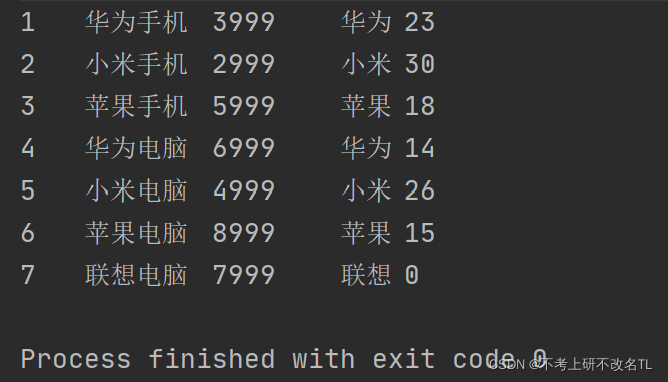 How MySQL implements JDBC
May 27, 2023 am 11:06 AM
How MySQL implements JDBC
May 27, 2023 am 11:06 AM
Basic introductory concepts of JDBC JDBC (JavaDataBaseConnectivity, java database connection) is a Java API used to execute SQL statements and can provide unified access to a variety of relational databases. It is composed of a set of classes and interfaces written in the Java language. The JDBC specification defines the interface, and the specific implementation is implemented by major database vendors. JDBC is the standard specification for Java to access databases. How to actually operate the database requires specific implementation classes, that is, database drivers. Each database manufacturer writes its own database driver according to the communication format of its own database. So we just need to be able to call J
 How to build a JDBC application using Java?
May 08, 2023 pm 11:25 PM
How to build a JDBC application using Java?
May 08, 2023 pm 11:25 PM
1. Load the database driver. Usually the forName() static method of the Class class is used to load the driver. For example, the following code: //Load driver Class.forName(driverClass) 2. Obtain the database connection through DriverManager. DriverManager provides the following method: // Get the database connection DriverManager.getConnection(Stringurl, Stringuser, Stringpassword); 3. Create a Statement object through the Connection object. ConnectioncreateStatement
