


 Operation and Maintenance
Linux Operation and Maintenance
How to monitor disk health smartmontools
Operation and Maintenance
Linux Operation and Maintenance
How to monitor disk health smartmontools
How to monitor disk health smartmontools

smartmontools is a practical tool for monitoring the health status of hard disks. It can read SMART information to detect problems such as bad sectors and remapping in advance. 1. The installation method includes using apt/yum/dnf on Linux and Homebrew on macOS; 2. To check the health status, use sudo smartctl -H /dev/sdX and sudo smartctl -a /dev/sdX to obtain detailed properties; 3. To set up automatic monitoring, you need to edit /etc/smartd.conf and restart the service; 4. Note that NVMe and SATA commands are different, and SSD and HDD There are differences in the key indicators, and you cannot rely solely on "Overall Health" to determine the hard drive status. Mastering these operations can effectively prevent data loss.

It is not difficult to monitor the health status of the hard disk. Smartmontools is a very practical tool. It can read the SMART information of the hard disk and help you detect potential problems in advance, such as bad sectors, remapping, power-on time and other key indicators. If you have a server or regularly use your computer to process large amounts of data, it is necessary to regularly check the status of your hard drive.
Here are some of the questions and action suggestions you may be most concerned about:
How to install smartmontools
In most Linux distributions, it can be installed directly through the package manager. For example:
- Ubuntu/Debian :
sudo apt install smartmontools - CentOS/RHEL :
sudo yum install smartmontoolsordnf install smartmontools - macOS (via Homebrew) :
brew install smartmontools
After the installation is complete, you can use commands to view and monitor the hard drive.
How to check the health status of your hard drive
Use the following command to quickly view the basic information and health status of your hard drive:
sudo smartctl -H /dev/sdX
/dev/sdX here should be replaced with your actual device name, such as /dev/sda or /dev/nvme0n1 .
The output will display information similar to this:
SMART overall-health self-assessment test result: PASSED
If you see PASSED , it means there is no serious problem at present. But please note that this is only an overall assessment and does not mean that all details are normal.
More detailed reports are available with:
sudo smartctl -a /dev/sdX
This command will list all SMART attributes, including:
- Reallocated_Sector_Ct (number of remapped sectors)
- Power_On_Hours (power on time)
- Temperature_Celsius (current temperature)
- Pending_Sector (sector to be repaired)
These values can help you determine whether the hard drive is beginning to age or suffer physical damage.
How to set up automatic monitoring and alerting
smartmontools comes with a daemon process that can scan the hard disk regularly and send email notifications. The configuration method is as follows:
- Edit the configuration file (usually
/etc/smartd.conf) - Add the hard drive to be monitored, for example:
/dev/sda -a -m your_email@example.com -M daily
This means enabling all detection of
/dev/sdaand sending daily email alerts when problems are discovered. - Make sure the system has a mail service configured, such as postfix or sendmail
- Restart smartd service:
sudo systemctl restart smartd
This enables automatic monitoring in the background, eliminating the need for manual checks every time.
Frequently Asked Questions and Notes
The commands for NVMe and SATA are slightly different
For NVMe solid-state drives, SMART query methods are different. Some commands require the-d nvmeparameter, such as:sudo smartctl -a -d nvme /dev/nvme0n1
Don’t just look at “Overall Health”
Sometimes although the overall status is "PASSED", some attributes are close to the threshold. For example, the Reallocated Sector Count continues to increase. At this time, you need to be vigilant.SSD and HDD indicators have different meanings
SSDs have no mechanical structure, so metrics like "Start_Stop_Count" are not that important. The focus should be on "Percentage Used" (for NVMe) or "Wear_Leveling_Count" (SATA SSD).
That's basically it. By mastering these common commands and configurations, you can easily understand the status of the hard drive and avoid data loss caused by sudden failures.
The above is the detailed content of How to monitor disk health smartmontools. For more information, please follow other related articles on the PHP Chinese website!

Hot AI Tools

Undress AI Tool
Undress images for free

AI Clothes Remover
Online AI tool for removing clothes from photos.

Undresser.AI Undress
AI-powered app for creating realistic nude photos

ArtGPT
AI image generator for creative art from text prompts.

Stock Market GPT
AI powered investment research for smarter decisions

Hot Article
Popular tool

Notepad++7.3.1
Easy-to-use and free code editor

SublimeText3 Chinese version
Chinese version, very easy to use

Zend Studio 13.0.1
Powerful PHP integrated development environment

Dreamweaver CS6
Visual web development tools

SublimeText3 Mac version
God-level code editing software (SublimeText3)
Hot Topics
 20519
20519
 7
13632
4
7
13632
4

 Microsoft improves Windows 11's Smart App Control, but you might not be able to use it
Apr 17, 2023 pm 04:40 PM
Microsoft improves Windows 11's Smart App Control, but you might not be able to use it
Apr 17, 2023 pm 04:40 PM
Microsoft launched SmartAppControl, a Windows 11 security feature, earlier this year. At the time, Microsoft described it as a protection tool that "blocks untrusted or potentially dangerous applications." What was unique about the tool at the time was that it determined whether it should run on a Windows 11 device. SmartAppControl initially runs in evaluation mode; it is in this mode that the application decides whether it should be opened. Microsoft did reveal that users can enable Smart App Control in the App and Browser Controls section of the Windows Security app. According only to Microsoft, SmartAppC
 How to turn on Invert Colors on iPhone 15
Apr 26, 2023 am 11:16 AM
How to turn on Invert Colors on iPhone 15
Apr 26, 2023 am 11:16 AM
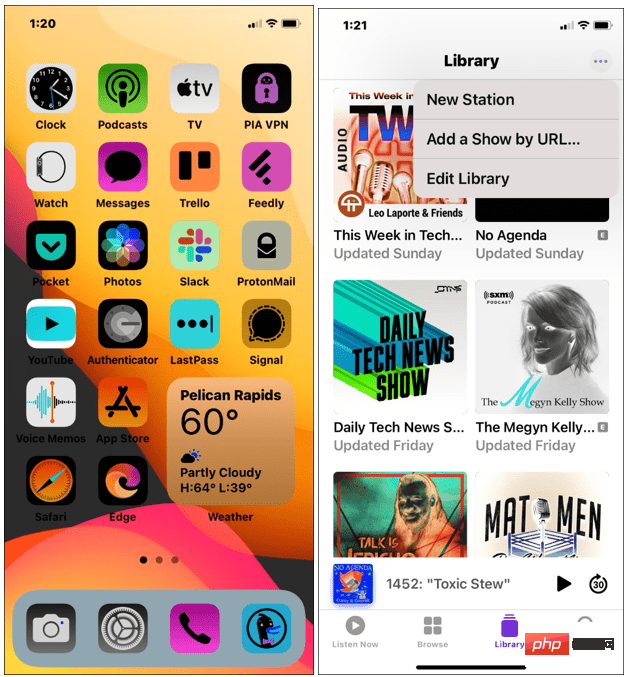
How to Invert Colors on iPhone Since there are two options for inverting colors on iPhone, you need to try each version - SmartInvert and ClassicInvert. SmartInvert inverts colors on the display except for images, videos, and other functions (shown below). At the same time, ClassicInvert inverts all colors on your iPhone screen. Both settings will invert your screen colors, but ClassicInvert will invert all colors you see, without exception. To invert colors on iPhone: Open Settings from the Home screen. Scroll down and click Accessibility. Click Show from the menu
 Comparison: Apple Studio Display vs Samsung Smart Monitor M8
May 11, 2023 pm 10:46 PM
Comparison: Apple Studio Display vs Samsung Smart Monitor M8
May 11, 2023 pm 10:46 PM
Samsung Smart Display M8 vs. Apple Studio Display: Design and Size Since its launch, the Apple Studio Display has been compared to the iMac, consisting of a relatively thin panel on a relatively simple L-shaped stand. It's a well-known and well-loved aesthetic, and Samsung seems to have borrowed it for its presentation. The Samsung SmartMonitor M8 uses the same idea of a thin screen on a stand that looks very similar. Some minor elements are different, such as the small section in the lower left corner that sticks out a bit and the Samsung's chin is very thin, but they seem to be close in terms of basic design. Samsung seems to have taken a lot of inspiration from the 24-inch iMac. Apple's display is smaller than Samsung's
 Yaber T2 (Plus): Compact projector with Full HD resolution, battery, JBL sound and smart functions
Jun 27, 2024 am 10:31 AM
Yaber T2 (Plus): Compact projector with Full HD resolution, battery, JBL sound and smart functions
Jun 27, 2024 am 10:31 AM
Yaber products are available on Amazon, and now the company offers a new projector - Yaber T2. The model is available in two versions: the Yaber T2 and the Yaber T2 Plus. The Yaber T2 Plus costs 349 dollars instead of 299 dollars and comes with a TV
 Cubot KingKong X: New rugged smartphone comes with 5G and secondary touch display
Jul 01, 2024 pm 02:54 PM
Cubot KingKong X: New rugged smartphone comes with 5G and secondary touch display
Jul 01, 2024 pm 02:54 PM
Although Cubot also offers conventional smartphones and tablets, its focus is on rugged smartphones. The KingKong X, which has just been unveiled, is one such example. The smartphone is IP68 certified and thus protected against damage from dust or wa
 Full-featured and easy to use, this HP 4825 is very suitable for home use
Mar 15, 2024 pm 06:37 PM
Full-featured and easy to use, this HP 4825 is very suitable for home use
Mar 15, 2024 pm 06:37 PM
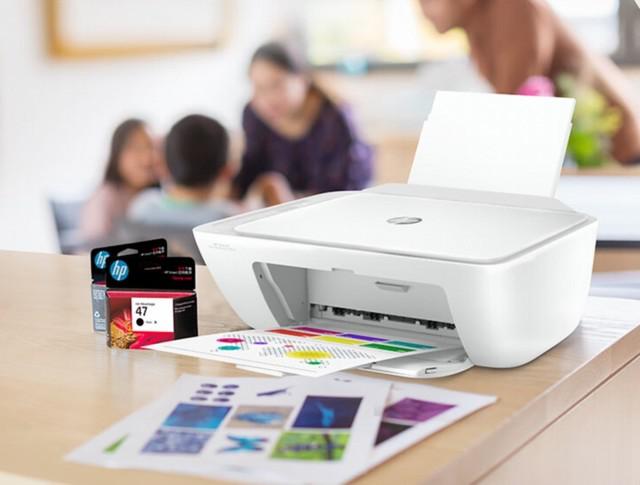
For home users, since they often need to print some teaching materials for their children, it will be more convenient to buy a printer. Today I would like to recommend this HP 4825 color inkjet all-in-one machine. It has comprehensive functions and good printing quality. The price is only 599 yuan. It is very cost-effective and is an ideal choice for home users. Comprehensive functions, simple and easy to use First of all, in terms of functions, this HP 4825 is an all-in-one machine that integrates printing, copying, and scanning, so it will be more comprehensive in terms of functions. Whether it is daily printing or copying, it can be easily handled. Daily scanning of documents can be completed at home, providing convenience to home users. At the same time, the control panel of the HP 4825 color inkjet all-in-one machine adopts an intuitive design language.
 Oasa R1: Robot mower comes with LiDAR and an unusual mowing method intended to ensure perfectly trimmed lawns
Jun 28, 2024 pm 06:40 PM
Oasa R1: Robot mower comes with LiDAR and an unusual mowing method intended to ensure perfectly trimmed lawns
Jun 28, 2024 pm 06:40 PM
The Oasa R1, a smart robotic lawnmower, is currently being financed as part of a crowdfunding campaign. The model looks like a typical robotic mower at first glance, but it is not. Instead of using rotating blades, the Oasa R1 is a cylinder mower. Su
 JPMorgan is also participating! DTCC partners with Chainlink to provide on-chain data integration services
Jun 04, 2024 am 10:56 AM
JPMorgan is also participating! DTCC partners with Chainlink to provide on-chain data integration services
Jun 04, 2024 am 10:56 AM
The Depository Trust and Clearing Corporation (DTCC) has partnered with Chainlink, a leader in cross-chain transfer protocols, to enter the digital asset field. The SmartNAV pilot launched by it uses blockchain technology to improve data dissemination in the financial market and explore new opportunities for financial services through the integration of digital assets. SmartNAV aims to enter the digital asset field in cooperation with partners DTCC and Chainlink. It announced the SmartNAV pilot report, successfully used blockchain technology to improve data dissemination in the financial market, and further hopes to explore new opportunities in financial services through the integration of digital assets. Industry partners participating this time include BNY Mellon, JPMorgan,
