


Understanding the pom.xml File in Maven

pom.xml is the core configuration file of the Maven project, which defines the project's construction method, dependencies and packaging and deployment behavior. 1. Project coordinates (groupId, artifactId, version) uniquely identify the project; 2. Dependencies declare project dependencies, and Maven automatically downloads; 3. properties define reusable variables; 4. build to configure the compilation plug-in and source code directory; 5. parent POM implements configuration inheritance; 6. dependencyManagement unified management of dependency version. Maven parses pom.xml to execute the construction life cycle. The rational use of BOM and dependency management can improve project stability, avoid version conflicts, and mastering pom.xml can significantly improve development efficiency.
The pom.xml file is the heart of any Maven project. If you're working with Java-based applications, especially in enterprise environments, understanding this file is essential. It's not just a configuration file — it defines how your project is built, what dependencies it needs, and how it behaves during testing, packaging, and deployment.
Let's break down what the pom.xml really is and why it matters.
What Is the pom.xml?
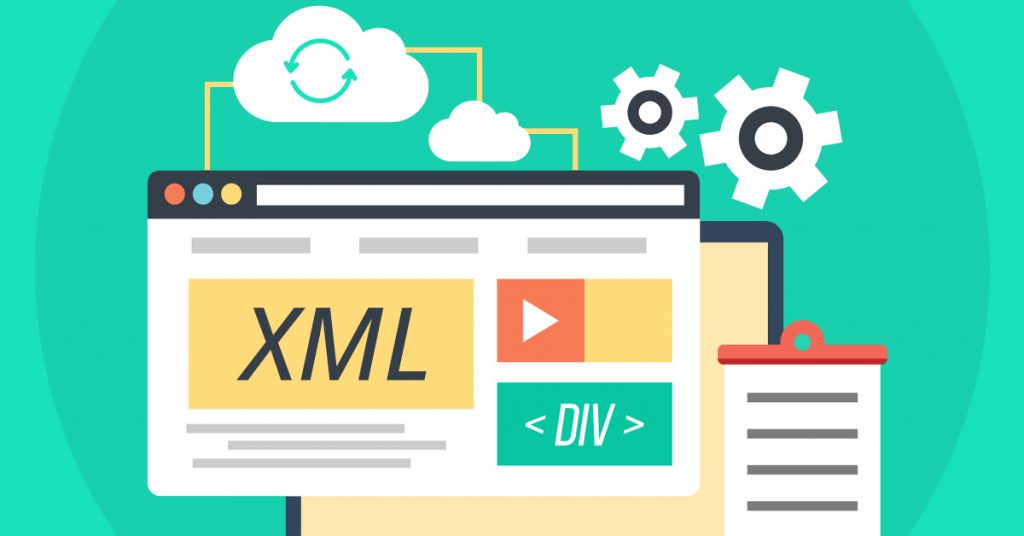
pom.xml stands for Project Object Model . It's an XML file that contains all the configuration details Maven needs to build your project. When Maven runs, it reads this file to determine:
- Project metadata (name, version, description)
- Dependencies (libraries your project needs)
- Build settings (source directories, plugins, profiles)
- Packaging type (JAR, WAR, etc.)
- Plugin configurations
Without pom.xml , Maven doesn't know what to do.
Here's a minimum example:
 <project xmlns="http://maven.apache.org/POM/4.0.0"
         xmlns:xsi="http://www.w3.org/2001/XMLSchema-instance"
         xsi:schemaLocation="http://maven.apache.org/POM/4.0.0
         http://maven.apache.org/xsd/maven-4.0.0.xsd">
    <modelVersion>4.0.0</modelVersion>

    <groupId>com.example</groupId>
    <artifactId>my-app</artifactId>
    <version>1.0.0</version>
    <packaging>jar</packaging>

    <dependencies>
        <dependency>
            <groupId>junit</groupId>
            <artifactId>junit</artifactId>
            <version>4.12</version>
            <scope>test</scope>
        </dependency>
    </dependencies>
</project>
This simple file tells Maven everything it needs to start: who the project belongs to, what it's called, its version, and that it depends on JUnit for testing.
Key Elements of pom.xml
Let's go over the most important sections you'll encounter.
1. Project Coordinates ( groupId , artifactId , version )
These three make up the GAV identifier — the unique fingerprint of your project.
-
groupId: Usually your organization's domain in reverse (eg,com.example) -
artifactId: The name of your project (eg,my-web-app) -
version: The current version (eg,1.0-SNAPSHOT)
Together, they help Maven identify your project and management dependencies.
Pro tip: Use
SNAPSHOTfor development versions. Maven will check for updates on every build.
2. Dependencies
This section lists all external libraries your project relies on.
 <dependencies>
    <dependency>
        <groupId>org.springframework</groupId>
        <artifactId>spring-core</artifactId>
        <version>5.3.21</version>
    </dependency>
</dependencies>
Maven automatically downloads these from repositories (like Maven Central). No more manually adding JARs to lib folders.
You can also define the scope of a dependency:
-
compile– default; available in all phases -
test– only for testing (eg, JUnit) -
provided– expected to be provided by runtime (eg, servlet API) -
runtime– needed at runtime but not compile time (eg, JDBC drivers) -
system– rare; for local JARs
3. Properties
You can define reusable variables:
 <properties>
    <maven.compiler.source>11</maven.compiler.source>
    <maven.compiler.target>11</maven.compiler.target>
    <junit.version>4.12</junit.version>
</properties>
Then reference them like ${junit.version} in dependencies or plugins. Keeps things consistent and easier to update.
4. Build Configuration
This controls how your project is compiled and packaged.
 <build>
    <plugins>
        <plugin>
            <groupId>org.apache.maven.plugins</groupId>
            <artifactId>maven-compiler-plugin</artifactId>
            <version>3.11.0</version>
            <configuration>
                <source>11</source>
                <target>11</target>
            </configuration>
        </plugin>
    </plugins>
</build>
Plugins are Maven's way of extending functionality — compiling, testing, packaging, deploying, etc.
You can also customize source directories:
 <sourceDirectory>src/main/java</sourceDirectory>
<testSourceDirectory>src/test/java</testSourceDirectory>
Though these defaults usually work fine.
5. Parent POM and Inheritance
Many projects use a parent POM to share configurations across modules.
 <parent>
    <groupId>org.springframework.boot</groupId>
    <artifactId>spring-boot-starter-parent</artifactId>
    <version>2.7.0</version>
    <relativePath/>
</parent>
This brings in pre-configured plugins, dependency versions, and best practices — super common in Spring Boot apps.
6. Dependency Management
Used in parent POMs to control versions across child modules.
 <dependencyManagement>
    <dependencies>
        <dependency>
            <groupId>com.fasterxml.jackson.core</groupId>
            <artifactId>jackson-databind</artifactId>
            <version>2.13.3</version>
        </dependency>
    </dependencies>
</dependencyManagement>
Now any module can include jackson-databind without specifying a version — it's enforced by the parent.
How Maven Uses pom.xml
When you run a command like:
mvn clean install
Maven:
- Parses
pom.xml - Downloads required dependencies (if not already in local repo)
- Compiles source code
- Runs tests
- Packages the output (JAR/WAR)
- Installs it in your local repository (
~/.m2/repository)
Every step is defined or influenced by the POM.
Common Mistakes & Tips
- Don't hardcode versions everywhere — use
<dependencyManagement>or properties. - Avoid SNAPSHOTs in production — they're mutable and can cause inconsistencies.
- Keep your POM clean — remove unused dependencies (use
mvn dependency:analyze). - Use BOMs (Bill of Materials) — like
spring-boot-dependencies, to manage compatible versions.
Example of importing a BOM:
 <dependencyManagement>
    <dependencies>
        <dependency>
            <groupId>org.springframework.boot</groupId>
            <artifactId>spring-boot-dependencies</artifactId>
            <version>2.7.0</version>
            <type>pom</type>
            <scope>import</scope>
        </dependency>
    </dependencies>
</dependencyManagement>
Understanding pom.xml is not just about knowing XML tags — it's about understanding how Maven manages your project lifecycle. Once you get comfortable with its structure, you'll spend less time fighting buildings and more time writing code.
Basically, if Maven is the engine, pom.xml is the control panel. Know it, use it, and your builds will run smoother.
The above is the detailed content of Understanding the pom.xml File in Maven. For more information, please follow other related articles on the PHP Chinese website!

Hot AI Tools

Undress AI Tool
Undress images for free

AI Clothes Remover
Online AI tool for removing clothes from photos.

Undresser.AI Undress
AI-powered app for creating realistic nude photos

ArtGPT
AI image generator for creative art from text prompts.

Stock Market GPT
AI powered investment research for smarter decisions

Hot Article
Popular tool

Notepad++7.3.1
Easy-to-use and free code editor

SublimeText3 Chinese version
Chinese version, very easy to use

Zend Studio 13.0.1
Powerful PHP integrated development environment

Dreamweaver CS6
Visual web development tools

SublimeText3 Mac version
God-level code editing software (SublimeText3)
Hot Topics
 20519
20519
 7
13632
4
7
13632
4

 Java Maven build tool advancement: optimizing compilation speed and dependency management
Apr 17, 2024 pm 06:42 PM
Java Maven build tool advancement: optimizing compilation speed and dependency management
Apr 17, 2024 pm 06:42 PM
Optimize Maven build tools: Optimize compilation speed: Take advantage of parallel compilation and incremental compilation. Optimize dependencies: Analyze dependency trees and use BOM (bill of materials) to manage transitive dependencies. Practical case: illustrate optimizing compilation speed and dependency management through examples.
 Detailed explanation of Maven Alibaba Cloud image configuration
Feb 21, 2024 pm 10:12 PM
Detailed explanation of Maven Alibaba Cloud image configuration
Feb 21, 2024 pm 10:12 PM
Detailed explanation of Maven Alibaba Cloud image configuration Maven is a Java project management tool. By configuring Maven, you can easily download dependent libraries and build projects. The Alibaba Cloud image can speed up Maven's download speed and improve project construction efficiency. This article will introduce in detail how to configure Alibaba Cloud mirroring and provide specific code examples. What is Alibaba Cloud Image? Alibaba Cloud Mirror is the Maven mirror service provided by Alibaba Cloud. By using Alibaba Cloud Mirror, you can greatly speed up the downloading of Maven dependency libraries. Alibaba Cloud Mirror
 Best practices and recommended methods for setting Java versions in Maven
Feb 22, 2024 pm 03:18 PM
Best practices and recommended methods for setting Java versions in Maven
Feb 22, 2024 pm 03:18 PM
When using Maven to build a Java project, you often encounter situations where you need to set the Java version. Correctly setting the Java version can not only ensure that the project runs normally in different environments, but also avoid some compatibility issues and improve the stability and maintainability of the project. This article will introduce the best practices and recommended methods for setting Java versions in Maven, and provide specific code examples for reference. 1. Set the Java version in the pom.xml file. In the pom.xml file of the Maven project, you can
 Avoid common mistakes in Maven environment configuration: Solve configuration problems
Feb 19, 2024 pm 04:56 PM
Avoid common mistakes in Maven environment configuration: Solve configuration problems
Feb 19, 2024 pm 04:56 PM
Maven is a Java project management and build tool that is widely used in the development of Java projects. In the process of using Maven to build projects, you often encounter some common environment configuration problems. This article will answer these common questions and provide specific code examples to help readers avoid common configuration errors. 1. Maven environment variables are incorrectly configured. Problem description: When using Maven, if the environment variables are incorrectly configured, Maven may not work properly. Solution: Make sure
 Basic tutorial: Create a Maven project using IDEA
Feb 19, 2024 pm 04:43 PM
Basic tutorial: Create a Maven project using IDEA
Feb 19, 2024 pm 04:43 PM
IDEA (IntelliJIDEA) is a powerful integrated development environment that can help developers develop various Java applications quickly and efficiently. In Java project development, using Maven as a project management tool can help us better manage dependent libraries, build projects, etc. This article will detail the basic steps on how to create a Maven project in IDEA, while providing specific code examples. Step 1: Open IDEA and create a new project Open IntelliJIDEA
 Guide to setting up Maven local libraries: efficiently manage project dependencies
Feb 19, 2024 am 11:47 AM
Guide to setting up Maven local libraries: efficiently manage project dependencies
Feb 19, 2024 am 11:47 AM
Maven local warehouse configuration guide: Easily manage project dependencies. With the development of software development, project dependency package management has become more and more important. As an excellent build tool and dependency management tool, Maven plays a vital role in the project development process. Maven will download project dependencies from the central warehouse by default, but sometimes we need to save some specific dependency packages to the local warehouse for offline use or to avoid network instability. This article will introduce how to configure Maven local warehouse for easy management
 Smooth build: How to correctly configure the Maven image address
Feb 20, 2024 pm 08:48 PM
Smooth build: How to correctly configure the Maven image address
Feb 20, 2024 pm 08:48 PM
Smooth build: How to correctly configure the Maven image address When using Maven to build a project, it is very important to configure the correct image address. Properly configuring the mirror address can speed up project construction and avoid problems such as network delays. This article will introduce how to correctly configure the Maven mirror address and give specific code examples. Why do you need to configure the Maven image address? Maven is a project management tool that can automatically build projects, manage dependencies, generate reports, etc. When building a project in Maven, usually
 How to disable test cases in Maven?
Feb 26, 2024 am 09:57 AM
How to disable test cases in Maven?
Feb 26, 2024 am 09:57 AM
Maven is an open source project management tool that is commonly used for tasks such as construction, dependency management, and document release of Java projects. When using Maven for project build, sometimes we want to ignore the testing phase when executing commands such as mvnpackage, which will improve the build speed in some cases, especially when a prototype or test environment needs to be built quickly. This article will detail how to ignore the testing phase in Maven, with specific code examples. Why you should ignore testing During project development, it is often
